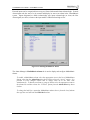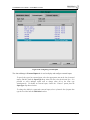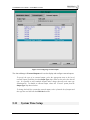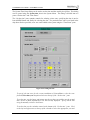
1
ControlMatrix User’s Manual Version 4.0US, September 2004 ControlMatrix User’s Guide – Table of Contents 1 Overview ..................................................................................................................8 1.1 Introduction .................................................................................................... 9 1.2 A Typical ControlMatrix System ................................................................... 9 1.3 Central Equipment........................................................................................ 11 1.4 Field Equipment ........................................................................................... 11 1.4.1 CA485 .........................................................................................................11 1.4.2 Power ..........................................................................................................11 1.4.3 Audio ...........................................................................................................12 1.4.4 Networks .....................................................................................................12 1.5 Where To Go From Here .............................................................................. 12 2 ControlMatrix Concepts........................................................................................14 2.1 Introduction .................................................................................................. 15 2.2 Definition of a Zone ...................................................................................... 15 2.3 Definition of a Page ...................................................................................... 15 2.4 Store-and-Forward ....................................................................................... 15 2.5 Messaging..................................................................................................... 15 2.6 Paging Priority.............................................................................................. 16 2.6.1 If the second paging event is lower priority than the first .............................16 2.6.2 If the second paging event is the same priority as the first ..........................16 2.6.3 If the second paging event is higher priority than the first............................17 2.7 System Alarms ............................................................................................. 17 3 ControlMatrix Elements .......................................................................................20 3.1 Introduction .................................................................................................. 21 3.2 Central Equipment........................................................................................ 21 3.2.1 Q-Host .........................................................................................................21 3.2.2 Messaging and MessageNet .......................................................................21 3.2.3 MediaMatrix.................................................................................................22 3.2.4 Central Equipment Hardware Packaging.....................................................22 3.3 Field Equipment ........................................................................................... 23 3.3.1 Paging Stations ...........................................................................................23 3.3.2 Telephone Paging Units ..............................................................................24 3.3.3 Wall Mount Controllers ................................................................................24 3.3.4 PCU 2100 Load Sharing Redundant Power Supply ....................................25 3.4 MediaMatrix CABs ........................................................................................ 25 3.5 Software ........................................................................................................ 25 3.5.1 ControlMatrix Console .................................................................................26 3.5.2 ControlMatrix Setup.....................................................................................26 4 Getting Started.......................................................................................................28 V4.0US, September 2004 Page 1 ControlMatrix User’s Guide – Table of Contents 4.1 Where do I start? .......................................................................................... 29 4.1.1 Have you got what it takes? ........................................................................29 4.1.2 Install Central Equipment ............................................................................29 4.1.3 Install Network Equipment...........................................................................30 4.1.4 Install Field Equipment ................................................................................30 4.1.5 Initial Power-Up ...........................................................................................32 4.1.6 Configure the MediaMatrix ..........................................................................32 4.1.7 Running and Testing the View File ..............................................................33 4.1.8 Configure the Q-Host...................................................................................33 4.1.9 Are ControlMatrix and MediaMatrix Working Together?..............................34 4.1.10 Setting Input Levels .....................................................................................34 4.1.11 Setting the Zones Output Levels .................................................................35 4.1.12 Troubleshooting ControlNet Network Problems ..........................................35 4.2 Making a ControlMatrix View File................................................................ 36 4.2.1 Control Matrix View File Devices .................................................................36 4.2.2 Building the View File ..................................................................................36 4.2.3 Making the View File Run from Boot ...........................................................37 4.3 MediaMatrix requirements for ControlMatrix ............................................. 37 4.3.1 MediaMatrix Card Complement and Placement ..........................................37 4.3.2 CAB firmware versions required for ControlMatrix.......................................38 4.3.3 What MWare versions support ControlMatrix? ............................................38 4.4 Installing ControlMatrix Windows Client on a PC...................................... 39 4.5 Where can I get more information? ............................................................ 40 5 ControlMatrix Setup .............................................................................................42 5.1 Introduction .................................................................................................. 43 5.1.1 To Start Setup .............................................................................................43 5.1.2 Wizard Mode ...............................................................................................43 5.1.3 Standard Mode............................................................................................43 5.2 Licensing Dialog........................................................................................... 44 5.3 Network Devices Configuration Dialog ...................................................... 45 5.4 Network System Interlinking Dialog ........................................................... 50 5.5 CA485 Device Manager ................................................................................ 52 5.6 Display Sign Manager .................................................................................. 53 5.7 Telephone Paging Unit Manager ................................................................. 54 5.8 System Inputs Configuration Dialog........................................................... 56 5.8.1 PCU Inputs ..................................................................................................57 5.8.2 Background Inputs ......................................................................................58 5.8.3 User Inputs ..................................................................................................58 5.8.4 SCP Local Inputs.........................................................................................59 5.8.5 Telephone Inputs.........................................................................................59 5.9 Zone Attributes Configuration Dialog......................................................... 60 5.9.1 Standard Zones ...........................................................................................61 5.9.2 SVC1 Zones ................................................................................................61 5.9.3 SVC2 Zones ................................................................................................62 V4.0US, September 2004 Page 2 ControlMatrix User’s Guide – Table of Contents 5.9.4 SCP Zones ..................................................................................................62 5.10 Alarm Manager ........................................................................................... 63 5.11 System Time Setup .................................................................................... 66 5.12 User Manager.............................................................................................. 69 5.13 Files Menu................................................................................................... 70 5.13.1 Save Configuration ......................................................................................72 5.13.2 Restore Configuration..................................................................................72 5.13.3 Restore today’s, yesterday’s, this week’s, last week’s, last months ............73 5.14 System Menu .............................................................................................. 74 5.14.1 Generate System Files ................................................................................74 5.14.2 Start Servers ...............................................................................................74 5.14.3 Terminate Servers .......................................................................................74 5.14.4 Restart System............................................................................................74 5.14.5 Shutdown System .......................................................................................74 5.14.6 Switch to Wizard Mode................................................................................74 5.14.7 System Time ...............................................................................................74 5.14.8 Licenses ......................................................................................................75 5.14.9 System Preferences - Announcement Replay After Emergency Interruption75 5.15 Help Menu ................................................................................................... 76 6 ControlMatrix Console .........................................................................................78 6.1 Introduction .................................................................................................. 79 6.1.1 To Start Console .........................................................................................79 6.2 Inputs Menu .................................................................................................. 80 6.2.1 Paging Station Configuration Dialog............................................................80 6.2.2 Background Source Levels Dialog ..............................................................88 6.2.3 Background Allocation Dialog......................................................................89 6.2.4 User Inputs Dialog .......................................................................................91 6.3 Outputs Dialog.............................................................................................. 94 6.4 Scheduling Menu.......................................................................................... 95 6.4.1 Schedule Configuration Dialog ....................................................................95 6.4.2 Schedule Preview Dialog........................................................................... 105 6.5 Message Manager....................................................................................... 107 6.5.1 WAV Manager Pane.................................................................................. 107 6.5.2 Text Association Pane............................................................................... 109 6.5.3 Preamble Selection Pane ..........................................................................110 6.6 Courtesy Message Configuration ............................................................. 112 6.6.1 Courtesy Message List .............................................................................. 112 6.6.2 Courtesy Text Attributes ............................................................................ 114 6.6.3 Courtesy Preview & Voice ......................................................................... 115 6.6.4 Courtesy Zone Selection ........................................................................... 116 6.6.5 Saving the Courtesy Configuration ............................................................ 116 6.7 Diagnostics Menu....................................................................................... 117 6.7.1 System Alarms Dialog ............................................................................... 117 6.7.2 System Log ............................................................................................... 118 V4.0US, September 2004 Page 3 ControlMatrix User’s Guide – Table of Contents 6.8 Help Menu ................................................................................................... 120 7 ControlMatrix Courtesy ......................................................................................122 7.1 ControlMatrix Courtesy.............................................................................. 123 7.1.1 What is Text-to-Speech (TTS)?................................................................. 123 7.1.2 TTS in ControlMatrix.................................................................................. 123 7.2 Using ControlMatrix Courtesy................................................................... 124 7.2.1 Licensing ................................................................................................... 124 7.2.2 Configuring Courtesy Messages ............................................................... 124 7.2.3 To Start ControlMatrix Courtesy ................................................................ 124 7.2.4 Making a Courtesy Announcement ........................................................... 125 8 Installation Reference .........................................................................................126 8.1 Physical Aspects ........................................................................................ 127 8.1.1 Central Equipment Installation................................................................... 127 8.1.2 Field Equipment ........................................................................................ 127 8.2 System Wiring ............................................................................................ 127 8.2.1 Ethernet Networks ..................................................................................... 127 8.2.2 RS485 Network ......................................................................................... 128 8.2.3 Power Distribution ..................................................................................... 129 8.2.4 Audio Interconnection................................................................................ 130 8.2.5 SVC1 Autotransformer Connection ........................................................... 131 8.3 Peripheral Device Setup ............................................................................ 131 8.3.1 Setting up SVC1, SVC2, SCP and PCU Devices ...................................... 131 8.3.2 Setting up a TPU1 (EF200) Telephone Paging Unit .................................. 136 8.3.3 Setting up TPU2, TPU4 Telephone Paging Units...................................... 136 8.3.4 Setting up an S560 MessageNet Card ...................................................... 138 8.3.5 Setting up an AHC1 Alarm Card................................................................ 138 8.3.6 Setting MediaMatrix CAB Addresses......................................................... 141 8.3.7 Setting up a PCU 2100 Power Supply....................................................... 141 9 Using Devices ......................................................................................................146 9.1 Using an SVC1 Volume Control ................................................................ 147 9.1.1 Description ................................................................................................ 147 9.1.2 Operation................................................................................................... 147 9.2 Using an SVC2 Volume Control, Selector ................................................ 148 9.2.1 Description ................................................................................................ 148 9.2.2 Operation................................................................................................... 148 9.3 Using an SCP Controller............................................................................ 148 9.3.1 Description ................................................................................................ 148 9.3.2 Operation................................................................................................... 149 9.4 Using a PCU1 Paging Station.................................................................... 149 V4.0US, September 2004 Page 4 ControlMatrix User’s Guide – Table of Contents 9.4.1 Description ................................................................................................ 149 9.4.2 Operation................................................................................................... 150 9.5 Using a PCU2 Paging Station.................................................................... 153 9.5.1 Description ................................................................................................ 153 9.5.2 Operation................................................................................................... 153 9.6 Using a PCU3 Paging Station.................................................................... 158 9.6.1 Description ................................................................................................ 158 9.6.2 Operation................................................................................................... 158 9.7 Using a PCU4 Paging Station.................................................................... 160 9.7.1 Description ................................................................................................ 160 9.7.2 Operation................................................................................................... 161 9.8 Using a PCU5 Paging Station.................................................................... 166 9.8.1 Description ................................................................................................ 166 9.8.2 Operation................................................................................................... 166 9.9 Using an RMP1 Paging Microphone ......................................................... 171 9.9.1 Description ................................................................................................ 171 9.9.2 Operation................................................................................................... 171 9.10 Using a Telephone Paging Unit............................................................... 174 9.10.1 Description ................................................................................................ 174 9.10.2 Operation................................................................................................... 174 10 Debugging ...........................................................................................................176 10.1 Introduction .............................................................................................. 177 10.1.1 Monitoring System Inputs and Outputs...................................................... 177 10.1.2 Using the Ping Utility ................................................................................. 177 10.2 Fault Tree – Guide .................................................................................... 177 10.3 Fault Tree - Solutions............................................................................... 180 10.3.1 I have a problem with the Q-Host .............................................................. 180 10.3.2 I have a problem with the MediaMatrix ...................................................... 181 10.3.3 I get no messaging .................................................................................... 181 10.3.4 I get no store-and-forward ......................................................................... 181 10.3.5 I get no scheduled activity ......................................................................... 182 10.3.6 I have a problem with the Remote Access Windows Client....................... 182 10.3.7 I have a problem with ControlMatrix Console ............................................ 182 10.3.8 I have a problem with a wall mounted controller........................................ 185 10.3.9 I have a problem with a PCU..................................................................... 187 10.3.10 I have a problem with RS485 over CABs. ................................................ 190 11 FAQs....................................................................................................................192 11.1 Paging Station Configuration.................................................................. 193 11.2 Schedules ................................................................................................. 193 11.2.1 Configuration Issues.................................................................................. 193 11.2.2 Recorded Message Events ....................................................................... 195 11.2.3 Background Events ................................................................................... 195 V4.0US, September 2004 Page 5 ControlMatrix User’s Guide – Table of Contents 11.3 ControlMatrix Setup – FAQs.................................................................... 195 11.4 ControlMatrix Courtesy – FAQs .............................................................. 196 11.5 Networking – FAQs .................................................................................. 197 12 Advanced Topics .................................................................................................198 12.1 Advanced System Logging Features...................................................... 199 12.1.1 Background ............................................................................................... 199 12.1.2 Basic Procedure for Setting up Logs ......................................................... 199 12.1.3 Other Details ............................................................................................. 201 12.2 Creating New Pre-Recorded Messages .................................................. 201 12.2.1 Background ............................................................................................... 202 12.2.2 Audio and Acoustic Considerations ........................................................... 202 12.2.3 Message Content and Delivery ................................................................. 202 12.2.4 Basic Procedure ........................................................................................ 203 12.2.5 Text Association for Signs .........................................................................203 12.3 Telephone Paging Unit Voice Prompts................................................... 204 12.3.1 Background ............................................................................................... 204 12.3.2 Basic Procedure ........................................................................................ 204 12.3.3 Customized Prompts ................................................................................. 205 12.4 Multiple Node System Configuration...................................................... 207 12.4.1 Précis ........................................................................................................ 207 12.4.2 Why multiple nodes? ................................................................................. 207 12.4.3 Background ............................................................................................... 207 12.4.4 ControlMatrix Network Basic Setup Steps................................................. 207 12.4.5 Multiple CobraNet Networks...................................................................... 216 12.5 Determining the number of S560 Cards required in a system ............. 221 12.5.1 Procedure.................................................................................................. 221 12.6 Redundant Operation............................................................................... 223 12.6.1 Redundant-pair Q-Hosts............................................................................ 223 12.6.2 Cobber Link ............................................................................................... 223 12.6.3 Redundant MediaMatrix support ............................................................... 224 12.7 Network System Interlinking ................................................................... 225 12.7.1 Setting up a system for NSI....................................................................... 225 12.7.2 Paging to remote systems using NSI......................................................... 225 12.8 Telnet Access Paging Control (TAPC).................................................... 226 13 Glossary ...............................................................................................................228 V4.0US, September 2004 Page 6 ControlMatrix User’s Guide – Table of Contents V4.0US, September 2004 Page 7 1 1 Overview An Overview of ControlMatrix ControlMatrix User’s Guide - Overview 1.1 Introduction ControlMatrix is Peavey’s unique paging and messaging control system solution. ControlMatrix combines both hardware and software elements to create a flexible best-of-breed system to meet the complex needs of mass transit and large-venue users. The system is comprised of several elements: easy-to-use paging stations, a number of specialized wall panel controllers, a CobraNet PCI based messaging system, and a comprehensive suite of software modules. As a component of the Peavey MediaMatrix range, this system provides a comprehensive paging solution with the following features: • Live paging, pre recorded message release and message store-and-forward to busy zones • Five levels of priority, four assignable to paging events • Comprehensive scheduling of messages, backgrounds and user inputs • Initiation of messages from external systems such as a Flight Information Display System (FIDS) • Optional creation and control of courtesy announcements using text to speech technology • Integration of electronic signage control for all types and sources of message playback • Unified user interface, with remote access using TCP/IP • Extensive input and output capabilities (limited only by the dimensions of the MediaMatrix) • System alarms and logging • Messages are prepared in standard .WAV file format • Simple interface to other control systems … plus all the DSP processing power and features of MediaMatrix. ControlMatrix leverages the power and flexibility of MediaMatrix DSP technology by overlaying advanced and reliable control features. Consultants, integrators and operators now have access to paging and messaging control systems to match their advanced audio solutions. ControlMatrix is: • Based on open standards for audio and control transport (TCP/IP, CobraNet, fast Ethernet, RS485) • Scaleable and flexible The entire contents of this manual are Copyright, 2004: Creative Audio, a division of The CST Group Pty Limited, Australia. http://www.creativeaudio.com.au Creative Audio, ControlNet and MessageNet are trademarks of The CST Group Pty Limited. MediaMatrix and ControlMatrix are trademarks of Peavey Electronics Corporation. CobraNet is a trademark of Cirrus Logic Incorporated. Speechify is a trademark of Speechworks International, Inc. QNX and Photon microGUI are registered trademarks, and Phindows is a trademark of QNX Software Systems Ltd. Microsoft, Windows, Windows 98, Windows 2000, Windows XP are either registered trademarks or trademarks of Microsoft Corporation in the U.S.A. and/or other countries. 1.2 A Typical ControlMatrix System A ControlMatrix system is composed of central equipment and field equipment. The central equipment comprises one or more processing devices termed ‘hosts’. These are microprocessor-based devices that deliver both the processing and messaging power behind ControlMatrix. Field equipment provides system inputs and outputs plus user controls. It includes paging stations and wall mounted controllers as well as MediaMatrix CAB units that interface other field devices to V4.0US, September 2004 Page 9 ControlMatrix User’s Guide - Overview CobraNet. Note that power amplifiers for paging speakers and the speakers themselves may also be termed field equipment, although these are not typically supplied within the ControlMatrix framework. ControlMatrix hosts communicate between each other, the MediaMatrix and CABs using standard protocols for control and audio. These protocols are transported using standard fast-Ethernet hardware. Field devices communicate using RS485 control data and analog audio. CAB8i or 16i Background Source #1 CAB8i or 16i CAB 8o or 16o To Paging Zones as required Background Source #n MediaMatrix with CobraNet DSP Control Network V-LAN RS485 Network CobraNet Network V-LAN Q-Host Paging Stations as required CAB 8o or 16o A-Host #1 NOTE: power distribution to Paging Stations and Wallplates not shown A-Host #2 Wall Plates as required Remote Control PC(s) Figure 1-1: The structure of a basic ControlMatrix system. V4.0US, September 2004 Page 10 ControlMatrix User’s Guide - Overview 1.3 Central Equipment In a ControlMatrix system there are three main central equipment building blocks – the MediaMatrix, the Q-Host and the A-Host. • • • The MediaMatrix routes and processes audio as required for the system. The Q-Host manages paging processes, controlling the MediaMatrix via RATC. For systems with low to medium messaging requirements, the Q-Host also manages message storage and replay. An A-Host manages message storage and replay in systems with more complex requirements. It uses 48KHz, 16bit mono wave (.WAV) files. All ControlMatrix systems include a MediaMatrix and a Q-Host. One or more A-Hosts may be added depending on the complexity of the messaging system required. Systems that utilize courtesy announcements and Text-to-Speech (TTS) require another host known as the C-Host. The C-Host runs a text-to-speech server program that communicates with the Q-Host. 1.4 Field Equipment Field equipment has two main functions – collection and distribution of audio, and user control of the system. Some field devices deal only with audio, some with control and some combine both audio and control functions. Field equipment includes: • • • • • Paging Stations – available in simple (four function buttons) or full-featured (999 choice, LCD and keypad) options, these stations facilitate live paging and can also release sequences of recorded messages. Telephone Paging Units – provide a telephone interface to the paging system. They enable voice paging and the release of sequences of recorded messages via the telephone. Wall Mounted Controllers – allow source selection and volume control for a zone (depending on the controller device used). MediaMatrix CABs – provide the interface of audio to and from the CobraNet. At least one CAB is required in the system to bridge CA485 control packets from the CobraNet to other field devices. Power Supplies – provide DC power for the Paging Stations and Wall Mounted Controllers Field equipment interconnections include RS485, audio, power and Ethernet. 1.4.1 CA485 Throughout this manual the term CA485 is used to describe communications between field devices. CA485 is a proprietary protocol that utilizes RS485 as its communication transport layer. RS485 is an international standard for data communication, yet no standard communications protocol is defined. 1.4.2 Power Each Paging Station and Wall Plate Controller requires an appropriate low voltage power supply. V4.0US, September 2004 Page 11 ControlMatrix User’s Guide - Overview For paging stations the required power is between 12V/0/12V and 15V/0/15V either +/- DC or AC @ 170mA per unit. For wall plates, the required power is between 12V and 15V either AC or DC @ 40mA per unit. The MediaMatrix PCU 2100 is the recommended unit to supply power for these devices. Within each PCU 2100 there are two supplies that can be configured either as two discrete supplies or as a single redundant system if fault tolerance is required. Each supply (or the redundant pair) can provide power for up to eight paging stations and ten wall plate devices. 1.4.3 Audio MediaMatrix CAB8i or CAB16i units are required to bridge analog audio from PCUs or Background sources to CobraNet for transport to the MediaMatrix and to distribute the CA485 control data between the Q-Host and the paging stations and wall controllers. At least one CAB8i or CAB16i is required in each system to facilitate connection of the CA485 data to the field units. It is suggested that the power supplies (Section 1.4.2 above) should be co-located with CAB units so as to optimize wiring infrastructure. 1.4.4 Networks Several different networks are required within a ControlMatrix system. CA485 networks are required for field device communications, typically between wall controllers, paging stations and CABs. A CobraNet network is required for audio and control between the MediaMatrix and CABs. CobraNet is based on the industry-standard 100Base-T Ethernet physical layer. Finally, a separate control network - called the ControlNet network - is required for communication between the MediaMatrix, Q-Host and A-Hosts. Again, this is a standard 100Base-T Ethernet network. It is important to note that the ControlNet network and CobraNet network must be separated. While both are 100Base-T networks, there are fundamental differences in operation between the two. Separation can be achieved in several ways – using independent Ethernet switches for control and CobraNet, or by setting up VLANs (virtual LANs) within an Ethernet switch. 1.5 Where To Go From Here If you’re new to ControlMatrix, you should read through this entire manual. It provides a complete and easy-to-understand reference for all elements in a typical system. The manual includes software guides, hardware descriptions and installation procedures. V4.0US, September 2004 Page 12 ControlMatrix User’s Guide - Overview If you need reference information for the user interfaces only, try Chapters 5 (ControlMatrix Setup reference), 6 (ControlMatrix Console reference) and 7 (ControlMatrix Courtesy reference). Here you’ll find complete descriptions of how to use the software controls, including illustrative screenshots. If you need installation information, try Chapter 8 (Installation Reference). This gives a guide to wiring and connectors and provides interconnection information for ControlMatrix equipment. Lastly, if you’ve just installed a ControlMatrix system and are experiencing difficulties, try reading the Debugging (Chapter 10) and FAQ (Chapter 11) – it could be that your problem can be fixed quickly and easily. V4.0US, September 2004 Page 13 2 2 ControlMatrix Concepts Concepts of ControlMatrix ControlMatrix User’s Guide - ControlMatrix Concepts 2.1 Introduction ControlMatrix is a scaleable and flexible paging system founded upon on proven technology. This chapter defines some of the key concepts that form the basis of ControlMatrix. Definitions of ControlMatrix terms may be found in Chapter 13 – Glossary. 2.2 Definition of a Zone In ControlMatrix, a Zone is defined as an indivisible entity that forms a destination for a live page or playback of recorded announcement. A Zone can be considered as a group of contiguously located paging speakers, typically (but not always) operating in a single acoustic space in which it makes sense to operate as a group. 2.3 Definition of a Page In ControlMatrix, a page or paging event is one of the following: • • • • A live announcement from a source with a Press-to-talk (Ptt) button (e.g. a Paging Station) Assignment of a User Input to perform paging triggered by the presence of signal from the input Message playback either from the system scheduler or operator action Message playback from the store-and-forward system. All paging events have a priority level. This priority determines what paging event will go live in a zone when a zone has several events competing for access. This is discussed in detail in Section 2.6. 2.4 Store-and-Forward In cases where a destination Zone for a paging event is busy with a higher priority page, a technique known as store-and-forward is used (in systems equipped with MessageNet only). The system saves the message and plays it into the zone when the destination zone is no longer in use. The advantage of store-and-forward is that it allows a user to make a page without the concern of having to check the availability of destination zones. ControlMatrix seamlessly organizes all aspects of the replay (or “forwarding”) of the original page. 2.5 Messaging Messaging within a paging system allows recorded messages to be played at scheduled times or triggered by a system user. ControlMatrix implements messaging using MessageNet, which manages recording and playback of wave (.WAV) files throughout the system. V4.0US, September 2004 Page 15 ControlMatrix User’s Guide - ControlMatrix Concepts Message files can be recorded professionally, or simply be generated via the store-and-forward mechanism (discussed in Section 2.4). ControlMatrix will only play .WAV files that are recorded at a sampling rate of 48KHz, a bit depth of 16 and one channel only (mono). This format optimizes speed throughout the system while providing high quality audio. It should be noted that ControlMatrix does not play .WAV files that are not recorded in the correct format. Messages and message sequences are managed by ControlMatrix Console (see Chapter 6) and released either by the scheduler in Console or manually from paging stations (see Chapter 8). 2.6 Paging Priority At any time, many sources may compete for access to a particular zone. ControlMatrix will arbitrate access to a given zone based on the priority associated with each page or message. The background input to all zones is fixed at the lowest priority level. Only one background input can be enabled to a given zone at any one time. All other paging events (as defined in 2.3) are always able to duck the background source in a zone. If a zone is engaged, it will be engaged by a paging event at a certain priority. If only one paging event is occurring in a zone at a time, there is no conflict - the system will duck the background audio and allow the paging event to run to completion before returning the background source. If a second paging event occurs overlapping in time with the first, one of several outcomes may result depending on the priorities assigned to each paging event. 2.6.1 If the second paging event is lower priority than the first If the second paging event is lower priority than the first, the first will not be interrupted. The result depends on the type of source that created the second paging event. If the second paging event is a live page, it will be routed to the store-and-forward system for later playback. The priority of the stored message will be retained for use when the message is ultimately played out of the store-and-forward system to resolve any conflicts that may arise at that time. If the second paging event is the assignment of a User Input, the assignment will be made but no immediate change will be made to the routing to the zone. When the original paging event completes, the lower priority assignment may become active if it still current and no paging events of intermediate priority are current. There is no involvement of the store-and-forward system for User Inputs. If the second paging event is a message replay it will be delayed until the zone becomes available at that priority, at which time the message will be played. 2.6.2 If the second paging event is the same priority as the first If the second paging event is the same priority as the first, the first will not be interrupted. The result will depend on the type of source that created the second paging event, and in some cases the type of source that created the first paging event. V4.0US, September 2004 Page 16 ControlMatrix User’s Guide - ControlMatrix Concepts If the second paging event is a live page, it will be routed to the store-and-forward system for later playback. The priority of the stored message will be retained for use when the message is ultimate played out of the store-and-forward system to resolve any conflicts that may arise at that time. If the second event is the assignment of a User Input, the assignment will be made and the User Input routed immediately to the chosen zone. If the second paging event is a message replay, it will be delayed until the zone becomes available at that priority, at which time the message will be played. 2.6.3 If the second paging event is higher priority than the first If the second paging event is higher priority than the first, the first paging event will be interrupted. The state of the system at the lower (interrupted) priority will be stored for when the interruption is completed at which time the state will be restored. In all cases though, no attempt will be made by the system to replay any or all of an interrupted message, whether that message was a live page or a recorded message. It is recommended that paging events be assigned priority according to the following guidelines: Paging Event Emergency Paging General Paging Manually Released Announcements Scheduled Announcements Recommended Priority Highest High Medium Low 2.7 System Alarms A ControlMatrix system is capable of collating and reporting alarms from a variety of sources. ControlMatrix generates internal alarm states for each system component under the control of the QHost. These components may include wall-mounted controllers, paging stations, A-Hosts, the MediaMatrix, and other networked devices. The alarm states can be viewed using ControlMatrix Console’s System Alarms dialog (see Section 6.7.1). ControlMatrix can also accept and report external alarm conditions generated by devices beyond the boundaries of the ControlMatrix system. For example a UPS or fire warning system may close a relay to indicate some fault condition. An AHC1 Alarm Card fitted to a Q-Host can be used to accept such signals. The Q-Host can subsequently be configured to report the state of the AHC1 card’s inputs as an alarm in the same way that it reports its own internal alarms. External alarm configuration is carried out using the Alarm Manager in ControlMatrix Setup (see Section 5.10). In addition the Alarm Manager can configure a Q-Host to monitor the state of twelve predefined MediaMatrix view file control groups (Alarm Point 1, Alarm Point 2, .. , Alarm Point 12). The state of these control groups can be displayed along with all the other alarm states in Console’s System Alarms dialog. One application for this type of alarm monitoring might be to drive one of the Alarm Point control groups using a CAB8s control voltage input control. The CAB8 could be positioned adjacent to a remote device that indicates a fault condition using a relay output or TTL driver. The state of remote devices output would be reflected in the System Alarms dialog’s V4.0US, September 2004 Page 17 ControlMatrix User’s Guide - ControlMatrix Concepts display. MediaMatrix view file monitored alarms are configured in ControlMatrix Setup Alarm Manager in much the same way as External Alarms. V4.0US, September 2004 Page 18 ControlMatrix User’s Guide - ControlMatrix Concepts V4.0US, September 2004 Page 19 3 3 ControlMatrix Elements Elements of ControlMatrix ControlMatrix User’s Guide - ControlMatrix Elements 3.1 Introduction This chapter provides an introduction to the hardware and software elements that combine to form a ControlMatrix system. Chapters 5 through 9 describe installation and operation of all of the various elements. 3.2 Central Equipment There are three main elements of the central equipment within a ControlMatrix system: Q-Host, AHost and MediaMatrix. 3.2.1 Q-Host Q-Host is a microprocessor based hardware item, running dedicated ControlNet software. It manages the paging activity and provides graphical user interfaces in the form of ControlMatrix Setup and ControlMatrix Console. Processes managed by ControlNet include: • • • • • • 3.2.2 Paging priority, managed on a message by message basis Communication with the MediaMatrix (RATC) Scheduling of Messages, Backgrounds and Inputs Configuration of the system SNMP management and monitoring Management of Field Devices Messaging and MessageNet Fundamental features of the ControlMatrix system are message replay and paging store-and-forward. These features are made possible by S560 CobraNet Messaging Cards under control of MessageNet software. One or more of these cards (maximum four) may be installed in a system depending on message requirements (see Chapter 12, Section 12.4 for more information on how to determine the number of cards required in a system). When recording, S560 cards extract digital audio data from selected CobraNet packets and store it on the controller hard drive as .WAV files. During replay, digital audio from requested recorded .WAV files is assembled onto appropriate CobraNet channels. Within the Host, data passes from the hard disk drive to the S560 card via a standard PCI bus. Thus, an S560 card constitutes a CobraNet-to-PCI bridge. S560 cards make possible several facilities: • • • • • Playback of .WAV files (from any source) Playback of messages created by a text-to-speech interface Playback of assembled message sequences Recording of live messages via CobraNet Simultaneous live message recording and playback V4.0US, September 2004 Page 21 ControlMatrix User’s Guide - ControlMatrix Elements The latter case makes possible storage of messages that are destined for a busy zone/s for later replay. Each S560 card permits simultaneous replay of eight channels of audio while recording four channels. One S560 card may be installed in a Q-Host. Where systems need greater simultaneous audio capabilities, one or two A-Hosts may be added, each capable of hosting up to an additional two S560 cards. The MessageNet system will replay standard 16 bit, 48KHz mono .WAV files from the system’s hard drive, or optionally from either RAM or flash RAM non-volatile storage. 3.2.3 MediaMatrix Each ControlMatrix system requires a MediaMatrix to perform audio routing and signal processing functions. MediaMatrix size and processing power will depend on the size and complexity of the overall system. A CobraNet equipped MediaMatrix is mandatory in each ControlMatrix solution. Figure 3-1 below details the interactions between ControlMatrix hosts and MediaMatrix in a typical ControlMatrix system. RS232 Remote Control of Signs, Telephone Paging From Paging Stations, Control In over CobraNet Wallplates Control In via TCP/IP Control Out via TCP/IP Q-Host Control via RATC Remote control from FIDS, etc Control Out over CobraNet From Paging Stations, Background Sources Audio In over CobraNet MediaMatrix with CobraNet DSP Co n To Paging Stations, Wallplates Remote control to FIDS, etc tro l I-O et d io a N Au obr C a vi A-Host Audio Out over CobraNet To Zones Figure 3-1: Interaction between ControlMatrix hosts and the MediaMatrix. 3.2.4 Central Equipment Hardware Packaging ControlMatrix systems are packaged according to the dimensions or scale of a particular system. A basic system will comprise a MediaMatrix and a Q-Host (with or without MessageNet components installed). Such a system will handle up to 32 paging stations and 64 zones. If MessageNet is installed, the basic system will provide simultaneously four channels of message recording and eight channels of message playback. V4.0US, September 2004 Page 22 ControlMatrix User’s Guide - ControlMatrix Elements For larger scale systems the Q-Host will be supplemented with one or more A-Hosts each of which will be fitted with one or two S560 cards. Each additional S560 card will provide (simultaneously) a further four channels of message recording and eight channels of message playback. This configuration suits systems up to the limits of a single fully loaded MediaMatrix frame typically 144 inputs and 200 zones (dependant on available DSP, other system requirements and CobraNet network design), with as many channels of message store and simultaneous message playback as required. Very large systems requiring multiple MediaMatrix frames or additional customized options can be accommodated by request. Each ControlMatrix host is housed in a 2RU 19-inch rack chassis. 3.3 Field Equipment Field equipment comprises hardware items located in decentralized positions in close proximity to users of a ControlMatrix system. 3.3.1 Paging Stations There are two main Paging Station types in the ControlMatrix system – simple (four choice), and fully featured (999 choice, keypad and LCD display). Each type of paging station also has variants for mounting style and microphone types – a hand held communications type microphone on a wall mounted unit with or without security key switch, or a desktop case with gooseneck microphone. For both types of stations, paging may be live from the microphone or via store-and-forward (for MessageNet equipped systems). Paging station buttons may also release sequences of recorded messages. PCU1 Desktop Four Button Station PCU1 Paging Control Units are desktop units that may direct live pages or messages to four distinct groups of paging zones. Page codes are defined and assigned to individual PCU1 buttons in ControlMatrix Console (Section 6.2.1). Codes are selected for use by operating the buttons on the PCU1. PCU2 Desktop Keypad / LCD Station PCU2 Paging Control Units provide a simple control surface for accessing up to 999 distinct page codes. As for PCU1s, page codes are defined and assigned to PCU2s in ControlMatrix Console. A twelve-button keypad is used for selection, while a two-line LCD provides user feedback of system status and paging destinations. PCU3 Wall Mount Four Button Station The PCU3 Paging Control Unit is similar to a PCU1 but is a wall-mounting device with a handheld microphone. PCU3 functionality is identical to a PCU1. An RMP1 remote paging microphone may be used in conjunction with a PCU3. V4.0US, September 2004 Page 23 ControlMatrix User’s Guide - ControlMatrix Elements PCU4 Wall Mount Keypad / LCD Station The PCU4 Paging Control Unit is similar to a PCU2 but is a wall-mounting device with a handheld microphone. PCU4 functionality is identical to a PCU2. An RMP1 remote paging microphone may be used in conjunction with a PCU4. PCU5 Desktop Keypad / LCD Station The PCU5 Paging Control Unit is similar to a PCU2 except that it includes a supplementary userprogrammable 32 hot-key console. The console is used to store and recall frequently used page codes. In all other respects the PCU5 functions like a PCU2. RMP1 Paging Microphone The RMP1 is an optional accessory for the PCU3 and PCU4. It provides an additional microphone for applications that require two microphones associated with one paging station (e.g. gate-lounge and aero-bridge). One RMP1 (only) may be linked to a PCU3 or PCU4 (an RMP1 cannot function without an associated PCU3 or PCU4). RMP1 is a wall mount unit with a handheld microphone. It does not have zone selection, instead paging is to one of the zone groups assigned to the PCU3 or PCU4. This selection defaults to the first PCU3 button or lowest active PCU4 code however a programming procedure (on PCU3s and PCU4s) allows this to be altered if required. 3.3.2 Telephone Paging Units Three types of telephone paging units are available in the ControlMatrix range. The TPU1 (EF200), the TPU2 and TPU4 provide a one, two and four telephone line interface respectively. Each units facilitates voice paging or the release of recorded announcements. Selection is made using a three digit paging code identical to that used for PCU2 and PCU4 paging stations. Pre-recorded voice prompts are provided to direct the caller for the duration of each transaction. A four digit P.I.N is employed to provide secure access to the system. 3.3.3 Wall Mount Controllers SCP Control Panel The SCP is a general-purpose control panel that interfaces via a RS485 serial link to a CAB for remote control of system functions. The panel includes a level control, volume display and selection of one of four background sources or a local input. A Page Inhibit button locks out paging to the SCP zone. SVC1 Speaker Volume Control The SVC1 paging speaker volume control may be used for local volume control of “constant voltage” (70 or 100 volt line) loudspeakers. There are two versions of the SVC1. The SVC1-20 includes an inbuilt attenuator autotransformer suitable for up to 20-watt speaker circuits, while the SVC1 may be used with an external autotransformer for higher power applications. The panel of an SVC1 includes Up and Down level buttons as well as a LED bar graph to indicate the current volume setting. RS485 networking permits the SVC1 to be remotely sent to maximum level for paging or muted for a live page originating in the SVC1 zone. V4.0US, September 2004 Page 24 ControlMatrix User’s Guide - ControlMatrix Elements SVC2 Selector and Volume Control The SVC2 paging speaker source selector and volume control may be used for local source selection and volume control of “constant voltage” (70 or 100 volt line) loudspeakers. Source buttons are used to select one of four constant-voltage inputs. Volume is adjusted by using increment and decrement keys to select taps on an internal autotransformer inserted in the feed line to the loudspeaker. LEDs within the four source select buttons indicate the selected input and an LED bar indicates the current volume setting. RS485 networking permits the SVC2 to be remotely sent to maximum level for paging or muted for a live page originating in the SVC2 zone. 3.3.4 PCU 2100 Load Sharing Redundant Power Supply The PCU 2100 Load Sharing Redundant Power Supply is a 2U rack-mounted power supply system for Control Matrix field paging components. It has two independent power supply modules, or “banks” each capable of simultaneously powering up to eight Control Matrix PCU Series stations and ten remote control panels. The PCU 2100 operates in one of two modes – Dual or Redundant. In Dual mode each bank of the PCU 2100 operates as independent power supply. When operating the PCU 2100 in Redundant Mode the total capacity is reduced to half of what Dual Mode provides. This is because the Bank B circuits are used as standby circuits for loads connected to Bank A. When the PCU 2100 is in Redundant Mode, there is 1:1 redundancy for each load. If an output fails, the stand-by bank (Bank B) will take over, providing seamless operation. In addition, the operator may be notified of the failure via relay contacts that operate on a fault. The PCU 2100 also contains a buffered RS485 distribution (‘repeater’) system for the control network employed by ControlMatrix. This is similarly configured to the power supply (two banks) and there are three possible modes of operation (see Section 8.3.7 for more details). 3.4 MediaMatrix CABs MediaMatrix CAB8i or CAB16i units are required to bridge analog audio from paging stations and background sources to CobraNet for transport to the MediaMatrix. In addition they provide the connection point for RS485 control network/s from paging stations and wall mounted controllers. Control data is also bridged over CobraNet to and from the Q-Host. MediaMatrix CAB8o or CAB16o units are required to transport audio from the MediaMatrix to amplifier channels. 3.5 Software ControlMatrix software resides and operates on Q-Hosts and A-Hosts. The software manages system operation and largely operates in the background. User interaction for system management is facilitated by comprehensive graphical user interfaces. V4.0US, September 2004 Page 25 ControlMatrix User’s Guide - ControlMatrix Elements ControlMatrix user interfaces may be run either at the Q-Host (using attached keyboard monitor and mouse), or remotely via TCP/IP on any standard Windows based PC attached to the ControlNet network. Remote operation of user interfaces requires ControlMatrix Windows Client (CMWC) software installed on the remote PC. One copy of this software is provided with each ControlMatrix system and further copies may be purchased as required for additional PCs. ControlMatrix software requires the presence of a Q-Host, and cannot be run independently. ControlMatrix has two main user interfaces: ControlMatrix Console and ControlMatrix Setup. As described below, these permit users to administrate and install system functions. 3.5.1 ControlMatrix Console ControlMatrix Console allows access by management/authorized personnel to the following functions: • • • • • • • 3.5.2 Simple configuration of paging station button functions (page codes) Paging Priority – one of four levels of priority can be assigned to any message/button/station combination. A fifth level is used for backgrounds. Pre Announce Chimes – selectable on an individual message basis Log / Alarms – fully annotated log and alarm functions to monitor system integrity Scheduling of any combination of messages, backgrounds and User Inputs Schedule by actual time/date, or nominate a day(s) of week, with start time, stop time, and repeat interval Configuration of message assembly elements and parameters ControlMatrix Setup ControlMatrix Setup facilitates configuration of system parameters for a particular ControlMatrix System. It must be used at initial installation and subsequently can be re-run to make modifications or upgrades. The primary function of Setup is to ensure that ControlNet knows about the physical topology of a particular system. So that all necessary set up steps are addressed, ControlMatrix Setup includes a wizard that guides users through required processes. V4.0US, September 2004 Page 26 ControlMatrix User’s Guide - ControlMatrix Elements V4.0US, September 2004 Page 27 4 4 Getting Started Getting Started: An Introduction ControlMatrix User’s Guide - Getting Started 4.1 Where do I start? So - you have this great new ControlMatrix system in boxes. How do you turn it into a running system? This chapter provides the most basic information you will need to install a system and bring it to life. More detailed information can be found throughout this manual: see Chapter 8 for more information about installing systems, Chapter 5 for detailed information on how to configure a system using ControlMatrix Setup, and Chapter 6 for a guide to managing the system using ControlMatrix Console. If you are unfamiliar with the basic concepts and elements of a ControlMatrix system, first read Chapters 2 and 3. If you are unfamiliar with the terms used to describe ControlMatrix, see Chapter 13: Glossary. If you encounter problems, check Chapters 10: Debugging, and 11: Frequently Asked Questions. The first step with a newly delivered system is to check what you have. Then you can install it, configure it, and begin to play with it! 4.1.1 Have you got what it takes? First check the equipment delivered to ensure you have what it takes to assemble a ControlMatrix system. A basic ControlMatrix system has a MediaMatrix with at least one CobraNet DPU card, a Q-Host and MediaMatrix CABs for interfacing audio devices and paging stations. A large ControlMatrix system may also have one or two A-Hosts. You must have one or more PCU1, PCU2, PCU3, PCU4 or PCU5 paging stations and a suitable number of PCU 2100 power supplies for these. In addition, your system may have a number of wall mounted controllers (SVC1, SVC2, SCP) to adjust the volume of speakers and select backgrounds in rooms remote from the main control point. Open the shipping boxes and identify the various articles. Confirm that quantities supplied match the purchase order and that all items have been delivered in good condition. If there are any discrepancies in quantities, if you are having trouble identifying items, or if the equipment has been damaged in transit, please contact your dealer immediately. In addition to the ControlMatrix equipment supplied, a system requires one or more 100BaseT Ethernet switches (for supported types, see http://www.peakaudio.com/CobraNet/tested_Ethernet.html), background source/s (CD Player, radio receiver), amplifiers and loudspeakers to carry the system output. Autotransformers will be needed if you are using SVC1 wall mounted controllers (note: SVC1-20 units do not need autotransformers). To the basic ControlMatrix equipment, a keyboard, monitor and mouse should be added to facilitate user set up and operation of the system. Additionally, users may add a Windows based PC for remote control. 4.1.2 Install Central Equipment Generally, the Q-Host and the MediaMatrix will be installed together with other central equipment (Ethernet switch, background sources, CAB/s, etc) in one or more 19-inch racks at a central location V4.0US, September 2004 Page 29 ControlMatrix User’s Guide - Getting Started (see also Section 8.1). Before powering or installing the MediaMatrix and Q-Host (and A-Host if included), remove the covers and inspect the internals - ensure that all circuit boards, the RAM, and interconnecting cables are correctly seated in mating connectors as they may have dislodged during transit. Refit covers before installation. 4.1.3 Install Network Equipment The MediaMatrix, Q-Host and the A-Host (if required) must each connect to two separate networks – CobraNet and ControlNet. The CobraNet network carries audio and CA485 and audio network monitoring data, while ControlNet carries RATC control between the MediaMatrix and the Q-Host as well as other control data. The two networks must be physically separate but may be VLANs on an Ethernet switch or wide bandwidth backbone. Network ports on the Q-Host and A-Host are labeled as either CobraNet or ControlNet. On a MediaMatrix, the standard network port (on the Single Board Computer) connects to the ControlNet network while the CobraNet ports on each of the DPU cards connect to the CobraNet network. For remote control to and from the ControlMatrix system, the ControlNet network may be extended to computers and other equipment. The CobraNet network also interconnects with CAB devices located centrally and/or close to audio source and destination equipment. All network connections must be individually cabled to a separate port on the Ethernet switch/es. ControlNet and CobraNet networks must be either physically or virtually separated (VLAN). Network connections are summarized below (See also Section 8.2.1). Device Q-Host: ControlNet Port Q-Host: CobraNet Port A-Host: ControlNet Port Network ControlNet CobraNet ControlNet Q-Host: A-Host: S560 MessageNet card/s MediaMatrix: SBC network port MediaMatrix: CobraNet DPU card/s MediaMatrix CABs Controlled/Controlling devices CobraNet Notes Labeled ControlNet Labeled CobraNet If used. Labeled ControlNet S560s may be in Q-Host and/or A-Host ControlNet CobraNet CobraNet ControlNet Such as remote Windows PC accessing system Ensure that all required network cabling (permanent and patch cords) is in place. If using a partitioned Ethernet switch for VLANs, configure at least two VLANs to separate the CobraNet and ControlNet networks, and assign an adequate number of ports to each VLAN. If more than one switch is being used, each must be configured (consult installation information provided with the Ethernet switch). 4.1.4 Install Field Equipment Typically, several items of field equipment are installed away from the central equipment in convenient locations clustered around localized connection points. At these points, cables converge from groups of PCU devices, amplifiers and/or wall-mounted controllers. Field equipment may also include MediaMatrix CABi (input) and/or CABo (output) device. Each CAB must have a separate CobraNet network cable back to the central switch. Larger systems may require an Ethernet switch at each field connection point with a single network cable or optic fiber forming a backbone to the central switch. During installation, all CABs must have their CobraNet V4.0US, September 2004 Page 30 ControlMatrix User’s Guide - Getting Started address set. This is done on switches behind a cover plate on the CAB front panel – see CAB documentation and also Chapter 8 of this manual for more information on CAB address setting. Knowledge of each CAB address is required when configuring the system. 4.1.4.1 Install Paging Stations Paging Stations (PCUs) are installed at locations where operators make live announcements or release recorded messages. PCUs may be wall-mounted (cabled directly via wall-cavity) or desk mounted (flexible cable tail to wall plate connector). Each PCU requires audio and RS485 connections to a local CAB, plus low voltage DC power supplied from a centralized PCU 2100 (see Chapter 8 for additional information about power and RS485 connections). As PCUs are installed, their RS485 addresses should be recorded for later use. When shipped from the factory, PCU addresses are set to the last two digits of the serial number. Addresses can be freely reset – see Chapter 8. 4.1.4.2 Install Telephone Paging Units Telephone Paging Units (TPUs) are usually co-located with the central equipment. A standard PSTN (Public Switched Telephone Network) line is required for each TPU channel. Telephone connection is via an RJ11 connector. TPUs are powered from the mains via an in-line power supply. Each TPU channel requires an audio input connection from a CABo, as well as an audio output connection to a local CABi. TPU units are controlled via dedicated RS232 ports on a Q-Host. It is possible to use only one TPU1 or TPU2 per serial port, however TPU4 units may be cascaded via their DSP link connectors to achieve up to 16 lines of telephone paging. TPU2s may not be linked in this way. It is possible to add additional telephone paging lines to a system that has a TPU1 or TPU2 by adding an extra serial port to the Q-Host for control of additional TPU1, TPU2, or TPU4 units. The address (or device ID) of an TPU1 (EF200) is set using the five DIP switches provided. Addresses 0 through to 31 are valid. TPU2 and TPU4 device channels are addressed according to their position in the control chain. Addresses start at 1 from the first channel of the first device in the chain and increase - according to the channel count of each device - through to the last channel of the last device in the chain. 4.1.4.3 Install SVC Wall Mounted Controllers SVC controllers are usually installed in close proximity to the speaker(s) they control. SVCs require three sets of cables - power, RS485 and 70/100V speaker feeds. Power is supplied from a PCU 2100 power supply usually, typically located at a field connection point. RS485 usually originates from a local CAB as for PCUs. See Chapter 8 for additional information about power and CA485 connections. Speaker cables originate at the output of zone power amplifier channels and may be daisy-chained where several SVCs are used on one zone. SVC1s are available in two versions: the SVC1 and the SVC1-20. The SVC1-20 has in-built autotransformer that can control loads of up to 20 watts and is suitable for 70V or 100V systems. If a larger load must be controlled, an SVC1 should be used. The SVC1 must be connected to an external tapped autotransformer (not supplied with SVC1) to control the speaker level. Transformers are chosen to match the speaker load (see Chapter 8). SVC2 units have internal autotransformers (for 30 watt or 60 watt loads on constant-voltage line circuits). Up to four speaker lines are required, each originating from independent power amplifier channels allocated to the zone. Each one carries a different background but all carry the same paging audio. V4.0US, September 2004 Page 31 ControlMatrix User’s Guide - Getting Started As SVC1s and SVC2s are installed, their RS485 addresses should be set and recorded (see Chapter 8). Knowledge of each SVC address is required when configuring the system. 4.1.4.4 Install SCP Wall Mounted Controllers Similar to SVC controllers, SCPs are located in the zone over which they have control. They require two cables - power and RS485. Power is supplied from a central PCU 2100 power supply, typically located at a field-wiring cluster. RS485 originates from a local CAB as for PCUs. See Chapter 8 for additional information about power and RS485 connections. As SCPs are installed, their RS485 addresses should be set and recorded (see Chapter 8). Knowledge of each SCP address is required when configuring the system. 4.1.5 Initial Power-Up When all central and field equipment has been connected, the system is ready for an initial power-up. Before commencing, both the MediaMatrix and the Q-Host should be fitted with a keyboard, monitor and mouse. A standard Keyboard-Video-Mouse switch can also be used to reduce the need for excess peripherals. During installation, however, it is recommended that a temporary arrangement of a monitor, keyboard and mouse on both the MediaMatrix and Q-Host be used Apply power to both MediaMatrix and Q-Host, and switch on (the sequence is unimportant). As each unit boots, observe the respective monitors for any warning messages. Assuming all has proceeded successfully, the Media Matrix should start Windows 2000, and then start the Media Matrix software with a blank (new) View File. The Q-Host will show the typical BIOS information followed by the text of some script files. It will eventually end in a dialog box labeled “QNX Photon Login”. If either unit does not appear to start correctly, consult the Peavey documentation for information about the MediaMatrix and the debugging section of this document (Chapter 10) for assistance with the Q-Host. If all is well, power can be applied to the field equipment. 4.1.6 Configure the MediaMatrix Minimize the MediaMatrix window so the desktop is visible. Select Start/Settings/Control Panel/Network and Dialup Connections. Double click on Local Area Connections. Click on the Properties box and look for an item labeled “Internet Protocol TCP/IP”. Again select the Properties button and check that the radio button “Use the following IP address" is selected. If an IP address is not already set, one must be entered. For information about choosing IP addresses see Section 5.3. Record the number you have chosen as it will be required later when configuring the system using ControlNet Setup. Windows will also require a Subnet Mask. Set this to 255.255.255.0 and leave the Default Gateway entry blank. Also, leave blank both entries for the DNS server. Press the various OK and Close buttons until you are back at the Windows desktop. Select Start|Settings|ControlPanel|Users and Passwords and confirm that there is a default user login. ControlMatrix uses the DefaultUser login for remote control so make sure that this user is not disallowed or deleted. Open Windows Explorer then use it to locate the c:\Program Files\Media Matrix\MWare folder. Locate the file named PA.ini and right click on it. Select "Open with..." and then select Notepad from the application list. If they do not already exist, add the following two lines to the end of the file. V4.0US, September 2004 Page 32 ControlMatrix User’s Guide - Getting Started [CobraNet] UseDynavar=TRUE Save the file and close Notepad and Explorer. If you have installed (or upgraded to) MWare 3.3.5 or higher, this step will have been done for you by the installer program. Within MediaMatrix, RATC must be enabled. Maximize the MediaMatrix application. Select Tools|Options|Remote Services and enable RATC using the default port. If a MediaMatrix View File has already been designed, it is now time to load it. If a View File has not yet been designed, see Section 4.2 Making a MediaMatrix View File. Once the View File is loaded, compile and run it. 4.1.7 Running and Testing the View File With the View File running, ensure that: • the CAB Addresses (Hardware ID) are set up. This is the information that was gathered from the switch positions on the front of the CABs. • bundles are assigned to all of the CobraNet I/O devices and CABs. Some restrictions apply to the choice of bundle numbers. For assistance, see http://www.peakaudio.com/CobraNet/papers/Bundle_Assignments.html, • there is a link between MediaMatrix and CABs (green ‘link’ indicator in the View File) • the bundles are being transmitted and received (red ‘transmitting’ indicators and green ‘receiving’ indicators in the View File). At this stage, check that audio is being received in the MediaMatrix via CABi units. Set up a probe device with a meter in the View File and probe the various inputs. Background sources can be activated for this purpose. Similarly, with the aid of an assistant, confirm that PCU audio is arriving at the MediaMatrix via the correct CAB inputs (one person presses Ptt on a PCU and speaks, while another monitors audio both at the CAB meter and using the probe in the View File). Note that a PCU will open its audio path when the Ptt button is pressed, irrespective of whether or not it is logged on to the system via the RS485 network. 4.1.8 Configure the Q-Host Next, configure the Q-Host for operation with your system. In the QNX Photon Login dialog box (see Section 4.1.5), enter the administrator user and password. It is: Userid: Administrator [enter] Password: administrator [enter] Note that these are case sensitive. A window will now appear with, among other things, a set of six icons in the bottom center of the screen. Select the MediaMatrix Computer Icon with the “S” in the center. This will start ControlMatrix Setup. For an initial set up, the usual way to run ControlMatrix Setup is in Wizard Mode (see Chapter 5). Setup allows the user to specify all of the system inputs (Backgrounds, Paging Stations are the usual starting set, with possible User Inputs as well). In addition, Setup specifies the outputs by naming the paging zones. Setup will also require the RS485 addresses of wall plate devices and PCUs. V4.0US, September 2004 Page 33 ControlMatrix User’s Guide - Getting Started Advance through the Wizard step-by-step, using the prompts and help as required, and referring to Chapter 5 if more information is needed. At the end of the Wizard there is an option to start the servers. Take this option – it starts software processes running on the Q-Host. It may also be advantageous to deselect the box in the bottom left corner that says Use Wizard Mode next time (unless you intend to use the Wizard next time you run ControlMatrix Setup). 4.1.9 Are ControlMatrix and MediaMatrix Working Together? Check that the configuration of the Q-Host and the View File match once the servers are running. This check can be confirmed by ensuring that the names of items such as Background sources have transferred correctly to appropriate devices in the View File. If the names do not appear, it is likely that the MediaMatrix and Q-Host are not talking correctly via the ControlNet network - see Section 4.1.12 Troubleshooting ControlNet Network Problems. Once the system is generally up and running, start ControlMatrix Console by clicking on the MediaMatrix Computer “C” Icon on the ControlMatrix desktop. Console is used to configure dayto-day settings for paging stations, background assignments, levels, etc. See Chapter 6 for in-depth information about ControlMatrix Console. On a first pass through Console, it is highly likely that missing items will be discovered and configuration errors identified. These can be corrected by iterating through the Getting Started process. If necessary, return to ControlMatrix Setup (in Standard mode) to correct any set up errors. Restart the system servers each time you run Setup. Note that changes made using ControlMatrix Console happen live to the system – they do not require a restart. 4.1.10 Setting Input Levels To set input levels from PCUs, Background sources and User Inputs first set the CABi Full Scale Sensitivity control set to +18dBu (View File CABi device). Next, set up a MediaMatrix RMS meter on the desired input. Apply the input signal and adjust the CAB Gain control (View File CABi Device) so that the meter reads approximately 0dB. The gain structure of CAB8i devices differs from CAB16i devices, and hence the gain set up procedure differs for each device. If using CAB8i inputs… For PCU sources set the Mic Preamp switch (View File) to ON and the CAB Gain control to minimum (-8dB, fully counter clockwise). For each other source (e.g. Backgrounds) set the CAB Gain control to produce a MediaMatrix meter reading of approximately 0dB. First try to do this with the Mic Preamp switch ON. Only turn the Mic Preamp switch OFF if it is not possible to reduce the gain far enough using the rotary control. If using CAB16i inputs… For PCU sources set the CAB Gain control to 0dB. For each other source (e.g. Backgrounds) set the CAB Gain control to produce a MediaMatrix meter reading of approximately 0dB. Note that PCUs have a nominal output level of 0dBu for standard speech. With CAB Gain set as above, this level will typically produce a reading of +2dB on the MediaMatrix meter. V4.0US, September 2004 Page 34 ControlMatrix User’s Guide - Getting Started When these settings are used, the LED meters on the front of the CAB devices will display the lowest green LED (only) on the presence of signal. This is normal. The level of the paging preamble message played by a ControlMatrix system is fixed. The factory installed preamble message has an average level 20dB below system digital full scale. The message will appear at the input of the MediaMatrix reading approximately 0dB on a MediaMatrix meter. Thus the standard preamble message will be replayed at 2dB below a standard paging announcement from a PCU (see above). In order that the user can adjust the relativity of preamble message to paging announcement, ControlMatrix is supplied with a set of preamble message .WAV files that vary in level (as read on the MediaMatrix meter) from –6dB to +6dB in 1 dB steps. Choose an appropriate level preamble message for use with your system (see Section 6.5.3, Preamble Selection). This choice will depend on factors such as the ambient noise level in the paging environment. 4.1.11 Setting the Zones Output Levels Once the system is running, audio outputs to all zones should be checked and the system levels set. Standard procedures for setting sound reinforcement levels may be used with a ControlMatrix system, however for optimum performance, use the following guidelines: 1. Set the CAB Full Scale Output Level (View File CABo device for the CAB16o, hardware links in the CAB8o)) to +24dBu. With this setting the CAB will deliver +4dBu when a MediaMatrix View File meter on the output reads 0dB. When the system is operated nominally at the meter 0dB level, output headroom will be 20dB. 2. Set the CAB Gain (rotary control, View File CABo device) to 0dB. 3. Set the individual Zone Level controls for both Paging and Bkgnd to 0dB (in ControlMatrix Console – see Section 6.3). 4. Adjust the individual loudspeaker amplifier gain/level controls for appropriate acoustic output levels. Once the system has been commissioned, the above controls should require no further adjustment. Changes to operational levels should be made only in ControlMatrix Console using the individual Zone Level controls for Paging and Bkgnd. 4.1.12 Troubleshooting ControlNet Network Problems If there does not appear to be any connection happening between the Q-Host and MediaMatrix machines, it is most likely that there is a cabling or setup problem. In this event: 1. Check that all of the network cables are OK and connected to a network switch. 2. Check that the ControlNet network and CobraNet network connections are either made to separate networks, or that the VLANs on the network switch have been setup. If the CobraNet data is allowed onto the ControlNet network (e.g. if the VLANs have not been correctly setup) a busy CobraNet network will swamp the ControlNet network, especially if any of the ControlNet network links are 10 Base-T. 3. Make sure that the IP Addresses of the two machines are set, the Subnet Masks are set, and that there is a route between the two machines. Try using the standard windows Ping command (see Windows Help and Section 10.1.2) to see that the two machines can talk to each other. 4. Check that the MediaMatrix has the RATC port enabled. (MediaMatrix Tools|Options|Remote Services) V4.0US, September 2004 Page 35 ControlMatrix User’s Guide - Getting Started 5. Using the standard Windows Telnet utility (see Windows Help) from the MediaMatrix, check that you can connect to the MediaMatrix RATC by Telnetting into port 1632. The standard login of “Defaultuser” with no password should return a welcome prompt from the MediaMatrix. There should also be an indication in the MediaMatrix terminal window that a connection has been made. 4.2 Making a ControlMatrix View File 4.2.1 Control Matrix View File Devices It is intended that all of the ControlMatrix view file devices will be included in a future release of MWare. When this occurs, this step will be unnecessary. Check the M-Ware Devices menu and help system. If ControlMatrix devices are available, proceed to 4.2.2, if not continue with this section. The installation CD supplied with a ControlMatrix system includes a folder called \ControlMatrix that contains all of the special devices required for a ControlMatrix View File. Before building a ControlMatrix View File, this folder must be copied into the devices folder (most likely C:\Program Files\MediaMatrix\MWare\Devices), thus creating a folder C:\Program Files\MediaMatrix\MWare\Devices\ControlMatrix. There should be at least five devices in this folder. When the MWare software is restarted, the devices will be available in the device menu. 4.2.2 Building the View File Once the ControlMatrix devices are available, a ControlMatrix View File can be created for use with MediaMatrix. The remainder of this section assumes the reader is familiar with MediaMatrix. In the ControlMatrix Device menu, there are devices called ‘nn zones’ (nn is the maximum number of zones in a system). Choose the smallest device that will accommodate the number of output paging zones required for the ControlMatrix system. This device is the core of the ControlMatrix system. Place it on a new View File. It has a large number of input and output access points. The inputs (on the left side of the block) are where input devices (such as paging stations, field inputs and background sources) are connected. The outputs (on the right side of the block) are the outputs to the paging zones. Standard CobraNet I/O blocks may then be placed, corresponding to the DPU cards installed in the MediaMatrix frame. Wire these I/O blocks as appropriate to the nn zones device. For a 50 Zone device, on the input side, the top input corresponds with DAB Channel 101 in the Input Configuration Dialog box (Setup utility) and the inputs follow sequentially. On the output side, the first 40 outputs correspond to the first 10 zones. These are zones where SVC2s can be used and allowance has been made for the four background outputs for each zone. From the top they are laid out in sequence as follows: Zone 1 Background 1 Zone 1 Background 2 Zone 1 Background 3 Zone 1 Background 4 Zone 2 Background 1 …… …… V4.0US, September 2004 Page 36 ControlMatrix User’s Guide - Getting Started Zone 10 Background 3 Zone 10 Background 4 Following the first 40 outputs are another 40 outputs – one each for zones 11 to 50. The same pattern of outputs applies for the nn zone devices with more or less zones; SVC2s are only supported for the first 10 zones. It is possible to use Zones 1 to 10 for zones not containing an SVC2, however only the first of the four background outputs should be used. Once ControlMatrix Setup has been run and the Q-Host is running, the names of the devices allocated to each channel are transferred automatically to the View File. This feature can be used as an aid to system configuration when wiring inputs and/or a means of checking that correct connections have been made. It is also necessary to place the CAB devices from the ControlMatrix folder, appropriate to your installation. At least one CAB device must be used to allow the RS485 network to the paging stations to be created. CAB devices are defined for four possible networks, however it is usual to use only one. Choose Network 1, as this corresponds to the qhost1.CABNW1 network in ControlMatrix Setup. The additional networks are for large systems that have the CobraNet split into multiple VLANs. Next to be considered are the S560 MessageNet card connections and telephone paging (if required in the system). At the bottom of the main ControlMatrix view file device there are connections for S560 MessageNet cards and for Telephone paging outputs. Wire these devices to MM I/O blocks as appropriate for your installation. The S560 MessageNet wiring enters grouped in eight channels from a bundle receiver that communicates directly with a S560 MessageNet card. The output wiring is sent grouped as four channels to a MediaMatrix bundle transmitter (each S560 card can record four channels). Telephone paging wiring is general purpose and goes via CABs. Wire the inputs from the Telephone Paging Unit as you would wire a PCU or Background source. There are dedicated outputs in the lower part of the ControlMatrix device which should be wired to the bundle transmitter to a CAB that connects to the return audio path on the TPU. Wire TPU Return Output 1 in the view file to the TPU number one (left hand column, not the address) in the TPU setup dialog. Continue for additional units in order. On completion, Save and Compile and the View File will be ready for use. 4.2.3 Making the View File Run from Boot For a MediaMatrix system to start without user intervention (from both manual power-up and at restart after a power failure), the MediaMatrix must auto-login, start MWare, and load and compile the necessary View File. Making these set-ups is covered in the standard MWare help. It is preferable to turn off the automatic hardware check of the DPU hardware at startup. 4.3 MediaMatrix requirements for ControlMatrix 4.3.1 MediaMatrix Card Complement and Placement ControlMatrix requires at least one CobraNet DPU (DSP) card. MWare requires that if a MediaMatrix frame has one CobraNet DPU card, it must have the lowest base address (lowest DIP switch setting – see MediaMatrix documentation). For MediaMatrix frames with several CobraNet V4.0US, September 2004 Page 37 ControlMatrix User’s Guide - Getting Started DPU cards, the card with the lowest base address is usually (but not always) factory installed furthest away from the power supply. Additional cards can be of any type as required for the application, although CobraNet cards will give the greatest amount of system flexibility. There is no restriction on card placement, but it is usual to group cards of like type together. 4.3.2 CAB firmware versions required for ControlMatrix MediaMatrix CABs have two types of firmware - Control and CobraNet. For use with ControlMatrix, CAB Control firmware must be V1.5 or later. In general the latest available firmware is recommended (v1.5 has been factory tested and approved; earlier versions may exhibit RS485 problems). CobraNet firmware in the CAB should be v2.8.8 or later. Version numbers of Control firmware are sometimes shown on a label inside the CAB (attached to the top of the EPROM). However, the only sure way to know CAB firmware is to use the Terminal Window in MediaMatrix. type [o] on the keyboard for CobraNet type [g] to turn on debug type [escape] type [h] for hardware report under Cobra bobs, there will be a line that indicates: 80301 ver 1.X. This is the CAB firmware revision. There will also be a line for all CobraNet devices indicating: CobraNet: ver: 2.x.x. This is the CobraNet firmware revision. 4.3.3 What MWare versions support ControlMatrix? At the current release of this document, ControlMatrix is targeted specifically at MWare version 3.3.4. Earlier versions must not be used. While earlier versions may appear to function, subtle differences may cause difficulties. Contact a MediaMatrix supplier for version update information. MWare 3.3.4 (or later) can be downloaded free from http://mediamatrix.peavey.com/mware_32-bit.cfm. V4.0US, September 2004 Page 38 ControlMatrix User’s Guide - Getting Started 4.4 Installing ControlMatrix Windows Client on a PC The ControlMatrix system can be managed remotely using ControlMatrix Windows Client (CMWC) running on one or more Windows compatible PCs. The controlling PC or PCs must be loaded with CMWC software, have TCP/IP networking enabled and be connected to the ControlNet network. 1. Choose a PC or PCs with working installations of Windows98, Windows2000 or WindowsXP. 2. Repeat the instructions given in the first paragraph of Section 4.1.6 to ensure that TCP/IP networking is correctly configured. 3. Insert the ControlMatrix installation CD in the PC. Using Windows Explorer, open (or explore) the CD and select the \winclient folder. From this folder, double click install.bat to run. Don’t install any shortcuts. 4. Phindows will be installed in the folder c:\usr\photon. Using Explorer, locate that folder and find the file phindows.exe. Double click on it to run it. A License Key will be requested. This is a long string of case-sensitive characters that can be found on the QNX License Certificate supplied with ControlMatrix. Take care when entering the Key. 5. If the Key was entered correctly a dialogue box will open, titled Connect asking for connection details. Make sure the “Use TCP/IP” box is checked but don’t set IP addresses. Click Apply and the application will fail with an error message. This is normal. 6. From the c:\usr\photon folder make four shortcuts on the Windows Desktop. One for c:\usr\photon\controlmatrix setup.exe another for c:\usr\photon\controlmatrix console.exe, c:\usr\photon\controlmatrix help.exe and finally c:\usr\photon\controlmatrix courtesy.exe. 7. Double click on one of the icons and start the application. Pull down the File menu and select Set IP address. Enter the IP address of the Q-Host then press OK. Enter in User Name: Administrator, and in Password: administrator (both are case sensitive – note capital ‘A’ for user name, lower case ‘a’ for password), and check if the login is successful. If it is, close the window and repeat for the other shortcuts. If it is unsuccessful, there is most likely a networking problem. Check that the PC is on the correct network by attempting to ping the Q-Host. V4.0US, September 2004 Page 39 ControlMatrix User’s Guide - Getting Started 4.5 Where can I get more information? For information relating to the ControlNet Setup and ControlNet Console see the following two chapters of this document. For troubleshooting suggestions, see Chapter 10, Debugging, and Chapter 11 Frequently Asked Questions. Additional information may be available on the Peavey website: http://mediamatrix.peavey.com/ or the MediaMatrix online help. Additional information may also be available on the Creative Audio website: http://www.creativeaudio.com.au. For general assistance with CobraNet, see http://www.peakaudio.com/CobraNet/Background.html For assistance with setting up a CobraNet network, see http://www.peakaudio.com/CobraNet/Network_Design.html V4.0US, September 2004 Page 40 ControlMatrix User’s Guide - Getting Started V4.0US, September 2004 Page 41 5 5 ControlMatrix Setup ControlMatrix Setup Reference ControlMatrix User’s Guide - ControlMatrix Console 5.1 Introduction The ControlMatrix Setup application tailors the ControlMatrix system for specific applications. It is used to connect system field inputs to the MediaMatrix DAB (digital audio bus), and to associate ControlMatrix zones with MediaMatrix zone outputs. The Setup application defines the wall mounted controller and paging station devices installed in the system as well as devices that are present on the ControlNet network. Lastly, it allows the system administrator to down and restart the ControlMatrix system to incorporate recent changes to the configuration. The ControlMatrix Setup application can run in one of two modes: wizard mode and standard mode. 5.1.1 To Start Setup ControlMatrix Setup is accessible either from the desktop of the Q-Host graphical user interface or via the ControlMatrix Windows Client (CMWC) from a networked PC running Microsoft Windows. To start Setup from the Q-Host, log in at the graphical prompt using the Administrator user name and password. Locate the Setup icon on the ControlMatrix toolbar and click once. To start Setup from a PC running Microsoft Windows via the ControlMatrix Windows Client, double–click on the Setup icon, and then enter the Administrator user name and password. 5.1.2 Wizard Mode The wizard mode presents the configuration dialog boxes in a logical step-by-step sequence. It also provides helpful prompts at each stage to direct the configuration process. ControlMatrix Setup starts in wizard mode by default. To switch to standard mode next time Setup is started uncheck the Use wizard mode next time button at the bottom of the window. 5.1.3 Standard Mode Standard mode is more useful to experienced users, providing a menu driven interface and fast random access to any or all of the configuration dialog boxes. Dialogs/Menus may be selected from the menu bar with the mouse, or accessed by using the following hot keys: Alt-N Alt-D Alt-I Alt-O Alt-A Alt-U Alt-F Alt-S Alt-H To access the Network menu Device Manager menu System Input Configuration dialog Zone Attribute Configuration dialog Alarm Manager dialog To access the User Manager dialog System Configuration Files menu To access the System menu To access the Help menu To switch immediately to wizard mode select the Switch to wizard mode item in the System menu. The following sections describe each of the system configuration dialog boxes in detail, explaining their purpose and function. V4.0US, September 2004 Page 43 ControlMatrix User’s Guide - ControlMatrix Console 5.2 Licensing Dialog The ControlMatrix Licensing Dialog (Figure 5-1) is the first dialog encountered when operating in wizard mode. This dialog is used to enter the modular licenses that enable specific features of the ControlMatrix system. Each ControlMatrix license is tied to a particular installation or location. The Licensing Dialog will reject any license that is not intended for the location displayed in the Location text box on the left side of the dialog box. The License to and Location text boxes must be filled in before licenses can be added to the system. The way this information is entered depends on the method used to enter new licenses. There are two methods for entering new licenses. The simplest method is to use the ControlMatrix license floppy disk supplied with the system. Alternatively, the licensee, location and license keys may be entered manually. Figure 5-1: ControlMatrix Licensing Dialog To add new licenses from the ControlMatrix license floppy disk, first insert the license floppy disk into the floppy disk drive of the Q-Host. Next click once on the Add from floppy button. A prompt will appear requesting licensee information. Enter the name of the person or company licensed to use this system, and then click the Done button. The location information will be filled in from the data on the floppy disk and all the available licenses will be copied onto the Q-Host. Once this process is complete the valid license keys will be listed on the right side of the dialog. To add license keys manually, first type the name of the person or company licensed to use this system in the text box below the Licensed to label. Next enter the location of the installation in the text box labeled Location, exactly as it appears on the license certificate. If the location does not match that used to create the license keys the system will reject them. Finally type the license keys one by one into the text box beside the label “Enter new license” clicking the Add License button to copy the key onto the Q-Host. V4.0US, September 2004 Page 44 ControlMatrix User’s Guide - ControlMatrix Console To remove one, or a number of license keys from the Q-Host, select them by clicking on the appropriate items in the license key list, then click the Remove Licenses button. To select a range of licenses select the first item in the range and then while holding down the Shift key select the last item in the range. To select multiple licenses at random hold down the Ctrl key while selecting the items to be removed one by one. To save changes made to the license keys click the Done button. 5.3 Network Devices Configuration Dialog The Network Devices Configuration Dialog (Figure 5-2) is used to define or remove devices that reside on the ControlMatrix network. The devices can be categorized into eight types: Q-Host, AHost, C-Host (Courtesy Host), S560 MessageNet Card, MediaMatrix, Ethernet Card, 4 x Serial Card, and Other IP device. Q-Host: This is the central controller for a ControlNet system and runs ControlNet software using the QNX real-time operating system. By default this host will be QNX host node 1. This device may be configured to contain a S560 MessageNet card for smaller systems. A-Host: This is a device that may contain up to two S560 MessageNet cards. It is used to expand the recorded message capability of a ControlMatrix system. C-Host (Courtesy Host): This is a Windows based PC residing on the ControlNet network and running the Speechify Text-to-Speech engine. S560 MessageNet Card: This card provides message playback and recording capabilities for the ControlMatrix system. Each card is capable of eight simultaneous message playback channels and four record channels. MediaMatrix: This is the Peavey MediaMatrix unit that performs audio routing and signal conditioning necessary for paging. Ethernet Card: This is a standard PCI 100baseT Ethernet card installed in either a Q-Host or an AHost. This card provides another network port for connection to CA485 devices via the CobraNet. 4xSerial Card: Is a four-port PCI serial card installed in either a Q-Host or an A-Host. This card provides four additional serial ports for connection to CA485 devices, display signs, or telephone paging units. Other IP Device: This is any other networked device that supports the IP networking protocol, and requires monitoring by the system. There are two pre-defined devices. These are the qhost1 and mediamatrix devices. The qhost1 device is the primary Q-Host. The mediamatrix device is the primary MediaMatrix in the system. Changes to the Network Devices Configuration dialog are saved after editing when the Done button is clicked to exit. V4.0US, September 2004 Page 45 ControlMatrix User’s Guide - ControlMatrix Console Figure 5-2: Network Devices Configuration dialog To create a new network device click the Add Device button. Choose the type of device from the Device Type drop down list. Next enter a device name that can be used to identify the device. The name must not contain any spaces. Then depending on the type of device selected it will be necessary to enter some device specific details. If the Q-Host device type is selected, enter the IP address of the host on the ControlNet network as well as the IP address of the host on the CobraNet network. If the Q-Host resides on a pre-existing IP network ensure that the IP address supplied is valid for the Subnet of the existing network. The same applies for the CobraNet network. In the absence of an existing network use the 192.168.1. Subnet for the ControlNet network and 192.168.2 for CobraNet network. The last three digits of the IP address can be freely chosen but no two devices can have the same address. (e.g. 192.168.1.XXX). A router/gateway can be used to access a range of addresses outside the ControlNet and CobraNet subnetworks. Type the IP address of the router into the text box labeled Default Gateway. The Q-Host has two serial ports in its default configuration: COM port 1 and COM port 2. Define the role of these ports using the drop down list boxes provided on the pane on the right side of the dialog box below the IP addresses. The serial ports can be used to communicate with CA485 devices, Display Signs, Telephone paging units, a MODEM or with another Q-Host for redundant systems. V4.0US, September 2004 Page 46 ControlMatrix User’s Guide - ControlMatrix Console Figure 5-3: A-Host devices If an A-Host device is specified, enter the QNX node number of the host The A-Host also has two serial ports in its default configuration: COM port 1 and COM port 2. Define the role of these ports using the drop down list boxes provided on the pane on the right side of the dialog box below the Host Node No. text box. Figure 5-4: MessageNet card devices If the device is a MessageNet card, first enter the CobraNet network IP address of the card (see discussion on IP address selection for Q-Hosts). Next check the Monitor this V4.0US, September 2004 Page 47 ControlMatrix User’s Guide - ControlMatrix Console device button if the ControlMatrix system needs to indicate whether or not this device is “on-line”. It is necessary for the Q-Host to assign the specified IP address to the S560 MessageNet card when it comes “on-line”. It is mandatory to check the Host will assign an IP address button and then enter the MAC address of the S560 MessageNet card. Each card has a label on the rear panel displaying the MAC address. The next step is to specify the name of the Q-Host or A-Host containing the card. Select the host from the drop-down list. Then enter the card slot into which the S560 MessageNet card was installed. This will be a number between 1 and 3 and is printed on the Q-Host’s chassis. Finally, configure both the transmit and receive CobraNet bundles that the card uses to transfer digital audio to and from the MediaMatrix. These values should match the bundle numbers set up in the MediaMatrix View File. If the device is of type Other IP Device, first enter its IP address. If this card is to be monitored by the system check the Monitor this device button. If it is necessary for the Q-Host to assign the specified IP address to the IP device when it comes “on-line”, check the Host will assign an IP address button and then enter the MAC address of the device. Figure 5-5: Other IP devices If the Ethernet card device type is selected, specify the host into which the card will be installed using the drop down list labeled Host Name. Finally select the logical network ID that will be used to identify this particular network interface. Logical network IDs must be unique for each Ethernet card installed in a given host. V4.0US, September 2004 Page 48 ControlMatrix User’s Guide - ControlMatrix Console Figure 5-6: Ethernet Card devices If the device is a 4xSerial card, specify the host into which the card will be installed using the drop down list labeled Host Name. Then define the role for each of the four serial ports using the drop down list boxes provided on the pane on the right side of the dialog box below the host name. Figure 5-7: 4xSerial Card devices V4.0US, September 2004 Page 49 ControlMatrix User’s Guide - ControlMatrix Console The serial ports can be used to communicate with RS485 (CA485) devices, Display Signs, Telephone paging units, a MODEM or with another Q-Host for redundant systems. 5.4 Network System Interlinking Dialog The ControlMatrix Network System Interlinking (NSI) module makes it possible for one ControlMatrix system to make pages (live announcements and recorded message playback) into one or more remote ControlMatrix systems. ControlMatrix systems traditionally consist of one Q-Host with an option for a redundant host to replace the primary one in the event of a failure. To facilitate the enhanced functionality provided by the NSI module, Q-Hosts are networked using TCP/IP over their Control network ports. Each Q-Host is configured with the IP addresses of remote Q-Hosts on the network, and maintains a list of all the paging zones these hosts are responsible for. As part of the configuration each system will be given a unique system name. This name will be used to identify a particular system in the ControlMatrix GUIs and to designate zones that reside within these systems. The Network System Interlinking dialog (Figure 5-8) is used to configure system interlinking. It lists each networked system along with the IP addresses (for primary and redundant Q-Hosts) that can be used to access them. An entry for the local system will appear by default. IP addresses for the Q-Hosts in this system are obtained from the Network Devices configuration (see Network Devices Configuration Dialog). Hosts from remote systems can also be added to the list of network devices using the “Other IP Device” type. A text label in the upper right hand corner of the dialog box indicates whether the selected system is a local or remote one. V4.0US, September 2004 Page 50 ControlMatrix User’s Guide - ControlMatrix Console Figure 5-8: Network System Interlinking configuration To add a new system to the list click the Add System button on the Network System Interlinking dialog. Specify a System Name for the system by typing the name in the text box provided. Be sure to confirm that this name is consistent with the name given to this particular system elsewhere. It is mandatory to enter a Primary IP address for each system in the list. Enter the Primary IP address by typing it into the textbox provided or by selecting the appropriate address from the Primary IP Address drop-down list box. If a redundant Q-Host has been installed in the currently selected system enter its IP address in the Secondary IP Address text box or choose the appropriate address from the drop-down list box. Once the details of all the interlinked systems have been entered it is necessary to distribute NSI data amongst the participating systems. Click the Synchronize button. This will instigate an NSI data exchange between systems. A synchronization step should be initiated on all system participating in NSI. V4.0US, September 2004 Page 51 ControlMatrix User’s Guide - ControlMatrix Console NOTE : Do NOT carry out NSI synchronization until IP network connectivity has been established between all Q-Hosts involved, and until zone attribute configuration has been completed on each participating system. 5.5 CA485 Device Manager The CA485 Device Manager Dialog (Figure 5-9) is used to administer the creation or deletion of CA485 devices (PCUs, SCPs, and SVCs). Note that CA485 is the ControlMatrix protocol implemented using standard RS485 connections to devices. Here the devices are assigned to a CA485 port and are given a device address. It is also possible to enter a device description that will be used to identify the device in other dialog boxes. The Input/Zone Assignment column is used to display at a glance the assignments made for the various device types. For example PCUs must be assigned to a ControlMatrix system input so that the Q-Host knows which audio path to route through the MediaMatrix whenever a page is made from that particular PCU. Similarly SVCs are assigned to ControlMatrix paging zones so that the QHost can send them to full volume whenever a page is made to their particular zone. Figure 5-9: CA485 Device Manager To create a new device click the Add Device button. Choose the type of device from the Type drop down list. Next select the port that will be used to communicate with this particular device from the Port drop down list. This might be one of the CAB based ports (CABNW1,2,...,4) or one of the physical serial ports (COM1 or COM2) provided by the Q-Host. CAB based ports CABNW2, CABNW3 and CABNW4 are only provided to accommodate very large and complex systems. CABNW1 should be used by default. V4.0US, September 2004 Page 52 ControlMatrix User’s Guide - ControlMatrix Console The device must then be given an address between 2 and 255. This device address corresponds to that set on the DIP switches on the device itself. Address 0 is invalid and address1 is reserved for the CA485 master. No two devices on the same port can have the same address. To define the device address, type it into the text box provided. Finally, enter a descriptive label that can be used to identify the device. It will not be possible to proceed until all the fields have been completed. To remove one, or a number of devices from the system select them by clicking on the appropriate items in the device list, then click the Remove Devices button. To select a range of devices select the first item in the range and then while holding down the Shift key select the last item in the range. To select multiple devices at random hold down the Ctrl key while selecting the items to be removed one by one. To save changes made to the CA485 devices, click the Done button. 5.6 Display Sign Manager The Display Sign Manager (Figure 5-10) is used for the configuration of text display signs that the ControlMatrix system uses to augment standard audio pages with the display of relevant text for the duration of the page. The Display Sign Manager provides controls to create, delete and configure Alphavision Eclipse 9000 signs as well a generic sign interface. The Alphavision signs are controlled via one of the Q-Host serial ports. The Generic Sign Interface sends all data pertinent to a particular paging event out via a serial port using a defined protocol. The data may then be used to render text on an alternative display system. The Display Sign Manager provides controls for specifying the type of display and the port used for communication. The same dialog box assigns an address and a descriptive label to the sign. Figure 5-10: Display Sign Manager V4.0US, September 2004 Page 53 ControlMatrix User’s Guide - ControlMatrix Console To create a new display sign device click the Add Device button. Choose the type of sign from the Type drop down list. Next select the port that will be used to communicate with this particular sign from the Port drop down list. The sign must then be given an address between 1 and 255. This address corresponds to that set on the DIP switches on the sign itself. No two signs on the same port can have the same address. To specify the address of the display sign, type it into the text box provided. Finally, enter a descriptive label that can be used to identify the sign. It will not be possible to proceed until all the fields have been completed. To remove one or a number of signs from the system, select them by clicking on the appropriate items in the display sign list, and then click the Remove Devices button. To select a range of signs select the first item in the range and, while holding down the Shift key, select the last item in the range. To select multiple signs at random hold down the Ctrl key while selecting the items to be removed one by one. To save changes made to the display sign devices click the Done button. 5.7 Telephone Paging Unit Manager The Telephone Paging Unit Manager administers creation, deletion and configuration of Telephone Paging Units (TPU1, TPU2 and TPU4) for the purpose of paging. Telephone Paging Units (TPU) provide all necessary telephone line interfacing, call progress and DTMF tone detection. They are used by the Q-Host to establish audio connections to the paging system for the purpose of recording an announcement and providing audio cues to the caller. DTMF tones are used to specify the destination zones for the delivery of announcements. Personal identification numbers (PIN) are used to provide secure access to the system. Telephone Paging Units are controlled from a Q-Host via a serial port (refer Section Error! Reference source not found.. for more information on possible TPU configurations). The Telephone Paging Unit Manager provides controls for specifying the serial port used for communication with TPUs. It is also used to assign addresses, PINs and descriptive labels to the units. The TPU Manager automatically assigns a telephone line number to each TPU channel. These line numbers correspond to outputs in the MediaMatrix view file. To create a new Telephone Paging Unit, click the Add Device button on the Telephone Paging Unit Manager. The TPU type selection dialog will appear. V4.0US, September 2004 Page 54 ControlMatrix User’s Guide - ControlMatrix Console Figure 5-11: TPU type selection Select the type of TPU from the drop-down list box provided. Available types include TPU1 (EF200), TPU2 and TPU4. If installed together, TPU1 (EF200)s and TPU2/4s must be connected on separate serial ports. Choose the serial port that will be used to communicate with this particular unit from the Select COM port drop down list. Click the Done button once the TPU type and serial port have been specified. At this point Setup will add the number of telephone interface channels appropriate for the type of TPU device selected. (One channel for an TPU1 (EF200), two for a TPU2 and four for a TPU4). The Cancel button can be used to abort the operation. Figure 5-12: TPU configuration The TPU1 (EF200) type TPUs must then be assigned an address between 0 and 31. This address corresponds to that set on the DIP switches on the unit itself. No two TPU1 V4.0US, September 2004 Page 55 ControlMatrix User’s Guide - ControlMatrix Console (EF200)s on the same serial port can have the same address. To specify the address of the TPU, type it into the text box provided. TPU2 and TPU4 types will automatically be assigned address according to the number of channels required (two for a TPU2 and four for a TPU4). A four digit PIN is used to enable secure access to a particular TPU channel. To specify the PIN enter the four digits into the text box provided. Finally enter a descriptive label that can be used to identify each channel. It will not be possible to proceed until all the fields have been completed. To remove one or a number of TPUs from the system, select them by clicking on the appropriate items in the telephone paging unit list, and then click the Remove Devices button. To select a range of units, select the first item in the range and then while holding down the Shift key, select the last item in the range. To select multiple TPUs at random, hold down the Ctrl key while selecting the items to be removed one by one. When a TPU2 or TPU4 device is selected for removal all channels belonging to that device will be removed. For example, it is not possible to remove just one channel out of four for a TPU4. To save changes made to the telephone paging units click the Done button. 5.8 System Inputs Configuration Dialog The System Inputs Configuration dialog is used to define the audio inputs to the ControlMatrix system. All audio inputs to the system arrive at the MediaMatrix DAB (digital audio bus) where they can be distributed to system outputs (or paging zones). This dialog (Figure 5-13) is used to give each system input (DAB channel) a meaningful label. The input is then categorized by type. Note that DAB channels are numbered consecutively from 101 onwards. A ControlMatrix system input can be one of five types: PCU, Background, User, SCP Local and Telephone. PCU, Telephone and SCP local inputs need to be connected to physical devices to complete their configuration. PCU and SCP devices are defined using the CA485 Device Manager. The Telephone Paging Unit Manager is used to add and configure the telephone units. Changes to the System Inputs Configuration dialog are saved after editing when the Done button is clicked to exit. V4.0US, September 2004 Page 56 ControlMatrix User’s Guide - ControlMatrix Console Figure 5-13: Input configuration To change the label for an input, select it in the input list then type the new label into the Edit Input Label text box. To change the type of a particular input, select it in the input list, and then choose the desired input type from the drop down list. It is possible to select multiple system inputs and change them all simultaneously to the same type. 5.8.1 PCU Inputs PCU inputs accept audio from Paging Control Units (PCU) in the field. Once an input has been categorized as a PCU type, the Input Device Details pane for PCUs will become visible. This pane (Figure 5-14) is used to connect a PCU device to a ControlMatrix system input. The pane lists all available PCU devices in the system in a drop-down list box. V4.0US, September 2004 Page 57 ControlMatrix User’s Guide - ControlMatrix Console Figure 5-14: Adding PCU devices To add a new PCU device to the system, click the Edit PCU Devices button. This will open the CA485 Device Manager. New PCU devices will appear in the paging station drop-down list on the Input Device Details pane once the CA485 Device Manager has been closed. See Section 5.5 – CA485 Device Manager for details on how to create a new PCU device. To connect a PCU device to a system input, select the system input from the list on the left side of the dialog, and then select the PCU device from the drop-down list box on the Input Device Details pane. Current assignments are displayed in the Device column in the system inputs list. A system input cannot be connected to more than one PCU. Some PCUs will be co-located with an SVC wall mounted volume controls. This SVC can be used to mute paging audio to the adjacent paging speakers when a page is made from the associated PCU. To associate an SVC with a particular PCU, select the adjacent SVC from the drop down list. New SVC devices can be added to the system using the CA485 Device Manager – accessible by clicking the Edit PCU Devices button. 5.8.2 Background Inputs Background inputs are used to deliver audio from background sources such as CD players and radio receivers. Background inputs require no further configuration. 5.8.3 User Inputs User inputs take audio from miscellaneous audio sources in the field, and allow them to be semipermanently assigned to one or more paging zones. User inputs require no further configuration. V4.0US, September 2004 Page 58 ControlMatrix User’s Guide - ControlMatrix Console 5.8.4 SCP Local Inputs SCP Local type inputs are those system inputs that can be selected using the Local button on a wall mounted SCP control panel. Once an input has been designated to be an SCP Local type the Input Device Details pane for SCPs becomes visible. This pane is used to connect an SCP device to a system input. The pane contains a drop-down list that contains all available SCP devices (Figure 5-15). Figure 5-15: Adding SCP devices To add a new SCP device to the system, click the Edit SCP Devices button. This will open the CA485 Device Manager. New SCP devices will appear in the SCP drop down list on the Input Device Details pane once the CA485 Device Manager has been closed To connect an SCP device to a system input, select the system input from the list on the left side of the dialog, and then select the corresponding SCP from the drop-down list. Current assignments are displayed in the Device column in the system inputs list. An SCP local system input must be connected to only one SCP. 5.8.5 Telephone Inputs Telephone inputs accept audio from external Telephone Paging Units. Once an input has been categorized as Telephone type the Input Device Details pane for TPUs becomes visible. The pane lists all available TPU devices in the system and is used to connect a TPU to a ControlMatrix system input. It is very similar to the pane used for SCP devices (Figure 5-15). To add a new TPU device to the system, click the Edit telephone devices button. This will open the Telephone Paging Unit Manager. New TPU devices will appear in the drop-down list on the Input Device Details pane once the Telephone Paging Unit Manager has been closed V4.0US, September 2004 Page 59 ControlMatrix User’s Guide - ControlMatrix Console To connect a TPU device to a system input, select the system input from the list on the left side of the dialog and then select the corresponding TPU from the drop-down list. Current assignments are displayed in the Device column in the system inputs list. A Telephone system input must be connected to only one TPU. 5.9 Zone Attributes Configuration Dialog The Zone Attributes Configuration Dialog (Figure 5-16) is used to define the paging zones available to the ControlMatrix system. It is used to give each zone a meaningful label and then categorize each zone by type. Zones are numbered 1 to 200. A paging zone can be one of four types: Standard, SVC1, SVC2 and SCP. SVC1, SVC2 and SCP zones must be associated with physical wall mounted controller devices. These devices are defined using the CA485 Device Manager. Display signs may be assigned to a zone of any type. A display sign must be assigned to only one zone. Figure 5-16: Zone Attributes Configuration To change the label for a paging zone, select it in the zone list and then type the new label into the Edit Zone Label text box. To change the type of a particular zone, select it in the zone list and then choose the desired zone type from the drop-down list. It is possible to select multiple paging zones and change them all simultaneously to the same type. Changes to the Zone Attribute Configuration dialog are saved after editing when the Done button is clicked to exit. V4.0US, September 2004 Page 60 ControlMatrix User’s Guide - ControlMatrix Console Display sign to zone allocations are displayed on the Sign Allocation tab on the right side of the Zone Attribute Configuration Dialog. To assign a display sign to a zone of any type, first select the zone from the list on the left side of the dialog. Then select the display signs to be assigned to that particular zone from the list on the Sign Allocation pane. To select a range of signs, select the first item in the range and then while holding down the Shift key select the last item in the range. To select multiple signs at random, hold down the Ctrl key while selecting the items to be assigned one by one. Once the selection has been made click the Assign to zone button to make the assignment. To add display signs to the system or change part of their configuration, click the Edit sign details button to proceed to the Display Sign Manager. 5.9.1 Standard Zones Standard zones can be used as the destination for live pages, recorded announcements and backgrounds. Background selection and level for standard zones can only be controlled from ControlMatrix Console. 5.9.2 SVC1 Zones SVC1 zones are standard paging zones that have SVC wall mounted controllers available for adjusting speaker volume. An SVC1 is assigned to a paging zone so that during paging the system may override the SVC volume setting in order that paging audio can be presented at the optimum level. Once a zone has been designated as an SVC zone, the SVC device assignment pane becomes visible. This pane (Figure 5-17) is used to assign SVCs to a particular paging zone. The pane lists all available SVC devices. V4.0US, September 2004 Page 61 ControlMatrix User’s Guide - ControlMatrix Console Figure 5-17: Adding SVC devices To add a new SVC1 device to the system, click the Edit device details button. This will open the CA485 Device Manager. New SVC1 devices will appear in the SVC assignment pane once the CA485 Device Manager has been closed. To assign an SVC1 device to a paging zone, select the paging zone from the list on the left side of the dialog and then select the SVC1 device from the list on the SVC Allocation pane. Each paging zone may have more than one SVC1 assigned to it, however each SVC1 can be assigned to only one zone. Click the Assign to zone button to make the assignment. 5.9.3 SVC2 Zones SVC2 zones are standard paging zones that have SVC2 wall mounted controllers for adjusting speaker volume and for selecting between one of four possible background sources. SVC2 zones therefore provide four distinct outputs from the MediaMatrix. An SVC2 controller is assigned to a paging zone here, so that during paging the system may override the SVC2 volume setting in order that paging audio can be presented at the optimum level. NOTE: Only the first ten MediaMatrix zone numbers can be used as SVC2 zones. To add a new SVC2 device to the system click the Edit device details button. This will open the CA485 Device Manager. New SVC2 devices will appear in the SVC2 assignment pane once the CA485 Device Manager has been closed. To assign an SVC2 device to a paging zone, select the paging zone from the list on the left side of the dialog and then select the SVC2 device from the list on the SVC Allocation pane. Each paging zone may have more than one SVC2 assigned to it, however each SVC2 can be assigned to only one zone. Click the Assign to zone button to make the assignment. 5.9.4 SCP Zones SCP zones are standard paging zones that have SCP wall mounted controllers for adjusting paging speaker volume and for selecting between one of four possible background sources or a local input. SCP zones use only one output from the MediaMatrix. SCPs are assigned to paging zones here (Figure 5-18) so that the ControlMatrix system knows which MediaMatrix controls to use to select backgrounds and adjust level. SCPs control zone audio at its source (the MediaMatrix zone output); therefore all paging speakers attached to the zone will be affected. V4.0US, September 2004 Page 62 ControlMatrix User’s Guide - ControlMatrix Console Figure 5-18: Adding SCP zones To add a new SCP device to the system click the Edit device details button. This will open the CA485 Device Manager. New SCP devices will appear in the SCP assignment pane once the CA485 Device Manager has been closed. To assign an SCP device to a paging zone, select the paging zone from the list on the left side of the dialog and then select the SCP device from the list on the SCP Allocation pane. Each paging zone may have more than one SCP assigned to it, however each SCP can be assigned to only one zone. Click the Assign to zone button to make the assignment. 5.10 Alarm Manager The Alarm Manager (Figure 5-19) accessible using the Alarms menu button, is used to enable and label the twelve MediaMatrix alarms made available on the ControlMatrix view file. These are general-purpose alarms that can be control grouped in the MediaMatrix to facilitate display of remote alarm states in ControlMatrix. The Alarm Manager also defines the role of each external input and output port provided by a ControlMatrix AHC1 Hardware I/O card. External outputs can be one of the following types: Summary Alarm, New Alarm, and Host Failure. The Summary Alarm output will be active whenever there is an active alarm in the system. The New Alarm output will be active whenever a new alarm is detected and until an Alarm acknowledgement signal is received. An acknowledgement can be generated using the Acknowledge button on Console’s System Alarms Dialog or from an external input. The Host Failure output is used in systems with redundant QHosts and will go active when a Q-Host detects a failure in its redundant companion Q-Host. V4.0US, September 2004 Page 63 ControlMatrix User’s Guide - ControlMatrix Console External inputs can be categorized into two types: General Alarm and Alarm Acknowledge. General Alarm inputs take the state of a dry contact and display its state as an alarm in the ControlMatrix system. Inputs designated as Alarm Acknowledge type inputs acknowledge (or clear) the New Alarm signal (see above) whenever the input makes a transition from high to low. Figure 5-19: Defining MediaMatrix Alarms The Alarm Manager’s MediaMatrix Alarms tab is used to display and configure MediaMatrix alarms. To enable a MediaMatrix alarm select the appropriate item in the list of MediaMatrix alarms, then from the Alarm State drop down list box select the “Active” option. It is possible to select multiple alarms and to change them all to the same state simultaneously. To disable an alarm or group of alarms select the appropriate items in the alarms list and then choose the “Unused” option from the Alarm State drop down list box. To change the label for a particular MediaMatrix alarm select it from the list of alarms then type the new label into the Edit Label text box. V4.0US, September 2004 Page 64 ControlMatrix User’s Guide - ControlMatrix Console Figure 5-20: Configuring external inputs The Alarm Manager’s External Inputs tab is used to display and configure external inputs. To specify the type of an external input, select the appropriate item in the list of external inputs, and then from the Input Type drop- down list box select the desired type. It is possible to select multiple inputs and to change them all to the same type simultaneously. To disable an external input, choose the “Unused” option from the Input Type drop down list box. To change the label for a particular external input, select it from the list of inputs then type the new label into the Edit Label text box. V4.0US, September 2004 Page 65 ControlMatrix User’s Guide - ControlMatrix Console Figure 5-21: Configuring external outputs The Alarm Manager’s External Outputs tab is used to display and configure external outputs. To specify the type of an external output, select the appropriate item in the list of external outputs, and then from the Output Type drop- down list box select the desired type. It is possible to select multiple outputs and to change them all to the same type simultaneously. To disable an external output, choose the “Unused” option from the Output Type drop down list box. To change the label for a particular external output, select it from the list of outputs and then type the new label into the Edit Label text box. 5.11 System Time Setup V4.0US, September 2004 Page 66 ControlMatrix User’s Guide - ControlMatrix Console The System Time Setup dialog can be used to set the time and date used by the Q-Host. This dialog can be opened using the System time item in the System Menu. The dialog is divided into two panes: “Set the time” and “Time Zones”. The “Set the time” pane contains controls for selecting a time zone, specifying the time in twelve hour AM/PM format and finally for selecting the date. If a particular time zone is not listed in the drop down list box provided, a new one can be added to the system using the “Time Zones” pane. Figure 5-22: Setting the time To specify the time zone for the current installation of ControlMatrix, select the zone from the Select time zone drop-down list box at the top of the “Set the time” pane. To set the time, type the hours and minutes into the text boxes provided or use the up and down arrows to make adjustments to the time already displayed. Specify AM or PM using the mutually exclusive check boxes. To set the date, use the calendar control at the bottom of the “Set the time” pane. Click on the left and right arrows at the top of the calendar to select the appropriate year and V4.0US, September 2004 Page 67 ControlMatrix User’s Guide - ControlMatrix Console month. Select the day of the month by clicking on the desired day square. It will become highlighted in yellow. To save the current date and time click the Done button. You must restart the Q-Host for time changes to take effect. A prompt will appear when Setup is closed down, recommending a restart of the system. Figure 5-23: Creating a new time zone To create a new time zone or edit an existing one, select the Times Zones tab. To create a new time zone, enter the name of the time zone in the text area of the dropdown list box. The name must not contain any spaces. By convention the name should begin with the name of the country followed by the “/” character and then the name of the state, province or city. Next enter a three or four character abbreviation for standard time in the text box labeled “Abbreviation: Standard Time”. V4.0US, September 2004 Page 68 ControlMatrix User’s Guide - ControlMatrix Console Standard time in the local time zone will be either earlier or later than UTC (or Greenwich Mean Time) by a certain number of hours. Enter the number of hours and minutes difference between local standard time and UTC. Then, use the drop-down list to specify whether the time is earlier or later than UTC. If daylight saving is not used in the local time zone, select the “is not used” option in the dropdown list box labeled “Daylight saving”. If daylight saving is used, the starting date and time must be specified along with the finishing date and time. There are seven options available for both the starting and finishing time: a) Commences on the day (including leap days) b) Commences on the day (excluding leap days) c) Commences on the first d) Commences on the second e) Commences on the third f) Commences on the fourth g) Commences on the last The first two options a) and b) define daylight saving based on the number of days from the beginning of the year. Enter the number of days in the text box provided and then enter the time at which day light saving becomes active on that day. The remaining five options define daylight saving in terms of the day in a particular month of the year. For example the first Sunday in March, or the last Friday in November. Select the day of the week then the month using the drop down list boxes provided. Finally, enter the time of day at which daylight saving will become active. To specify an abbreviation for daylight saving time, enter a three or four character abbreviation in the text box labeled “Daylight Saving” (to the right of the Abbreviation heading). To save the changes made to a particular time zone, click the Apply button. At this point the recently created time zone will be made available on the “Set the time” pane. To remove a time zone from the database, select the time zone from the drop-down list then click on the Remove button. 5.12 User Manager The User Manager is used to create new ControlMatrix users and to edit the details of existing users. The User Manager also provides a mechanism for changing the password of a particular user. It can also be used to change the privileges of a user by changing the group that user belongs to. Finally it allows the Administrator to remove users that are no longer required. V4.0US, September 2004 Page 69 ControlMatrix User’s Guide - ControlMatrix Console Figure 5-24: User Manager To create a new user, click on the Add button. Type the username for the new user into the text entry box that appears once the Add button is clicked. Click Done to close the text entry box and proceed with the user configuration. Next type a description of the user into the User description text box. Select the group to which the new user will belong. Selecting the “root” group will give the new user administrative privileges. Select the “users” group to give the new user standard user privileges. Finally, enter a password for the user into the Password text box, and then confirm it by entering the password again in the Confirm password text box. Click the Done button to save the user account information. The user account is ready for use at this point. To change the password for a particular user select the appropriate item in the user list on the left side of the User Manager dialog. Then enter the new password for the user into the Password text box. Confirm it by entering the password again in the Confirm password text box. Click the Done button to save the user account information. To remove a user account from the system, select the user item to be removed and click the Remove button. Click the Done button to save the changes to the user database. 5.13 Files Menu The Files Menu contains items that facilitate storage and retrieval of system configurations. Using these items it is possible to restore the entire configuration of a ControlMatrix system from an archive on a CD or on the hard drive of the Q-Host. The current system configuration can be stored to an archive file on the file system of the Q-Host. The system configuration archive includes: • Network devices configuration • CA485 devices configuration V4.0US, September 2004 Page 70 ControlMatrix User’s Guide - ControlMatrix Console • • • • • • • • • Display signs configuration Telephone paging unit configuration System input configuration Zone attributes Alarms configuration Current time zone Paging station configuration Scheduler configuration Courtesy announcement configuration It specifically excludes: • ControlMatrix licenses • User database • Recorded announcement .WAV files • Text associated with recorded announcements V4.0US, September 2004 Page 71 ControlMatrix User’s Guide - ControlMatrix Console 5.13.1 Save Configuration The Save Configuration item in the Files menu provides a mechanism for storing the entire ControlMatrix system configuration to an archive file on the file system of the Q-Host. From here it could be copied to another host if desired. Figure 5-25: Save system configuration dialog To save the current system configuration, select the Save Configuration item in the Files menu. Use the Save System Configuration file selection dialog box to select the destination directory for the configuration archive. Enter the name of the archive into the Filename text box then click the Save As button. . The Pattern text box provides a means of filtering Filenames. 5.13.2 Restore Configuration The Restore Configuration item in the Files menu provides a mechanism for retrieving the entire ControlMatrix system configuration from an archive file on the file system of the Q-Host. This facility means that a ControlMatrix system could be configured on one Q-Host, saved, and then restored on another target Q-Host. Alternatively multiple snapshots could be taken of a system configuration and re-used at a later time - like a preset. V4.0US, September 2004 Page 72 ControlMatrix User’s Guide - ControlMatrix Console Figure 5-26: Configuration restoration dialog To restore the system configuration from an archive file, select the Restore Configuration item in the Files menu. Use the Restore System Configuration file selection dialog box to locate the configuration archive file. Alternatively, enter the path and name of the archive into the Filename text box. The Pattern text box provides a means of filtering Filenames. To perform the restoration click the Restore button. 5.13.3 Restore today’s, yesterday’s, this week’s, last week’s, last months The Q-Host will automatically save the current system configuration each day in a configuration archive. It preserves copies of this archive that represent the state of the system configuration today, yesterday, this week, last week, this month, and last month. The Files menu contains items for recovery of the system configuration from any one of these archived copies. For example: To restore last week’s archived copy of the system configuration select the Restore last week’s item in the Files menu. A prompt will appear asking for confirmation of the restoration. Click the Proceed button to continue with the configuration restoration. Click the Abort button to cancel the process. V4.0US, September 2004 Page 73 ControlMatrix User’s Guide - ControlMatrix Console 5.14 System Menu 5.14.1 Generate System Files Whenever changes are made to the configuration of the ControlNet system it is necessary to regenerate the system files. This can be initiated manually using the Generate System Files menu item. 5.14.2 Start Servers This menu item will manually start the ControlNet servers. The ControlNet servers are the software processes running on the Q-Host to implement the system facilities. The servers will start automatically each time the Q-Host is booted. 5.14.3 Terminate Servers To terminate the ControlNet servers, select this item from the System menu. 5.14.4 Restart System From time to time it may be necessary to restart the Q-Host (warm reboot). To restart the Q-Host, select the Restart system item from the System menu. 5.14.5 Shutdown System If it is necessary to remove power to a Q-Host – to relocate or service it – it is wise to shutdown the Q-Host first. To shutdown the Q-Host, select the Shutdown system item from the System menu. 5.14.6 Switch to Wizard Mode Wizard mode presents each of the ControlMatrix system configuration dialogs in a logical sequence. Next and Back buttons are used to navigate the sequence of dialogs. The wizard also provides relevant explanatory notes at each stage to assist with configuration. To start ControlMatrix Setup in wizard mode, select the Switch to Wizard mode menu item from the System menu. Setup will switch immediately to wizard mode and will continue to start up in wizard mode until instructed to do otherwise. 5.14.7 System Time The System Time dialog can be accessed at any time from the System menu. See Section 5.11 for more details. V4.0US, September 2004 Page 74 ControlMatrix User’s Guide - ControlMatrix Console 5.14.8 Licenses The ControlMatrix Licensing dialog can be accessed at any time from the System menu by clicking the Licenses item. See Section 5.2 for more details. 5.14.9 System Preferences - Announcement Replay After Emergency Interruption ControlMatrix provides a feature whereby pages that are interrupted by a subsequent page of the highest priority (an emergency page), can be replayed automatically after completion of the emergency page. Implementation of this feature dictates that all live announcements be recorded in their entirety to the Store and Forward system. It follows that enabling such a feature places an increased load on the messaging system. This may dictate an increase in the number of available record channels (additional S560 cards may be required). The announcement replay feature is enabled for pages at or above a specified priority. The System Preferences dialog accessible from the System Menu in Setup is used to configure this facility. To set the minimum priority for which automatic announcement replay will be invoked select the priority level from the drop down list box. To disable announcement replay select the drop down list box item labeled “Disabled”. V4.0US, September 2004 Page 75 ControlMatrix User’s Guide - ControlMatrix Console 5.15 Help Menu The help menu is used to access specific help topics relevant to ControlMatrix Setup via the built in help viewer. A link is also provided which provides access to the system overview documents and links to all other help documents available on the Q-Host. The help documents are searchable and able to be book-marked for future reference. NOTE: Help is not available when Setup is started using the ControlMatrix Windows Client. A separate help icon is provided in this instance. Also accessible from the Help Menu is an “About” box that displays the current release version of Setup, as well as the licensee information. V4.0US, September 2004 Page 76 ControlMatrix User’s Guide - ControlMatrix Console V4.0US, September 2004 Page 77 6 6 ControlMatrix Console ControlMatrix Console Reference ControlMatrix User’s Guide - ControlMatrix Console 6.1 Introduction ControlMatrix Console is the user interface for day-to-day operation of the system. ControlMatrix Console is used to: • • • • • • • 6.1.1 Change the function of PCU paging station page codes Allocate background sources to paging zones Adjust background and paging audio levels Create user input assignments to a group of paging zones Schedule recorded announcement, background allocation and input assignment events Manage recorded announcement .WAV files and associate text with them Assess the operational state of the system via the alarm pane and system log To Start Console ControlMatrix Console is accessible either from the desktop of the Q-Host graphical user interface or via the ControlMatrix Windows Client from a networked PC running Microsoft Windows. To start Console from the Q-Host, log in at the graphical prompt using the DefaultUser user name and password. Locate the Console icon on the ControlMatrix toolbar and click once. To start Console from a PC running Microsoft Windows via the ControlMatrix Windows Client, double–click on the Console icon, and then enter the DefaultUser user name and password. V4.0US, September 2004 Page 79 ControlMatrix User’s Guide - ControlMatrix Console 6.2 Inputs Menu The Inputs Menu provides access to controls for setting up user inputs, changing the configuration of paging stations, varying the background source levels, and assigning backgrounds to paging zones. The Inputs Menu is accessible using the Alt-I hotkey or the mouse. 6.2.1 Paging Station Configuration Dialog This dialog is used to configure and allocate page codes associated with paging stations. A page code comprises a combination of unique attributes that together constitute a paging event. In order that a user may invoke a paging event, page codes are allocated to buttons on four button paging station, or to a list of Global Codes that can be assigned for use on any keypad paging station. Page code attributes and options are: • Live or recorded message* (choose one or other) • Delayed Release* for Live Messages (choose on or off) • Priority (choose one of several priority levels) • Destination paging zones (choose from available zones) • Preamble message* (choose on or off) • Message* (choose what recorded message to play • Text Signs** (choose on or off and attributes of sign display) Note that MessageNet software and hardware must be installed for items marked *. These features will be disabled if MessageNet components are not present. Sign hardware and software must be installed for item marked**. The Paging Station Configuration dialog (Figure 6-1) allows the user to set up the attributes of a page code, then allocate that page codes to paging stations. V4.0US, September 2004 Page 80 ControlMatrix User’s Guide - ControlMatrix Console Figure 6-1: Paging Station Configuration Dialog The Paging Station Configuration dialog is divided into two parts. The left side lists all the PCU paging stations defined for the system in a tree structure. Four Button Paging Stations (PCU1 and PCU3) are grouped together in one branch. Each Four Button Paging Station branch has four sub-branches representing the four buttons on the station. Keypad Paging Stations (PCU2, PCU4 and PCU5) are grouped in another branch along with the Global page code definitions available to keypad stations. Global page codes appear as sub-branches under the (Global Codes) branch. Only fully configured global codes appear in this branch. Each PCU2, PCU4 or PCU5 is assigned a subset of page codes from the global set. For the particular paging station, these are known as Active Codes. The right pane is used to display and configure the attributes of specific page buttons or global codes selected on the left side of the dialog box. In the case of keypad paging stations, this pane is used to allocate page codes from the set of global codes to a particular paging station. Navigating and Allocating Page Codes To configure a page code for a four-button paging station button, select the required button sub-branch under the paging station branch. Alternatively, select the paging station branch and use the Button Number selection controls in the right pane. Once the desired button has been selected use the configuration pane on the right to set up the attributes of the page code (see below). To create a global page code for use by keypad paging stations, select the desired page code using the Page Code selection controls in the right pane. Use either the up and down buttons or type the code into the text box. Once the desired code has been selected use the configuration pane on the right to set up the attributes of the page code (see V4.0US, September 2004 Page 81 ControlMatrix User’s Guide - ControlMatrix Console below). Finally click the Apply button. A new sub-branch will be added to the tree under the (Global Codes) branch. To edit an existing global page code, select the required sub-branch under the (Global Codes) branch. Alternatively use the Page Code selection controls in the right pane. Then use the right pane to edit the attributes of the page code. Figure 6-2: Allocating Global Codes to a PCU2 To allocate a global page code to a particular keypad paging station, select the desired PCU2, PCU4, or PCU5 sub-branch from the Keypad Paging Stations tree to reveal the Active Codes list in the right pane. Select codes from the Available Codes list and click the Add button to add them to the Active Codes list. By default, new global codes are allocated to all PCU2, PCU4 and PCU5 paging stations in the tree. To remove page codes from the list of active codes select the codes in the Active Codes list and then click the Remove button. V4.0US, September 2004 Page 82 ControlMatrix User’s Guide - ControlMatrix Console Editing Page Code Attributes All page code attributes are set up and edited in the right pane. Page Code Description Each page button/code must be given a descriptive label. Enter the description in the Description text box at the top right side of the dialog box. Live or Pre-recorded To select a live or recorded message uncheck the Enable Messages button for live messages or check the button for recorded messages. Priority To specify the priority of the announcement select from the options presented in the Priority drop-down list. Delayed Release To specify delayed release of live pages, check the Delayed release button. Delayed release is not available for playback of recorded announcements. Destination Zones To choose the destination paging zones for the paging announcement, select the zone names in the Available Zones list then click the Add button. These zones will be added to Destination Zones list. Zones can be removed from the Destination Zones list by first selecting them and then clicking the Remove button. To select a range of zones, select the first zone in the range and while holding down the Shift key select the last zone in the range. To select multiple zones at random, hold down the Ctrl key while making selections. Recorded Message To set up the attributes of a recorded message, first ensure that the Enable Messages button has been checked. This will enable the Message List tab permitting access to the recorded message selection controls (See Figure 6-3). NOTE: The Enable Message button will not be available for ControlMatrix systems that do not have MessageNet installed. V4.0US, September 2004 Page 83 ControlMatrix User’s Guide - ControlMatrix Console Figure 6-3: Setup of Recorded Message Announcements To specify the recorded message or list (sequence) of messages, select messages in the Available Messages list and then click the Add button. This will add the selected messages to the Sequence of Messages list. To remove a message from the Sequence of Messages list, first select the message then click the Remove button. Messages are played in the order they appear in the Sequence of Messages list from top to bottom. To alter the order in which the sequence of recorded messages will be played use the Promote and Demote buttons. To advance a message one place towards the start of the sequence, select the message and click the Promote button. To send the message one place towards the end of the sequence, click the Demote button. To request that a preamble be played prior to an announcement from a paging station, check the Play Preamble button. This option will not be available in a system that does not have MessageNet installed. Text Display To enable text display while paging from a PCU on associated signage check the Enable Text button below the Priority selection list box. This will enable the Text Attributes tab that can be used to gain access to the Text Attributes pane. V4.0US, September 2004 Page 84 ControlMatrix User’s Guide - ControlMatrix Console Figure 6-4: Enable text display while paging from a PCU For live pages, the Text Attributes pane provides a mechanism for specifying the text to be displayed during the page. Recorded announcements use the text associated with .WAV files using the Message Manager. To specify the text displayed during a live page, enter the text into the text box provided on the Text Attributes pane. The Text Attributes pane also allows the user to choose whether the text should appear as fixed or scrolling on the displays. The color of the text can also be specified. Select from red, green or amber. To display scrolling text on the display signs, click the Scrolling button on the Text Attributes pane. For fixed text click the Fixed button. To display the text using red characters, click the red button below the Specify text color label. For green text click the green button. For amber text click the amber button. V4.0US, September 2004 Page 85 ControlMatrix User’s Guide - ControlMatrix Console Copy and Paste Page Codes A mechanism has been provided that allows page codes to be copied from one page code and pasted to another. The source and destination page codes can be either four button paging station codes or global codes. A facility for clearing a selected page code is also provided. These features are available from a floating menu accessed by clicking with the right mouse button on the page code tree list on the left side of the dialog. To copy a page code select the particular code from the tree structure showing the list of page codes or using the page code selection controls on the right side pane (Page Code text box and up and down buttons). Right click on the page code tree list to reveal the floating menu. Select the Copy item. Then select the destination page code by either selecting it from the page code tree using the mouse cursor or by using the page code selection controls as before. This could be an existing page code or one that has not yet been configured. Finally reveal the floating menu again by right clicking on the page code tree list and choose the Paste item. All aspects of the original page code’s configuration will be duplicated in the new page code - the only exception being the page code description. The description should be replaced with suitable text. To clear an existing page code, select the code from the tree list then right click on the page code tree list to reveal the floating menu. Select the Clear item. A prompt will appear asking for confirmation of the clear operation. Click the Proceed button to clear the page code. V4.0US, September 2004 Page 86 ControlMatrix User’s Guide - ControlMatrix Console Page Timeout The page timeout defines the maximum duration of a paging announcement made from a paging station in a ControlMatrix system. A page whose duration exceeds the prescribed timeout period will be terminated. This prevents a given zone from remaining busy for longer than the timeout period. The timeout is user configurable and may range between 20 and 120 seconds. Figure 6-5 Setting Page Timeout To set the page timeout enter the desired timeout in the Page Timeout text box located at the bottom left corner of the Paging Station Configuration dialog box. V4.0US, September 2004 Page 87 ControlMatrix User’s Guide - ControlMatrix Console 6.2.2 Background Source Levels Dialog The Background Source Levels Dialog (Figure 6-6) provides a means for varying the level of background sources defined for the ControlMatrix system. A level fader is provided for each source. This dialog will grow or shrink to accommodate the number of backgrounds defined for the system. Figure 6-6: Background Levels Dialog To adjust the level for a particular background source, click and drag the associated fader. Changes made to the fader positions are live and will result in immediate changes to system background levels. Level adjustments made in this dialog globally affect the particular source wherever it is assigned in the system. To adjust the background level for a particular zone see Section 6.3 - Outputs Dialog. The Done button closes the dialog. V4.0US, September 2004 Page 88 ControlMatrix User’s Guide - ControlMatrix Console 6.2.3 Background Allocation Dialog The Background Allocation dialog (Figure 6-7) has two functions. It is used to assign background sources to paging zones. It also provides a means for specifying the four global backgrounds used by SCP and SVC2 wall mounted control panels (‘Wallplates’). Figure 6-7: Background Allocation Dialog To allocate a background to a group of paging zones, first click on the Paging Zones tab. Select zone names for the allocation from the Paging Zone list. To select a range of zones select the first zone in the range then while holding down the Shift key select the last zone in the range. To select multiple zones at random hold down the Ctrl key while making selections. Once the zones have been selected, select the desired background source from the dropdown list. Changes will not go live until the Apply button is clicked. Clicking the Done button will have the same effect and will also close the dialog. To discard any changes that have not yet been applied, click the Cancel button. This will also close the dialog. V4.0US, September 2004 Page 89 ControlMatrix User’s Guide - ControlMatrix Console Figure 6-8: Wallplate Background Association To specify the background associated with each of the four selection buttons on the wall mounted control panel, select a button or group of buttons from the Wallplate BGND Button list and then select the desired background source from the drop-down list. Click the Apply button to activate the changes. Clicking the Done button will have the same effect and will also close the dialog. To discard any changes that have not yet been applied click the Cancel button. This will also close the dialog. V4.0US, September 2004 Page 90 ControlMatrix User’s Guide - ControlMatrix Console 6.2.4 User Inputs Dialog The User Inputs dialog (Figure 6-9) is used to set up temporary or permanent audio connections from a specified system input source to a list of destination paging zones. The left side of the dialog box lists all currently active input assignments. The time at which the assignment will be cleared is indicated in the adjacent column. The right side of the dialog box is used to alter input assignment parameters for new or existing assignments. Figure 6-9: User Inputs Dialog To create a new input assignment, click the New button under the Active Inputs list. Next, select the desired input source from the Available Inputs drop-down list on the right side of the dialog box. V4.0US, September 2004 Page 91 ControlMatrix User’s Guide - ControlMatrix Console Figure 6-10: User Input Duration To specify the duration of the assignment in minutes use the Clear In controls. By default the assignment will be a permanent one and the Don't Clear button will be set. To enter a clear time, deselect the Don't Clear button and type the time in minutes into the Clear in text box. If an assignment has been active for some it time may be desirable to know how many minutes remain before the assignment will clear out. To refresh remaining minutes displayed in the Clear In text box click the Refresh button. It is necessary to assign a priority to each assignment: low (default), medium, high or highest. To change the priority of an input assignment select the desired priority level from the Priority drop-down list. The input assignment can be made to mute the background that would normally be playing in the destination paging zones for the duration of the assignment. Alternatively the assignment can be made to duck the background when audio is detected on the specified input. To mute the background, check the Mute Backgrnd button. To duck the background when signal presence is detected check the Duck on Signal button. These buttons are mutually exclusive. To choose the destination paging zones for the input assignment, select the zone names in the Available Zones list then click the Add button. The zones will be added to Destination Zones list. Zones can be removed from the Destination Zones list by first selecting them then clicking the Remove button. To select a range of zones select the first zone in the range then while holding down the Shift key select the last zone in the V4.0US, September 2004 Page 92 ControlMatrix User’s Guide - ControlMatrix Console range. To select multiple zones at random hold down the Ctrl key while making selections. To activate the input assignment for the first time or to change parameters associated with a current assignment, click the Apply button. To clear an active input assignment, select the assignment entry in the Active Inputs list then click the Clear button. V4.0US, September 2004 Page 93 ControlMatrix User’s Guide - ControlMatrix Console 6.3 Outputs Dialog The Outputs Dialog (Figure 6-11) is used to set the relative levels of paging audio and background audio for a particular paging zone. Two level faders are provided, one for paging (both live and recorded messages) and the other for the background. The Outputs Menu is accessible using the Alt-O hotkey or the mouse. Figure 6-11: Outputs Dialog To adjust the paging audio level for a zone, first select the zone from the Paging Zone drop-down list. Then click and drag the fader labeled Paging to adjust the level. Changes to level will occur immediately. To adjust the background level for a zone, first select the zone from the Paging Zone drop-down list. Then click and drag the fader labeled Backgnd to adjust the level. Changes to level will occur immediately. The Done button simply closes the dialog. V4.0US, September 2004 Page 94 ControlMatrix User’s Guide - ControlMatrix Console 6.4 Scheduling Menu The paging system incorporates an event scheduler. The Scheduling Menu provides access to controls for configuring the event scheduler and previewing a daily schedule. Events can be scheduled to occur on a one-shot basis, or to repeat according to a specified set of criteria (time, day, date etc). All events are triggered on minute boundaries. There are three different types of events. • Playback of recorded messages (.WAV files via the message playback device) to selected paging zones. • Assignment of a background source to paging zones. • Assignment of a user input to a list of destination paging zones. The Scheduling Menu is accessible using the Alt-S hotkey or the mouse. 6.4.1 Schedule Configuration Dialog Compilation of the event schedule is accomplished using the Schedule Configuration dialog (Figure 6-12) accessible from the Scheduling menu. A list of all scheduled events is displayed in the left pane. The right pane displays the event details and is also used to make changes to event configuration. As such, it will be referred to as the configuration pane and the pane on the left side will be called the event list pane. The event list pane lists each event using its descriptive label. It also indicates the type of event. Type Column Message Background Input Description of Scheduled Event Play a recorded message to a set of paging zones Allocate a background to a set of destination paging zones Assign a user input to a set of destination paging zones The last column indicates whether or not the event is enabled. Figure 6-12: Schedule Configuration Dialog V4.0US, September 2004 Page 95 ControlMatrix User’s Guide - ControlMatrix Console Creating an Event To create a new event click on the New button under the event list pane. This will reveal the event type selection dialog box. From this dialog box select the type of event to be scheduled by clicking the corresponding event type button. Once the selection has been made click the Done button. Figure 6-13: Selecting a New Event Type The configuration pane will now contain the default settings for the chosen event type. These settings can be modified as desired. See the following sections for a detailed description of the parameters for particular event types. To abort the event creation process, click the Cancel button on the Event Type Selection dialog box. Deleting an Event To delete an existing event from the schedule, first select the event item in the event list pane. Click on the Delete button under the event list. It is necessary to confirm the request for event deletion by clicking the Proceed button when the warning dialog box becomes visible. To abort the deletion process, click the Cancel button. Creating a Duplicate Event A copy of an existing event can be made by selecting the event to be copied from the event list. Once the selection has been made click the Duplicate button under the event list. A copy of the selected event will appear in the event list and can then be modified in the usual manner. Disabling an event To disable a particular event, select the event from the list. Use the Enable/Disable button on the configuration pane (under the Event Label) and set the button to the disabled state. This will prevent the event from being triggered while the button is in the Disabled state. Disabling the Scheduler The system event scheduler can be disabled from the Scheduler Configuration page. V4.0US, September 2004 Page 96 ControlMatrix User’s Guide - ControlMatrix Console Click the button provided below the event list pane. When the button label reads Enabled and the indicator is bright green the scheduler is enabled and scheduled events will be executed. When the button label reads Disabled and the indicator is red the scheduler is disabled and scheduled events will be ignored. Events being executed at the time the Scheduler is disabled will proceed without interruption. Event Timing The Timing tab is used to define when and how often a particular event will be triggered. The procedure for entering timing parameters is essentially the same for each type of event. To trigger an event only once on a given day, change the drop-down list box so the first line reads: The event will trigger once only. For Recorded Message events - To play back the entire sequence of messages in a periodic manner (every ten minutes for example) the first line should read: The event will repeat every ... minutes. Enter the appropriate repetition interval in minutes in the text box or use the up and down arrow controls. For Recorded Message events - To play one message from the sequence periodically on a rotational basis The event will play one msg every ... minutes. Enter the appropriate repetition interval in minutes or use the up and down arrow controls. The event can be configured to trigger between certain hours of the day. To specify a start and finish time, enter the hours and minutes (in twenty four hour format) into the appropriate text boxes. Alternatively use the up and down arrow controls to set the time. Events that occur only once do not require a finish time. The next task is to define the days on which the event will be active. This can be particular days of the week or particular days of the month. Day-of-the-week Events To define an event that occurs on particular day of the week, check the Day of week button. Select the active days of the week from the first list box. More than one day can be selected. Use the Shift key to select a range of days or the Ctrl key to select days at random. If the event will occur every day select only the first item in the list "day". V4.0US, September 2004 Page 97 ControlMatrix User’s Guide - ControlMatrix Console Figure 6-14: Day-of-the-week Events Next, select the weeks of the month during which the event will be active. Choose the first item "every" for the event to occur every week. Otherwise select specific week/s of the month. Finally, select the months of the year for which the event will be active. It is possible to select multiple months, or select "every month". Day-of-the-month Events To define an event that only occurs only on certain days of the month, check the Day of Month button. Select the active days of the month from the first list box. More than one day can be selected. To select a range of days select the first day in the range then while holding down the Shift key select the last day in the range. To select days at random hold down the Ctrl key and make selections. Figure 6-15: Day-of-the-month Events V4.0US, September 2004 Page 98 ControlMatrix User’s Guide - ControlMatrix Console Finally, select the months of the year for which the event will be active. Again it is possible to select multiple months, or select "every month". The final step in defining the event timing is to specify the active period or the range of dates over which the event will be active. To set the Start Date to today's date, click the Today button beneath the starting date text box. Alternatively choose a starting date using the calendar control. Click the Calendar button to reveal the calendar dialog. Select the year, then the month before clicking on the day of the month. Similarly the Finish Date can be set using the calendar or by clicking the associated Today button. It may be desirable to have an event without a finish date. In this case click the None button. Recorded Message Events The scheduler is capable of triggering the playback of a sequence of recorded messages to a specified list of paging zones. This type of event is available only for systems with MessageNet installed. Having created a new recorded message event it is necessary to configure a number of parameters associated with the event. Firstly all scheduled events must be given a unique descriptive label. Type the label into the Event Label text box at the top right corner of the configuration pane. The label may be up to 40 characters long. Next use the Timing tab described in the previous section to specify when the event will occur. Destination Paging Zones It is necessary to specify the destination for a particular Recorded Message event. The Destination tab provides controls that specify the destination paging zones for the playback of messages. Select a paging zone from the Available Zones list using the mouse cursor, and then click the Add button to make the selected zone part of the Destination Zones list. The Available Zones list contains the names of all the paging zones not currently assigned as destination for the playback. To remove zones from the destination list, select the zone then click the Remove button. It is possible to add and remove multiple zones with one operation. Select a range of consecutive zones by selecting the first zone, then holding down the Shift key select the last zone. Alternatively zones can be selected at random by holding down the Ctrl key and clicking on the desired zone names. V4.0US, September 2004 Page 99 ControlMatrix User’s Guide - ControlMatrix Console Figure 6-16: Selecting Destination Zones. Each message playback event will be assigned a playback priority (low, medium, high or highest). Use the drop-down list on the Destination tab to modify the priority. Message Sequence Selection The Sequence tab is used to compose a list of messages to be played. The Available Messages list presents lists of wave files (.WAV) organized into directories. Figure 6-17: Message Sequence Selection V4.0US, September 2004 Page 100 ControlMatrix User’s Guide - ControlMatrix Console Select messages from the Available Messages list and then click the Add button to make these messages part of the sequence. To remove messages from the sequence, select them in the Sequence of Messages list and click the Remove button. It is possible to change the order of the messages in the sequence. To advance a message towards the start of the sequence, select it then click the Promote button. The message will be promoted one position each time the Promote button is pressed. Similarly a message can be shifted towards the end of the list using the Demote button. Once all the announcement event parameters have been configured, click the Apply button to save the event and put it into action. Clicking the Done button will have the same effect but will in addition close the Schedule Configuration Dialog. Displaying Text During an Announcement Finally, the Text tab is used to enable the display of relevant text messages on associated signage while the sequence of recorded announcements is played. The text displayed will be that associated with each .WAV file using the Text Association tab of the Message Manager dialog. To enable text display while a scheduled recorded announcement is played click the button on the Text pane so that the button label shows Enabled. To display scrolling text on the display signs click the Scrolling button on the Text pane. For fixed text click the Fixed button. To display the text using red characters click the red button below the Specify text color label. For green text click the green button. For amber text click the amber button. Figure 6-17: Text Attributes Dialog V4.0US, September 2004 Page 101 ControlMatrix User’s Guide - ControlMatrix Console Background Events The event scheduler can be used to alter the background source assigned to a list of paging zones at a particular time on a given day. Events of this type will override any background assignments made from the Background Allocation dialog. The process for configuration of this type of event is similar to that used for Recorded Message events. The background event must be given a unique label. Use the text box in the upper right corner of the configuration pane to change the event label. The next step is to specify the event timing parameters. The Timing tab is used for this purpose. A particular background event can only occur once on a given day. It is therefore only necessary to specify a start time by typing the hours and minutes (in twenty-four hour format) into the appropriate text box. As an alternative, use the up and down arrow controls to set the time. Use the same procedure described for Recorded Message events to specify the days for which the event will be active. The Assignment tab is used to allocate background sources to paging zones. This assignment will occur at the time specified on the Timing tab. Only one assignment can be made per event. To define the background assignment, select the zones that will be assigned the same music source from the Paging Zone list. This can be achieved for a contiguous range of zone by selecting the first zone in the group, then while holding down the Shift key select the last zone. Alternatively select zones at random while holding down the Ctrl key. Once the zone group has been established choose the desired background source from the drop down list. All zones not in the selected group will revert to "Unchanged". To turn the background off for a group of zones select the "None" option. By default all zones will be left unchanged. Figure 6-18: Allocating Background Sources to Zones V4.0US, September 2004 Page 102 ControlMatrix User’s Guide - ControlMatrix Console Click the Apply button to schedule the event, once configured. The Done button will have the same effect but will in addition close the Schedule Configuration dialog. User Input Event The scheduler can assign a specified user input to a list of destination paging zones at a particular time on a given day. These assignments will become active only if all the destination paging zones are currently idle (no page active to them) or the assignment is given sufficient priority to override any existing page. The process for configuration of this type of event is similar to that used for Recorded Message events. The user input assignment event must be given a unique label. Use the text box in the upper right corner of the configuration pane to change the event label. The next step is to specify the event timing parameters using the controls on the Timing tab in the same way that it was done for Recorded Message events. A particular user input assignment event can occur only once on a given day. The assignment duration is specified by the start and finish times for the event. It is therefore necessary to specify a start and finish time by typing the hours and minutes (in twenty-four hour format) into the appropriate text boxes. As an alternative, use the up and down arrow controls to set the time. The Assignment tab is used to specify the user input to be used as the audio source for the assignment. It also defines the destination paging zones. The assignment will occur at the time specified on the Timing tab. Figure 6-19: Setting a User Input as an Audio Source To define the input assignment, first select the field input from the Available Inputs drop down list. V4.0US, September 2004 Page 103 ControlMatrix User’s Guide - ControlMatrix Console There is a paging priority associated with each input assignment that determines the ability of other paging sources to override the input assignment. Select the desired priority level from the Priority drop down list. The input assignment can be configured to mute any background audio routed to the destination paging zones, or the background can be ducked when signal is present on the field input. To mute the background while the assignment is active, click the Mute Backgnd button to make it active. To duck background on signal presence, click the Duck on Signal button. These buttons are mutually exclusive. To specify the destination paging zones for the input assignment, select the zones by name from the Available Zones list and then click the Add button. The selected zones will appear in the Destination Zones list. To select a contiguous group of zones, click on the first zone in the range and then, while holding down the Shift key, click on the last zone in the range. To select multiple zones at random hold down the Ctrl key and click on the desired zone names. Select one zone at a time simply by clicking on the zone in the Available Zones list. To remove unwanted zones from the Destination Zones list, select them using the techniques described in the previous paragraph then click the Remove button. Once the input assignment event has been configured, click on the Apply button to schedule the event. Clicking the Done button will have the same effect and will also close the Scheduler Configuration dialog. V4.0US, September 2004 Page 104 ControlMatrix User’s Guide - ControlMatrix Console 6.4.2 Schedule Preview Dialog The Scheduler Preview Dialog (Figure 6-20), accessible via the Scheduling menu, provides facilities to peruse the current schedule for a particular day. The calendar control is used to select the day of interest. Note: If the scheduler is disabled the scheduler preview will show what would have happened. The right side of the Preview dialog displays the schedule for the selected day. Each event is listed displaying its descriptive label, the type of event and the time it will occur. Below the event list is the event details area. Figure 6-20: Schedule Preview Dialog Select an event item in the preview event list and the relevant event details will be displayed below. In the case of a recorded message this will be the destination zones and the sequence of messages. Reveal the zones by clicking on the Zones tab and the messages by clicking on the Attributes tab. Destination zones and background source V4.0US, September 2004 Page 105 ControlMatrix User’s Guide - ControlMatrix Console will be displayed for background events and zones and user input will be displayed for input assignment events. The left side of the Preview page provides controls for filtering the type of event displayed in the preview event list. The Event type drop down list facilitates display of events of a specific event type. For example, to display only background events select the Background event type from the Event type drop down list. By default the Preview page shows events of any type (the Any button is on). Before you can select a specific event type, deactivate the Any button by clicking once on the button. This will enable the event type drop down list and allow a specific type to be selected. Once the desired type has been selected click the Apply button to refresh the event list. Now only events of the desired type will be displayed. Click the Any button a second time to remove the filtering applied with the event type filter. The Event Type drop-down list will be deactivated in the process. To filter out events that are not destined for a particular paging zone, deactivate the Any button associated with the Paging Zone drop down list, and then choose the particular zone of interest. Only events destined for that zone will be displayed in the preview event list when the Apply button is pressed. Filter controls are provided for displaying events that play a particular recorded announcement, events that allocate a particular background source and events that distribute a particular field input source. These controls operate in the same manner as those described in the paragraphs above. Click the Done button to close the Schedule Preview dialog. V4.0US, September 2004 Page 106 ControlMatrix User’s Guide - ControlMatrix Console 6.5 Message Manager The Message Manager provides facilities for copying recorded announcement .WAV files from a CD, a floppy disk or from a remote file system. It is responsible for associating text with the .WAV files stored on the Q-Host’s hard drive and it can be used to specify the .WAV file used for the preamble for pages of different priorities. The Message Manager is divided into three panes that are accessed using tabs labeled: • WAV Manager (Section 6.5.1) • Text Association (Section 6.5.2) • Preamble Selection (Section 6.5.3) 6.5.1 WAV Manager Pane The WAV Manager Pane is used to copy new .WAV files to the Q-Host and to organize the files already stored on the Q-Hosts hard drive. Files may be copied from a CD, a floppy disk or from a remote host supporting the NetBIOS protocol (a Microsoft Windows PC for example). The pane shows the source file list box for the .WAV files on the left side. The destination file list is displayed on the right side of the pane. Copy operations are performed from the source folder to the destination folder. The pathname of the folder displayed in each of the file list boxes is displayed in the pathname text box above each file list. Each file list box has a home icon adjacent to pathname text box. This can be used to return to the /cm/remote directory in the case of the source file list box or the /cm/waves directory in the case of the destination file list. To copy files from the Remote Source Folder, select each file by clicking on the file entry in the file list. To select a range of files click on the first file in the range then while holding down the Shift key click on the last file. Multiple files can be selected at random by holding down the Control key and clicking on the file list entries. Once all the files have been selected click the Copy key. The copied files will appear in the Local Destination folder if successful. To create a new destination folder, click on the New button below the Local Destination Folder file list. Enter the name for the new folder into the text box when prompted to do so, and then click the Done button. To delete files or folders from the destination folder, first select them using the techniques described for copying files. Once all the files and folders for removal have been selected click the Delete button. V4.0US, September 2004 Page 107 ControlMatrix User’s Guide - ControlMatrix Console Figure 6-21: WAV manager dialog To mount (access) a shared directory on a remote host, click the New button below the Remote Source folder. The Mount Remote Folders dialog will appear. Click the Connect to: Remote host button so that the lamp illuminates with a bright green color. Then enter the Computer (NetBIOS) name of the remote host in the text box provided. If the remote computer is a Windows PC, this name can be found by right clicking on the desktop ‘My Computer’ icon, then selecting Properties, and the Network Identification tab – the name is listed as the ‘Full computer name’. Older Windows PCs have the name in the Properties|Identification tab under the desktop Network Neighborhood icon. Next, enter the IP address of the host (Note: this address must be in the same subnet as the Q-Host – see discussion on IP addresses in Section 5.3). Finally, enter the name of the shared folder on the remote host then click the Done button (Note: sharing must be enabled for this folder on the remote PC). If successful, the shared folder will appear in the Remote Source Folder file list box. To remove a shared folder from the Remote Source Folder file list box, select it, and then click the Disconnect button. To gain access to a CD in the Q-Host’s CD drive click the New button. At the top of the Mount Remote Folders dialog click the Connect to : CD Drive button. Make sure the CD is V4.0US, September 2004 Page 108 ControlMatrix User’s Guide - ControlMatrix Console in the CD drive then click the Done button. If successful a directory named “cd” will appear in the Remote Source Folder file list box. Use the Disconnect button to remove the “cd” folder when it is no longer required. To gain access to a FAT formatted floppy disk in the Q-Host’s floppy drive click the New button. At the top of the Mount Remote Folders dialog click the Connect to: Floppy Drive button. Make sure the floppy disk is in the floppy drive then click the Done button. If successful a directory named “floppy” will appear in the Remote Source Folder file list box. Use the Disconnect button to remove the “floppy” folder when it is no longer required. Figure 6-22: Mounting remote file systems, CDs and floppy disks 6.5.2 Text Association Pane A block of text can be associated with a .WAV file stored on the Q-Host’s hard drive. This association is for the purpose of displaying appropriate text on display signs as the recorded announcement is played out to the paging system. The text association is achieved using the Message Manager’s Text Association pane. The pane lists all the .WAV files in the /cm/waves directory and its sub-directories. It also displays any text that has already been associated with these files. V4.0US, September 2004 Page 109 ControlMatrix User’s Guide - ControlMatrix Console To edit the text associated with a particular .WAV file, first select the file from the list in the bottom right side of the dialog box. The file name will be displayed in the Selected Message text box. The associated text will be displayed in the text box below the “Enter Message Text” label. Make modifications to the text block by typing them into this text box, and then click the Modify Text button to commit the changes. Click the Done button to save the changes. 6.5.3 Preamble Selection Pane The ControlMatrix system makes it possible to have a different preamble message for each of the four paging priority levels (low, medium, high and highest). To select the preamble .WAV file for a particular priority level, click the Browse button to open a file selection dialog. Once the appropriate .WAV file has been located select it and click the Select button. Alternatively enter the full path and file name in the corresponding text box. If the same .WAV file will be used for all priority levels select the file as above for the “Low” priority level. Then click the Use LOW priority preamble file for ALL priorities button so that the lamp in the button illuminates a bright green color. V4.0US, September 2004 Page 110 ControlMatrix User’s Guide - ControlMatrix Console Click the Done button to save the changes. Figure 6-23: Preamble Selection Dialog V4.0US, September 2004 Page 111 ControlMatrix User’s Guide - ControlMatrix Console 6.6 Courtesy Message Configuration The Courtesy Menu provides access to the courtesy message editor of ControlMatrix Console. Courtesy messages are announcements that contain one or more .WAV files played in a predetermined sequence, with a single speech insertion generated from text. The result is a sentence composed of concatenated phrases derived from the .WAV files and the text-to-speech insert. Such sentences are commonly used for courtesy announcements in large venues where a person’s name is inserted into a standard sentence – hence the terminology “Courtesy” announcement, message or sequence. Text is converted to speech by a Text-to-Speech (TTS) ‘engine’ (see Section 7.1.1). Courtesy sequences are defined using the Courtesy Message Configuration dialog. This dialog is divided into four panes that are accessed using tabs labeled: • • • • Message List (Section 6.6.1) Text Attributes (Section 6.6.2) Preview & Voice (Section 6.6.3) Zone Selection (Section 6.6.4) 6.6.1 Courtesy Message List The message list of a courtesy sequence defines the audio contained within a courtesy sequence. It consists of a collection of messages with one courtesy text insertion. Figure 6-24: The message list page of the Courtesy Configuration dialog. To create a new sequence, press the New button at the lower left side of the dialog, as shown in Figure 6-24. This will create a sequence with only the text insertion added. Pressing V4.0US, September 2004 Page 112 ControlMatrix User’s Guide - ControlMatrix Console “Duplicate” instead of “New” will create a copy of the currently selected sequence in the list on the left side of the dialog. To delete a sequence, select it in the list on the left side of the dialog and press Delete. To prevent accidental removal, a prompt will appear requesting confirmation of this command. Once a sequence has been created, messages can be added and their particular order within the sequence can be arranged. It should be noted that the sequence can have one courtesy text insertion, although this insertion can be placed anywhere within the sequence. Up to ten messages are permitted in one sequence. To add a message to the list, select it from the Available Messages list and press Add. By default it will appear at the end of the Sequence of Messages list. Selecting a message from the Sequence of Messages list and pressing Remove will clear the item from the sequence. To change the position of a message in the sequence, select it in the Sequence of Messages list. Press the Promote button to raise it within the list, or press the Demote button to lower it in the list. Paging information (priority and whether or not to play a preamble) of a courtesy sequence can also be changed. To change the priority, choose an option from the Priority drop-down list box. To play the preamble prior to the sequence, make sure that the Play Preamble box is ticked. Each courtesy message must be given a unique description by typing directly into the Description box. V4.0US, September 2004 Page 113 ControlMatrix User’s Guide - ControlMatrix Console 6.6.2 Courtesy Text Attributes A sequence can have text attributes associated with it for display on associated signs. In order for text to be displayed, messages must have associated text (see Section 6.5.2 for more information). As illustrated in Figure 6-25, text color and display mode can be changed. Text can also be enabled or disabled from this section of the dialog. Figure 6-25: Text attributes for a Courtesy Sequence To enable text display while a courtesy sequence is played, click the button on the Text Attributes pane so that the button label shows Enabled. To display scrolling text on the display signs click the Scrolling button on the Text Attributes pane. For fixed text click the Fixed button. To display the text using red characters click the red button below the Specify text color label. For green text click the green button. For amber text click the amber button. V4.0US, September 2004 Page 114 ControlMatrix User’s Guide - ControlMatrix Console 6.6.3 Courtesy Preview & Voice Pressing the “Preview & Voice” tab provides a preview of the courtesy sequence and allows selection of the voice to be used for text-to-speech conversion. A complete preview of the text contained in the sequence is displayed as it will appear on a sign. Figure 6-26 illustrates an example. Figure 6-26: Preview of a courtesy sequence and voice selection. A range of text-to-speech voices is available and a voice should be chosen to match the voice used for the recorded messages used in the sequence. Note that the voice chosen here is used only for the text insertion. The voice can be selected from the Voice Selection drop-down list as shown in Figure 6-26. Text-to-speech voices must first be installed on the C-Host as part of the Speechify Text-to Speech engine. They must also be installed in ControlMatrix Setup before becoming available for selection. V4.0US, September 2004 Page 115 ControlMatrix User’s Guide - ControlMatrix Console 6.6.4 Courtesy Zone Selection A courtesy sequence must have at least one or more destination zones selected. The zone selection page of the dialog is shown in Figure 6-27. To add zones, press the Add >> button to add selected zones from the Available List to the Destination List. To remove a zone from the Destination List, press Remove <<. To select a contiguous group of zones, click on the first zone in the range and then, while holding down the Shift key, click on the last zone in the range. To select multiple zones at random hold down the Ctrl key and click on the desired zone names. Figure 6-27: Destination zones for a courtesy sequence. 6.6.5 Saving the Courtesy Configuration To save the courtesy configuration, press the Apply button. V4.0US, September 2004 Page 116 ControlMatrix User’s Guide - ControlMatrix Console 6.7 Diagnostics Menu The Diagnostics Menu accesses tools for troubleshooting the ControlMatrix system. The System Alarms dialog summarizes any system component failures on categorized tabs. The System Log provides detailed progress information related to component activity in the system. 6.7.1 System Alarms Dialog The System Alarms Dialog (Figure 6-28), accessible from the Diagnostics Menu, provides feedback concerning the well being of the ControlMatrix system. The Global Alarms tab displays all outstanding fault conditions for the system. The remaining four tabs are used to categorize the system status and to limit the number of entries visible at one time. Figure 6-28: System Alarms Dialog The Hardware tab displays the operating state of the hardware components of the system. These include the MediaMatrix, wave players and recorders amongst others. Items displayed in blue text indicate that the device is operating normally. A red indication means that a fault has occurred. V4.0US, September 2004 Page 117 ControlMatrix User’s Guide - ControlMatrix Console The Network Devices tab lists all the networked devices monitored by the ControlMatrix system. Again if the device is working normally the device record will be displayed with blue text. A fault condition is indicated using red text. The CA485 Devices tab indicates the status of the wall mounted controllers and paging station devices present on the CA485 network and finally the Miscellaneous Alarms tab displays any alarms that are inappropriate for the other categories. The System Alarms viewer is capable of generating an audible alarm, termed the buzzer, whenever a new fault condition is detected. This is the Q-Host’s internal speaker. To enable or disable the buzzer use the Enable/Disable button underneath the alarm viewer panel. To mute the buzzer click the Acknowledge button along side the buzzer button. The Acknowledge button will flash until pressed following an alarm condition. The Alarms Dialog can also be made to pop-up when any new alarm is detected by the system. Check the Pop-up alarm panel button to enable this feature. Click the Done button to close down the System Alarms page. 6.7.2 System Log The System Log viewer (Figure 6-29) provides detailed information about the current ControlMatrix system activity in a scrollable text window. Each system server reports progress, error conditions and device status by writing to the System Log. The viewer operates in two modes. The Update mode shows new entries to the log as they arrive. The viewer text window scrolls to reveal the new entries. In Browse mode text window scrolling is prevented, allowing uninterrupted viewing of particular log entries. V4.0US, September 2004 Page 118 ControlMatrix User’s Guide - ControlMatrix Console Figure 6-29: System Log Display To enable Update mode check the Update button. To enable Browse mode check the Browse button. These buttons are mutually exclusive. Each log entry consists of seven fields: • The first field is the Time field. It is a time stamp indicating when the entry went into the log. • The Type field is next. It indicates the type of entry being logged. For details of these entry types, see Section 12.1.1. • The third field, Process, indicates the name of the process that issued the log entry. • The fourth field is the Subid and identifies different instances of a particular process • The fifth field, Node, indicates the host node number on which the process is running. • The PID field contains the process ID of the process issuing the log entry. • Finally the Message field contains the log message. A search facility is provided to enable entries containing key words to be located quickly and easily. To search for an entry containing a particular key work first click the Search button or use the Alt-S hotkey to reveal the search dialog. Enter the text to search for into the text box being sure to use the correct case. To find the next occurrence of the text entered starting from the current position in the log, click the Down button. The Up button will locate an occurrence of the text string present in the log prior to the current location. The Ignore Case check box determines whether the search is case sensitive or not. Click the Done button to close the search dialog. V4.0US, September 2004 Page 119 ControlMatrix User’s Guide - ControlMatrix Console To go to the first log entry click the Home button. To go to the most recent log entry click the End button. To close the System Log viewer, click the Done button. 6.8 Help Menu The Help Menu is used to access specific help topics relevant to ControlMatrix Console via the built in help viewer. A link is also provided which provides access to the system overview documents and links to all other help documents available on the Q-Host. The help documents are searchable and able to be book-marked for future reference. NOTE: Help is not available when Console is started using the ControlMatrix Windows Client. A separate help icon is provided in this instance. Also accessible from the Help Menu is an “About” box, that displays the current release version of Console. V4.0US, September 2004 Page 120 ControlMatrix User’s Guide - ControlMatrix Console V4.0US, September 2004 Page 121 7 7 ControlMatrix Courtesy ControlMatrix Courtesy Reference ControlMatrix User’s Guide - ControlMatrix Courtesy 7.1 ControlMatrix Courtesy ControlMatrix Courtesy is a separately licensed ControlMatrix module that provides the capability to choose and release ‘Courtesy’ Messages. These are announcements that contain one or more .WAV files played in a predetermined sequence, with a single speech insertion automatically generated from text. The result is a sentence composed of concatenated phrases derived from the .WAV files and the text-to-speech insert. Such sentences are commonly used for courtesy announcements in large venues where, for example, a person’s name is inserted into a standard sentence. Hence the terminology “Courtesy” announcement, message or sequence. A Text-to-Speech (TTS) ‘engine’ converts the inserted text to speech (see Section 7.1.1). Courtesy sequences are defined using the Courtesy Message Configuration dialog in ControlMatrix Console (see Section 6.6). 7.1.1 What is Text-to-Speech (TTS)? Text-to-Speech (TTS) technology is used to convert text strings into synthesized voice (or speech) waveforms. These waveforms are generated by breaking the text string down into a series of basic phonemes that are then joined together by the TTS software synthesizer (‘engine’). The most difficult aspect of synthesis is making phonemes join smoothly. TTS technology has been in development for several years, but only in recent times has synthesis approached the sonic quality of a natural human voice. Voices are now available in either gender and with a range of accents and languages. ControlMatrix has designed-in capability to move ahead with rapidly advancing TTS technology. 7.1.2 TTS in ControlMatrix ControlMatrix uses the Speechify TTS engine, developed by Speechworks International, Inc. (www.speechworks.com). Speechify’s advantages include a variety of available voices and as fast conversion times. Speechify runs as a server on a dedicated Windows 2000 based PC, known in ControlMatrix as the C- Host. Numerous voices can be installed and run under the same server process. V4.0US, September 2004 Page 123 ControlMatrix User’s Guide - ControlMatrix Courtesy 7.2 Using ControlMatrix Courtesy 7.2.1 Licensing ControlMatrix Courtesy is a licensed module of ControlMatrix. A license must be obtained and installed before use. See Section 5.2 of this manual for information about licensing. 7.2.2 Configuring Courtesy Messages Before ControlMatrix Courtesy can be used, messages must be configured. performed in ControlMatrix Console (see Section 6). This process is 7.2.3 To Start ControlMatrix Courtesy ControlMatrix Courtesy is accessible either from the desktop of the Q-Host graphical user interface or via the ControlMatrix Windows Client from a networked PC running Microsoft Windows. To start Courtesy from the Q-Host, log in at the graphical prompt using the DefaultUser user name and password. Locate the Courtesy icon on the ControlMatrix toolbar and click once. To start Courtesy from a PC running Microsoft Windows via the ControlMatrix Windows Client, double–click on the Courtesy icon, and then enter the DefaultUser user name and password. V4.0US, September 2004 Page 124 ControlMatrix User’s Guide - ControlMatrix Courtesy 7.2.4 Making a Courtesy Announcement When Courtesy is started a dialog will appear as illustrated below. Figure 7-1: ControlMatrix Courtesy To make an announcement: Select the courtesy sequence to announce from the list on the left side of the window. Add the required courtesy text into the courtesy text insertion box (upper right side of window). Check that the preview of the message is correct. The insertion text is shown between the “<” and “>” symbols. Click the Make Announcement button. Once the button has been clicked, ControlMatrix Courtesy will then log in to the C-Host and begin the TTS conversion process. This process may take several seconds. When the process is complete, the courtesy message will be played through the ControlMatrix system. If an error occurs in the conversion process, the courtesy sequence will not be played. Consult Chapter 11.4 for information on errors and troubleshooting. To exit ControlMatrix Courtesy, click the Done button. V4.0US, September 2004 Page 125 8 8 Installation Reference Installation Reference ControlMatrix User’s Guide - Installation Reference 8.1 Physical Aspects 8.1.1 Central Equipment Installation The majority of the central equipment should be mounted in a standard 19-inch equipment rack, which should be at least 2 feet (600mm). The equipment is intended for front-to-back ventilation so it is advisable not to fit unventilated rack doors. It is also advisable to fit the rack/s in an airconditioned room and allow free air circulation. To aid serviceability, consideration should be given to providing rack slides or rear support for the larger heavy items such as the MediaMatrix, Q-Host, A-Host/s and C-Host. An RJ45 data patch bay fitted adjacent to network switch/es will allow better management and identification of network cables and assist with network fault analysis. 8.1.2 Field Equipment The use of CobraNet to convey many channels of audio over a single network cable allows a network of remote wiring clusters to be established close to the signal sources (e.g. PCUs) and destinations (e.g. amplifiers) thus significantly reducing installation time and cost. When planning a system, gather devices in one or more decentralized wiring clusters to capitalize on this feature (placing the clusters as close as possible to the signal sources and amplifiers). More information about distribution of the Ethernet to field wiring clusters can be found in Section 8.2.1. 8.2 System Wiring 8.2.1 Ethernet Networks ControlMatrix requires two distinct (and separate) Ethernet networks. These are the ControlNet network and the CobraNet network. While there are several methods of achieving separate networks, the preferred method is to use one or more managed Ethernet switches that support multiple VLANs (Virtual Local Area Networks). If the system is very compact (only a few field wiring clusters that are located close to the central equipment) a single large switch may be more cost effective than multiple smaller switches; however this will require each CAB in the field equipment to have a network cable run back to the central equipment. As network cables (CAT5) have a maximum length of 100m (300ft), larger, more widely spread systems usually require more switches located at suitable points within the field equipment. Large systems may benefit significantly from deploying optic fibre cables between switches. This approach not only offers bandwidth advantages, but also significantly increases allowable distance between Ethernet switches. When choosing Ethernet switches, it is advisable to use types approved for use with CobraNet – see: http://www.peakaudio.com/CobraNet/tested_Ethernet.html#switches The switch(es) will need to be configured before they can be used. Configuration procedures will vary according to the unit - consult the manufacturer’s documentation supplied with the switch. Some models of switch allow all the switches in a system to be configured from a port of any switch V4.0US, September 2004 Page 127 ControlMatrix User’s Guide - Installation Reference in the network, provided that a default VLAN is maintained for this purpose. If there are sufficient ports spare once all of the system ports have been reserved, this facility is worth preserving. Determine the number of ports required for each VLAN (including at least one spare on each switch if possible) and assign the ports to the LANs. While the system will work using cables directly between the switch and equipment ports, this method of wiring can become cumbersome and difficult to install and debug, especially in large systems. RJ45 data patch bays can assist in alleviating these problems. 8.2.2 RS485 Network CA485 Devices (SVC, SCP, PCU) must be connected to one of the PCU 2100’s RS485 ports via a shielded, twisted pair cable. An appropriate cable is 22ga., foil shield, polyethylene insulation with a PVC jacket (Belden 8761 or equivalent). Do not use cable whose capacitance (conductor to screen) is greater than 50pF/foot (165pF/meter). As the RS485 cable path usually matches the power supply path for wall mounted control devices, a composite cable may be used. This should consist of one screened pair for the RS485 and another (heavier) screened pair or unscreened triple for power. See section 8.2.3 for more information. Multiple CABs and associated PCU 2100s can be used within the network to serve RS485 data to field devices. RS485 and power for individual field devices must be derived from the same PCU 2100. At the time of printing this manual, RS485 connection pinouts differ on some ControlMatrix devices (pinouts are in the process of being standardized). When terminating RS485 connections, the installer must check the + (Hi), - (Lo) and 0V markings adjacent to the device connectors and make connections accordingly. It is also necessary to check this if equipment is exchanged for service. Incorrect termination of RS485 will not damage the equipment but will prevent the device (or other devices on the network) from operating correctly. RS485 networks should be connected according to the recommended model illustrated below. Other models are possible but not recommended. If using other models, apply established RS485 network design techniques. Consult your dealer if assistance is needed with different wiring models. V4.0US, September 2004 Page 128 ControlMatrix User’s Guide - Installation Reference CAB8/16 Wallplates (SCP,SVC) PCU2100 Bank A CA485 network PCUs CA485 network Figure 8-1: Recommended RS485 network topology. Up to two home run cables allowed per PCU 2100 port. For individual 'large' networks, where devices are distant from a PCU 2100, the network must be constructed in a daisy-chain topology. The maximum length of any network (the longest path between any two devices including the CAB) must be less than 1800 feet (550 meters). 8.2.3 Power Distribution All CA485 field devices (paging stations, wall-mounted controllers) must be powered by a PCU 2100. For PCU paging stations, the power supply is + and - 15VDC and an independent threeconductor cable is mandatory. These power cables should be less than 1000 feet (305 meters). 16 ga. wires are recommended for long cable runs. If a shielded cable is used to distribute power to PCUs, the drain wire must be used for the 0V connection and the pair for the + and – supply wires. The polarity of the supply to the PCUs is not critical however the 0V must be the center terminal. For wall-mounted controllers (SVC1, SVC1-20, SVC2 and SCP), the power supply is 12VDC and a two-conductor cable is required. Cable lengths of up to 900 feet (300 meters) are possible, however long cable runs should employ 18 ga. wires. One or more MediaMatrix PCU 2100 power supplies are required to power PCU, SVC and SCP devices. The PCU 2100 has two identical power supplies that may be used in dual mode for up to sixteen PCUs and twenty wall-mounted controllers, or redundant mode for up to eight PCUs and ten controllers. Redundant mode provides fail-safe operation in that if one of the supplies fails, the other carries the load. For redundant mode, connections are made only to the “Bank A” terminals of the PCU 2100. For PCUs, each supply has four separate current limited three-terminal outputs. A maximum of two PCUs should be connected to each of the four outputs (total of eight). There are also four, two terminal outputs for the wall plate devices. Ten controller devices may connect in any convenient pattern to these output terminals. See additional information supplied with the PCU 2100 Power Supply. V4.0US, September 2004 Page 129 ControlMatrix User’s Guide - Installation Reference WARNING PCU power pinouts on the rear of a PCU 2100 are NOT THE SAME as those on PCU devices. Power wiring to the PCU 2100 must comply with the pinout detail printed on the rear panel. Power wiring to PCU devices is detailed below. The polarity of the two pole connectors on wall mounted controller devices is not critical (suits AC or DC). Polarity of the + and – terminals of the three pole power connectors on PCUs is not critical (and may be AC or DC) however it is mandatory that the 0VCT terminal is on the correct pin (center). If the 0VCT and one of the + or – supply lines are swapped, serious damage may occur to the PCU wired incorrectly and possibly to other PCUs, CABs and the power supplies in the system. Double-check all power connections before applying power. Hot (+) Cold (-) AC 0V CT AC Wall Mount PCU Power Connections 1 6 2 7 3 8 4 9 5 Shield Audio 0V (CT AC AC Shield Cold (-) RS485 Hot (+) Desktop PCU 9pin Connections Figure 8-2: Device Power Connections Desktop mount PCUs have a flexible cable tail terminating in a D9 connector. The PCP2 connector plate provides a mating D9 connector with adaptation to three Euroblock connectors on the rear. Power, RS485 and Audio may be connected to these using standard 3-pin Euroblock connectors. 8.2.4 Audio Interconnection ControlMatrix uses balanced connections for all audio inputs and outputs. Screened pair cable must be used for all audio interconnections. An appropriate cable is 22ga., foil shield, polyethylene insulation, PVC jacket (Belden 8761 or equivalent). Cable shields must be connected at both ends for all interconnects. At the time of printing this manual, audio connection pinouts differ on some ControlMatrix devices. Pinouts are in the process of being standardized. When terminating audio connections, the installer must check the + (Hi), - (Lo) and 0V markings adjacent to the device connectors and make connections accordingly. It is also necessary to check this if equipment is exchanged for service. Incorrect termination of audio will not damage the equipment but may prevent the device from operating correctly. V4.0US, September 2004 Page 130 ControlMatrix User’s Guide - Installation Reference 8.2.5 SVC1 Autotransformer Connection The SVC1 requires an external autotransformer to attenuate the constant-voltage line speaker signal (note that SVC1-20 devices have an internal transformer suitable for 20 watt loads). Installer supplied autotransformers permit tailoring of SVCs to any power or audio quality requirement. The SVC1 will support transformers designed for up to a 200W speaker load in a 100V system and 140W in a 70V system. Transformers should have at least 6 connections (four taps plus the two ends). The attenuation steps are arbitrary but a suggested set are listed below with the voltage steps given for 70V/100V systems: Tap 6 Tap 5: Tap 4: Tap 3: Tap 2: Tap 1: Top of winding -6dB (35V / 50V) -12dB (17.5V / 25V) -18dB (8.75V / 12.5V) -24dB (4.38V / 6.25V) Bottom of winding The autotransformer and 100V or 70V speaker should be connected to the SVC1 as shown below. Warning! Do not swap amplifier and speaker cables Hot To More SVC1s Cold CN3 Hot Cold CN1 Power Top Tap5 (-6dB) Bottom Tap2 (-24dB) Tap3 (-18dB) Cold Hot From Amplifier Tap4 (-12dB) Not required for SVC1-20 Polarity not critical CN5 RS485 Data Shield CN4 Lo Hi Figure 8-3: SVC1 Autotransformer and Speaker Connections 8.3 Peripheral Device Setup 8.3.1 Setting up SVC1, SVC2, SCP and PCU Devices 8.3.1.1 A CA485 primer for device setup ControlMatrix uses a proprietary protocol known as CA485 to communicate on an RS485 network. CA485 links PCUs, SVCs and SCPs into the system for remote control. CA485 is a multi-drop protocol where all devices on an RS485 network are connected to the same wire pair for both reception and transmission. Each device on the network must have a unique device address so that it can be identified. This address is set on DIP switches at the V4.0US, September 2004 Page 131 ControlMatrix User’s Guide - Installation Reference device and entered into the Q-Host when running ControlMatrix Setup. Usually, ControlMatrix systems have only one RS485 network, available at all CABs on the same CobraNet network, although the ControlMatrix system permits up to four RS485 networks on separate CobraNet networks. Each network has a master device (Q-Host or A-Host accessed via CABs and RS485 ports) and one or more slave devices (PCUs, etc.). It is possible to use the Q-Host itself as a master, however this requires installation of an approved RS232-RS485 adapter so that one of the host COM ports can be used. Each RS485 network can have up to 253 slaves and same slave addresses can be reused on different RS485 networks within the one system (although a single continuous physical connection between RS485 devices is limited to 128 devices). This means that CA485 devices connected to CABs on the same CobraNet network must have unique addresses. Once a second CobraNet network exists within an installation the system designer has the option of using additional RS485 networks (and hence duplicate CA485 addresses). Device addresses may be chosen arbitrarily, except that address 0 is invalid (it is used for broadcast messages) and address 1 is reserved for masters. It is usual to assign address numbers consecutively from 2 upwards. For ease of identification, it is recommended that ranges of numbers be reserved for particular types of devices (e.g. 2-20 may be all PCU devices, 21-30 may be all SVC1 devices). PCUs should be assigned the lowest numbers, as CA485 collision resolution algorithms tend to slightly favor low number addresses. All CA485 devices automatically login to the master when certain conditions on the network are met. The master transmits periodic ‘heartbeat’ data that keeps the system alive permitting monitoring of network integrity. All CA485 devices display their login status using a single LED on the device front panel. 8.3.1.2 Setting up SVC1, SVC2, SCP Devices CA485 Address Setup On the rear of the units is a set of 8 switches that allow the network address of the unit to be set. If the switch settings are changed, the unit must be reset before the change will take affect by briefly removing power from the unit. Setting all switches off (0) creates an invalid address. If power is applied to the unit while this address is set, it will cause the fault indicator to flash and the unit will not operate properly until the address correctly set. In this condition the switches may be changed without the need for any further reset and a non-zero address that has remained constant for five consecutive flash sequences will become the new unit address. Login Status display The login status of a unit is displayed with its Power - No Network LED. If the LED is on constantly, the unit is logged in, on line and should be functional (assuming it is configured correctly in the Q-Host). If the power LED is flashing the device cannot find a network and it is not logged in. This may be because of a connection or configuration problem. An SVC device that is off line will still allow adjustment of the level (and program source for an SVC2) of its associated speaker, however changes made will not be stored by the Q-Host and it cannot automatically go to full level (or mute) during a page. Changes made while the unit is off line will be returned to the last state saved in the Q-Host once the RS485 network is restored. SCP devices that are off line will not function. V4.0US, September 2004 Page 132 ControlMatrix User’s Guide - Installation Reference 8.3.1.3 Setting up PCU paging stations PCU CA485 Address Setup All PCU paging stations have a CA485 address set as part of product testing to the last two digits of the serial number (serial numbers ending in 00 are set to address 100 and serial numbers ending in 01 are set to address 101). The factory set address can be changed as required. Addresses between 2 and 255 are allowable. If a non-zero address is changed, the unit must be reset by briefly removing power to the unit before the new address will take effect. For PCU1, PCU2 and PCU5 paging stations, the address switch is located inside the unit (behind the Ptt button). To gain access to the switch, the plastic case must be removed (four screws under the unit - note the screws are short at the shallow end of the case and long at the deep end). The address switch is accessible through an aperture in the internal metal cover. For PCU3 and PCU4 paging stations, the address switch is accessible from the rear of the unit. An address of 0 at wake-up will cause a “bouncing-dot” display on the selection switch lamps of a PCU3 and a “Addr:Zero” (flashing) readout on the display of a PCU4. A valid address is accepted by a PCU several seconds after power is first applied following an address change. PCU2, PCU4 and PCU5 LCD Diagnostic Displays PCU2, PCU4 and PCU5 LCD displays provide diagnostic information for the units. If the PCU2, PCU4 or PCU5 is not logged in, the left side of the display will indicate the firmware version on the top line in the form PCU2(4),x.yz (where x.yz version) and RS485 address on the bottom line in the form Addr: nn (where nn is the address). If the Address switches are set to an address of zero, the Addr: display will show as “Addr:Zero” and this will flash. The right side of the display will show six dots on the top line and six on the bottom line. These twelve correspond to the twelve keypad switches. If any of the switches is operated the dot will change to the number of the switch (< and > for the << and >> keys). This function may be used for button testing. If the PCU2, PCU4 or PCU5 is logged in, pressing all three <<, 0 and >> keys simultaneously will cause the LCD to display the firmware version and address as above (but not the key test display). PCU1 and PCU3 Firmware Version and Address Display Firmware version and RS485 Address are displayed on PCU 1 and PCU3 units using the LEDs in the Selection buttons. The information can be read by holding the Ptt switch on as power is applied to the unit (with a non-zero Address set). The units flash 6 binary coded numbers on the Selection button LEDs representing the following string where the numbers inserted here represent the position in the sequence: Revision 1.23 Address 456 V4.0US, September 2004 Page 133 ControlMatrix User’s Guide - Installation Reference Note: “456” forms a decimal number between 001 and 255 with leading 0s included. Binary coded numbers have 4 bits with the top select switch lamp in the PCU1 and left select switch lamp on the PCU3 being the most significant bit (value 8 if on) the next switch value 4 the third value 2 and the bottom (right) switch lamp being value 1. PCU Microphone Gain Adjustment Each PCU microphone preamplifier gain control is factory preset to produce approximately 0dBu output for average paging speech. PCUs include a two-stage compressor/limiter to optimize output dynamics. The gain control is pre-dynamics and therefore resetting the control may affect the ‘sound’ of a PCU. Under normal circumstances, it should not be necessary to adjust PCU gain. If required, the gain preset is located on the rear of each unit (some earlier PCUs have the gain control located behind an unlabeled hole on the front panel). A small non-conductive preset adjustment tool should be used for adjustment. PCU Button Labels (PCU1 and PCU3 only) The buttons used for page event selection can have labels inserted to identify their page code or paging event. The clear part of the caps can be removed by gently lifting a corner with a fingernail or knife and paper or film inserts can be placed inside the cap. Two MSWord templates for button labels are provided on the ControlMatrix installation disk (PCU1A4SWITCHLABELS.DOT for ISO A4 size paper and PCU1LETTERSWITCHLABELS.DOT for US Letter size paper, located in the \documents folder). The template has an array of correctly sized borders that can be edited, printed, divided and inserted. PCU Login Status display When a PCU is logged in (on line) the Power-No Network indicator is illuminated constantly. When it is off line, the indicator flashes. A PCU that is off line will not appear to respond to button presses and obviously will not be able to page. RMP1 Selection Programming on PCU3 and PCU4 units RMP1 units provide remote microphone capabilities for PCU3 and PCU4 paging stations. RMP1 units include no selection facilities, however the PCU3 or PCU4 can be programmed to provide the required page code selection for the associated RMP1. As delivered from the factory, a PCU3 is set to select Button 1 when a connected RMP1 is operated. A new PCU4 is set so that an RMP1 connected to it will operate the current selection on the PCU4. To re-program a PCU3 for a different RMP1 selection… • • • • V4.0US, September 2004 Make a note of the current device address (if it is necessary to maintain the same address). Set the device address to 0. Remove power from the PCU3. Hold the PCU3 microphone switch while reapplying power and continue to hold the switch until the procedure is finished. Page 134 ControlMatrix User’s Guide - Installation Reference The existing RMP1 selection will now be displayed on the selection button lamps. Pressing a selection switch will cause the lamps to toggle state, the on lamp indicating the selection that will be used when the RMP1 is operated. If no lamps are on, the RMP1 will use whatever selection is set on the PCU3 at the time the RMP1 is activated. It is possible to set more than one of the selection switches on, however the RMP1 can only operate one selection. If more than one selection is set, the leftmost one will be used by the RMP1. • • Set the desired selection (one of the four buttons or none). Release the PCU3 microphone switch. The desired selection is now stored in non-volatile memory. The ‘bouncing dot’ display will appear on the switches. • Remove the power and reset the device address. Note that while an RMP1 is paging, the selection made above is displayed on the buttons. If an RMP1 to be allocated to operate a selection has not been allocated a page code in ControlMatrix Console, the RMP1 will operate that selection on the PCU3, but no page will result To reprogram a PCU4 for a different RMP1 selection… • • • • Make a note of the current device address (if it is necessary to maintain the same address). Set the device address to 0. Remove power from the PCU4. Hold the PCU4 microphone switch while reapplying power and continue to hold the switch until the procedure is finished. The LCD will now display ‘RMP1 Code: XYZ’ where XYZ is the current selection used by the RMP1. • • Use the keypad to edit the code to the desired selection. Enter Code 000 for the RMP1 to use whatever selection is made on the PCU4. Release the PCU4 microphone switch. The desired selection is now stored in non-volatile memory. • Remove the power and reset the device address. Note that while an RMP1 is paging, the selection made above is displayed on the LCD. If an RMP1 has been allocated to operate a selection that has not been allocated a Global Code in ControlMatrix Console, the PCU4 will display ‘N/A’ and no page will result V4.0US, September 2004 Page 135 ControlMatrix User’s Guide - Installation Reference 8.3.2 Setting up a TPU1 (EF200) Telephone Paging Unit The TPU1 (ASPI EF200) telephone unit interfaces to the ControlMatrix system using an RS232 serial port. Several devices can be interconnected on to the same serial port, allowing a multi-drop interface. Each TPU1 (EF200) requires two audio lines (an input and an output), a phone line, and a communications cable. The address of a TPU1 (EF200) must be set according to the ControlMatrix Setup telephone paging unit manager described in Section 5.7. For detailed information on the setup of a TPU1 (EF200), consult the User’s Manual supplied with the unit. Some details for interconnection with the ControlMatrix system are provided below. Setting the address: The address of a TPU1 (EF200) can be set using the DIP-switches accessible from the rear panel. Valid addresses are in the range of 0-31. The user’s manual has more information on the setting of these switches. Audio/Phone Cabling: The phone line should be attached to the port labeled “To Line” on the rear panel. Do not connect anything to the “To Phone” port. The TPU1 (EF200) requires an audio input and output from the ControlMatrix system for voice prompts and paging. The audio connectors used on the TPU1 (EF200) are 3.5mm pluggable screw types and are labeled “To/From AEC” on the rear panel. The user’s manual contains information on the pinouts. An appropriate cable is 22ga., foil shield, polyethylene insulation, PVC jacket (Belden 8761 or equivalent). Communications: If the TPU1 (EF200) is the first unit in a chain, connect a standard DCE->DTE 9-pin serial cable from the relevant COM port of the Q-Host into the port labeled “Remote Control” on the rear panel of the TPU1 (EF200). Cable length should be less than 100 feet (30 meters). Other TPU1 (EF200) units can then be added by chaining the ASPI buses on the units – the user’s manual has more information on this technique. Only use the ASPI bus to chain units together – do not parallel the serial connections. Power: The power for the TPU1 (EF200) is supplied using an external power supply. This supply is a multi-voltage regulator that is supplied with the TPU1 (EF200). It connects to a DIN5 port marked “Power” on the rear of the TPU1 (EF200). 8.3.3 Setting up TPU2, TPU4 Telephone Paging Units TPU2 and TPU4 Telephone Paging Units allow two or four telephone paging lines per unit to the added to a ControlMatrix system. Up to four TPU2 or TPU4 units can be chained together, effectively providing up to 16 phone ports. V4.0US, September 2004 Page 136 ControlMatrix User’s Guide - Installation Reference A TPU2 requires two audio inputs and two audio outputs from the system. A TPU4 requires four audio inputs and four audio outputs from the system. Audio/Phone Cabling: Phone lines should be attached to the ports labeled “Line” on the rear panel. Do not connect anything to the “Phone” ports. The TPU2/4 requires audio inputs and outputs from the ControlMatrix system for voice prompts and paging. The audio connectors used on the TPU2/4 are 3.81mm pluggable screw types and are labeled “Inputs” and “Outputs” on the rear panel. The user’s manual contains information on the pinouts. An appropriate cable is 22ga., foil shield, polyethylene insulation, PVC jacket (Belden 8761 or equivalent). Q-Host Communications: A TPU2/4 has two serial ports: one on the front panel and one on the rear panel. The port on the front panel is a standard D9 female type. A null modem cable should be used to connect this port to the Q-Host. The rear panel has a 3.81mm pluggable screw type connector. Information on pinouts can be found in the TPU2/4 User’s Manual. For a multiple-device chain, use the DSP link ports (see User’s Manual). Use only the DSP link to chain units together – do not parallel the serial connections. Power: The power for the TPU2/4 is supplied using an external power supply. This supply is a multivoltage regulator that is supplied with the TPU2/4 unit. It connects to a DIN5 port marked “Power” on the rear of the TPU2/4. V4.0US, September 2004 Page 137 ControlMatrix User’s Guide - Installation Reference 8.3.4 Setting up an S560 MessageNet Card S560 MessageNet Messaging Cards are typically factory installed in Hosts before a system is supplied. However, additional cards may be added to a system. If this is done a number of parameters will need to be configured. An S560 is a full length PCI card. It must be installed in the Q-Host or in an A-Host if required for larger systems. Installation • • • Carefully remove the card from its anti-static packaging while wearing an anti-static wristband or similar grounding device. Remove the cover of the Q-Host (or A-Host) in which the card is to be installed. On the rear of the S560 is a MAC Address (unique to each card). Record this number for later use when running ControlMatrix Setup. Find a free PCI card slot in the Q-Host (or A-Host) into which the card will fit. The first S560 must be in the lowest slot (slot 1). If a second card is fitted, it must be in the slot above the first (slot 2). Carefully fit the S560 to the host and refit the cover. Use a CAT5 cable to link the CobraNet port on the rear of the S560 card to a CobraNet network port of an Ethernet switch. Setup • Apply power to the system and run ControlMatrix Setup. Select the Network menu. On the left pane, select Add Device then click the pull-down button of the Device Type box and select MessageNet Card. Edit the Device Name box to give it a meaningful name. Move to the right pane. Click to enable both boxes Monitor this device and Host will assign an IP address. Enter the MAC address read from the S560 card label (including the dots between each pair of digits). Choose an IP address for the card and enter it (see Section 5.2). Select the host into which the card was installed using the Host Name drop-down list box. This will be the Q-Host device name if the card has been added to a Q-Host, or the A-Host device name if the card has been added to an A-Host. Set the Host Name box to the Q-Host device name if the card has been added to a Q-Host, or the A-Host device name if the card has been added to an A-Host. Next enter number of the card slot into which the card was inserted. Setup the CobraNet Bundle allocations for Transmit and Receive following information provided in Section 5.3. Select Done to close the window. Close Setup. Follow the prompt to restart the system. This will re-generate the system files and restart the servers. • Open ControlMatrix Console and select the Diagnostics menu, System Alarms|Network Devices tab and check that the MessageNet card is on line. Go to the Hardware tab and confirm that the Wave device and Wave players are on line. If all of these are present the card is operational and ready for use. 8.3.5 Setting up an AHC1 Alarm Card For the purpose of accessing alarm inputs and outputs, a Q-Host may be fitted with an isolated digital I/O card. Installation of an alarm card requires an External Alarms Module software license. To install this license, see Section 5.2. V4.0US, September 2004 Page 138 ControlMatrix User’s Guide - Installation Reference The AHC1 Alarm Card supports eight inputs from eight external alarms and outputs to eight external alarm devices. Inputs are via opto-isolators and outputs are relay contacts. Alarms may be configured within ControlMatrix Setup using the Alarm Manager dialog (see Section 5.10). Installation • • • Carefully remove the AHC1 Alarm Card from its anti-static packaging while wearing an anti-static wristband or similar grounding device. Remove the cover of the Q-Host. Find a free PCI card slot in the Q-Host into which the card will fit. Note that the first or lowest slot is reserved for an S560 MessageNet card – if this slot is not occupied it is advisable to leave it vacant. Carefully fit the AHC1 to the host and refit the cover. Make the necessary external alarm connections to the AHC1 Alarm Card using the pinout details provided below. Setup • An AHC1 Alarm Card requires no setup other than installation of an External Alarms Module license (see above), however it does require configuration (see Section 5.10). All AHC1 Alarm Card outputs are voltage-free relay contacts. Relays are de-energized in the alarm state thereby permitting power loss alarm indication. Alarm states will be output while the host/s are powered-down and during system boot. AHC1 relay contacts are recommended for use 50V or lower and currents of less than 1 amp. Alarm outputs 1 through 4 are provided with both normallyopen and normally-closed contacts, while outputs 5 through 8 have normally-open contacts only. All AHC1 Alarm Card Inputs are bi-directional opto-isolator circuits requiring application of 1050VDC of either polarity. Once an alarm input is enabled in software, if this voltage is not present on that input, an alarm will be produced. All input and output connections are via a 37 pin D-subminiature connector on the card rear. The card has a female connector and a mating male connector is delivered with the AHC1. AHC1 Pinouts are shown in Table 8-1. V4.0US, September 2004 Page 139 ControlMatrix User’s Guide - Installation Reference Function External Alarm Output 1 External Alarm Output 2 External Alarm Output 3 External Alarm Output 4 External Alarm Output 5 External Alarm Output 6 External Alarm Output 7 External Alarm Output 8 External Input 1 External Input 2 External Input 3 External Input 4 External Input 5 External Input 6 External Input 7 External Input 8 Circuit Connection Relay Common Contact Relay Normally Open Contact Relay Normally Closed Contact Relay Common Contact Relay Normally Open Contact Relay Normally Closed Contact Relay Common Contact Relay Normally Open Contact Relay Normally Closed Contact Relay Common Contact Relay Normally Open Contact Relay Normally Closed Contact Relay Common Contact Relay Normally Open Contact Relay Common Contact Relay Normally Open Contact Relay Common Contact Relay Normally Open Contact Relay Common Contact Relay Normally Open Contact Switch Input a (+ or -) Switch Input b (- or +) Switch Input a (+ or -) Switch Input b (- or +) Switch Input a (+ or -) Switch Input b (- or +) Switch Input a (+ or -) Switch Input b (- or +) Switch Input a (+ or -) Switch Input b (- or +) Switch Input a (+ or -) Switch Input b (- or +) Switch Input a (+ or -) Switch Input b (- or +) Switch Input a (+ or -) Switch Input b (- or +) D37 Pin 2 1 3 5 4 6 8 7 9 21 20 22 24 23 26 25 28 27 11 10 12 30 13 31 14 32 15 33 16 34 17 35 18 36 19 37 Table 8-1 AHC1 Alarm Card Pinouts V4.0US, September 2004 Page 140 ControlMatrix User’s Guide - Installation Reference 8.3.6 Setting MediaMatrix CAB Addresses MediaMatrix CABs (both Input and Output types) have a screw-on cover in the center of the front panel. Behind it is a set of switches used to set the CAB Address. Each CAB in a system must have a unique address so that it can be identified in the View File. CABs are shipped with the number set to 0000 and will consequently need to be re-set as they are being installed. If the View File is already prepared, the addresses should be set to match it. If the View File is not defined the addresses should be set and recorded for later inclusion. See also MediaMatrix CAB documentation. 8.3.7 Setting up a PCU 2100 Power Supply Power Supply Setup The PCU 2100 Load Sharing Redundant Power Supply operates in one of two modes – Dual or Redundant. A rear panel switch allows the installer to determine the operating mode of the PCU 2100, while a front panel LED provides visual status for the user. When operating in Redundant Mode, the PCU 2100 provides power supply outputs for up to eight PCU Series paging stations and up to ten remote control panels and any failure of a primary supply module will automatically engage the second supply module, without interruption. In Dual Mode, the second bank can be fully loaded, thereby doubling the capacity of the PCU 2100 for applications that do not require redundancy. Each bank includes a fault output connector for interfacing external alarms or signaling equipment. A front panel Fault LED provides visual status to the user. Most LEDs are bicolor with green indicating the supply is operating normally and red indicating a fault. Faults on the 12V Control Panel bus will automatically reset within a few seconds of the fault being removed. Faults on the +/15 V PCU supplies (indicated by the 4 LEDs marked “+/-V 15V”) will not automatically reset and require the power to the PCU 2100 to be removed for 5 seconds then restored. Fault relay contacts appear on connectors at the rear of the PCU 2100. These may be used as inputs to an AHC1 alarm card (if fitted) to alert the system supervisor to problems with the supplies. Both the Alarm Card and fault relays are passive so there will need to be source of power included in the circuit either from one of the PCU 2100 outputs (Control Panel Bus) or a dedicated supply. If more than one item is to be monitored with a single alarm input, normally-closed contacts must be connected in series so any failure will cause the loop to become open circuit. See figure 8-4 for examples of connection methods. Note:- The relay markings on the PCU 2100 rear panel refer to the normal powered state of the unit. That is, when the unit is powered and functioning correctly there is a connection between the “c” and “nc” terminals. When the supply is not powered or in a fault condition, the “c” and “no” terminals are connected. V4.0US, September 2004 Page 141 ControlMatrix User’s Guide - Installation Reference Bank A Control Panel Bus Bank A Fault NC C NO 13 32 14 33 15 34 16 35 17 36 18 37 19 Bank A Fault NC C NO Alarm Card Bank B Fault NC Bank B Fault 13 32 14 33 15 34 16 35 17 36 18 37 19 Alarm Card C NC C NO NO 12V Power Supply Figure 8-4 :Examples of PCU 2100 – AHC1 Alarm Connections Figure 8-4 shows two examples of connecting the fault outputs of a PCU 2100 to an AHC1 Alarm Card. The example on the left is self-powered from the PCU 2100 producing a separate alarm for each bank on alarm Inputs 5 and 6. The diagram on the right produces a single alarm on Input 4 if either supply fails using an external supply. Nothing in these drawings is polarity sensitive. RS485 Setup The PCU 2100 power supply incorporates an active RS485 repeater to facilitate effective RS485 networking. The repeater comprises two independent banks of five RS485 ports each. Each bank is driven by the RS485 port of a MediaMatrix CAB, conveying data from the Q-Host via the CobraNet. The CAB is also used to convey responses from devices on the RS485 network back to the Q-Host. The total number of devices connected to a repeater bank must not exceed eight PCUs and ten wallplates – in keeping with the total number of devices that the PCU 2100 power supply can support (per PCU 2100 bank). PCUs and wallplate devices may be connected to any port of the repeater, however it is recommended that each port drive at most two “home run” cables. Where more than two devices need to be cabled to a particular port, a daisy chain topology should be employed. The two repeater banks in a PCU 2100 support three modes of operation: LINKED, INDEPENDENT and REDUNDANT. LINKED mode is the default mode. It permits the two repeater banks to operate in a linked fashion so that one CAB serves all ten RS485 ports. The Bank A CAB port is used in LINKED mode and the Bank B CAB port is disabled. INDEPENDENT mode permits each of the two repeater banks to function independently of the other. A separate CAB serves each bank. REDUNDANT mode allows the ports of the two repeater banks to run ‘in parallel’ so that failure of one will result in the other taking up the repeater function. Repeater mode selection is determined by presence or absence of links to ground from two rear panel terminals, as follows: • Linked mode is selected when no links are in placed. V4.0US, September 2004 Page 142 ControlMatrix User’s Guide - Installation Reference • Independent mode is selected by linking the terminal marked ‘Independent’ to any of the RS485 port shield connections (ground or chassis). • Redundant mode is selected by linking the terminal marked ‘Redundant’ to any of the RS485 port shield connections (ground or chassis). Linked mode will be selected if both of the ‘Independent’ and ‘Redundant’ terminals are linked to ground. Figure 8-5 provides an example of a typical cabling regime for the PCU 2100 operating in linked mode. RS485 PCU2100 Bank A MM Cab This input not used Bank B Sh + Control Panel Daisy Chain 3 Control Panel Daisy Chain 4 PCU 11 - PCU 12 PCU 9 PCU 1 PCU 10 PCU 2 Figure 8-5 : Linked mode RS485 cabling for the PCU 2100. Note there are no mode links installed for this mode. V4.0US, September 2004 Page 143 ControlMatrix User’s Guide - Installation Reference The Independent mode of operation is used when each PCU 2100 RS485 bank is intended to be driven from its own MediaMatrix CAB. The cabling topology shown in Figure 8-6 creates two distinct RS485 networks. RS485 Bank A PCU2100 Loop to signal Independant Operation MM Cab 1 Network 1 Control Panel Net 1 Daisy Chain 1 RS485 Control Panel Net 1 Daisy Chain 2 Bank B Network 1 PCU 1 Sh + MM Cab 2 Network 2 Network 1 PCU 2 - Control Panel Net 2 Daisy Chain 1 Network 2 PCU 1 Control Panel Net 2 Daisy Chain 2 Network 2 PCU 2 Figure 8-6 : Independent mode RS485 cabling for the PCU 2100. To operate in redundant mode it is necessary to wire the Bank A and B RS485 ports in parallel. Figure 8-7 demonstrates a possible cabling configuration. RS485 Bank A PCU2100 MM Cab This input not used Bank B Sh + - Loop to signal Redundant Operation PCU 2 PCU 1 Control Panel Daisy Chain Figure 8-7 : Redundant mode RS485 cabling for the PCU 2100. V4.0US, September 2004 Page 144 ControlMatrix User’s Guide - Installation Reference V4.0US, September 2004 Page 145 9 9 Using Devices Using ControlMatrix Devices ControlMatrix User’s Guide - Using Devices 9.1 Using an SVC1 Volume Control 9.1.1 Description SVC1s (and SVC1-20s) are wall-mounted devices that control the volume of one or more speakers directly associated with the unit. A typical example is a zone consisting of a number of dressing rooms, each room having a speaker and SVC1 control panel. SVC1s allow the occupants of each room to individually adjust speaker volume. 9.1.2 Operation Control of the speaker volume is accomplished through the use of the up and down buttons on the panel. These step the level through six predefined settings ranging from off at the bottom to full level at the top. Until the limit is reached, each press of the button will immediately increment or decrement the volume by one step. If the button is held, after a brief period the unit will continue to step automatically. A series of six red lights on the left side of the panel show the current speaker volume setting. To ensure that paging messages can be heard even if the speaker is turned off, the units are connected to a CA485 data network. Via this network the volume setting is automatically changed to full level while the page is active. The pre-page volume setting is automatically restored at the end of the page. Volume may be manually adjusted while a page is in process and the adjusted setting will be retained at completion of the page. However, the SVC1 will go back to full volume at the start of the next page. If an SVC1 is located in a zone that also contains a paging station and associated with that paging station in ControlMatrix Setup, the SVC1 will mute the zone speakers during a page from that paging station. At the bottom of the panel there is a “Power” indicator. In normal operation it is on continuously. When this indicator is flashing it indicates that the unit is not connected to the RS485 network. In this condition the volume of the speaker can still be changed manually but the unit will no longer receive paging information (the SVC1 will not change level automatically on receipt of a page). If an SVC1 is not powered (or has lost power), the default level to the speaker will be full volume so that any emergency announcements will still be heard. V4.0US, September 2004 Page 147 ControlMatrix User’s Guide - Using Devices 9.2 Using an SVC2 Volume Control, Selector 9.2.1 Description SVC2 units are wall-mounted devices similar to SVC1 devices. They control the volume of one or more speakers directly associated with the unit and also provide source selection between four backgrounds. A typical use is in stadium hospitality suites, where occupants make a choice of background program or commentary language as well as volume control. 9.2.2 Operation Although really one unit, the SVC2 control surface is divided into two panels. On the left panel are of four mutually exclusive buttons that allow selection of the background. These background sources are configured in ControlMatrix Console (Chapter 6). Red indicators within the buttons display the current selection. The right panel is identical to an SVC1 with two push buttons to change the local speaker volume through one of six levels between off and full (see Section 9.1, above). As for an SVC1, when an SVC2 receives data indicating that it is part of a group of zones receiving a page, it will automatically switch to full volume. The background source selection will remain unchanged. If an SVC2 is located in a zone that also contains a paging station and associated with that paging station in ControlMatrix Setup, the SVC2 will mute the zone speakers during a page from that paging station. 9.3 Using an SCP Controller 9.3.1 Description SCP panels facilitate source selection and volume control in a Zone by remotely controlling the MediaMatrix. A typical application is in a banquet hall or airport concourse, where the zone is large and may require more than one amplifier channel/loudspeaker circuit to cover the area. As with an SVC2, an SCP controls both volume and selection of background music. It also allows the user to inhibit paging into a zone, and can select a Local Input associated with the zone (if installed). Local inputs are a means of introducing local audio sources to a zone. Local audio sources are intended only for the zone in which they originate. An example is live entertainment, where the output of a performer’s audio mixer located in the zone may be fed into the Local Input. The input selected by the SCPs local button is configured in the ControlMatrix Setup application (Chapter 5). V4.0US, September 2004 Page 148 ControlMatrix User’s Guide - Using Devices 9.3.2 Operation Level Control and Volume Display On the right side of the panel are two buttons without visual indicators. These buttons adjust the volume of the speakers in 256 steps between off and full level. If the up and down buttons are pressed briefly, the SCP will step one level in the corresponding direction. If a volume button is held for a period of approximately one-half second, the volume will begin changing automatically in 16 step intervals every half-second until the maximum or minimum level is reached. Associated with the volume controls is a group of eight indicators in a vertical row down the center of the panel. These show the current position of the volume control. The top indicator represents maximum level (step 255) and the bottom indicator represents off (step 0). The other indicators represent a range of values with approximately 32 volume steps per indicator step. SCP Background Selection On the left side of the panel are five buttons with internal indicators. The top four buttons select the background for the zone (typically music). The bottom button selects a Local Input within the zone (if installed). If there is no Local Input, it is still possible to activate the button and, as all five buttons are mutually exclusive, this effectively provides a ‘background off’ function. SCP Page Inhibit Below the volume buttons, there is Page Inhibit button. When on (indicator lit), all paging to the SCP zone will be blocked. In a typical application this button may be used to prevent of paging messages interrupting a conference within the zone. Note that paging events that are assigned the priority ‘highest’ will over-ride selection of Page Inhibit. Thus emergency pages at this priority level cannot be prevented from reaching the SCP zone. Power Indicator Below the Page Inhibit button is a “Power” indicator. In normal operation this indicator will be lit constantly. When this indicator is flashing it indicates that the unit is not connected to the RS485 network. As the SCP is remote control device, it will become inoperative if the Power indicator is flashing. In this condition, the MediaMatrix will retain the settings it had immediately prior to the network failure. 9.4 Using a PCU1 Paging Station 9.4.1 Description The PCU1 is a paging station that permits an operator to initiate paging events involving one of four page codes. V4.0US, September 2004 Page 149 ControlMatrix User’s Guide - Using Devices At the PCU1, an operator can select a page code, initiate an event and make spoken announcements via a microphone. Each page code comprises two primary elements – the first is the source of the page (live page or recorded message*) and the second is the destination zone or group of zones to which the source will be directed. When a valid page code has been selected, pressing the Press-to-talk (Ptt) button will initiate a paging event. *Note that a page code may only have message sources if the system is fitted with the MessageNet option. 9.4.2 Operation A PCU1 is a desktop control unit with the following features: • • • • Microphone Press-to-talk button and two-color Status indicator Four Selection Buttons with indicator LEDs Power-No Network Indicator These features combine to allow an operator complete control of paging functions. 9.4.2.1 Microphone A sensitive, noise rejecting ‘goose-neck’ microphone is provided on the PCU1 front panel for spoken announcements. Use the gooseneck to adjust the microphone to a workable position. Speak clearly into the microphone at a distance of approximately 2 inches (50mm). Speaking more closely may compromise speech intelligibility, while speaking further away may reduce paging level and allow the intrusion of background noise. If the PCU1 is lifted off the desk during announcements, grasp the case – do not lift the PCU1 by the microphone gooseneck. V4.0US, September 2004 Page 150 ControlMatrix User’s Guide - Using Devices 9.4.2.2 Press-to-talk (Ptt) Button, Status indicator The Press-to-talk button is located on the front panel below the selection buttons. In the top right corner of the button is a Status indicator that may illuminate amber or green. The primary action required to initiate a paging event from a PCU1 is pressing the Ptt button. This action either sets up the system for a ‘live page’ (announcement into the microphone) or releases a recorded message to the zones associated with the selected page code. When making a live page, the operator must press and hold the Ptt button for the duration of the event. The indicator in the Ptt button will initially illuminate amber while the system establishes audio paths, checks for zone availability and plays a preamble (if selected). An amber indicator may be interpreted as ‘Please Wait’. The indicator will turn green once the system has made the microphone live – when this occurs, the user can begin speaking into the microphone. Thus for a live page, a green indicator may be interpreted as ‘Talk Now’. Usually, the indicator will extinguish when the button is released. If the system is equipped with MessageNet and a zone is unavailable, store-and-forward operation will be invoked. In this instance, the user should talk upon seeing a green indicator, but the page will be recorded and replayed under control of the system. MessageNet also makes possible “Delayed Release” announcements where an announcement is recorded and released after a delay (and as soon as destination zones are available), giving the operator an option to cancel the announcement. This mode applies to particular page codes, each of which must be configured for “Delayed Release” (see Section 6.2.1). While making a delayed announcement, status indications in the Ptt button are as for a standard live announcement (i.e. Amber - Please Wait, Green - Talk Now). After the operator has finished making the announcement and the Ptt button is released, the amber LED in the Ptt button will begin to flash and continue for five seconds. If the operator presses the Ptt button within this five-second period, the delayed announcement will be discarded and the system will return to idle status. If five seconds elapses without a Ptt button press, the delayed announcement will be released for playback. If the PCU1 page code selection is for a recorded message playback rather than a live page, the Ptt button is used to start the message. Again, the button is pressed and held. The indicator in the button will illuminate amber when the button is pressed. While the button is held, there will be one of two outcomes: a. The amber indicator will change to green and begin to flash. If this occurs, the message replay request has been accepted. The message will be placed in a queue and will be played as soon as all zones for which it is destined are available. As soon as the green indicator flashes, the operator can release the Ptt button (and the indicator will extinguish). OR b. The amber indicator extinguishes. If this occurs the message request has failed. The operator should release the Ptt button and investigate the reason for failure. If the unit is fitted with a key-operated security switch, the Ptt button will not function unless the key is turned fully clockwise. V4.0US, September 2004 Page 151 ControlMatrix User’s Guide - Using Devices 9.4.2.3 Selection Buttons In the center of the panel is a group of four Selection buttons. Each button represents a page code selection. To choose a page code, press the button for that code. An indicator in the top right corner of the button will illuminate to confirm the selection. Page codes are assigned to particular buttons on each PCU1 in ControlMatrix Console (see Section 6.2.1). Operation of the selection buttons is mutually exclusive (only one can be selected at a time). 9.4.2.4 Power-No Network Indicator At the top of the panel to the right of center is a Power/Network indicator. For the PCU1 to operate correctly this must be lit continuously. If it is off the unit is not powered and if it is flashing it is not communicating with the Q-Host, or has not been correctly configured in the Q-Host. In this state, the PCU will not respond to button presses. Ensure that the indicator is lit continuously prior to using the PCU1. V4.0US, September 2004 Page 152 ControlMatrix User’s Guide - Using Devices 9.5 Using a PCU2 Paging Station 9.5.1 Description The PCU2 is a paging station that permits an operator to initiate paging events involving one of 999 page codes. At the PCU2, an operator can select a page code, initiate an event and make spoken announcements via a microphone. Each page code comprises two primary elements – the first is the source of the page (live page or recorded message*) and the second is the destination zone or group of zones to which the source will be directed. When a valid page code has been selected, pressing the Press-to-talk (Ptt) button will initiate a paging event. *Note that a page code may only have message sources if the system is fitted with the MessageNet option. 9.5.2 Operation A PCU2 is a desktop control unit with the following features: • • • • • Microphone Press-to-talk button and two-color Status indicator Keypad LCD Display Power-No Network Indicator These features combine to allow an operator complete control of paging functions. 9.5.2.1 Microphone A sensitive, noise rejecting ‘goose-neck’ microphone is provided on the PCU2 front panel for spoken announcements. Use the gooseneck to adjust the microphone to a workable position. Speak clearly into the microphone at a distance of approximately 2 inches (50mm). Speaking more closely may compromise speech intelligibility, while speaking further away may reduce paging level and allow the intrusion of background noise. If the PCU2 is lifted off the desk during announcements, grasp the case – do not lift the PCU2 by the microphone gooseneck. 9.5.2.2 Press-to-talk (Ptt) Button, Status indicator The Press-to-talk button is located on the front panel below the keypad. In the top right corner of the button is a Status indicator that may illuminate amber or green. The primary action required to initiate a paging event from a PCU2 is pressing the Ptt button. This action either sets up the system for a ‘live page’ (announcement into the microphone) or releases a recorded message to the zones associated with the selected page code. V4.0US, September 2004 Page 153 ControlMatrix User’s Guide - Using Devices When making a live page, the operator must press and hold the Ptt button for the duration of the event. The indicator in the Ptt button will initially illuminate amber while the system establishes audio paths, checks for zone availability and plays a preamble (if selected). An amber indicator may be interpreted as ‘Please Wait’ (this message will be displayed on the LCD). The indicator will turn green once the system has made the microphone live – when this occurs, the user can begin speaking into the microphone. Thus for a live page, a green indicator may be interpreted as ‘Talk Now’ (this message will be displayed on the LCD). Usually, the indicator will extinguish when the button is released. If the system is equipped with MessageNet and a zone is unavailable, store-and-forward operation will be invoked. In this instance, the user should talk upon seeing a green indicator, but the page will be recorded and replayed under control of the system. MessageNet also makes possible “Delayed Release” announcement where a message is recorded and released after a delay, giving the operator an option to cancel the delayed announcement (for an expanded description of this function, see Section 9.5.2.4, Cancel?). If the PCU2 page code selection is for a recorded message playback rather than a live page, the Ptt button is used to start the message. Again, the button is pressed and held. The indicator in the button will illuminate amber when the button is pressed. While the button is held, there will be one of two outcomes: a. The amber indicator will change to green and begin to flash. If this occurs, the message replay request has been accepted and the LCD will display Req Queued – see Section 9.5.2.4. The message will then be placed in a queue and will be played as soon as all zones for which it is destined are available. As soon as the green indicator flashes, the operator can release the Ptt button (and the indicator will extinguish). OR b. The amber indicator extinguishes. If this occurs the message request has failed. The LCD will display Req Failed – see Section 9.5.2.4. The operator should release the Ptt button and investigate the reason for failure. If the unit is fitted with a key-operated security switch, the Ptt button will not function unless the key is turned fully clockwise. 9.5.2.3 Selection Keypad A twelve-button keypad (telephone style) is used to select the required page code. In addition to the number keys, there are next (>>) and previous (<<) keys that allow the selection of the next defined global page code to the one currently selected. Page codes comprise three digits. To select a page code, key in the digits (including leading zeros) or use the next or previous keys. As digits are entered on the keypad, they appear in the top left of the LCD. As the combination of numbers changes, the system searches to see if the numeric combination represents a valid selection. 9.5.2.4 LCD Display A sixteen-character, two-line rear illuminated display provides visual feedback to the operator of the selected page code, page code description and paging status. For clarity, the display is divided into three ‘regions’ as follows: V4.0US, September 2004 Page 154 ControlMatrix User’s Guide - Using Devices Display Region 1: Top Line, first three character spaces Display Region 2: Bottom Line Display Region 3: Top Line, remaining character spaces Display Region 1 – Page Code As page codes are entered on the keypad they appear in Region 1. Display Region 2 - Description When a page code is fully entered on the keypad, the description of that page code (as configured in ControlMatrix Console – see Section 6.2.1) will appear in Region 2. In place of the page code description, one of three other terms may be displayed in Region 2, as follows: Please Wait This display indicates that the PCU is currently sourcing the page code description from the ControlMatrix System. It may appear for a brief period only. Code Barred This display indicates that the code selected is not an Active Code for this PCU2. While the code may be defined as a Global Code it has not been allocated for use on this unit. Undefined Code This display indicates that the code selected has not been defined in the ControlMatrix system Display Region 3 - Status Text appearing in Region 3 indicates the status of the PCU2, the selection or the paging activity, as follows: Idle Indicates that the page code selected is defined and available for use by the PCU2 and that there are no busy zones in the selected code. No Network Indicates that the PCU is not connected to a functioning CA485 network. This display is accompanied by flashing of the Power-No Network indicator. The cause may be that there are no servers running on the Q-Host, the MediaMatrix (and hence the local CAB) is not configured correctly, there is a cabling fault, there is a hardware fault affecting communications, or the PCU is not configured correctly in the Q-Host. Busy Each valid paging code facilitates a paging event to one or more zones. This display indicates that at least one of the zones assigned to this PCU currently has paging activity from some other source, but at a priority that would allow a page from this PCU to go out. However, the page from the other source would be lost to those zones required by this PCU. V4.0US, September 2004 Page 155 ControlMatrix User’s Guide - Using Devices Delay This display indicates that at least one of the zones assigned to this code has paging activity at a priority equal to or higher than the priority of this paging code. In a system with storeand-forward capability, a page made now from this PCU would be delayed and released when the busy zones become available. In a system without store-and-forward a page made now from this PCU will be lost (hence, the user should delay making the page until the Delay message is gone). N/A This display indicates that the selected code is not accessible to this PCU2. It will be accompanied by ether a ‘Code Barred’ or ‘Undefined Code’ display in Region 2 of the LCD. Please Wait This display indicates that the Ptt button has been pressed and one or more of three conditions exists: • the preamble is currently playing • the zones are being set up • there is some delay in the system waiting for resources (e.g. a wave player) This display will usually correspond to an amber indication on the LED in the Ptt button and indicates that the operator should wait for the ‘Talk Now’ display before making an announcement. Req Failed This display indicates that the Ptt button has been pressed but the request has failed for some reason. The cause may be that there is an error in the configuration file for that PCU, the global code definition has an error, or some required resource for the page is not available. (e.g. the MediaMatrix or a wave player device). This display corresponds to the Ptt button amber indicator extinguishing after a recorded message page code has been initiated (see Section 9.5.2.2). Talk Now This display indicates that the Ptt button has been pressed and the page has been correctly set up in the system, any preamble has finished and the audio path is open. On seeing this display the operator should immediately make a live page into the microphone. This display corresponds to a green indication on the LED in the Ptt switch. Req Queued This display occurs when the Ptt button has been pressed, the selected code represents a recorded message and the request to play the message has been accepted by the system. A Req Queued display corresponds to the Ptt button indicator flashing green after a recorded message page code has been initiated (see Section 9.5.2.2). Cancel? This display relates to a page code configured for “Delayed Release” (see Section 6.2.1). Page codes must be individually configured for this mode of operation. For codes so configured, the system will record live announcements and replay them as soon as the destination zones are available. While making a delayed announcement, status indications are as for a standard live announcement (i.e. Amber; Please Wait, Green; Talk Now). After the operator has finished making the announcement and the Ptt button is released, the amber V4.0US, September 2004 Page 156 ControlMatrix User’s Guide - Using Devices LED in the Ptt button will begin to flash and continue for five seconds. During this period ‘Cancel?’ will be displayed on the LCD. If the operator presses the Ptt button within this five-second period, the delayed announcement will be discarded and the system will return to idle status. If five seconds elapses without a Ptt button press, the delayed announcement will be released for playback. 9.5.2.5 Power-No Network Indicator At the top of the panel to the right of center is a Power/Network indicator. For the PCU2 to operate correctly this must be lit continuously. If it is off the unit is not powered and if it is flashing it is not communicating with the Q-Host, or has not been correctly configured in the Q-Host. In this state, the PCU will not respond to button presses. Ensure that the indicator is lit continuously prior to using the PCU2. V4.0US, September 2004 Page 157 ControlMatrix User’s Guide - Using Devices 9.6 Using a PCU3 Paging Station 9.6.1 Description Similar to a PCU1, the PCU3 is a paging station that permits an operator to initiate paging events involving one of four page codes. An RMP1 remote microphone may be associated with the PCU3 to provide and additional point of paging control. At the PCU3, an operator can select a page code, initiate an event and make spoken announcements via a microphone. Each page code comprises two primary elements – the first is the source of the page (live page or recorded message*) and the second is the destination zone or group of zones to which the source will be directed. When a valid page code has been selected, pressing the Press-to-talk (Ptt) switch will initiate a paging event. *Note that a page code may only have message sources if the system is fitted with the MessageNet option. 9.6.2 Operation A PCU3 is a wall-mounted control unit with the following features: • • • • • Hand-held microphone with Press-to-talk switch Two-color Status indicator Four Selection Buttons with indicator LEDs Busy indicator Power-No Network Indicator These features combine to allow an operator complete control of paging functions. 9.6.2.1 Microphone A sensitive, noise-canceling hand-held microphone is provided on the PCU3 front panel for spoken announcements. The microphone is fitted with a Press-to-talk switch (see below). The paging microphone is stored on a clip mounted on the right side of the panel. When preparing to make a page, slide the microphone upwards out of the clip and place it in the palm of the hand with fingers or thumb on the Ptt switch. For correct speech quality the microphone must be used very close to the mouth. The small rubber strip on the top of the microphone must be rested on the face above the upper lip during use. Gently replace the microphone in the clip after use. V4.0US, September 2004 Page 158 ControlMatrix User’s Guide - Using Devices Warning Poor sound quality will result if the PCU3 microphone is not used at very close proximity to the mouth. 9.6.2.2 Press-to-talk (Ptt) Button, Status indicator The Press-to-talk switch is located on the side of the microphone. Associated with this switch and located on PCU3 front panel is a Status indicator that may illuminate amber or green. The primary action required to initiate a paging event from a PCU3 is pressing the Ptt switch. This action either sets up the system for a ‘live page’ (announcement into the microphone) or releases a recorded message to the zones associated with the selected page code. When making a live page, the operator must press and hold the Ptt switch for the duration of the event. The Status indicator will initially illuminate amber while the system establishes audio paths, checks for zone availability and plays a preamble (if selected). An amber indicator may be interpreted as ‘Please Wait’. The indicator will turn green once the system has made the microphone live – when this occurs, the user can begin speaking into the microphone. Thus for a live page, a green indicator may be interpreted as ‘Talk Now’. Usually, the indicator will extinguish when the switch is released. If the system is equipped with MessageNet and a zone is unavailable, store-and-forward operation will be invoked. In this instance, the user should talk upon seeing a green indicator, but the page will be recorded and replayed under control of the system. MessageNet also makes possible “Delayed Release” announcements where an announcement is recorded and released after a delay (and as soon as destination zones are available), giving the operator an option to cancel the announcement. This mode applies to particular page codes, each of which must be configured for “Delayed Release” (see Section 6.2.1). While making a delayed announcement, Status indications are as for a standard live announcement (i.e. Amber - Please Wait, Green - Talk Now). After the operator has finished making the announcement and the Ptt switch is released, the Status LED will flash amber for five seconds. If the operator presses the Ptt switch within this five-second period, the delayed announcement will be discarded and the system will return to idle status. If five seconds elapses without a Ptt switch press, the delayed announcement will be released for playback. If the PCU3 page code selection is for a recorded message playback rather than a live page, the Ptt switch is used to start the message. Again, the switch is pressed and held. The Status indicator will illuminate amber when the switch is pressed. While the switch is held, there will be one of two outcomes: a. The amber indicator will change to green and begin to flash. If this occurs, the message replay request has been accepted. The message will be placed in a queue and will be played as soon as all zones for which it is destined are available. As soon as the green indicator flashes, the operator can release the Ptt switch (and the indicator will extinguish). OR b. The amber indicator extinguishes. If this occurs the message request has failed. The operator should release the Ptt switch and investigate the reason for failure. V4.0US, September 2004 Page 159 ControlMatrix User’s Guide - Using Devices 9.6.2.3 Selection Buttons At the top left of the panel is a group of four Selection buttons. Each button represents a page code selection. To choose a page code, press the button for that code. An indicator in the top right corner of the button will illuminate to confirm the selection. Page codes are assigned to particular buttons on each PCU3 in ControlMatrix Console (see Section 6.2.1). Operation of the selection buttons is mutually exclusive (only one can be selected at a time). If an RMP1 is associated with the PCU3, operation of the RMP1 Ptt switch will cause the PCU3 selection button indicators to display the Selection being used by the RMP1. This selection is configured at installation and cannot be altered by the PCU3 operator. 9.6.2.4 Busy Indicator A red indicator labeled ‘Busy’ is located on the front panel. It illuminates when the Ptt switch on an associated RMP1 is operated. When the lamp is illuminated, all paging activity from an associated RMP1 will preclude operation of the PCU3. Note that a similar lamp illuminates on the RMP1 when the PCU3 Ptt switch is operated. 9.6.2.5 Power-No Network Indicator At the top of the panel to the right of center is a Power/Network indicator. For the PCU3 to operate correctly this must be lit continuously. If it is off the unit is not powered and if it is flashing it is not communicating with the Q-Host, or has not been correctly configured in the Q-Host. In this state, the PCU will not respond to button presses. Ensure that the indicator is lit continuously prior to using the PCU3. 9.7 Using a PCU4 Paging Station 9.7.1 Description Similar to the PCU2, the PCU4 is a paging station that permits an operator to initiate paging events involving one of 999 page codes. An RMP1 remote microphone may be associated with the PCU4 to provide an additional point of paging control. At the PCU4, an operator can select a page code, initiate an event and make spoken announcements via a microphone. Each page code comprises two primary elements – the first is the source of the page (live page or recorded message*) and the second is the destination zone or group of zones to which the source will be directed. When a valid page code has been selected, pressing the Press-totalk (Ptt) button will initiate a paging event. *Note that a page code may only have message sources if the system is fitted with the MessageNet option. V4.0US, September 2004 Page 160 ControlMatrix User’s Guide - Using Devices 9.7.2 Operation A PCU4 is a wall-mounted control unit with the following features: • • • • • • Hand-held microphone with Press-to-talk switch Status indicators (‘Wait’ and ‘Go’) Busy indicator Keypad LCD Display Power-No Network Indicator These features combine to allow an operator complete control of paging functions. 9.7.2.1 Microphone A sensitive, noise canceling hand-held microphone is provided on the PCU4 front panel for spoken announcements. The microphone is fitted with a Press-to-talk switch (see below). The paging microphone is stored on a clip mounted on the right side of the panel. When preparing to make a page, slide the microphone upwards out of the clip and place it in the palm of the hand with fingers or thumb on the Ptt switch. For correct speech quality the microphone must be used very close to the mouth. The small rubber strip on the top of the microphone must be rested on the face above the upper lip during use. Gently replace the microphone in the clip after use. Warning Poor sound quality will result if the PCU4 microphone is not used at very close proximity to the mouth. 9.7.2.2 Press-to-talk (Ptt) Switch, Status indicators The Press-to-talk switch is located on the side of the microphone. Functionally associated with the Ptt switch are two Status indicators mounted on the PCU4 panel – an amber LED designated “Wait” and a green LED designated “Go”. The primary action required to initiate a paging event from a PCU4 is pressing the microphone Ptt switch. This action either sets up the system for a ‘live page’ (announcement into the microphone) or releases a recorded message to the zones associated with the selected page code. When making a live page, the operator must press and hold the Ptt switch for the duration of the event. The amber ‘Wait’ indicator will initially illuminate while the system establishes audio paths, checks for zone availability and plays a preamble (if selected). An amber indicator may be interpreted by the operator as ‘Please Wait’ (this message will be displayed on the LCD). Once the system has made the microphone live, the amber ‘Wait’ indicator will extinguish and the green ‘Go’ indicator will illuminate. When this occurs, the user can begin speaking into the microphone. Thus for a live page, a green indicator may be interpreted as ‘Talk Now’ (this message will be displayed on the LCD). Usually, the green indicator will extinguish when the button is released. If the system is equipped with MessageNet and a zone is unavailable, store-and-forward operation will be invoked. In this instance, the user should talk upon seeing the green indicator, but the page will be recorded and replayed under control of the system. MessageNet also makes possible “Delayed Release” announcements where a message is recorded and released after a delay, giving V4.0US, September 2004 Page 161 ControlMatrix User’s Guide - Using Devices the operator an option to cancel the delayed announcement (for an expanded description of this function, see Section 9.7.2.4, Cancel?). If the PCU4 page code selection is for a recorded message playback rather than a live page, the Ptt switch is used to start the message. Again, the switch is pressed and held. The amber ‘Wait’ indicator will illuminate when the button is pressed. While the button is held, there will be one of two outcomes: a. The amber ‘Wait’ indicator will extinguish and the green ‘Go’ indicator will begin to flash. If this occurs, the message replay request has been accepted and the LCD will display Req Queued – see Section 9.7.2.4. The message will then be placed in a queue and will be played as soon as all zones for which it is destined are available. As soon as the green indicator flashes, the operator can release the Ptt switch (and the indicator will extinguish). OR b. The amber ‘Wait’ indicator extinguishes and the green ‘Go’ indicator does not illuminate . If this occurs the message request has failed. The LCD will display Req Failed – see Section 9.7.2.4. The operator should release the Ptt switch and investigate the reason for failure. Note that the Microphone Ptt switch will operate with the microphone stored in the retaining clip. Thus it is not necessary to remove the microphone from the clip to start a recorded message. 9.7.2.3 Selection Keypad A twelve-button keypad (telephone style) is used to select the required page code. In addition to the number keys, there are next (>>) and previous (<<) keys that allow the selection of the next defined global page code to the one currently selected. Page codes comprise three digits. To select a page code, key in the digits (including leading zeros) or use the next or previous keys. As digits are entered on the keypad, they appear in the top left of the LCD. As the combination of numbers changes, the system searches to see if the numeric combination represents a valid selection. 9.7.2.4 LCD Display A sixteen-character, two-line rear illuminated display provides visual feedback to the operator of the selected page code, page code description and paging status. For clarity, the display is divided into three ‘regions’ as follows: Display Region 1: Top Line, first three character spaces Display Region 2: Bottom Line Display Region 3: Top Line, remaining character spaces Display Region 1 – Page Code As page codes are entered on the keypad they appear in Region 1. Display Region 2 - Description When a page code is fully entered on the keypad, the description of that page code (as configured in ControlMatrix Console – see Section 6.2.1) will appear in Region 2. V4.0US, September 2004 Page 162 ControlMatrix User’s Guide - Using Devices In place of the page code description, one of three other terms may be displayed in Region 2, as follows: Please Wait This display indicates that the PCU is currently sourcing the page code description from the ControlMatrix System. It may appear for a brief period only. Code Barred This display indicates that the code selected is not an Active Code for this PCU4. While the code may be defined as a Global Code it has not been allocated for use on this unit. Undefined Code This display indicates that the code selected has not been defined in the ControlMatrix system Display Region 3 - Status Text appearing in Region 3 indicates the status of the PCU4, the selection or the paging activity, as follows: Idle Indicates that the page code selected is defined and available for use by the PCU4 and that there are no busy zones in the selected code. No Network Indicates that the PCU is not connected to a functioning CA485 network. This display is accompanied by flashing of the Power-No Network indicator. The cause may be that there are no servers running on the Q-Host, the MediaMatrix (and hence the local CAB) is not configured correctly, there is a cabling fault, there is a hardware fault affecting communications, or the PCU is not configured correctly in the Q-Host. Busy Each valid paging code facilitates a paging event to one or more zones. This display indicates that at least one of the zones assigned to this PCU currently has paging activity from some other source, but at a priority that would allow a page from this PCU to go out. However, the page from the other source would be lost to those zones required by this PCU. Delay This display indicates that at least one of the zones assigned to this code has paging activity at a priority equal to or higher than the priority of this paging code. In a system with storeand-forward capability, a page made now from this PCU would be delayed and released when the busy zones become available. In a system without store-and-forward a page made now from this PCU will be lost (hence, the user should delay making the page until the Delay message is gone). N/A This display indicates that the selected code is not accessible to this PCU4. It will be accompanied by ether a ‘Code Barred’ or ‘Undefined Code’ display in Region 2 of the LCD. V4.0US, September 2004 Page 163 ControlMatrix User’s Guide - Using Devices Please Wait This display indicates that the Ptt button has been pressed and one or more of three conditions exists: • the preamble is currently playing • the zones are being set up • there is some delay in the system waiting for resources (e.g. a wave player) This display will usually correspond to illumination of the amber ‘Wait’ LED and indicates that the operator should wait for the ‘Talk Now’ display before making an announcement. Req Failed This display indicates that the Ptt switch has been pressed but the request has failed for some reason. The cause may be that there is an error in the configuration file for that PCU, the global code definition has an error, or some required resource for the page is not available. (e.g. the MediaMatrix or a wave player device). This display corresponds to the amber ‘Wait’ indicator extinguishing after a recorded message page code has been initiated (see Section 9.7.2.2). Talk Now This display indicates that the Ptt switch has been pressed and the page has been correctly set up in the system, any preamble has finished and the audio path is open. On seeing this display the operator should immediately make a live page into the microphone. This display corresponds to illumination of the green ‘Go’ indicator. Req Queued This display occurs when the Ptt switch has been pressed, the selected code represents a recorded message and the request to play the message has been accepted by the system. A Req Queued display corresponds to the green ‘Go’ indicator flashing after a recorded message page code has been initiated (see Section 9.7.2.2). Cancel? This display relates to a page code configured for “Delayed Release” (see Section 6.2.1). Page codes must be individually configured for this mode of operation. For codes so configured, the system will record live announcements and replay them as soon as the destination zones are available. While making a delayed announcement, status indications are as for a standard live announcement (i.e. Amber - Please Wait, Green - Talk Now). After the operator has finished making the announcement and the Ptt switch is released, the amber ‘Wait’ indicator will begin to flash and continue for five seconds. During this period ‘Cancel?’ will be displayed on the LCD. If the operator presses the Ptt switch within this five-second period, the delayed announcement will be discarded and the system will return to idle status. If five seconds elapses without a Ptt switch press, the delayed announcement will be released for playback. RMP Active This display indicates that the RMP1 associated with the PCU4 is currently in use and therefore the page code displayed by the PCU4 is in use by the RMP1. This display will correspond with illumination of the red Busy indicator (see Section 9.7.2.5). The page code used by the RMP1 is configured at installation and cannot be altered by the PCU4 operator. V4.0US, September 2004 Page 164 ControlMatrix User’s Guide - Using Devices 9.7.2.5 Busy Indicator A red indicator labeled ‘Busy’ is located on the front panel. It illuminates when the Ptt switch on an associated RMP1 is operated. When the lamp is illuminated, all paging activity from an associated RMP1 will preclude operation of the PCU4. Note that a similar lamp illuminates on the RMP1 when the PCU4 Ptt switch is operated. 9.7.2.6 Power-No Network Indicator At the top of the panel to the right of center is a Power/Network indicator. For the PCU4 to operate correctly this must be lit continuously. If it is off the unit is not powered and if it is flashing it is not communicating with the Q-Host, or has not been correctly configured in the Q-Host. In this state, the PCU will not respond to button presses. Ensure that the indicator is lit continuously prior to using the PCU4. V4.0US, September 2004 Page 165 ControlMatrix User’s Guide - Using Devices 9.8 Using a PCU5 Paging Station 9.8.1 Description Similar to the PCU2, the PCU5 is a paging station that permits an operator to initiate paging events involving one of 999 page codes. The PCU5 also includes 32 user-programmable hot-keys, available for storing frequently used page codes. At the PCU5, an operator can select a page code, initiate an event and make spoken announcements via a microphone. Page codes on the PCU5 can also be instantly recalled from any of the hot keys. Each page code comprises two primary elements – the first is the source of the page (live page or recorded message*) and the second is the destination zone or group of zones to which the source will be directed. When a valid page code has been selected, pressing the Press-to-talk (Ptt) button will initiate a paging event. *Note that a page code may only have message sources if the system is fitted with the MessageNet option. 9.8.2 Operation A PCU5 is a desktop control unit with the following features: • • • • • • Microphone Press-to-talk button and two-color Status indicator Keypad LCD Display Power-No Network Indicator 32 programmable hot-keys These features combine to allow an operator complete control of paging functions. 9.8.2.1 Microphone A sensitive, noise rejecting ‘goose-neck’ microphone is provided on the PCU5 front panel for spoken announcements. Use the gooseneck to adjust the microphone to a workable position. Speak clearly into the microphone at a distance of approximately 2 inches (50mm). Speaking more closely may compromise speech intelligibility, while speaking further away may reduce paging level and allow the intrusion of background noise. If the PCU5 is lifted off the desk during announcements, grasp the case – do not lift the PCU2 by the microphone gooseneck. 9.8.2.2 Press-to-talk (Ptt) Button, Status indicator The Press-to-talk button is located on the front panel below the keypad. In the top right corner of the button is a Status indicator that may illuminate amber or green. The primary action required to initiate a paging event from a PCU5 is pressing the Ptt button. This action either sets up the system V4.0US, September 2004 Page 166 ControlMatrix User’s Guide - Using Devices for a ‘live page’ (announcement into the microphone) or releases a recorded message to the zones associated with the selected page code. When making a live page, the operator must press and hold the Ptt button for the duration of the event. The indicator in the Ptt button will initially illuminate amber while the system establishes audio paths, checks for zone availability and plays a preamble (if selected). An amber indicator may be interpreted as ‘Please Wait’ (this message will be displayed on the LCD). The indicator will turn green once the system has made the microphone live – when this occurs, the user can begin speaking into the microphone. Thus for a live page, a green indicator may be interpreted as ‘Talk Now’ (this message will be displayed on the LCD). Usually, the indicator will extinguish when the button is released. If the system is equipped with MessageNet and a zone is unavailable, store-and-forward operation will be invoked. In this instance, the user should talk upon seeing a green indicator, but the page will be recorded and replayed under control of the system. MessageNet also makes possible “Delayed Release” announcement where a message is recorded and released after a delay, giving the operator an option to cancel the delayed announcement (for an expanded description of this function, see Section 9.5.2.4, Cancel?). If the PCU5 page code selection is for a recorded message playback rather than a live page, the Ptt button is used to start the message. Again, the button is pressed and held. The indicator in the button will illuminate amber when the button is pressed. While the button is held, there will be one of two outcomes: a. The amber indicator will change to green and begin to flash. If this occurs, the message replay request has been accepted and the LCD will display Req Queued – see Section 9.5.2.4. The message will then be placed in a queue and will be played as soon as all zones for which it is destined are available. As soon as the green indicator flashes, the operator can release the Ptt button (and the indicator will extinguish). OR b. The amber indicator extinguishes. If this occurs the message request has failed. The LCD will display Req Failed – see Section 9.5.2.4. The operator should release the Ptt button and investigate the reason for failure. If the unit is fitted with a key-operated security switch, the Ptt button will not function unless the key is turned fully clockwise. 9.8.2.3 Selection Keypad A twelve-button keypad (telephone style) located on the right-hand side of the PCU5’s front panel is used to select the required page code. In addition to the number keys, there are next (>>) and previous (<<) keys that allow the selection of the next defined global page code to the one currently selected. Page codes comprise three digits. To select a page code, key in the digits (including leading zeros) or use the next or previous keys. As digits are entered on the keypad, they appear in the top left of the LCD. As the combination of numbers changes, the system searches to see if the numeric combination represents a valid selection. V4.0US, September 2004 Page 167 ControlMatrix User’s Guide - Using Devices 9.8.2.4 LCD Display A sixteen-character, two-line rear illuminated display provides visual feedback to the operator of the selected page code, page code description and paging status. For clarity, the display is divided into three ‘regions’ as follows: Display Region 1: Top Line, first three character spaces Display Region 2: Bottom Line Display Region 3: Top Line, remaining character spaces Display Region 1 – Page Code As page codes are entered on the keypad they appear in Region 1. Display Region 2 - Description When a page code is fully entered on the keypad, the description of that page code (as configured in ControlMatrix Console – see Section 6.2.1) will appear in Region 2. In place of the page code description, one of three other terms may be displayed in Region 2, as follows: Please Wait This display indicates that the PCU is currently sourcing the page code description from the ControlMatrix System. It may appear for a brief period only. Code Barred This display indicates that the code selected is not an Active Code for this PCU2. While the code may be defined as a Global Code it has not been allocated for use on this unit. Undefined Code This display indicates that the code selected has not been defined in the ControlMatrix system Display Region 3 - Status Text appearing in Region 3 indicates the status of the PCU5, the selection or the paging activity, as follows: Idle Indicates that the page code selected is defined and available for use by the PCU2 and that there are no busy zones in the selected code. No Network Indicates that the PCU is not connected to a functioning CA485 network. This display is accompanied by flashing of the Power-No Network indicator. The cause may be that there are no servers running on the Q-Host, the MediaMatrix (and hence the local CAB) is not configured correctly, there is a cabling fault, there is a hardware fault affecting communications, or the PCU is not configured correctly in the Q-Host. V4.0US, September 2004 Page 168 ControlMatrix User’s Guide - Using Devices Busy Each valid paging code facilitates a paging event to one or more zones. This display indicates that at least one of the zones assigned to this PCU currently has paging activity from some other source, but at a priority that would allow a page from this PCU to go out. However, the page from the other source would be lost to those zones required by this PCU. Delay This display indicates that at least one of the zones assigned to this code has paging activity at a priority equal to or higher than the priority of this paging code. In a system with storeand-forward capability, a page made now from this PCU would be delayed and released when the busy zones become available. In a system without store-and-forward a page made now from this PCU will be lost (hence, the user should delay making the page until the Delay message is gone). N/A This display indicates that the selected code is not accessible to this PCU5. It will be accompanied by ether a ‘Code Barred’ or ‘Undefined Code’ display in Region 2 of the LCD. Please Wait This display indicates that the Ptt button has been pressed and one or more of three conditions exists: • the preamble is currently playing • the zones are being set up • there is some delay in the system waiting for resources (e.g. a wave player) This display will usually correspond to an amber indication on the LED in the Ptt button and indicates that the operator should wait for the ‘Talk Now’ display before making an announcement. Req Failed This display indicates that the Ptt button has been pressed but the request has failed for some reason. The cause may be that there is an error in the configuration file for that PCU, the global code definition has an error, or some required resource for the page is not available. (e.g. the MediaMatrix or a wave player device). This display corresponds to the Ptt button amber indicator extinguishing after a recorded message page code has been initiated (see Section 9.5.2.2). Talk Now This display indicates that the Ptt button has been pressed and the page has been correctly set up in the system, any preamble has finished and the audio path is open. On seeing this display the operator should immediately make a live page into the microphone. This display corresponds to a green indication on the LED in the Ptt switch. Req Queued This display occurs when the Ptt button has been pressed, the selected code represents a recorded message and the request to play the message has been accepted by the system. A Req Queued display corresponds to the Ptt button indicator flashing green after a recorded message page code has been initiated (see Section 9.5.2.2). V4.0US, September 2004 Page 169 ControlMatrix User’s Guide - Using Devices Cancel? This display relates to a page code configured for “Delayed Release” (see Section 6.2.1). Page codes must be individually configured for this mode of operation. For codes so configured, the system will record live announcements and replay them as soon as the destination zones are available. While making a delayed announcement, status indications are as for a standard live announcement (i.e. Amber; Please Wait, Green; Talk Now). After the operator has finished making the announcement and the Ptt button is released, the amber LED in the Ptt button will begin to flash and continue for five seconds. During this period ‘Cancel?’ will be displayed on the LCD. If the operator presses the Ptt button within this five-second period, the delayed announcement will be discarded and the system will return to idle status. If five seconds elapses without a Ptt button press, the delayed announcement will be released for playback. 9.8.2.5 Power-No Network Indicator At the top of the panel to the right of center is a Power/Network indicator. For the PCU5 to operate correctly this must be lit continuously. If it is off the unit is not powered and if it is flashing it is not communicating with the Q-Host, or has not been correctly configured in the Q-Host. In this state, the PCU will not respond to button presses. Ensure that the indicator is lit continuously prior to using the PCU5. 9.8.2.6 Hot Key Operation The PCU5’s hot keys are located on the left-hand side of the front panel. These hot keys are used to recall a page code from memory – making that page code active. Pressing Ptt will trigger a paging event based on the recalled page code. Recalling a Page Code Simply press (and then release) the hot key to recall its code. If no page code has been programmed, the page code will default to 000 (blank). The LED will light in the hot key for the duration in which it is held down. If the page code is 000, then the LED will extinguish when the hot key is released. Once a hot key is selected, the PCU5 will behave as if the page code has been entered from the keypad. Programming a Hot-Key To program a hot key, continuously hold the desired key (and only that key) down for 3 seconds. At first, the hot key’s LED will be lit solidly, indicating that the press has been registered. After 3 seconds, the hot key’s LED will begin to flash. While still holding down that hot key, type the desired page code into the numeric keypad of the PCU5. Once the page code has been entered, release the hot key. The page code will have been programmed. The LED of the hot key should still be lit solidly and the LCD should display its current page code. Note that it is possible to program a hot key with a page code that is stored in another hot key. If this is the case, the page code will be deleted from the original hot key and stored in the last programmed key. Page codes may only be represented once in the hot key bank (with the exception of 000). V4.0US, September 2004 Page 170 ControlMatrix User’s Guide - Using Devices Deleting a Hot-Key Follow the programming instructions above to put a hot key into programming mode (LED flashing), and then type 000 as the page code to be stored. When the page code has been entered, release the hot key. Hot Keys and Ptt The PCU5 prevents use of the Ptt switch when a hot key is in the process of being pushed or programmed. Conversely, the PCU5 also inhibits hot key use when Ptt is in use. 9.9 Using an RMP1 Paging Microphone 9.9.1 Description The RMP1 provides a remote operation point for an associated PCU3 or PCU4. It cannot function in isolation. It also shares much of the internal circuitry of the PCU3 or PCU4 and hence operation of an RMP1 and its host PCU are mutually exclusive. An RMP1 permits an operator to initiate a paging event determined by programming of the associated PCU3 or PCU4 at installation (see Section 8.3.1.3). The RMP1 may be programmed to use the page code that is currently selected on the PCU4, or a nominated (and fixed) page code only. At the RMP1, an operator can initiate an event and make spoken announcements via a microphone. 9.9.2 Operation An RMP1 is a wall-mounted control unit with the following features: • • • Hand-held microphone with Press-to-talk switch Two-color Status indicator Busy indicator 9.9.2.1 Microphone A sensitive, noise canceling hand-held microphone is provided on the RMP1 front panel for spoken announcements. The microphone is fitted with a Press-to-talk switch (see below). The microphone is stored on a clip mounted on the right side of the panel. When preparing to make an announcement, slide the microphone upwards out of the clip and place it in the palm of the hand with fingers or thumb on the Ptt switch. For correct speech quality the microphone must be used very close to the mouth. The small rubber strip on the top of the microphone must be rested on the face above the upper lip during use. Gently replace the microphone in the clip after use. Warning Poor sound quality will result if the RMP1 microphone is not used at very close proximity to the mouth. V4.0US, September 2004 Page 171 ControlMatrix User’s Guide - Using Devices 9.9.2.2 Press-to-talk (Ptt) Button, Status indicator The Press-to-talk switch is located on the side of the microphone. Associated with this switch and located on RMP1 front panel is a Status indicator that may illuminate amber or green. The primary action required to initiate a paging event from a PCU3 is pressing the Ptt switch. This action either sets up the system for a ‘live page’ (announcement into the microphone) or releases a recorded message to the zones associated with the selected page code. When making a live page, the operator must press and hold the Ptt switch for the duration of the event. The Status indicator will initially illuminate amber while the system establishes audio paths, checks for zone availability and plays a preamble (if selected). An amber indicator may be interpreted as ‘Please Wait’. The indicator will turn green once the system has made the microphone live – when this occurs, the user can begin speaking into the microphone. Thus for a live page, a green indicator may be interpreted as ‘Talk Now’. Usually, the indicator will extinguish when the switch is released. If the system is equipped with MessageNet and a zone is unavailable, store-and-forward operation will be invoked. In this instance, the user should talk upon seeing a green indicator, but the announcement will be recorded and replayed under control of the system. MessageNet also makes possible “Delayed Release” announcements where an announcement is recorded and released after a delay (and as soon as destination zones are available), giving the operator an option to cancel the announcement. This mode applies to particular page codes, each of which must be configured for “Delayed Release” (see Section 6.2.1). While making a delayed announcement, Status indications are as for a standard live announcement (i.e. Amber - Please Wait, Green - Talk Now). After the operator has finished making the announcement and the Ptt switch is released, the Status LED will flash amber for five seconds. If the operator presses the Ptt switch within this five-second period, the delayed announcement will be discarded and the system will return to idle status. If five seconds elapses without a Ptt switch press, the delayed announcement will be released for playback. If the page code assigned to the RMP1 is for a recorded message playback rather than a live page, the Ptt switch is used to start the message. Again, the switch is pressed and held. The amber ‘Wait’ indicator will illuminate amber when the switch is pressed. While the switch is held, there will be one of two outcomes: a. The amber indicator will change to green and begin to flash. If this occurs, the message replay request has been accepted. The message will be placed in a queue and will be played as soon as all zones for which it is destined are available. As soon as the green indicator flashes, the operator can release the Ptt switch (and the indicator will extinguish). OR b. The amber indicator extinguishes. If this occurs the message request has failed. The operator should release the Ptt switch and investigate the reason for failure. 9.9.2.3 Busy Indicator A red indicator labeled ‘Busy’ is located on the front panel. It illuminates when the Ptt switch on an associated PCU3 or PCU4 is operated. When the lamp is illuminated, all paging activity from an associated PCU will preclude operation of the RMP1. Note that a similar lamp illuminates on the PCU when the RMP1 Ptt switch is operated. V4.0US, September 2004 Page 172 ControlMatrix User’s Guide - Using Devices V4.0US, September 2004 Page 173 ControlMatrix User’s Guide - Using Devices 9.10 Using a Telephone Paging Unit 9.10.1 Description There are three Telephone Paging Unit models available for use with ControlMatrix. From the operator’s point of view they are identical. The TPU provides an interface through which paging events can be issued from a telephone. TPUs respond to the same set of 999 page codes used by PCU2s and PCU4s. The TPU allows an operator to select a page code and deliver a spoken announcements via the microphone in the telephone handset. Alternatively, playback of a sequence of pre-recorded announcements can be initiated. Each page code comprises two primary elements – the first is the source of the page (live page or recorded message) and the second is the destination zone or group of zones to which the source will be directed. Note that TPU paging is not available unless the ControlMatrix system has MessageNet capability. 9.10.2 Operation 9.10.2.1 Gaining access to the system The first phase of the TPU paging operation is to dial the telephone number allocated for telephone paging at the desired ControlMatrix installation. The TPU will answer the call and respond with a voice prompt requesting the caller to provide a four digit P.I.N. using the telephone keypad. The P.I.N. entry can commence before the voice prompt finishes. If the P.I.N. is not correct the caller will be asked to enter the number again. If the P.I.N. is correct the call will proceed and the caller will be asked to enter a three digit page code. Code entry can commence before the voice prompt finishes. If the page code is not valid the caller will be asked to enter the code again. If the code is valid the call will proceed to the next phase. The next phase is contingent on the type of page code entered. 9.10.2.2 Live voice page codes Page codes that are used to make live voice announcements will elicit a voice prompt requesting the caller to speak the announcement into the microphone of their telephone handset. It is important for the caller to wait until the prompt is finished before speaking. Completion of the announcement is signaled by typing any key on the telephone handset. At this point the caller will be asked to either cancel the announcement by typing any key on the keypad or wait to hear the announcement delivered. Typing a key will remove the page request from the system and hang up the call. If the caller chooses to wait the announcement will be played back down the phone line. If the caller hangs up at this point the announcement playback will proceed without further intervention. V4.0US, September 2004 Page 174 ControlMatrix User’s Guide - Using Devices 9.10.2.3 Pre-recorded announcement page codes Selection of a page code that is configured to play a sequence of pre-recorded announcements will elicit a voice prompt informing the caller that the sequence has been queued for playback. If the caller chooses to wait the sequence of announcements will be played back down the phone line. If the caller hangs up at this point the announcement playback will proceed without further intervention. V4.0US, September 2004 Page 175 10 10 Debugging Debugging a ControlMatrix System ControlMatrix User’s Guide - Debugging 10.1 Introduction ControlMatrix provides extensive self-diagnosis features to assist with troubleshooting the system in the event of a failure. This guide consists of a troubleshooting tree listing some of the most likely system faults. Choose the fault outline from the Fault Tree Guide that most closely describes the fault and follow the links to questions and suggestions that may help to locate the cause of the problem. 10.1.1 Monitoring System Inputs and Outputs When creating the MediaMatrix View File for a ControlMatrix installation it is recommended that a signal probe device be included and compiled in. The signal probe can then be used to route the audio from any point in the signal path through the MediaMatrix to a monitoring output. This output should be connected to a monitor amplifier and associated speaker. Reference will be made to this mechanism for monitoring field inputs, paging zone outputs, etc. The MediaMatrix User Guide explains the use of the signal probe in more detail. 10.1.2 Using the Ping Utility The Ping utility is useful for confirming network connectivity between two devices on a network using the IP (Internet Protocol). Ping periodically sends a request to a remote device eliciting a response to the sending device. Reception of the response is indicative of a valid network connection between the device running Ping and the remote device. Ping is available as a command line utility from the Microsoft Windows command prompt and the QNX Pterm terminal. The Windows command prompt can be reached from the Start|Run menu by typing command. To reach the QNX Pterm prompt, login as administrator (see Section 4.1.8) and select the computer icon from the QNX desktop. For more information about Pterm, select the question-mark (help) icon on the QNX desktop and search on Pterm. Syntax for the Ping utility is common to Windows and QNX, as follows. ping 192.168.1.10 (ping a device whose IP address is 192.168.1.10) or ping remotehost (ping a device whose IP host name is remotehost) If successful the Ping utility will display statistics based on the periodic transmission and response. 10.2 Fault Tree – Guide Problem Section I have a problem with the Q-Host 10.3.1 V4.0US, September 2004 Page 180 Page 177 ControlMatrix User’s Guide - Debugging • It does not boot • It boots but makes no network connections • It boots but the system remains unresponsive I have a problem with the MediaMatrix • Q-Host can not connect to the MediaMatrix I get no messaging I get no store-and-forward I get no scheduled activity I have a problem with the Remote Access Windows Client • Error: “Phindows.exe not found. ControlMatrix must be in the same directory as Phindows.exe to run” • Error: “A serious file error occurred while reading the Preferences” • Error: “Username and/or password fields have been left blank” • Error: "The new process could not be opened" Error: "The new process timed out" Error: "The process could not be started" Error: "System resource allocation error. Terminating Process" Error: "The program did not reply as expected and has been terminated" • Error: ControlMatrix attempts to login, but after a while does nothing and puts the message "An error occurred. Check the ControlMatrix Host setup" into a dialog box. I have a problem with ControlMatrix Console • I can’t start ControlMatrix Console from the desktop icon on a remote PC. • The background source level faders don’t work or I get a GET BACKGROUND LEVEL error • The Background allocation doesn’t work • I can’t make a user input assignment • The zone level faders don’t work or I get the GET PAGE LEVEL error • One of my scheduled events doesn’t work • None of the scheduled events are working • I can’t find any controls for playing recorded announcements • I can’t find the control for playing a preamble before an announcement • I have an active alarm I have a problem with a wall mounted controller • The controller has its power/network indicator flashing. The controller is offline • The controller is online but it is not responding to button presses. • I have a problem with an SVC1 • I have a problem with an SVC2 • I have a problem with an SCP V4.0US, September 2004 10.3.1.1 10.3.1.2 10.3.1.3 10.3.2 10.3.2.1 10.3.3 10.3.4 10.3.5 10.3.6 180 180 180 181 181 181 181 182 182 10.3.6.1 182 10.3.6.2 182 10.3.6.3 182 10.3.6.4 182 10.3.6.5 10.3.7 10.3.7.1 182 182 182 10.3.7.2 183 10.3.7.3 10.3.7.4 10.3.7.5 10.3.7.6 10.3.7.7 10.3.7.8 183 183 183 183 183 184 10.3.7.9 10.3.7.10 10.3.8 10.3.8.1 184 184 185 185 10.3.8.2 185 10.3.8.3 10.3.8.4 10.3.8.5 185 185 186 Page 178 ControlMatrix User’s Guide - Debugging I have a problem with a PCU • The network LED is flashing - PCU is offline • I press the press-to-talk button nothing happens • I press the press-to-talk button, it changes color to amber and nothing more • I press the press-to-talk button, the LED in the button goes green but when I speak it cannot be heard in the destination zone I selected. • I don’t get preamble bells when I press the Press-to-talk before making an announcement. • I have a problem with a PCU1 • I have a problem with a PCU2 • I have a problem with a PCU3 or RMP1 • I have a problem with a PCU4 or RMP1 I have a problem with RS485 over CABs. • My CAB based port does not work V4.0US, September 2004 10.3.9 10.3.9.1 10.3.9.2 10.3.9.3 187 187 187 187 10.3.9.4 187 10.3.9.5 187 10.3.9.6 10.3.9.7 188 188 10.3.10 10.3.10.1 190 190 Page 179 ControlMatrix User’s Guide - Debugging 10.3 Fault Tree - Solutions This section offers solutions to the most common faults that operators may experience when using the ControlMatrix system. To quickly access the solution to a problem, locate the fault description in the guide in Section 10.2 above. Then use the section numbering and page numbering provided to locate the appropriate solution. 10.3.1 I have a problem with the Q-Host 10.3.1.1 It does not boot a) Check the Q-Host has RAM installed and that it is correctly seated in its socket. b) Check that the processor has been installed correctly. c) Make sure the hard disk drive has been installed and that the power cable is correctly connected. Also check that the 40-way ribbon cable is correctly fitted. d) Make sure that the single board computer card and all other peripheral cards have been correctly seated in their respective card slots. e) Make sure the power LED on the front panel illuminates when the host is switched on. Also check the power supply LEDs on the riser card inside the host. The +3.3V, +5V, -5V, +12V, and -12V should all be illuminated when the host is powered. f) Attach a monitor, keyboard and mouse if not already installed and reboot. Watch the monitor for any error messages. Rectify any failures reported. g) Try pressing Esc on the keyboard at the point in the boot sequence when it says Hit Esc for alternate OS. This will boot to a login prompt and allow some level of debugging for experienced technicians. It will also ensure that the machine has achieved a state that will allow remote access by technical support providers (if a modem has been connected for this purpose). h) Once the host has been restored to a state where it will boot, you may need to reinstall software from the installation CD. This will generally require re-configuration of the ControlMatrix installation or reinstatement of the most recent backup. 10.3.1.2 It boots but makes no network connections a) Make sure the network switch or switches used for the ControlNet network and CobraNet network are powered up and functional. b) Check the interconnecting cables from the Q-Host network ports to the switch. Look for an indication of network activity both on the host network ports and the switch. c) Confirm that the IP address selected for the Q-Host is part of the ControlNet Subnet. Also confirm that the IP address selected for the CobraNet network device is part of the CobraNet Subnet. d) Use the Ping utility (see Section 10.1.2) to check that both ports on the Q-Host are accessible from the appropriate network Subnet. 10.3.1.3 It boots but the system remains unresponsive a) Make sure ControlNet software has been installed on the host. Log in using the Administrator username and password. The ControlMatrix Setup and Console icons should be visible on the desktop tool bar. b) Use ControlMatrix Setup to confirm the configuration of the system. c) Use ControlMatrix Setup to start the ControlNet servers using the System Menu item Start Servers V4.0US, September 2004 Page 180 ControlMatrix User’s Guide - Debugging d) Check the System Alarms panel in ControlMatrix Console under the Diagnostics Menu. Rectify any faults indicated here. See Section 10.3.7.10 - I have an active alarm 10.3.2 I have a problem with the MediaMatrix 10.3.2.1 Q-Host can not connect to the MediaMatrix a) Check power to the MediaMatrix. Make sure it is running and that the ControlMatrix View File is loaded and compiled. b) Check that all of the network ports are connected via CAT5 cables to an appropriate network switch c) Check that the ControlNet and CobraNet network connections are either made to separate networks, or that independent VLANs have been setup on the network switch. If CobraNet data is allowed onto the ControlNet network (e.g. if the VLANs have not been setup) a busy CobraNet network will swamp the ControlNet network, especially if any of the ControlNet network links are only 10Mbps. d) Make sure that the IP addresses of the Q-Host and the MediaMatrix are set, the Subnet masks are set, and that there is a route between the two machines. Try the Ping utility to check the route. e) Check that the MediaMatrix has the RATC port enabled (MediaMatrix Tools|Options|Remote Services). f) Using the standard Telnet utility from the MediaMatrix, check that you can connect to the MediaMatrix RATC by Telnetting into port 1632. The standard login of “Defaultuser” with no password should get you a welcome prompt from the MediaMatrix. You should also get an indication in the MediaMatrix terminal window that a connection has been made. g) Check that the format of the .WAV file/s is correct (48kHz, 16bit, PCM, mono). Files of incorrect format can be scheduled but will not play. 10.3.3 I get no messaging a) Make sure that at least one S560 MessageNet card has been installed in either the Q-Host or an A-Host. Also confirm that the card has been installed in the card slot specified in ControlMatrix Setup card configuration. b) Check the MessageNet card configuration in ControlMatrix Setup. Make sure the IP address assigned to the card is part of the CobraNet Subnet. Confirm that the card host has been selected correctly. Check that the card slot has been specified correctly. Make sure both transmit and receive CobraNet bundles match those entered into the MediaMatrix View File for the system. c) Check that the ControlMatrix servers have been started in ControlMatrix Setup. d) Use the System Alarms dialog and System Log viewer in ControlMatrix Console to ensure that the S560 MessageNet card is on line and operating correctly. e) Make sure the MediaMatrix View File has been loaded and compiled and that it is running. Then check that the bundle from the S560 MessageNet card is being received and that the bundle being transmitted to the S560 MessageNet card is being received. f) Use the signal probe device in the MediaMatrix View File to confirm that audio reaches the MediaMatrix from the S560 MessageNet card. 10.3.4 I get no store-and-forward a) Follow the steps outlined in the Section 10.3.3 – I get no messaging. V4.0US, September 2004 Page 181 ControlMatrix User’s Guide - Debugging 10.3.5 I get no scheduled activity a) Check that the ControlMatrix servers have been started in ControlMatrix Setup. b) Make sure the scheduler has been enabled in the Scheduling dialog in ControlMatrix Console. c) Check the time and date on the Q-Host to make sure it is correct. d) Confirm using the Schedule Preview dialog that there should be Schedule activity at this time. e) Check the system log using the System Log viewer to make sure there are no errors being reported at the time a scheduled event is due to occur. 10.3.6 I have a problem with the Remote Access Windows Client 10.3.6.1 Error: “Phindows.exe not found. ControlMatrix must be in the same directory as Phindows.exe to run” Solution: Place the ControlMatrix application within the same directory as Phindows – typically the c:\usr\photon directory. Create shortcuts on the desktop from this location. 10.3.6.2 Error: “A serious file error occurred while reading the Preferences” Solution: The preferences file for ControlMatrix is corrupt. Go to c:\winnt and delete the CMLaunch Prefs.prf file. If the error re-occurs, contact your local Peavey dealer. 10.3.6.3 Error: “Username and/or password fields have been left blank” Solution: ControlMatrix requires both a username AND password for entry into either ControlMatrix Setup or ControlMatrix Console. Make sure that you have entered your username and password into the provided fields BEFORE attempting to login to the system. 10.3.6.4 Error: "The new process could not be opened" Error: "The new process timed out" Error: "The process could not be started" Error: "System resource allocation error. Terminating Process" Error: "The program did not reply as expected and has been terminated" Solution: An internal fault has prevented ControlMatrix from starting the session properly. Contact your local Peavey dealer. 10.3.6.5 Error: ControlMatrix attempts to login, but after a while does nothing and puts the message "An error occurred. Check the ControlMatrix Host setup" into a dialog box. Solution: Your IP address for the Q-Host may be wrong. Try changing the IP address. If the fault continues, your Q-Host may be set up incorrectly. 10.3.7 I have a problem with ControlMatrix Console 10.3.7.1 a) b) c) d) I can’t start ControlMatrix Console from the desktop icon on a remote PC. Make sure the IP address of the Q-Host has been correctly specified. Make sure the IP address of the remote PC is in the same IP Subnet as the Q-Host. Ensure the remote PC is communicating correctly with other hosts on the same Subnet. Make sure the Q-Host is powered up and showing the graphical user interface or a graphical login prompt. V4.0US, September 2004 Page 182 ControlMatrix User’s Guide - Debugging e) Check that ControlNet software has been correctly installed on the Q-Host. 10.3.7.2 The background source level faders don’t work or I get a GET BACKGROUND LEVEL error a) Using the ControlMatrix Console System Alarms panel, check that “RATC comms GOOD” appears under the Hardware tab. If not then see 10.3.2.1 - The Q-Host can’t connect to the MediaMatrix. b) Make sure you have started the ControlMatrix servers in ControlMatrix Setup. c) Use the signal probe in the MediaMatrix View File to monitor the background source and ensure it is getting to the MediaMatrix correctly. 10.3.7.3 The Background allocation doesn’t work a) Using the ControlMatrix Console System Alarms panel, check that “RATC comms GOOD” appears under the Hardware tab. If not then see 10.3.2.1 The Q-Host can’t connect to the MediaMatrix. b) Make sure you have started the ControlMatrix servers in ControlMatrix Setup. c) Use the signal probe in the MediaMatrix View File to monitor the background source and ensure it is getting to the MediaMatrix correctly. d) Monitor the zone output to ascertain that the background audio is leaving the MediaMatrix. 10.3.7.4 I can’t make a user input assignment a) Use the signal probe in the MediaMatrix View File to monitor the user input to make sure audio from the input arrives at the MediaMatrix. b) Using the ControlMatrix Console System Alarms panel, check that “RATC comms GOOD” appears under the Hardware tab. If not then see 10.3.2.1 - The Q-Host can’t connect to the MediaMatrix. c) Make sure you have started the servers in ControlMatrix Setup. 10.3.7.5 The zone level faders don’t work or I get the GET PAGE LEVEL error a) Using the ControlMatrix Console System Alarms panel, check that “RATC comms GOOD” appears under the Hardware tab. If not then see 10.3.2.1 - The Q-Host can’t connect to the MediaMatrix. b) Make sure you have started the ControlMatrix servers in ControlMatrix Setup. c) Use the signal probe in the MediaMatrix View File to monitor the paging zone audio to make sure the audio is leaving the MediaMatrix. 10.3.7.6 One of my scheduled events doesn’t work a) b) c) d) e) Make sure that particular event is not disabled in ControlMatrix Console. Make sure the Scheduler is not disabled in ControlMatrix Console. Check that the ControlMatrix servers have been started in ControlMatrix Setup. For recorded announcement events, make sure at least one S560 MessageNet card is on-line. Monitor the destination paging zones for the event to make sure audio is leaving the MediaMatrix. f) Check the time and date on the Q-Host to make sure it is correct. 10.3.7.7 None of the scheduled events are working See the Section 10.3.5 - I get no scheduled activity V4.0US, September 2004 Page 183 ControlMatrix User’s Guide - Debugging 10.3.7.8 I can’t find any controls for playing recorded announcements The Q-Host must have a valid MessageNet license and the MessageNet package must be installed before recorded announcements can be used in the system. Use ControlMatrix Setup to add new licenses or S560 MessageNet cards. 10.3.7.9 I can’t find the control for playing a preamble before an announcement The Q-Host must have a valid MessageNet license and the MessageNet package must be installed before the preamble can be played. Use ControlMatrix Setup to add new licenses and S560 MessageNet cards. 10.3.7.10 I have an active alarm The System Alarms dialog is used to signal and display system faults that have been detected by the Q-Host. The System Alarms dialog is accessible from the Diagnostics menu in ControlMatrix Console. This dialog can be made to pop-up when new alarm conditions are detected. The Global Alarms tab displays all the current system faults. Ideally the list should be empty. The following sections address each of the fault conditions are how they can be addressed. RATC comms is bad The RATC (remote access terminal control) communications to the MediaMatrix has failed. The Q-Host will no longer be able to control the MediaMatrix. See the Section 10.3.2.1 - The QHost can’t connect to the MediaMatrix. I have a miscellaneous RATC alarm Twelve miscellaneous alarms have been provided in the standard ControlMatrix View File for the MediaMatrix. These can be linked to external CAB/BOB inputs and used to indicate fault conditions of any kind. An S560 MessageNet card is offline a) Make sure the S560 MessageNet card is installed in the correct card slot in the host specified in the ControlMatrix Setup Network Devices dialog. b) Make sure the host is powered up. c) Check that the card is recognized by the PCI BIOS of the host into which it has been installed. Also verify that it has been allocated a PCI index and an interrupt request number (IRQ). A network device is offline a) Make sure the device is powered up and operating correctly. b) Check that the IP address of the device is correct. Use the Network Devices dialog in ControlMatrix Setup. c) If the device is not capable of remembering its IP address, ensure that the Host will assign an IP address button has been checked and that the correct MAC address has been provided. d) The device’s IP address must be part of the ControlNet Subnet or the CobraNet Subnet. Make sure this is the case. e) Verify that the device is connected to a network switch that is operational and has connectivity to the appropriate Subnet. A CA485 device is offline a) Check that power supply to the device. b) Check the RS485 cabling to the device. V4.0US, September 2004 Page 184 ControlMatrix User’s Guide - Debugging c) If the RS485 network is connected to the Q-Host via a CAB make sure it is online and that it shows RS485 activity on its front panel LED. If not see Section 10.3.10 I have a problem with RS485 over CABs. d) Make sure the device has the correct address set on its DIP switches. 10.3.8 I have a problem with a wall mounted controller 10.3.8.1 The controller has its power/network indicator flashing. The controller is offline This means the controller is not able to detect the presence of a CA485 network. The device is offline. See Section 10.3.7.10 - A CA485 device is offline. 10.3.8.2 The controller is online but it is not responding to button presses. a) Check that the controller has been added to the list of devices in the Device Manager dialog box in ControlMatrix Setup. b) Make sure the device has the correct address set on its DIP switches. 10.3.8.3 I have a problem with an SVC1 Doesn’t go to full volume during a page a) Make sure the SVC1 has been assigned to the correct zone using the Zone Attributes dialog in ControlMatrix Setup. b) Make sure the device has a valid address set on its DIP switches. c) Check the power supply to the device and that the power indicator is on and not flashing. The audio doesn’t change level when I press the volume up/down buttons a) Check the power supply to the device and that the power indicator is on and not flashing. b) Otherwise the unit has a hardware fault and should be serviced. 10.3.8.4 I have a problem with an SVC2 Doesn’t go to full volume during a page a) Make sure the SVC2 has been assigned to the correct zone using the Zone Attributes dialog in ControlMatrix Setup. b) Make sure the device has a valid address set on its DIP switches. c) Check the power supply to the device and that the power/network indicator is on and not flashing. The audio doesn’t change level when I press the volume up/down buttons a) Check the power supply to the device and that the power indicator is on and not flashing. b) Otherwise the unit has a hardware fault and should be serviced. I can’t select a background a) Make sure that the wallplate backgrounds have been correctly configured using the Background Allocation dialog in ControlMatrix Console. V4.0US, September 2004 Page 185 ControlMatrix User’s Guide - Debugging b) Monitor the background sources using the signal probe in the MediaMatrix View File. Make sure they are all present and correctly patched. Then monitor the background outputs for the zone in question, in the View File. c) Check all operation of the power amplifiers that feed the various background sources – there will be one channel for each background source used (up to 4). d) Check the audio cabling to the SVC2 device. e) Otherwise the unit has a hardware fault and should be returned for service. I don’t get the background source I expect. a) Make sure that the wallplate backgrounds have been correctly configured using the Background Allocation dialog in ControlMatrix Console. b) Monitor the background sources using the signal probe in the MediaMatrix View File. Make sure they are all present and correctly patched. Then monitor the background outputs for the zone in question, in the View File. c) Check the audio cabling to the SVC2 device. 10.3.8.5 I have a problem with an SCP I can’t change the level of the background a) Check the power supply to the device and that the power indicator is on and steady. b) Check that the wallplate has been added to the list of devices in the Device Manager dialog box in ControlMatrix Setup. c) Make sure the SCP has been assigned to the correct zone using the Zone Attributes dialog in ControlMatrix Setup. d) Using the ControlMatrix Console System Alarms panel, check that “RATC comms GOOD” appears under the Hardware tab. If not then see Section 10.3.2.1 - The Q-Host can’t connect to the MediaMatrix. e) Make sure you have started the ControlMatrix servers in ControlMatrix Setup. f) If nothing can be heard or only some speakers are working, check the outputs of the media matrix (CAB or BOBs) and the amplifiers they are feeding for correct operation. I can’t select a background a) See steps (a) to (d) of Section 10.3.8.5 I can’t change the level of the background b) Make sure that the wallplate backgrounds have been correctly configured using the Background Allocation dialog in ControlMatrix Console. c) Monitor the background sources using the signal probe in the MediaMatrix View File. Make sure they are all present and correctly patched. Trace the background audio through to the zone output. d) Otherwise the unit has a hardware fault and should be serviced. I can’t select my local input a) See steps (a) to (d) of Section 10.3.8.5 - I can’t change the level of the background b) Make sure the SCP has a local input assigned to it using the System Input Configuration dialog in ControlMatrix Setup. c) Use the signal probe in the MediaMatrix View File to monitor the local input source. Trace the audio path through to the output for the zone in question. d) Check signal source and the audio cabling to the local input plate. e) Otherwise the unit has a hardware fault and should be serviced. V4.0US, September 2004 Page 186 ControlMatrix User’s Guide - Debugging I don’t get the background I expect. a) Make sure that the wallplate backgrounds have been correctly configured using the Background Allocation dialog in ControlMatrix Console. b) Monitor the background sources using the signal probe in the MediaMatrix View File. Make sure they are all present and correctly patched. Then monitor the background output for the zone in question, in the View File. The wall mounted controller has power but responds incorrectly to button presses See steps (a) to (d) of Section 10.3.8.5 - I can’t change the level of the background 10.3.9 I have a problem with a PCU 10.3.9.1 The network LED is flashing - PCU is offline This means the PCU is not able to detect the presence of a CA485 network. The device is offline. See the Section 10.3.7.10 - A CA485 device is offline. 10.3.9.2 I press the press-to-talk button nothing happens a) Follow steps (a) and (b) in the Section 10.3.9.6 - I can’t select a page code. The buttons don’t work b) For PCUs fitted with key switches make sure the key is in the enabled position. c) Check the configuration of the PCU using the Paging Station Configuration dialog in ControlMatrix Console. 10.3.9.3 I press the press-to-talk button, it changes color to amber and nothing more This is normal operation for the PCU page codes (or buttons) that cause a recorded message to be played. Otherwise try the following: a) The destination zones for the page may be busy. b) Check the configuration of the PCU using the Paging Station Configuration dialog in ControlMatrix Console and make sure the page code/ button has been configured. 10.3.9.4 I press the press-to-talk button, the LED in the button goes green but when I speak it cannot be heard in the destination zone I selected. a) Use ControlMatrix Setup to ascertain that the MediaMatrix audio input associated with the PCU has been correctly assigned to the PCU CA485 device. b) Monitor the PCU input using the signal probe to ensure that PCU audio is arriving at the MediaMatrix. Trace the audio from the input to the destination paging zone output. c) Check the audio cabling to the paging amplifier for the zone in question and make sure there is signal present at the amplifier input. 10.3.9.5 I don’t get preamble bells when I press the Press-to-talk before making an announcement. a) Check the configuration of the PCU using the Paging Station Configuration dialog in ControlMatrix Console. Make sure the Play preamble button is checked. b) Ensure MessageNet has been installed correctly and that the wave player channels are active. Use the Alarms panel in ControlMatrix Console. V4.0US, September 2004 Page 187 ControlMatrix User’s Guide - Debugging 10.3.9.6 I have a problem with a PCU1 I can’t select a page code. The buttons don’t work a) Make sure the PCU1 is on line (the network LED is on solid). If not see the Section 10.3.7.10 - A CA485 device is offline b) Check that the PCU1 has been added to the list of devices in the Device Manager dialog box in ControlMatrix Setup. If I try to press more than one button the first button I select is deselected. This is correct. These buttons are mutually exclusive (one only can be a selected at a time). 10.3.9.7 I have a problem with a PCU2 The network LED is flashing and the LCD screen displays the following: PCU1-2,X.XX Addr:XX where X can be any number This means the PCU2 is not able to detect the presence of a CA485 network. The device is offline. See Section 10.3.7.10 - A CA485 device is offline. The PCU is on line (network LED is solid) but the LCD screen displays: 000 IDLE This means that a valid page code has not yet been selected. Use the keypad to enter the desired page code or use the Next “>>” and Previous “<<” buttons to browse the available page codes. When I select the page code that I want the screen shows CODE BARRED This means that the page code is configured but has not been made available to users of this PCU2. To enable this page code, use the Paging Station Configuration dialog in ControlMatrix Console to configure the page codes available to this particular PCU2 device. Some page codes seem to be missing when I use the << and >> buttons Only page codes that have been configured are displayed when using the next “>>” and previous “<<” buttons on a PCU2. 10.3.9.8 I have a problem with a PCU3 or RMP1 PCU3 operation is very similar to a PCU1. See also Sections 10.3.9 I have a problem with a PCU and 10.3.9.6 I have a problem with a PCU1 in addition to the PCU3 specific items below. The indicators in the event switches are doing a display sequence that could be described as “scanning”, “bouncing-dot” or display. a) This means the CA485 address is set to 0. It must be set to a unique number between 2 and 255 before the PCU3 can be used. b) The PCU3 is faulty and needs to be serviced. V4.0US, September 2004 Page 188 ControlMatrix User’s Guide - Debugging The busy indicator never goes off and I can’t use the panel. a) Check that the microphone switch on the accompanying RMP1 has not been locked on by some means. b) The switch on the microphone is faulty or damaged c) The microphone cable is damaged and needs to be repaired d) Damaged / faulty interconnecting control cable between PCU3 and the RMP1 e) The PCU3 or RMP1 is faulty and needs to be serviced. At times I cannot make an event selection. a) If the accompanying RMP1 is using the PCU3 the busy indicator will be on and during this time it is not possible to alter the selection. b) There are some events for this station that are not configured in ControlMatrix Console c) The PCU3 is offline (Power/Network LED is flashing) see Section 10.3.7.10 - A CA485 device is offline At times I see the indicators (status and/or busy) coming on and off or changing color without me touching the panel. a) Someone is using the other panel (i.e. you are watching the PCU3 while the RMP1 is being used) and what you are seeing is normal operation. b) The microphone or cable is damaged and sensitive to movement and is occasionally triggering selections by itself. Try shaking the microphone cable and see if the problem appears. If it is the local microphone the busy indicator won’t come on but will on the RMP1 (if present), if it is the RMP1 microphone the PCU3 busy indicator will also go on and off. If the cables or microphone are sensitive to movement, the PCU3 is faulty and needs to be serviced. I have a button selected and press the microphone switch but the status indicator doesn’t light (either occasionally or every time) a) Faulty microphone switch or cable on the microphone. The PCU3 needs to be serviced. b) The PCU3 circuitry is faulty and needs to be serviced. c) If the device you are at is a RMP1, it is possible that the page code that the PCU3 is programmed to use for the RMP1 is not configured in ControlMatrix Console. Note that unless a page code is assigned to a button for the particular PCU3 in ControlMatrix, selecting the button will not result in a successful paging event. While it is possible to program a PCU3 so that the RMP1 identifies with a particular PCU3 button, that button must also have a page code assigned before the selection can be used. I press the microphone switch and the status indicator goes green, I hear the preamble bells but when I speak into the microphone nothing is heard or the sound is fragmented. a) b) c) d) The microphone or lead is faulty and must be fixed or replaced. There is a problem with the audio circuitry in the PCU3 that must be repaired. Check the audio connection between the PCU3 and the CAB. If it is at an RMP1 check the audio interconnection between the RMP1 and the PCU3. V4.0US, September 2004 Page 189 ControlMatrix User’s Guide - Debugging 10.3.9.9 I have a problem with a PCU4 or RMP1 PCU4 operation is very similar a PCU2. See also Sections 10.3.9 I have a problem with a PCU and 10.3.9.7 I have a problem with a PCU2 in addition to the PCU4 specific items below. The busy indicator never goes off and I can’t use the panel. f) Check that the microphone switch on the accompanying RMP1 has not been locked on by some means. g) The switch on the microphone is faulty or damaged h) The microphone cable is damaged and needs to be repaired i) Damaged / faulty interconnecting control cable between PCU4 and the RMP1 j) The PCU4 or RMP1 is faulty and needs to be serviced. At times I cannot make an event selection. d) If the accompanying RMP1 is using the PCU4 the busy indicator will be on and the display will read “RMP1 Active”. During this time it is not possible to alter the selection. e) The PCU4 is offline (Power/Network LED is flashing) see Section 10.3.7.10 - A CA485 device is offline At times I see the indicators (status and/or busy) coming on and off or changing color without me touching the panel. c) Someone is using the other panel (i.e. you are watching the PCU4 while the RMP1 is being used) and what you are seeing is normal operation. d) The microphone or cable is damaged and sensitive to movement and is occasionally triggering selections by itself. Try shaking the microphone cable and see if the problem appears. If it is the local microphone the busy indicator won’t come on but will on the remote (if present) and visa versa. If the cables or microphone are sensitive to movement, the PCU4 is faulty and needs to be serviced. I have a zone selected and press the microphone switch but the status indicator doesn’t light (either occasionally or every time) d) Faulty microphone switch or cable on the microphone. The PCU4 needs to be serviced. e) The PCU4 circuitry is faulty and needs to be serviced. f) If the device you are at is a RMP1, it is possible that the paging code the PCU4 is programmed to use for the RMP1 page is not configured in ControlMatrix Console. Paging codes are programmed in isolation from the Q-Host so any code number can be programmed irrespective of whether is valid. 10.3.10 I have a problem with RS485 over CABs. 10.3.10.1 My CAB based port does not work a) Make sure you have started the ControlMatrix servers in ControlMatrix Setup. b) Using the ControlMatrix Console System Alarms panel, check that “RATC comms GOOD” appears under the Hardware tab. If not then see Section 10.3.2.1 - The Q-Host can’t connect to the MediaMatrix. V4.0US, September 2004 Page 190 ControlMatrix User’s Guide - Debugging c) Make sure the CAB devices used for RS485 distribution are online in the MediaMatrix View File. d) From the View File check the DynaVar setting for the serial bridging. Serial Format and Enable = 7 Baudrate = 38400 RxMAC Hi = 6291712 RxMAC Mid = 16722688 RxMAC Lo = 34048 The file, pa.ini in the MWare folder needs to have the following lines added to enable the RS485 to work correctly. [CobraNet] UseDynavar=TRUE Restart the MediaMatrix and reload the ControlMatrix View File once changes have been made to pa.ini. V4.0US, September 2004 Page 191 11 11 FAQs Frequently Asked Questions (FAQs) ControlMatrix User’s Guide - FAQs 11.1 Paging Station Configuration Q1. I have gone through the process of defining a Global Page Code but after I pressed apply, I realized that I have the wrong Page Code number. I seem to be able to edit everything in the window and have it stick (after applying it) except the page code box. Why can’t I change that too? A1. The Page Code box is the index to the information on the page. If you inadvertently set a wrong code or want to rearrange the sequence sometime in the future, first you need to create another page code for the correct (new) number. Then copy the information under the wrong (old) number to the Page Code window you just created. Lastly, select the unwanted code and press the Clear page code button to delete it. ControlMatrix provides a means of copying settings from one page code to another (see Section 6.2.1). 11.2 Schedules 11.2.1 Configuration Issues Q1. I have just set up an event in the configuration window and changed to the Schedule Preview window. I clicked on the calendar for one of the days on which it should be running, but nothing is displayed… I am sure I have clicked all the event enable buttons… Why can’t I see my event? A1. To view the preview of an event, you must set up the search criteria in the left part of the window then press the Apply button to cause the system to search for matching entries that will then appear on the right side of the window. Q2. I have set up an open-ended event (no finish date) but when I select Apply I get an “Event Config Error – Finish time must be after start time”. Shouldn’t the finish time be after the start time with this event? A2. Even if No Finish Date is selected, the finish time for each day must be set (and is probably presently at the 00:00 default). If you want to set a never-ending continuous event, you will need to set the daily start time to 00:00 and the finish time to 23:59. The event that is scheduled for 23:59 will play before the system stops for the day and will restart for the next event at 00:00 so no minute spaced events will be lost. Q3. I want to set up an event for weekends but there isn’t an “Every Weekend” option on the list. How do I do it? A3. You can select more than one entry in anyone of the pick lists by holding the shift key while you click. To select a weekend, hold a shift key and click on Sunday and then Saturday. Working days can similarly be selected by holding shift while you click Monday through Friday. Q4. What does the term “every 2nd even”(or “every 2nd odd”) mean? V4.0US, September 2004 Page 193 ControlMatrix User’s Guide - FAQs A4. Every 2nd even means every 2nd week on the even weeks. Every 2nd even therefore means in weeks 2 and 4; and every 2nd odd means weeks 1, 3 and 5. The 5th week will most likely become the next 1st week part way through. There is a slight anomaly here in that if “every 2nd xxxx week” of “every month” is selected, the scheduler will start playing the event on the odd or even condition selected for the first month, but then continue the event on every second week thereafter even if the extra days in some months progressively turn odd weeks to even or vice versa. Q5. What is the definition of a week? A5. The week is defined as from the midnight before Sunday morning (00:00:00) to the midnight after Saturday evening (23:59:59.99999…). Q6. If the first day of the month is near the end of the week (e.g. Saturday), what is the definition of “the first week of the month” for the purpose of the repetition selection section (Every ___ in ____ week of ___)? A6. The week is as it appears in the calendar display so if Saturday is the first day of the month, the first week of that month is considered to be only 1 day long. This also means that that month (unless it is February) will be considered to have 6 weeks. Q7. I can set up a schedule which is obviously in error – like picking a month which is outside the range of the run dates – and I don’t get a warning... Why? A7. If the schedule is obviously in error, the fault is considered obvious enough that a warning is unwarranted. If the event is not corrected, the obvious result is that it will never happen. It is possible for the scheduler to produce very complex event patterns. If a complete analysis were required after each entry, the result would be an excessive slowing of the data entry process. If you are trying to enter a complex event and want to check the validity of your entry, use the Schedule Preview window to check the outcome. Q8. Why is it that if I set up an event, press apply, then edit the event name for my next event, set it up and press apply, it overwrites my first event? A8. You are probably considering the event name to be like a file name and the Apply button to be equivalent to Save As…. This is incorrect. The events are being entered into a large table and the event name is just a means to allow the user to identify the purpose of the entry. It is just as editable as any other data in the event. Until you click on the New button or on another pre-existing event in the left side list, the previously edited event remains in the editor and any changes (including the name) are made to that event. Q9. My RS485 network is bigger than 16 PCUs and I have several PCU 2100 supplies to power them that I am running in linked mode. Can I link all the RS485 CAB ports onto the one CAB16i RS485 port ? A9. There is no physical reason to stop you doing this but it not the best way to connect them from the point of view of fault tolerance. A PCU 2100 powers a maximum of 16 PCUs and this is V4.0US, September 2004 Page 194 ControlMatrix User’s Guide - FAQs the same number as inputs on the CAB16i hence if the CAB fails or looses connection to the Media Matrix only the 16 devices associated with it stop working. If multiple PCU 2100s are fed from the same CAB by looping the control ports, much more of the network will be dependant upon the reliability of a single CAB. If CAB8i units are used, it is actually safer to run the PCU 2100s in independent mode with each bank connected only to its associated CAB8i than using linked mode with only one CAB providing the RS485 support. 11.2.2 Q1. Recorded Message Events What’s producing the random indents in the “Sequence of Messages” window? A1. The entries in the window have been right justified as it is considered more important to see the name of the wave file rather than the first fraction of the path when a file with a very long path is specified. For files with short paths this may look unusual. Q2. I have selected some .WAV files to play but nothing happens. What’s the problem? A1. Check that the .WAV files are of the correct format. They must be 48kHz, 16bit, PCM, mono. 11.2.3 Background Events Q1. Why has the background event only got a start time? I want to turn off the background when we close for the night. How do I set an off time? A1. Background events are only changes in the background sent to a zone. To turn it off, you simply create another event at the time you want to close that changes the background in all zones to “None”. This makes it easier to do things like change the background several times throughout the day without having to ensure each background is stopped before a new one is started. Q2. I am trying to set up a background event where one zone changes to a different source and the background in another zone turns off. As I enter the change for the 2nd zone my first assignment is being reset to “unchanged”… What’s going on? A2. The scheduler stores the zones to which a source is to be sent with the background number hence you can’t make multiple changes in the same background event. This does not prevent multiple background events being scheduled at the same time and these will occur simultaneously. 11.3 ControlMatrix Setup – FAQs Q1. I am trying to make some zones above number 10 into SVC2 controlled zones, but I keep getting an error dialogue box that says, “Only zone numbers 1 to 10 can be SVC2 zones.” Why does this restriction apply? V4.0US, September 2004 Page 195 ControlMatrix User’s Guide - FAQs A1. Every SVC2 controlled zone must have four outputs assigned to it in the Media Matrix’s .PAV file. The nn zones device supplied with the ControlMatrix system has capability for this facility whether not it is used. The more SVC2 zone capability allowed, the more DSP resources required. In an effort to balance system design and flexibility against excessive reservation of resources, a compromise was reached that only ten (the first ten) zones could be SVC2 controlled. Systems with more than ten SVC2 zones are available to special order. Q2. Why do the input numbers in the System Input Configuration start at 101? A2. The MediaMatrix complier needs to share DSP tasks between processing devices and these can be on different DSP cards. The complier therefore needs access to inter-board connections that are automatically allocated to the low numbered DAB channels during compilation. ControlMatrix also has pre-allocated resources for S560 MessageNet cards and other internal system requirements in that space. A system that requires more than 155 inputs is very large and not likely to be realized in a single MediaMatrix frame so this restriction is not likely to affect most users. If this does appear to be a problem, consult your dealer or the ControlMatrix support group, as they may be able to suggest more resource efficient ways of implementing your requirements. 11.4 ControlMatrix Courtesy – FAQs Q1. Courtesy starts up, then indicates that it has no voices installed and quits. What’s wrong? A1. Voices need to be installed using ControlMatrix Setup. See Section 5.3 for details on this. Q2. I try to make an announcement, and Courtesy tells me that a communications error has occurred. Can it be fixed? A2. This usually means that the Speechify TTS server is not running (or the computer on which it is running is off). Try accessing the TTS server on its local machine and ensure that the server is running. It is also worth ensuring that the Courtesy Host’s IP address is correct, as defined in ControlMatrix Setup. V4.0US, September 2004 Page 196 ControlMatrix User’s Guide - FAQs 11.5 Q1. Networking – FAQs How do I know I have correctly configured multiple network devices to be on the same IP Subnet? A1. Both the IP address and the Subnet Mask are 4x 8 bit binary numbers represented in decimal form. When a computer receives a packet from a network, part of that packet is the IP header and this is checked against the computer’s own IP address by testing the bits set by the Subnet Mask. If the mask bit is 1, the addresses must match. If the mask bit is 0 it is not tested. Only packets that pass this matching test will be recognised by the computer. An example will illustrate the point. For this example assume the PC’s IP address is 192.168.10.5 and initially the subnet mask is 255.255.255.0 (‘x’ represents a “don’t care” or “doesn’t matter” condition and leading zeros have been retained in the decimal numbers.) IP address 192.168.010.005 Subnet mask 255.255.255.000 Matching subnet = 11000000.10101000.00001010.00000101 = 11111111.11111111.11111111.00000000 = 11000000.10101000.00001010.xxxxxxxx For this case, any computer with an IP address of 192.168.10.xxx (i.e. 192.168.10.0 through to 192.168.10.255) shares the Subnet. Thus 256 computers may exist on this Subnet. This is due to the fact that the eight binary bits marked x in the Matching Subnet line are not tested. In decimal, these 8 binary bits represent 256 – the number of computers that may share the Subnet. If the Subnet Mask is now restricted to 255.255.255.248, the above will change to… IP address 192.168.010.005 Subnet mask 255.255.255.248 Matching subnet = 11000000.10101000.00001010.00000101 = 11111111.11111111.11111111.11111000 = 11000000.10101000.00001010.00000xxx With this restriction, only three bits on the Matching Subnet line are not tested. The decimal equivalent of three binary bits is eight, so only eight computers can exist on this subnet and these computers can have IP addresses in the range 192.168.10.0 to 192.168.10.7 (each of these correspond to one of the ‘x’ states in the Matching Subnet line). Once the actual IP address and subnet mask are known, the range of IP addresses that the computer will recognise can be determined and hence it is possible to determine if two computers are on the same Subnet. V4.0US, September 2004 Page 197 12 12 Advanced Topics Advanced Topics ControlMatrix User’s Guide – Advanced Topics 12.1 Advanced System Logging Features ControlMatrix has the ability to generate a multitude of log outputs. By default, all logging is generated to a single log file, /cm/syslog.log. This is the log file that is viewable in ControlMatrix Console. Additional log files are generated when new entries are added to a text file. Log files for a specific purpose (e.g. operator activity logging), or to send logging to a modem or printer. 12.1.1 Background Various types of activity within the ControlMatrix system generate entries for the system log. Each entry is classified according to type. The following types are defined: Classification LOG_WARN LOG_START LOG_EMERGENCY LOG_PAGE LOG_CFG_ERR LOG_SWARE LOG_CFG_CHG LOG_PAGE_ERR LOG_OP LOG_DEBUG LOG_COMMS LOG_485 LOG_SCHED Mask Bit 0x0001 0x0002 0x0004 0x0008 0x0010 0x0020 0x0040 0x0080 0x0100 0x0200 0x0400 0x0800 0x1000 Description Equipment Failure Normal process start-up or shutdown Emergency alarm inputs Paging Activity Configuration Error Unexpected software fault Configuration Change Paging error (e.g. timeout) Operator activity (e.g. SCP) Development debugging Interprocess communications error CA485 communications error Scheduled activity Table 12-1: Table of log entry types Many entries fall into more than one category. This is legitimate. When a log entry is generated by system activity, the active classifications are associated with the log entry and delivered to the system log server. This server then writes the log entry to all active logs that are configured to receive entries of that classification. It is possible to configure additional logs for specific purposes. However, the standard log must be retained to maintain functionality of the ControlMatrix Console log viewer. This log normally receives all log entries regardless of classification although it is possible to limit the entries to particular classifications. 12.1.2 Basic Procedure for Setting up Logs V4.0US, September 2004 Page 199 ControlMatrix User’s Guide – Advanced Topics The standard file that defines the system logs is /cm/config/logfiles. The default contents of this file are shown below. The lines beginning with a “#” are ignored by the system and are used to more clearly explain what is meant by the active lines which are at the end of the file. # System log output files # LOG_WARN 0x0001 # LOG_START 0x0002 # LOG_EMERGENCY0x0004 # LOG_PAGE 0x0008 # LOG_CFG_ERR 0x0010 # LOG_SWARE 0x0020 # LOG_CFG_CHG 0x0040 # LOG_PAGE_ERR 0x0080 # LOG_OP 0x0100 # LOG_DEBUG 0x0200 # LOG_COMMS 0x0400 # LOG_485 0x0800 # LOG_SCHED 0x1000 #filename mask(hex) /pagenet/syslog.log ffff // Equipment failure // Normal process startup/shutdown messages // Emergency alarm input activity // Paging activity/progress // Configuration file error // Internal Software error, coding error // Configuration Changes (from guis) // Paging errors (timeout, no wave players etc) // operator Activity, eg scps, assignable inputs // Debugging messages // Interprocess comms error - server not found // Comms error on CA485 // Scheduled activity max_length trunc_length 10000000 9000000 This file may be edited using vedit, the standard text editor in QNX. The procedure to access it is as follows. Login to the console as Administrator Right-click on the desktop and choose “Shell” from the menu. Execute the command: vedit /cm/config/logfiles A full-screen editor will now be displayed. Use the arrow keys to navigate to the end of the file. Edit the lines as required. Use <Alt-X> to exit, choosing the Save option to save the file prior to exit. Each active line in the file contains four entries. The first is the name of the file. The second is a hexadecimal representation of the classification mask. The last two control the length of the logfile. These fields will now be covered in more depth. Filename This is the name of the file into which the log entries are written. For standard files this is the name of the file in the filesystem. It can include any accessible pathname, and so could be a SAMBA mounted drive, a local file or any other node in the QNX network. An advanced feature is that the filename field could contain the name of a device such as /dev/ser1 or /dev/par1. In this case, the data that would ordinarily be sent to the file is directed to the specified port for output to a printer or terminal device. By using standard QNX device access, data could be directed to a port on a remote node. See the QNX help system for more details on how this can be configured. V4.0US, September 2004 Page 200 ControlMatrix User’s Guide – Advanced Topics Mask Each of the categories has a single bit value associated with it. These values are listed in the table above. If an event is logged in the system and a category bit associated with the event appears in the mask for a given log output then that event will be written to that log output. For example, a mask value of 0008 will see all paging activity (and nothing else) written to a log. Similarly, a log that contains all start-up activity alone should have a mask value of 0002. A mask may contain more than a single value. The default value of ffff allows all events to be written to the log. A value of 0c00 will log all CA485 and inter-process communications errors in a single log. Max length This is a decimal value that indicates the maximum length in bytes to which the log will be allowed to grow. In ordinary use over a long period of time, an unrestrained log will eventually consume all available disk space and cause problems with the system. The maximum length listed here is the length at which point the log is truncated. This value is relevant only for actual files. A device ‘file’ directed to a port (e.g. /dev/par1) cannot be truncated. It has no use for these values and should be set to zero. Trunc length When the system chooses to truncate a log file, ‘Trunc length’ is the length at which the file is truncated. It must be shorter than the max length. 12.1.3 Other Details If the logfiles file does not exist, the default log outputs listed above will be used. To actually stop the standard file from being generated, this file must exist and not contain the syslog.log entry. Be aware that removing this entry will cause problems for the ControlMatrix Console log viewer, as there will be no log. A maximum of ten log outputs can be generated by this mechanism. 12.2 Creating New Pre-Recorded Messages ControlMatrix has facilities for playing recorded messages, either automatically via the system scheduler, or under direct user control, released from a PCU. These messages are stored in standard .WAV file format. This section describes the steps required to create message files suitable for use with ControlMatrix. V4.0US, September 2004 Page 201 ControlMatrix User’s Guide – Advanced Topics 12.2.1 Background For use with ControlMatrix, recordings must be made as standard windows format wave files (.WAV extension) recorded in 48kHz, 16bit linear PCM samples, mono format. For uncompressed speech, audio samples should be normalized to peak at –10dBFS as this level delivers appropriate relativity to other audio levels in the ControlMatrix system. It is recommended that a recording studio and professional voice talent be engaged to produce these files. Standard windows audio editing tools such as CoolEdit 2000 (www.syntrillium.com) may be used to make the final adjustments to the recording. 12.2.2 Audio and Acoustic Considerations Use a recording environment commensurate with the venue in which the messages will be replayed. For example, a conference facility or performance venue may require significantly higher recorded quality than a railway station. Intelligibility will be higher if the recording environment has a very short reverberation time and extraneous noise is kept to a minimum. As detailed above, the recommended level for speech recordings is –10dBFS. This level is appropriate for uncompressed speech. If it is desirable to compress the audio signal, the level should be set after processing to deliver average levels on a VU meter (or average responding meter) at around -20dBFS digital. 12.2.3 Message Content and Delivery Employ voice talent experienced with announcements for public spaces. As it is likely that recorded messages may be heard regularly, a spoken style that does not become monotonous with repetition is important. A pleasant, natural delivery is desirable. If messages of different importance or context are being recorded, consider varying the style of delivery, using different speakers, or speakers of different gender. The rate of speech must be appropriate for the acoustic space in which the message will be replayed. Acoustically ‘dead’ spaces such as small dressing rooms in performance venues can handle a higher speaking rate than the cavernous and very live (long reverberation time) public foyer areas. Messages for very large venues (stadia, concert halls) may require a very slow rate of speech delivery. Some recommendations for effective messages: • Ensure that the meaning is clear and unambiguous • Minimize the need for interpretation to derive message meaning • Remember that the context of a message may affect meaning • Remember that cultural diversity among the target audience can affect meaning • Capture attention before delivering content • Brief messages tend to be best at communicating If message phrases are recorded for later assembly into sentences using ControlMatrix sequencing facilities, care needs to be taken with speech inflections at the beginning and end of phrases. Neutral inflections provide a more natural connection between joining phrases. V4.0US, September 2004 Page 202 ControlMatrix User’s Guide – Advanced Topics 12.2.4 Basic Procedure Record the required messages using the guidelines provided in 12.2.2 and 12.2.3. Ensure that the recording is noise-free and undistorted. Use a PC based editing program to normalize the audio level according to the guidelines provided in 12.2.2 Save the files in 48kHz 16-bit mono PCM format. Take note of the filename associated with the text for each recording. Before .WAV files can be used by the ControlMatrix system they must be transferred to the Q-Host hard disk drive. See Section 6.5 for details of how to transfer the files using ControlMatrix Console Message Manager. 12.2.5 Text Association for Signs A ControlMatrix system can include text message signs that display the text of a recorded message while the message is played. This text must be stored as in a file associated with the relevant .WAV file. It is most likely that the text file will contain the same words used to record the message, but other (perhaps simpler) wording may be substituted. Refer to Section 6.5.2 for further information about text association. V4.0US, September 2004 Page 203 ControlMatrix User’s Guide – Advanced Topics 12.3 Telephone Paging Unit Voice Prompts ControlMatrix has a facility for paging from users who dial into the system using a standard telephone. A device called a Telephone Paging Unit (TPU) is used to interface between the ControlMatrix system and the wired telephone network. When a user dials into the TPU a series of audio prompts are played from the S560 MessageNet card into the TPU to tell users what is expected of them. The owner of the ControlMatrix installation has the option of replacing the standard set of prompts (supplied with the system) with a new set that may have more appropriate local attributes (language, accent, cultural characteristics). It may also be desirable to provide a shorter set of prompts for experienced telephone paging users. This chapter explains how to create a new set of prompts and deploy them within the ControlMatrix system. This chapter assumes that the user is proficient in processing wave files on PCs using the Windows operating system. Software and hardware tools for recording and editing audio are not provided with the ControlMatrix system. Common third party tools may be used for this purpose (e.g. a PC with sound card running recording-editing software such as CoolEdit 2000 (www.syntrillium.com)). 12.3.1 Background TPU prompts are stored as a set of standard windows format wave files (.WAV extension) recorded at 48kHz, 16bit linear PCM, mono format. The audio samples are normalized to peak of –10dBFS as this has been determined to provide an appropriate level for use with standard TPU units and telephone equipment. The prompt files have particular names and are stored in a standard location on the Q-Host (the directory /cm/tpu_prompts). It is recommended that a recording studio and professional voice talent be engaged for the production of prompt files. Standard Windows audio editing tools can be used to make the final adjustments to the recording. 12.3.2 Basic Procedure Record the text as detailed in Table 12-2 for each of the required telephone prompts. Ensure that the recording is noise-free and undistorted. Use a PC based editing program to normalize the audio level to –10dBFS and to add the silent leaders as indicated in the table. These silent periods are required because some users will have a phone where it is not possible to hear from the earpiece and type DTMF codes simultaneously (e.g. a cell phone). The silent periods allow time to put the phone back to the ear after the completion DTMF code entry. Save each of the completed files in 48kHz, 16-bit PCM, mono format using the correct file names as listed in the table. Wave file name V4.0US, September 2004 Text Page 204 ControlMatrix User’s Guide – Advanced Topics tpu_prompt_bad_pin.wav tpu_prompt_cancel_query.wav tpu_prompt_code.wav tpu_prompt_code_error.wav <3 second silent leader> The access code you entered is not valid. Please enter the code again followed by the pound or hash key. <3 second silent leader> Your page has been recorded. To cancel your message, press any key, otherwise wait and your page will be made. <3 second silent leader> Please enter the required three-digit paging code, followed by the pound or hash key. tpu_prompt_page_cancelled.wav <3 second silent leader> The code you entered is not valid. Please enter another three-digit paging code followed by the pound or hash key. <3 second silent leader> Your page has been cancelled. tpu_prompt_page_submitted.wav <3 second silent leader> Your page has been submitted. tpu_prompt_seq_play.wav <3 second silent leader> The recorded sequence you selected has been queued for playback. <3 second silent leader> At the conclusion of this message, make your paging message and finish by pressing any key on your phone. Page now. Welcome to the telephone access of the ControlMatrix Paging system. Please enter your telephone access code followed by the pound or hash key. tpu_prompt_speak_now.wav tpu_prompt_welcome.wav Table 12-2: Telephone paging unit voice prompts After the files have been created they must be transferred to the Q-Host /cm/tpu_prompts directory before they can be used by ControlMatrix. There are two ways to effect this transfer. Firstly, if the PC containing the files is networked with the Q-Host, Windows networking can be used to copy the files directly. Using Windows Explorer, browse to My Network Places (or Network Neighborhood) | Entire Network | Microsoft Windows Network | ControlMatrix | qnxnode1 | public, and the/cm/tpu_prompts directory. Copy the wave files into this directory. Note that the ControlMatrix workgroup may be substituted for a workgroup of another name. The required workgroup is the one in which the in the Q-Host resides. Secondly, the files can be transported to the Q-Host by a DOS formatted CD or floppy disk. Insert the CD or floppy disk in the relevant Q-Host drive and select the Photon File Manager (filing cabinet icon) from the Q-Host QNX desktop. In the left pane, browse to either cd or dos/a: (the source of the files). In the left pane, select the files to be copied (ctlclick, shift-click for multiple files). Right click in the right pane and select Copy/Move. Type in the destination directory /cm/tpu_prompts and click on the Copy button. A dialog will open to warn that the existing set of TPU prompt files are about to be overwritten. Click on Yes to All to finalize the copy process. Close the File Manager. 12.3.3 Customized Prompts As users of a system become experienced, a shorter set of prompts may be used to speed up the paging process. Also, a welcome message for the site could be included. Some possibilities are listed in Table 12-3. Any text could be used provided that the intent of the messages remains unchanged. V4.0US, September 2004 Page 205 ControlMatrix User’s Guide – Advanced Topics Wave file name Text tpu_prompt_bad_pin.wav tpu_prompt_cancel_query.wav tpu_prompt_code.wav <2 second silent leader> Bad access code. Try again. <2 second silent leader> To cancel playback, press any key. <2 second silent leader> Enter a three-digit paging code, then pound. <2 second silent leader> Bad paging code. Try again. <2 second silent leader> Page cancelled. <2 second silent leader> Page submitted. <2 second silent leader> Playback request queued <2 second silent leader> Speak your page now. <Site Name> Paging system. Enter access code, then pound. tpu_prompt_code_error.wav tpu_prompt_page_cancelled.wav tpu_prompt_page_submitted.wav tpu_prompt_seq_play.wav tpu_prompt_speak_now.wav tpu_prompt_welcome.wav Table 12-3: Abbreviated voice prompts V4.0US, September 2004 Page 206 ControlMatrix User’s Guide – Advanced Topics 12.4 Multiple Node System Configuration 12.4.1 Précis Larger ControlMatrix installations will have more than a single QNX node. Additional QNX nodes serve a variety of purposes, and may be of type Q-Host, A-Host or C-Host depending on requirements. Because the standard installation procedure does not completely configure multiple host systems, some manual intervention is required. This chapter addresses the steps required to configure a multi-host system. 12.4.2 Why multiple nodes? As ControlMatrix systems grow in size, the processing requirement on the central node increases with the additional paging and schedule workload. In addition, larger systems may imply a higher degree of criticality vested in the central system. The long-term reliability of such systems may be enhanced by adding additional (redundant) nodes. The easiest way to increase the processing throughput of a Q-Host is to offload the messaging workload of the S560 MessageNet cards to other hosts. This is accomplished by adding one or two A-Hosts to a system, dedicated to message processing. 12.4.3 Background A multi-node ControlMatrix system is based on multiple PCs running the QNX operating system. Building a multi-node ControlMatrix system then becomes the same as building a multi-node QNX network. This chapter will cover the pertinent details of such a network in the context of ControlMatrix. Additional details can be found in the QNX photon helpviewer under QNX4.25 | Installation & Configuration | Networking. Adding additional MediaMatrix frames is not included in this discussion. A ControlMatrix system that includes additional (redundant) MediaMatrix frames can be configured using ControlMatrix Setup Network dialog. 12.4.4 ControlMatrix Network Basic Setup Steps What type of hosts A ControlMatrix system may consist of Q-Hosts, A-Hosts, C-Hosts and MediaMatrix frames, all networked together. The QNX based hosts (Q-Host and A-Host) are the subject of this section. Q-Hosts run the essential system server processes of a ControlMatrix system. There is only ever one active Q-Host in a system. There maybe a second Q-Host configured in a system but the second will act as a redundant spare for the first. Each node has two standard Ethernet ports. In a Q-Host, the first port is for the Control Network and the second is for the CobraNet network. An A-Host uses only the Control Network port. The second port may be assigned to CobraNet network use, but it may also be unused (note that the CobraNet Network also accesses the one or two S560 cards installed in an A-Host). V4.0US, September 2004 Page 207 ControlMatrix User’s Guide – Advanced Topics How are hosts identified? A host number or node number identifies hosts. The first Q-Host in a system is always node 1. Additional nodes occupy sequential numbers up to the number of nodes in the system. Q-Hosts are numbered first, followed by A-Hosts starting at the next available number. For example, a small system with a single Q-Host and single A-Host will have the Q-Host at node number 1 and the A-Host at node number 2. A very large system with two Q-Hosts and four A-Hosts will have the Primary Q-Host as node 1, the Secondary Q-Host as node 2, and the A-Hosts will number as nodes 3-6. All ControlMatrix hosts are created as node 1. To deploy a host into a multi-node system, the node number needs to be changed (described later in this chapter). When planning and configuring a system, it is necessary to know which physical box is going to be which node number. For the remainder of this document, this number (1-n) will be referenced as the QNX node number. How many networks? Every ControlMatrix installation will contain a minimum of two logical networks. These may be implemented either on a single set of network switches and separated using VLANs, or on separate network hardware. A single large switch with VLAN support is most common. Each logical network is assigned a Logical Network Number. The first network is always the Control Network. This is the network that all Q-Hosts, A-Hosts and MediaMatrix frames use to communicate control information. The Control Network is always Logical Network Number 1. The second network is the first CobraNet network. In a ControlMatrix system, all audio is carried on CobraNet networks. Most installations will have only one CobraNet network although large installations with very complex audio routing requirements may have up to four CobraNet networks. In addition to audio, the CobraNet network/s carry CA485 data for PCU and wall mounted control devices between CABs and the Q-Host/s. The first CobraNet network is Logical Network Number 2. Additional CobraNet networks use Logical Network Numbers 3-5. Most systems will have two networks. Setting up a system with more than two networks will require a good reason, a firm resolve, a stiff drink and some willing support! (see Section 12.4.5) MAC addresses Understanding QNX networking requires an intimate knowledge of MAC addressing. Every Ethernet device is created with a guaranteed unique 6-byte code that is generally represented as 12 hex digits. To add a node to a QNX network it is necessary to know the MAC address of its Ethernet interface (commonly known as a NIC, for Network Interface Card, even where it is not on a separate card). V4.0US, September 2004 Page 208 ControlMatrix User’s Guide – Advanced Topics To determine the MAC address of a network interface on a QNX node: Login to the box as root Right-click on the desktop and start a shell using the menu. Execute the command: netinfo –L 1 Many lines of information will be displayed. Look for a line that starts with the text Driver Slot… Logical Net 1 This confirms that the information following pertains to the NIC on logical network 1. Approximately eight lines down will be a line starting with the text Physical Node ID The 12 hex digits here are the MAC address. Make a written record of the QNX node number, the logical network number, and the MAC address. Repeat this process for the second NIC in the machine by executing the command: netinfo –L 2 The information will be repeated, but this time for the second NIC, listed as Logical Net 2. Again note the QNX node number, the logical network number (2 this time) and the MAC address. Repeat the above procedure for each node in the QNX network. Record the information, taking careful note of the node number that each MAC address is associated with. At the end of this process there will be a record of two MAC addresses for each node in your proposed network. Save this information for future use. The netmap file Node 1 (the first Q-Host) requires a file on it called /etc/config/netmap. Create this file by executing the command: netmap > /etc/config/netmap A file will be created containing the MAC address information for the first node on the network. This file must then be edited to add the MAC address information for all other nodes on the network. After executing the above command, the file contents will appear as follows # Logical 1 1 Lan 1 2 Physical 00D0C9 684A7C 00D0C9 684A7D ; ; TX Count 0 0 Last TX Fail Time Edit this file using vedit by executing the command: vedit /etc/config/netmap V4.0US, September 2004 Page 209 ControlMatrix User’s Guide – Advanced Topics This will produce a display similar to the above. The TX Count column, Last TX Fail Time column and everything after the semicolon can be ignored and removed if desired. Retain the semicolon and replace the number with a description of the host to which the entry belongs. A series of entries is now displayed with columns headed Logical, Lan and Physical. The Logical column is the QNX node number. The Lan column is the Logical Network Number to which that Ethernet connector is cabled. This will usually be 1 for the Control Network and 2 for the CobraNet network. If there are multiple CobraNet networks, the number will be higher than 2. The Physical column is the 12 hex digit MAC address. It is necessary to add entries for all of the MAC addresses of the QNX nodes that were recorded above. When the information for all nodes has been entered, press <ALT-X> and choose Save to save the file and quit the editor. To make sure all is well, execute the command: netmap -f This will cause the system to re-read the netmap file just created and also check it for syntax and layout. Creation of the netmap file is now complete. Licensing A QNX network may only be as large as the number of licenses available to it. All nodes on a network need to be aware of all licenses installed on the network (in order to define the network scale). Until a network is configured, it is not possible to copy licenses between nodes, and it is not possible to configure the network until all nodes have the licenses installed. To overcome this ‘chicken-and-egg’ situation, nodes are shipped with a ten-node license. If a network larger than ten QNX nodes is required, the following process must be undertaken to add additional licenses. In the root directory of each node is a text file called /.licenses. To display this file, use vedit by executing the command: vedit /.licenses The contents of this file may look something like this (the values have been altered so these codes are invalid): qnx.00391981-1055-20el-511c-4680-j8d3 (1 node) phrt.00317050-1p4y-a1n0-j50c-0s1l-10b7 (1 node) tcprt.00298176-1w63-5418-b680-4001-c098 (1 node) V4.0US, September 2004 Page 210 ControlMatrix User’s Guide – Advanced Topics Each line of this file is a single QNX license. When additional nodes are purchased, additional QNX licenses are supplied. Adding these codes to the file will enable the QNX network to grow in size and thus accept larger node numbers. Add the required additional license codes to the file observing the file syntax. When all of the additional license codes have been added, press <ALT-X> and choose Save to save the file and quit the editor. To inform the system that new licenses have been added, execute the command: license –r To show how many valid licenses exist on the system, use the command: licinfo –a These licenses must be added to the .licenses file on each node in the system by using the editor on each node using the procedure described above. Setting the node number Since every node is shipped as node 1, and every node on the network needs a different node number, it will be necessary to change the node number of each additional node in a system. Again, it is necessary to individually login to each node and perform the following steps. The QNX node number is actually hard-coded into the kernel loaded at boot time (the core part of the operating system). Thus, to change the node number is to change the kernel in the boot image. Fortunately this is a largely optimized procedure. The boot image is created from instructions stored in a script file. This file is /boot/build/install.1. Copy this file to a file called install.n (where n is the node number required) by executing the command: cp /boot/build/install.1 /boot/build/install.n Edit the file using vedit by executing the command: vedit /boot/build/install.n This will produce a display similar to the following /boot/sys/boot $ /boot/sys/boot -v /boot/sys/Proc32 $ /boot/sys/Proc32 -l 1 /boot/sys/Slib32 $ /boot/sys/Slib32 /boot/sys/Slib16 $ /boot/sys/Slib16 /bin/Fsys $ /bin/Fsys V4.0US, September 2004 Page 211 ControlMatrix User’s Guide – Advanced Topics /bin/Fsys.eide $ /bin/Fsys.eide fsys -Ndsk0 -n0=hd0. -n5=cd0. eide -a1f0 -i14 /bin/mount $ /bin/mount -p /dev/hd0.0 /dev/hd0.0t77 / /bin/sinit $ /bin/sinit TERM=qnxm Notice the line that is the call to Proc32 that takes a single argument… $ /boot/sys/Proc32 -l 1 The –l 1 is the QNX node number. In this case it indicates node 1. Change the 1 to the QNX node number required. For node 2, the file will be changed as shown below. /boot/sys/boot $ /boot/sys/boot -v /boot/sys/Proc32 $ /boot/sys/Proc32 -l 2 /boot/sys/Slib32 $ /boot/sys/Slib32 /boot/sys/Slib16 $ /boot/sys/Slib16 /bin/Fsys $ /bin/Fsys /bin/Fsys.eide $ /bin/Fsys.eide fsys -Ndsk0 -n0=hd0. -n5=cd0. eide -a1f0 -i14 /bin/mount $ /bin/mount -p /dev/hd0.0 /dev/hd0.0t77 / /bin/sinit $ /bin/sinit TERM=qnxm When the required changes have been made, press <ALT-X> and choose Save to save the file and quit the editor. Building the new boot image The above file is a list of instructions to the tools that create the boot image. The image must now be created. Execute the command: buildqnx –v /boot/build/install.n /boot/images/install.n The screen will now display some information and will create the image file /boot/images/install.n. The newly created boot image file must then be made the active one. The following sequence of commands creates a backup of the old boot image and then makes the new boot image active (take careful note of the syntax, especially where to use and where not to use a leading full stop). V4.0US, September 2004 Page 212 ControlMatrix User’s Guide – Advanced Topics Execute this command: cp /.boot /.altboot cp /boot/images/install.n /.boot Repeat for all nodes The above process of modifying the install.n file, building and copying, must be performed for every node on the network except node 1. Creating an Initialization Script The initialization script for each node is node dependent. Since the node number has changed, the initialization script must also be updated. On each node, execute the command: cp /etc/config/sysinit.1 /etc/config/sysinit.n Connecting the network together Nodes must be interconnected on a network in order that they can communicate with each other. Networking involves firstly providing the physical interconnections via a single Ethernet switch or VLAN, then following the procedure below. Reboot each node in turn Reboot each node in turn and watch for the normal boot up messages on the screen. Check the network operation Once all of the nodes have booted, if all are connected together on the network, network operation can be checked. Login to node 1 and execute the command: alive -f This will cause node 1 to search for all other nodes on the network and report their status. If all is well, a report will be displayed showing each of the node numbers, and “up” for the status. If any nodes show “down”, there is a problem. Add the second network connection If all is well, connect the second Ethernet port on each node to the second network or VLAN. Execute the command: netmap The display will show all of the nodes, their MAC address for each network and whether communications have been established on each network link. If the command is repeated, the display should show the packet counts rising. V4.0US, September 2004 Page 213 ControlMatrix User’s Guide – Advanced Topics Easier ways to perform all of the above processes All of the above explains the details of the steps required to deploy nodes in a multi-node system. It also gives the background as to what each of the commands and steps actually does. To make the process of changing nodes simpler, a couple of tools have been provided. These automate to some extent the processes of changing a node number and making the configuration changes required to support the new node. To access these tools, perform the following steps: Login to the host as root. By default, a cleanly installed node will be logical node number one and there will be no root password. If the login prompt does not allow access using root and no password, contact the person who initially set up the machine for the new password. You will be presented with a toolbar (at the base of the screen) with three tabs. One of these is the System tab. Click on the System tab. Two icons will be displayed. If the pointer is placed over an icon its name will be displayed. The first icon will change the node number of the machine. To change the node number, click on this icon and follow the prompts and alter the number to the new number desired. Be aware that the node number of the machine will not change until the node is actually rebooted. The second icon is called System Edits. It allows the critical system files displayed above to be edited. This command actually performs some of the commands outlined above and makes the results available in a series of files, together with the files that need to be edited. A total of five files are displayed. Navigate the files using the <F5> (forward) and <F6> (back) function keys. The first file shows the MAC addresses of the two Ethernet ports in the machine. These may be cut from the file using <F9> to start a highlight, the cursor keys to highlight an area of text, and then <Alt-E> (for edit) and C for copy. Use the <F5> and/or <F6> keys to move to the netmap file and paste (using <Alt-E> then P for paste). Note that the MAC addresses for the other nodes will need to be added using the procedures outlined earlier. The second file contains the lines needed to start the networking properly on this node. These lines need to be cut and pasted into the sysinit file. The third file is the netmap file. It is initially empty and should eventually contain the node numbers and MAC addresses for all nodes in the system. The fourth file is the sysinit.n file. The actual file loaded will change with the logical node number. Be sure to edit the file for the new node number you are creating, not the old node number, if the node number is changing. V4.0US, September 2004 Page 214 ControlMatrix User’s Guide – Advanced Topics The fifth file contains the QNX license keys. All keys should be copied to all nodes on the network. The initial installation contains 10 keys. It is unlikely these will ever need to be added to however if required, this is where it is done. After making all of the required changes to the files, use <Alt-X> to exit, and choose the save option, unless it is necessary to back out from an error. To make any of the changes take effect, restart the system using ControlMatrix setup. During the next restart, check for any unusual messages that may indicate an error made during the above processes. V4.0US, September 2004 Page 215 ControlMatrix User’s Guide – Advanced Topics 12.4.5 Multiple CobraNet Networks The use of multiple CobraNet networks in a ControlMatrix system is an advanced application that should not be deployed unless the system scale demands it. Assistance may be required with system architecture and configuration. Implementing two CobraNet networks requires knowledge of how to run more than two networks in the QNX system, modifying the standard initialization scripts and altering the network configuration. The following procedure is recommended for advanced users only. Determine the number of networks The only valid reason for running multiple CobraNet networks is that the system requires more than four broadcast bundles. For most systems, this will not be required. If it appears that multiple CobraNet networks may be necessary, consider whether the system has been fully optimized. First, organize the MediaMatrix I/O capability to create multiple copies of outputs on multiple I/O channels. This may circumvent the requirement to broadcast. Next, ensure that all of the channels in a broadcast bundle do indeed need to be broadcast. If necessary remove the unicastable ones and make sure the broadcast bundles are optimally filled with channels that are required in multiple places. If the above optimization still reveals a need for multiple CobraNet networks, it will be necessary to add an additional network for each additional set of four broadcast bundles (or part thereof). Additional networks may or may not require QNX to access them via a NIC. There are two factors that determine the requirement for the NIC on additional CobraNet networks. Firstly, the additional network/s may or may not need to carry CA485 communications. The necessity for a particular CobraNet network to carry CA485 data will be determined by the need for CA485 to be accessible on CABs connected to that network. Secondly, if an additional network has TCPIP devices connected, ControlMatrix can monitor these via the NIC, by pinging devices using ICMP. If either of these requirements need to be met on a particular additional CobraNet network, it will be necessary to provide access from each network to an additional NIC (located in either the Q-Host or A-Host/s). Once the number of CobraNet networks that ControlMatrix needs to access (via NICs) has been determined, add one to that number (for the Control Network). This is the total number of networks that QNX networking needs work with. QNX networking uses logical network numbers. The Control Network in a ControlMatrix system is always QNX logical network 1. The first CobraNet network is logical network 2. Additional CobraNet networks are numbered sequentially from 3 to 5. The Q-Hosts in a system always use logical network numbers 1 and 2. V4.0US, September 2004 Page 216 ControlMatrix User’s Guide – Advanced Topics As detailed above QNX will connect to the additional networks either via additional NICs installed in a Q-Host, or via the second Ethernet port on an A-Host. The procedure for setting up both is similar. At the outset, establish clearly which network (3 and above) will be connected to which devices. Once this is known, configuration can proceed. Changing the network configuration On the node that is to have the network, edit the file that starts the network. Execute the following command on that node: sin ar | grep Net This will produce a display similar to the following 49 System 69 System 82 System Net -n20 Net.ether82557 -I0 -l1 -pC000 Net.ether82557 -I0 -l2 -pC400 The portion of the display in italics is the two command lines that start the network drivers. Take a note of these two entries. It is now necessary to modify the sysinit.n file so that it may work with the new logical network numbers. Each of the entries above contains the driver that talks directly to the Ethernet hardware. It needs to know which logical network number it is connected to so that the Net software knows which driver to send data for a given logical network. By default, the hosts are shipped talking to networks one and two. This needs to be modified for A-Hosts to talk to network 1 and the logical net that you define. Instead of modifying the second network in an A-Host, it may be necessary to add second NIC to a Q-Host. Adding a line to the sysinit.n file also does this. The current Net.ether …lines are generated automatically. Unfortunately the automatic mechanism does not cope with logical networks other than 1 and 2. It also does not cope with on-board Ethernet ports (as used by ControlMatrix Host single-board-computers). By moving to other network numbers, the automatic mechanism is being removed. The sysinit.n file looks like this: #Image: /boot/sys/boot -v #Image: /boot/sys/Proc32 -l 1 #Image: /boot/sys/Slib32 #Image: /boot/sys/Slib16 #Image: /bin/Fsys #Image: /bin/Fsys.eide fsys -Ndsk0 -n0=hd0. -n5=cd0. #Image: /bin/mount -p /dev/hd0.0 /dev/hd0.0t77 / #Image: /bin/sinit TERM=qnxm #export NODE=1 export KBD=en_CA_101.kbd export ABLANG=en export CON_KBD=USA export TZ=est05edt04,M4.1.0/2,M10.5.0/2 /bin/rtc -l hw Dev & V4.0US, September 2004 eide -a1f0 -i14 Page 217 ControlMatrix User’s Guide – Advanced Topics emu87 & Pipe & /bin/Dev.ser -N/dev/ser1 3f8,4 & /bin/Dev.ser -N/dev/ser2 2f8,3 & Dev.ansi -Q -n2 & reopen /dev/con1 kbd $CON_KBD prefix -A /dev/console=/dev/con1 Dev.par & Dev.pty -n16 & /bin/Fsys.eide fsys -Ndsk1 -n0=hd1. -n5=cd1. /bin/Fsys.floppy -a3f0 -i6 /bin/Iso9660fsys /cd1.0=/dev/cd1.0 & # Define the default CD Rom /bin/prefix -A /cd=//0/cd1.0 /etc/config/inteltrap nameloc & chkfsys -P / Dosfsys a=/dev/fd0 & if test -f /etc/config/bin/tcpip.$NODE then . /etc/config/bin/tcpip.$NODE fi if test -f /etc/config/bin/ph.$NODE then . /etc/config/bin/ph.$NODE else tinit -t /dev/con1 & fi # Set time zone variable export TZ=$(head -n1 /etc/config/.timezone) /bin/rtc -l hw eide -a170 -i15 ← export ENV=/etc/config/envvars Mqueue & cron & # Start socket services /etc/netstart # Start SAMBA daemons SMBfsys -u SMBUSER -n QNXNODE$NODE & user_smb SMBUSER smb vdir -m1M -n /usr/local/samba/var & /usr/local/samba/bin/smbd -D /usr/local/samba/bin/nmbd -D #Boot into Photon ph & #Initialise Serial Port attributes slay -f Dev32.ser Dev.ser -t8 3f8,4 2f8,3 & #start ControlMatrix background servers /cm/bin/filemon & /cm/bin/alarmio & /cm/bin/cobber -d /dev/ser2 & V4.0US, September 2004 Page 218 ControlMatrix User’s Guide – Advanced Topics #start ControlMatrix servers /cm/servers The line of interest is the call to inteltrap (see arrow marker at right). Modify this line, and replace it with the following #/etc/config/inteltrap Net.ether82557 -I0 -l1 -pC000 & Net.ether82557 -I0 -l2 -pC400 & This actually replaces the inteltrap call with two Net.ether calls that have the same functionality. These are the same calls noted earlier in this section. An understanding of the required changes to the network is now necessary. If a NIC is to be added to a Q-Host, then add the call as the next line after the two outlined above. The exact form of that call will be determined by the type of NIC. Check the QNX documentation help files to determine the call for your card. One hint is to add the NIC to the machine and then execute the command: nettrap query If the card is installed correctly, this command will list the two lines above and a third line for the added NIC. It is also necessary to know that the –l option is the logical network number. Replace the appended digit with the logical net number associated with this NIC. For a change to an A-Host, it is necessary to modify the second of the above Net.ether82557 calls, replacing the logical network number as required. Update the netmap file As a last task it is necessary to return to the /etc/config/netmap file and modify it for all nodes. Change the logical network numbers for those Ethernet ports that have changed and add entries for those NICs that have been added. The resultant netmap file may appear as follows: # Logical 1 1 1 2 2 Lan 1 2 3 1 4 Physical 00D0C9 684A7C 00D0C9 684A7D 0091f8 112134 00D0C9 684A7E 00D0C9 684A7F ; ; ; ; ; TX Count 0 0 0 0 0 Last TX Fail Time This is a netmap file that has been modified for an additional NIC connected to logical network 3 in node 1, the Q-Host, and the second Ethernet port in node 2, an A-Host has been moved to logical network 4. Copy the netmap file to all nodes using the command: cp //1/etc/config/netmap //n/etc/config/netmap and then reboot all of the nodes. V4.0US, September 2004 Page 219 ControlMatrix User’s Guide – Advanced Topics All of the nodes should now be able to see each other on logical network 1, and should each be able to see the other networks as configured. Finally, login to Q-Host 1 and run ControlMatrix Setup. In the Network dialog, configure all of the above information. On the next reboot, all of the system should now be functional. V4.0US, September 2004 Page 220 ControlMatrix User’s Guide – Advanced Topics 12.5 Determining the number of S560 Cards required in a system ControlMatrix systems may be fitted with one or more S560 MessageNet cards. This section assists system designers to determine the number required for a particular system. Each S560 MessageNet card is capable of eight concurrent message playback operations and four concurrent record operations. Playback operations include recorded announcements released from PCUs, scheduled announcements, courtesy announcements using text to speech and playback of messages diverted to the store-and-forward system. Record operations will be initiated when a live announcement is diverted to the store-and-forward system because one or more of its destination paging zones are busy. 12.5.1 Procedure To determine the number of S560 cards required for a given system, first estimate the maximum number of playback operations that the system will be required to handle at any one time and divide that number by 8 (rounding up). Call this number "P". When estimating the number of simultaneous playback operations it is important to realize that several zones may occupy the same acoustic space. It is unlikely that you would play concurrent messages within this acoustic space. Thus the maximum number of playback operations should be less than or equal to the total number of distinct acoustic spaces. Remember also that each TPU channel in the system requires a reserved playback channel when in operation. Thus, for example, for each TPU4, 4 additional simultaneous playback channels are required. Now estimate the maximum number of simultaneous record operations that might be required. Remember that each TPU channel in the system requires a reserved record channel when in operation. Thus, for example, for each TPU4, 4 additional simultaneous record channels are required. Divide the total number of simultaneous record operations by four then round up and call this number "R". The larger of the numbers "P" and "R" will be the number of S560 cards required to cover the estimated peak activity for the system. If at any time the system usage exceeds the estimated levels, ControlMatrix will compensate by delaying some of the requested operations until utilization falls back to acceptable levels. Systems that require only one S560 card may have the card installed in the Q-Host. Systems that require more than one card must have all the S560 MessageNet cards installed in A-Hosts. There must be no more than two S560 MessageNet cards per A Host. There is an upper limit of four cards (two A-Hosts with two cards each) for any given ControlMatrix system. V4.0US, September 2004 Page 221 ControlMatrix User’s Guide – Advanced Topics Note that this procedure provides a guide only. Prior to finalizing system designs it is recommended that your MediaMatrix Electronics representative verify card numbers and host configurations. V4.0US, September 2004 Page 222 ControlMatrix User’s Guide – Advanced Topics 12.6 Redundant Operation 12.6.1 Redundant-pair Q-Hosts For mission-critical systems that require hardware duplication, two Q-Hosts may be configured as redundant pair. Two entirely equivalent Q-Hosts hosts are installed in the system, differing only by their QNX node number (set during installation) and IP address (configurable from ControlMatrix Setup). While both hosts should be powered-up, only one of the pair will run the system at any one time. In this condition, any configuration changes are automatically copied from the active host to the standby host. The changes may take a few minutes to propagate, but are initiated without user intervention. Obviously it is not possible for the automatic update procedure to work if the standby host is off, so under normal circumstances it should always be left powered-up and ready to operate. Initially both hosts are idle, and are thus powered-up into the standby state. One of the pair may then be configured using ControlMatrix Setup, and the system server processes started. Once the server processing are running on one host, it becomes the Active Host. The Active Host then generates lists of system files that have changed during configuration and operation. The Standby Host is then responsible for acting on the lists of changed files and updating its own configuration from the active host. When a host is active in the system, there are interlocks present that prevent server processes from being started on the standby host. If there is no active host, the automatic file update mechanism is defeated. No file updates are made until a server is made active. If power is lost to a host it will resume with the state it had prior to going down (i.e. if it was idle, it will restore to standby mode, if active it will attempt to return to the active state). The only exception to this is if the Active Host is powered down, and while it is down the Standby Host is made active. In this case when the downed host resumes it will attempt to become active, will note that another host is active and assume the standby role until made active by the operator. 12.6.2 Cobber Link A serial linking mechanism is provided so that each Q-Host may be made aware of the state of the other. This link is called “Cobber Link” (to distinguish it from the similar concept “Buddy Link” on the MediaMatrix). To enable this feature, the two hosts must have a serial cable linking equivalent ports on the two machines. This serial port is configured in ControlMatrix Setup. A three-wire nullmodem serial cable or a standard null-modem cable with all connections may be used. By using the Cobber Link and the alarms indicated on the AHC1 Alarm Card, an appropriately trained operator will be able to monitor the health of the two hosts, decide which one should be active, and make a change-over if required. While a Q-Host is powered up, it monitors its own health and generates a periodic serial stream out of the Cobber Link port. It also monitors the incoming serial stream and if required, generates a system alarm. This alarm appears in the alarm display, the log and also on alarm output configured for Cobber Link status. The Q-Host monitors the health of each network interface and its own HDD space. Due to the fact that it is running, it also monitors (by implication) the basic health of the processor, RAM, etc. V4.0US, September 2004 Page 223 ControlMatrix User’s Guide – Advanced Topics Failure of any of these elements will cause the Cobber Link output to be suppressed, raising an alarm on the other host. The health of network interfaces is monitored by testing whether the host can see any of the devices that should be available on that interface. If all of the devices are offline, the host decides that network interface is non-functional. As a consequence, the host might be deemed to be unserviceable if, for example, MediaMatrix units are down, or the switch connected to the network interface is powered down. Care needs to be taken with the information to decide on the best course of action when a Cobber fault is detected. 12.6.3 Redundant MediaMatrix support In support of the redundant hardware concept, it is possible for two MediaMatrix units to be listed in the configuration. When this is done, the system automatically drives the two frames in similar fashion, ensuring the two frames are operating identically at all times. To support this feature, the view file in use must use the BuddyLink device to arbitrate on which MediaMatrix frame is active and to suppress CAB control and CobraNet activity from the inactive frame. See the MediaMatrix help system for help on this device. V4.0US, September 2004 Page 224 ControlMatrix User’s Guide – Advanced Topics 12.7 Network System Interlinking ControlMatrix installations that service extremely large numbers of paging zones or sites spread over a large geographical area may benefit from being broken up into smaller, less complex sub-systems. The Network System Interlinking (NSI) software module provides a mechanism for inter-system paging. Both voice announcements from PCUs or TPUs and the playback of sequences of prerecorded announcements (including courtesy text-to-speech) are supported under this regime. Network System Interlinking employs a custom TCP/IP based network protocol in its implementation. This means that NSI is possible wherever ControlMatrix systems have IP network connectivity. Systems can be on the same IP subnet or accessible via an IP gateway or router. 12.7.1 Setting up a system for NSI Despite being a complex concept, NSI is very simple to setup. The system is configured just as it would be if it were a stand-alone system. It must also have an NSI modular license installed. A list of available paging zones is constructed and saved onto the local Q-Host (see section 5.9 - Zone Attributes Configuration Dialog). The next step is to define all the remote systems that will participate in the system interlinking. A label is assigned to each system and the IP address of the Q-Host in each system is specified. Once this process is complete on each of the systems participating in NSI, the synchronization procedure described in section 5.4 Network System Interlinking Dialog is used to disseminate the required information to each of the hosts involved. Once ControlMatrix servers are started on each of the interlinked systems the setup task is complete. 12.7.2 Paging to remote systems using NSI Paging to a remote system participating in NSI is a simple as adding the appropriate remote paging zones to the destination list for PCU page codes or a scheduled announcement event for example. Pages can have destinations in multiple remote systems. Live pages destined for a remote system are first recorded using the store-and-forward mechanism. The recorded announcement then is delivered via TCP/IP to the destination system. When the announcement has been received it is played out to the appropriate paging zones in the remote system. Requests to play sequences of pre-recorded announcements to zones in a remote system will proceed immediately if all the required WAV files are already available on the target system. Any files that are not present on the remote system will be delivered over TCP/IP before the sequence playback commences. V4.0US, September 2004 Page 225 ControlMatrix User’s Guide – Advanced Topics 12.8 Telnet Access Paging Control (TAPC) TAPC (Telnet Access Paging Control) is the remote control mechanism for ControlMatrix paging systems. A text based command set allows configuration and execution of a number of key ControlMatrix system functions via a Telnet interface. The following functions are available via the TAPC interface. • • • • • Initiation of a live page to a list of specified destination paging zones. Playback of a sequence of pre-recorded announcements to a list of specified destination paging zones. Text-to-speech segments may be interspersed with pre-recorded announcements. A text string may be specified that will be displayed for the duration of the paging event. A nominated PCU may be prevented from making pages. Details of the command set are available in a separate document – “TAPC Protocol Definition”, available from the ControlMatrix Resource Page ( http://mm.peavey.com/cm ). V4.0US, September 2004 Page 226 ControlMatrix User’s Guide – Advanced Topics V4.0US, September 2004 Page 227 13 13 Glossary Glossary ControlMatrix User’s Guide - Glossary Word Meaning Active Code/s Refers to keypad paging stations - those page codes that have been configured for use by a particular PCU2, PCU4 or PCU5. Other codes are barred from use. A User input that has been assigned to a paging zone and is currently in use or available for use. How long an assignment remains active. A centrally located box that houses S560 MessageNet cards for advanced recorded messaging requirements. Another term for Alarms Dialog. Displays a list of system alarms of a certain pre-defined type, tabs for selecting the type of alarms to display and controls for enabling the alarm buzzer, and alarm panel popup. A message or a live page. Pressing this button in any dialog makes the changes that have been made take effect, but does not close the dialog. Allocation of a source (e.g. background, user inputs) to one or more destinations (paging zones). A special type of audio transformer used for adjusting volume level on constantvoltage loudspeaker circuits. Refers to keypad paging stations - those page codes that have been configured for use by any keypad paging station in the system. They must be made active before they can be used. User inputs that are available for assignment to paging zones. Recorded message available for use in a sequence, recorded messages available for playback. A paging zone that is available for allocation by the system. An audio program that may be assigned to and played in zones continuously, but may be over-ridden by paging audio or messages Allows uninterrupted browsing of the system log by preventing new log entries from forcing the viewing area to scroll to reveal the new entry. In CobraNet, the basic network transmission unit. Up to eight audio channels may be carried in a bundle. See also http://www.peakaudio.com/CobraNet/Terminology.html A number (between 1 and 65279) given to a Bundle to distinguish it for use by particular CobraNet devices. The number of a button on a PCU1, PCU3 or an SCP – in each case, button1 is at the top or left, 4 at the bottom or right. A proprietary communications protocol applied over an RS485 network; used by PCU paging stations and wall-mounted controllers. The address of a CA485 device set using the DIP switches provided on the device. Address 0 is invalid, 1 is the master, 2 to 255 are available for use. A device that resides on a CA485 network. A PCU paging station or wall mounted controller. A physical interface used by the Q-Host to communicate with CA485 devices. A Peavey CobraNet Audio Bridge providing an audio interface (in or out) and RS485 control interface to CobraNet. See CAB ID (CAB Address is the label on the CAB switches) An RS485 port which uses a CAB as the physical interface to a CA485 network. A unique identifier physically set by the CAB Address switches on a CAB front panel. It allows a MediaMatrix to distinguish one CAB from others. Disconnection of a User Input assignment. Clear is also used in the context of clearing out a page from a zone on release of Ptt switch. The prefix to a window indicating the amount of real time in minutes that must expire before a User Input assignment is cleared. See ControlMatrix Windows Client Active input assignments Active period A-Host Alarm panel Alarms Dialog Announcement Apply Assignment Auto-transformer Available Codes Available Inputs Available Messages Available Zones Background Browse mode – log viewer Bundle Bundle Allocation Button Number CA485 CA485 Address CA485 Device CA485 Port CAB CAB Address CAB based port CAB ID Clear Clear In CMWC V4.0US, September 2004 Page 229 ControlMatrix User’s Guide - Glossary CobraNet CobraNet network Code Barred ControlMatrix ControlMatrix Console ControlMatrix Setup ControlMatrix Windows Client ControlNet Control Network, ControlNet Network Creative Audio DAB Channel DAB Defined Code Delayed Release Demote Destination Zones Device Address Device, CA485 Diagnostics Menu Dialog Don’t Clear Done Duck Event Event Label Event Type Filter, filtering Global Alarms V4.0US, September 2004 A method of transporting high quality digital audio over standard Ethernet infrastructure. See www.peakaudio.com/CobraNet/Background.htm A distinct physical or virtual network set aside for conveying CobraNet network traffic. A Global Page Code that is not available for use at the keypad paging station being operated. This particular keypad paging station is prevented from using this Page Code. Peavey’s MediaMatrix based system solution for advanced paging applications. The graphical user interface used for day-to-day management and administration of a ControlMatrix system. The graphical user interface used for installation, configuration and reconfiguration of a ControlMatrix system. (Acronym: CMWC) An application that presents ControlMatrix user interfaces on any Windows based PC networked with the Q-Host. Employs Phindows. The component of ControlMatrix software that manages paging functions. This term may also be used to describe the physical control network that links a QHost to controlled and controlling devices (see also Control Network) A distinct physical or virtual network set aside for conveying control data used by ControlMatrix. This includes IP monitoring, SNMP monitoring and control, and inter-host communication. The innovative and exciting Australian company that developed ControlMatrix. Engineers and systems integrators extraordinaire! No relation to Creative Labs (we were first!) See www.creativeaudio.com.au. A single audio feed traveling on a MediaMatrix DAB Digital Audio Bus used for transporting digital audio within the MediaMatrix. Also referred to in MediaMatrix View File devices for the purpose of accessing the DAB. A Page Code that has been defined in ControlMatrix console for use on paging stations. Mandatory store-and-forward of a live announcement. An option to cancel the announcement is provided Move an item one place towards the end of the sequence order A paging zone that has been chosen as the destination for a background, page, or message. See CA485 Address See CA485 Device A ControlMatrix Console menu that assists with system troubleshooting. A user interface panel containing operable features and text feedback. A button that prevents a User Input assignment from being cleared automatically after a given time. Pressing this button in any dialog makes the changes that have been made take effect, and closes the dialog. Reduce the level of a background to permit another program source to be heard. A program item that can be controlled by the scheduler. A descriptive name given to an event. Events may be of type Message (scheduled release of recorded message/s), Background (scheduled changes to background), and User Input (scheduled assignment of User Inputs). In the Schedule preview dialog, a means of categorizing events to be previewed by their attributes. In the System Alarm dialog is a tab that causes all the active system alarms to be displayed in the alarm panel. Page 230 ControlMatrix User’s Guide - Glossary Global Page Codes Hardware ID Host Input Label Input Type Inputs Menu IP address Live page Local (SCP) Local Input MAC address MediaMatrix Outputs MediaMatrix View File Message MessageNet MessageNet Card Miscellaneous Alarms Network Networked System Interlinking Node Node Number Outputs Page V4.0US, September 2004 A central list of Page Codes, each of which has been allocated a unique a three digit number. From this list, codes are allocated (made Active Codes) for use on individual keypad paging stations (PCU2, PCU4 or PCU5). See CAB Address An item of hardware that may contain both software and hardware components dedicated to executing system functions and residing on a network. A descriptive name given to ControlMatrix system inputs. Inputs may be of the following types: • PCU (connected to a PCU paging station), • Background (used to convey background audio to the system), • User (a user input located somewhere in the campus covered by the ControlMatrix system), or • SCP Local (a user input dedicated to use by an SCP). • Telephone (connected to a Telephone Paging Unit) A menu in ControlMatrix Console that facilitates management and configuration of system inputs (e.g. Background) and input devices (e.g. PCUs). The method by which hosts identify each other on an Internet Protocol network. Many devices in the ControlMatrix system use IP to exchange control information. For more information, see http://www.webopedia.com/TERM/I/IP_address.html A real time announcement made by an operator using a PCU An input that can be assigned to a paging zone using the Local button on an SCP controller. This is usually installed in close proximity to the SCP hence it is local or in the locale of the SCP. See Local (SCP) The method that individual Ethernet devices use to identify themselves on an Ethernet network. This operates at a lower level than the IP address. All devices on an Ethernet have a MAC address, but only those that use IP communications need an IP address. More info see http://www.webopedia.com/TERM/M/MAC_address.html An audio output from the MediaMatrix. In ControlMatrix terms, these are commonly paging zones or feeds to the Store-and-forward system. Other MediaMatrix outputs can be used for any purpose supported by the MediaMatrix, e.g. monitoring. The configuration files used by MediaMatrix to define the audio system implemented by the digital signal-processing engine in the unit. It allows control of the various parameters required to perform the processing. A recorded audio announcement. Replayed on command The component of ControlMatrix that manages message replay and recording for store-and-forward. A device used for transferring .WAV file audio from storage (HDD or memory) via a PCI bus to CobraNet under control of MessageNet software. The complete title of this card is S560 MessageNet card. System alarms that do not fall into any of the other pre-defined categories. (or ‘Networked Systems’) two or more ControlMatrix systems linked together in a network for the purpose of increasing system scale or providing common features between adjacent systems. See also Networked System Interlinking A ControlMatrix software module that facilitates Networked Systems A QNX term for Host. A unique number (between 1 and 65535) that QNX uses to identify a Node. See MediaMatrix output See Live Page Page 231 ControlMatrix User’s Guide - Glossary Page Buttons Page Code (paging code) Paging Station Paging Zone Pane PCU Phindows PID Play Preamble Pop-up Alarm panel Preamble (preamble bells) Priority Promote Q-Host QNX QNX Process RATC Recorded Message Recorder Refresh S560 Card Schedule Preview Schedule, Scheduler SCP Local Input SCP Sequence Sequence of Messages Servers Source (background) Standard Mode V4.0US, September 2004 Four Buttons on a PCU1 or PCU3 paging station that may be allocated to page codes. A code used to represent the definition of a paging event. Page code attributes include live or recorded message, attributes of recorded messages, message priority, live or delayed message, preamble messages and associated sign text attributes. See PCU An indivisible entity that forms a destination for a live page or playback of recorded announcement. A group of contiguously located paging speakers, typically operating in a single acoustic space which it makes sense to operate as a group. A sub-division of a graphical user interface dialog. Paging Control Unit – the hardware interface used to make live pages or release recorded messages. PCU1 and PCU3 paging stations have four buttons that may be associated with page codes. PCU2, PCU4 and PCU5 paging stations have a keypad that allows selection from up to 999 page codes. A software application that presents QNX user interfaces (e.g. ControlMatrix Console and ControlMatrix Setup) in a Windows environment. Phindows runs under any Windows version (true up to at least Windows XP). Process ID. A number allocated by an operating system to a software process running on a node. A selection to enable the play of a preamble in a paging event– see preamble. The System Alarms panel can be made to appear on a visible area of ControlMatrix Console when new alarms become active. A short chime, bell or other musical phrase played as an introduction (preamble) to a live page or recorded message. A relative importance level associated with various ControlMatrix program events. Five levels are defined. All backgrounds are at the lowest level, below all paging, while levels of low, medium, high and highest may be assigned to pages and messages. Move an item one place towards the beginning of the sequence order. A centrally located box that executes ControlNet software. A POSIX compliant real time operating system. A software process running on a node using the QNX operating system. MediaMatrix protocol for remote TCP/IP control of MediaMatrix devices. See Message See Wave Recorder Update the information in an adjacent dialog. See MessageNet card A Dialog that permits scheduled events for a particular day to be previewed. A mechanism that allows various events to be ordered in a sequence and released at specified dates/times according to a calendar/clock. See Local (SCP) A wall mounted control device used adjacent to speakers in a zone to adjust sound level and select a background source or local user input. Level adjustment and selection executed remotely by MediaMatrix. Communications with the rest of the ControlMatrix system is by CA485. One or more messages replayed one after another in a specified order. See Sequence Software processes that implement the system facilities, running on the Q-Host. The origin of a background program (e.g. a CD player). Refers to ControlMatrix Setup – A mode of operation that provides a menu driven interface and fast random access to any or all of the configuration dialogs. Page 232 ControlMatrix User’s Guide - Glossary Start Servers Store-and-forward SUBID Subnet Subnet Mask SVC1 SVC2 System System Alarms System Input System Log System Log viewer Terminate Servers Timing Text-to-Speech TTS Update mode – log viewer User Inputs VLAN Wallplate Wallplate Background V4.0US, September 2004 Start the servers running on the Q-Host. (see Servers) A live announcement is recorded by the system (store) and replayed to the required destination zones/s (forward) when they are available. Automatically used by the system to deal with live announcements to destinations that are busy. Used to identify individual QNX processes that do similar tasks e.g. in a system with multiple MessageNet cards, each would be controlled by a QNX process with a different sub ID that was the name of the card created in ControlMatrix Setup. The sub ID identifies messages to a particular process in the system log. Subdivision of a network (typically TCP/IP) where computers are arranged into smaller working groups on the basis of a filter applied to the IP address carried in the header of the network data packets. The filter is determined by the Subnet Mask (see below) and the computer will only recognize packets matching its own IP address within the scope set by that filter. A Subnet Mask is 4x 8bit binary numbers expressed in decimal form that define the bits to be tested when matching an incoming IP packet header with the IP address of the computer. If the bit is a 1 the bit is tested, if it is a 0 it is ignored. The computer only responds to packets that completely match the tested bits. As a result of this the Subnet Mask also defines the maximum number of computers that can exist in a particular Subnet, as each computer must have a unique IP address within the Subnet. A wall mounted controlling device used adjacent to speakers in a ControlMatrix zone to adjust sound level. Selects taps on a local autotransformer. Settings over-ridden during a page to the zone. Communications with the Q-Host is via CA485. As SVC1, but allows selection of one of four 70V or 100V speaker feeds, each carrying a different background program. Also, an SVC2 has an onboard autotransformer. (or ControlMatrix System) – A collection of ControlMatrix Hardware with one Q-Host (with or without a redundant spare). See also “Network’ An indication of whether a particular system component is operating properly or not. A reference to a physical audio input to the ControlMatrix system. A time-stamped record of significant activity in the ControlMatrix system. It includes normal activity, and error conditions. A dialog, accessible from ControlMatrix Console Diagnostics menu, used to browse and search the system log. Stop the servers running on the Q-Host (see Servers). Section of the scheduler that permits event activation to be programmed against a clock and/or calendar. Automatic generation of synthesized speech from text. The synthesis is performed using complex software algorithms based upon actual human speech components. In ControlMatrix, this technology is employed for ‘Courtesy’ messages. Text to Speech (see above) Allows viewing of new entries to the log as they arrive. The viewer text window scrolls to reveal the new entries. Audio inputs to a ControlMatrix system that may be freely assigned to zones for input of user generated program. A Virtual Local Area Network usually created by partitioning Ethernet switches into one or more separate LANs A wall mounted controlling device intended for use within a Paging Zone. See also SVC1, SVC2 and SCP. May also refer to a PCP2 connector plate used for terminating the flexible cable tail of a PCU1 or PCU2. A Background source assigned for use by specific wallplate devices (SVC2 or SCP). Page 233 ControlMatrix User’s Guide - Glossary Wave Recorder Wizard, Wizard Mode Zone Zone Attributes Zone Label Zone Processor Zone Type V4.0US, September 2004 A virtual device used within ControlMatrix to record messages. Refers to ControlMatrix Setup – A mode of operation that presents the configuration dialog boxes in a logical step-by-step sequence. It also provides helpful prompts at each stage to direct the configuration process. See Paging Zone Attributes of a Paging Zone including a label, a zone type, zone number etc. A descriptive name given to a Paging Zone. A MediaMatrix View File device that the Q-Host controls to generate audio for a single zone. SVC2 zone processors are special in that they provide four background outputs per zone. In other respects, all zone processors provide identical features. Paging Zones may be of type Standard (controlled by ControlMatrix Console alone), SVC1 (local volume control), SVC2 (local volume control and source selection) or SCP (comprehensive local control). Page 234