1
ControlMatrix User’s Guide – Advanced Topics
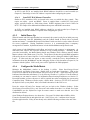
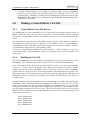
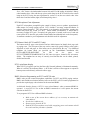
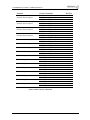
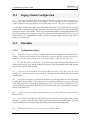
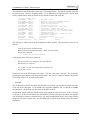
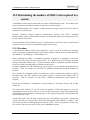
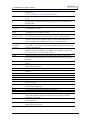
The standard file that defines the system logs is /cm/config/logfiles. The default contents of this file
are shown below. The lines beginning with a “#” are ignored by the system and are used to more
clearly explain what is meant by the active lines which are at the end of the file.
# System log output files
# LOG_WARN
0x0001
# LOG_START
0x0002
# LOG_EMERGENCY0x0004
# LOG_PAGE
0x0008
# LOG_CFG_ERR 0x0010
# LOG_SWARE
0x0020
# LOG_CFG_CHG 0x0040
# LOG_PAGE_ERR 0x0080
# LOG_OP
0x0100
# LOG_DEBUG
0x0200
# LOG_COMMS
0x0400
# LOG_485
0x0800
# LOG_SCHED
0x1000
#filename
mask(hex)
/pagenet/syslog.log
ffff
// Equipment failure
// Normal process startup/shutdown messages
// Emergency alarm input activity
// Paging activity/progress
// Configuration file error
// Internal Software error, coding error
// Configuration Changes (from guis)
// Paging errors (timeout, no wave players etc)
// operator Activity, eg scps, assignable inputs
// Debugging messages
// Interprocess comms error - server not found
// Comms error on CA485
// Scheduled activity
max_length
trunc_length
10000000
9000000
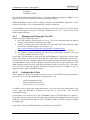
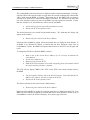
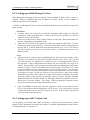
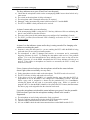
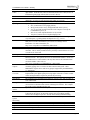
This file may be edited using vedit, the standard text editor in QNX. The procedure to access it is as
follows.
Login to the console as Administrator
Right-click on the desktop and choose “Shell” from the menu.
Execute the command:
vedit /cm/config/logfiles
A full-screen editor will now be displayed.
Use the arrow keys to navigate to the end of the file.
Edit the lines as required.
Use <Alt-X> to exit, choosing the Save option to save
the file prior to exit.
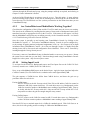
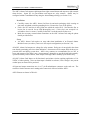
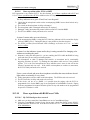
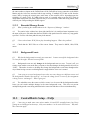
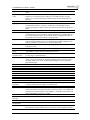
Each active line in the file contains four entries. The first is the name of the file. The second is a
hexadecimal representation of the classification mask. The last two control the length of the logfile.
These fields will now be covered in more depth.
Filename
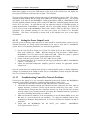
This is the name of the file into which the log entries are written. For standard files this is the name
of the file in the filesystem. It can include any accessible pathname, and so could be a SAMBA
mounted drive, a local file or any other node in the QNX network.
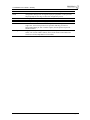
An advanced feature is that the filename field could contain the name of a device such as /dev/ser1
or /dev/par1. In this case, the data that would ordinarily be sent to the file is directed to the specified
port for output to a printer or terminal device. By using standard QNX device access, data could be
directed to a port on a remote node. See the QNX help system for more details on how this can be
configured.
V4.0US, September 2004
Page 200