1
ControlMatrix User’s Guide - Using Devices
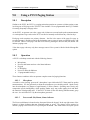
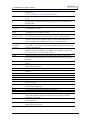
Please Wait
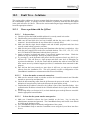
This display indicates that the Ptt button has been pressed and one or more of three
conditions exists:
• the preamble is currently playing
• the zones are being set up
• there is some delay in the system waiting for resources (e.g. a wave player)
This display will usually correspond to illumination of the amber ‘Wait’ LED and indicates
that the operator should wait for the ‘Talk Now’ display before making an announcement.
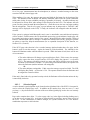
Req Failed
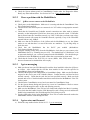
This display indicates that the Ptt switch has been pressed but the request has failed for some
reason. The cause may be that there is an error in the configuration file for that PCU, the
global code definition has an error, or some required resource for the page is not available.
(e.g. the MediaMatrix or a wave player device). This display corresponds to the amber
‘Wait’ indicator extinguishing after a recorded message page code has been initiated (see
Section 9.7.2.2).
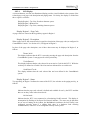
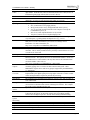
Talk Now
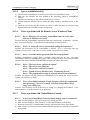
This display indicates that the Ptt switch has been pressed and the page has been correctly
set up in the system, any preamble has finished and the audio path is open. On seeing this
display the operator should immediately make a live page into the microphone. This display
corresponds to illumination of the green ‘Go’ indicator.
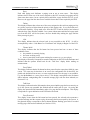
Req Queued
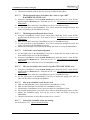
This display occurs when the Ptt switch has been pressed, the selected code represents a
recorded message and the request to play the message has been accepted by the system. A
Req Queued display corresponds to the green ‘Go’ indicator flashing after a recorded
message page code has been initiated (see Section 9.7.2.2).
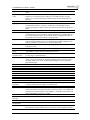
Cancel?
This display relates to a page code configured for “Delayed Release” (see Section 6.2.1).
Page codes must be individually configured for this mode of operation. For codes so
configured, the system will record live announcements and replay them as soon as the
destination zones are available. While making a delayed announcement, status indications
are as for a standard live announcement (i.e. Amber - Please Wait, Green - Talk Now). After
the operator has finished making the announcement and the Ptt switch is released, the amber
‘Wait’ indicator will begin to flash and continue for five seconds. During this period
‘Cancel?’ will be displayed on the LCD. If the operator presses the Ptt switch within this
five-second period, the delayed announcement will be discarded and the system will return
to idle status. If five seconds elapses without a Ptt switch press, the delayed announcement
will be released for playback.
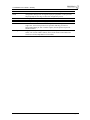
RMP Active
This display indicates that the RMP1 associated with the PCU4 is currently in use and
therefore the page code displayed by the PCU4 is in use by the RMP1. This display will
correspond with illumination of the red Busy indicator (see Section 9.7.2.5). The page code
used by the RMP1 is configured at installation and cannot be altered by the PCU4 operator.
V4.0US, September 2004
Page 164