1
Lynx
Lynx
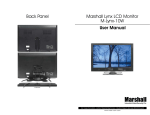
M-Lynx-10W LCD Monitor User Manual
M-Lynx-10W Specifications
Thank you for purchasing our product. To enjoy all the features of this product
and keep it in good condition, please read this manual thoroughly and follow the
instructions herein accordingly.
1.
No parts of this product can be repaired by the user himself. In case of faults, shut off the power immediately and consult us or our dealers. As this product is made of precise electronics components, unauthorized detachment or reassembly may damage it.
Type:
Screen size:
Definition:
Computer Resolution:
Inputs:
System:
2. Do not expose this device to moisture, dirt, smoke, vapor or direct sunshine.
Nominal Voltage:
3. Unplug the monitor from the wall outlet before cleaning. Do not use thinner or other chemical cleaner to clean this device.
Please use only a soft, damp cloth.
Power Consumption:
Control:
Operating Environment:
TFT LCD Digital Panel
10-inch
1024 (h) x RGB x 600 (v)
800 x 600 or 1024 x 600 (60Hz)
HDMI, VGA, Composite
NTSC/PAL
12V
5W MAX
Front panel button/Remote control
-10ºC - +60ºC
4. Keep the monitor far from extremely hot or cold places.
The storage temperature of this device is -20°C -+ 70°C
5. Avoid dropping or bumping this device.
Installation
6. Slots and openings in the monitor’s cabinet are provided for ventilation and ensure reliable operation of the monitor and to protect it from
over-heating. These openings must never be blocked. The monitor should never be placed near or over a radiator or head register. This monitor should not be placed or built in to a rack or bookshelf unless proper ventilation is provided and supplier instructions have been adhered to.
• We strongly recommend having a qualified technician or maintenance engineer install this device.
7. Do not attempt to repair this monitor yourself by opening or removing
covers. This may expose you to dangerous voltage or other hazards.
Refer to a qualified service technician if servicing is necessary. If monitor is opened by anyone other than a factory authorized service center, the
warranty is voided. If serial number is removed or tampered with, the
warranty is voided.
8. When part replacement is required, make sure it is performed by a qualified technician and that the parts are supported by the manufacturer.
2
Marshall Electronics
• When connecting to the computer, set up the monitor to VGA input, 800 x 600 or 1024 x 600 (60Hz). Apply same settings to computer.
• When connecting to HDMI, set up the monitor to be HDMI input.
• Improper installation of this monitor may cause battery
leakage or short circuit.
MOISTURE
When environmental temperature declines dramatically, dew may occur
inside the monitor. Wait for the moisture to evaporate. Then the device will
return to normal working condition.
If you have any questions about this device, please consult your
dealer.
www.LCDracks.com
3