1
Safeguard Network Interface Manual
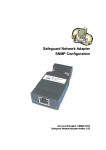
Please follow the following steps for hardware installations.
1.
Safeguard unit should be turned off.
2.
First connect the Ethernet cable to the RJ45 connection of the adapter.
3.
Connect the adapter to the ‘PC’ serial port found at the back of Safeguard and
secure connections.
4.
Once all connections are secure turn Safeguard on.
5.
Make sure the LED near the RJ45 connection is blinking. Refer to table 1 in
trouble shooting for details of LED blink/colour descriptions.
6.
Follow instructions in setting the IP address of the Adapter given in the chapter
below.
2.3 The Safeguard Network Adapter Configuration
The most important configuration aspect is to assign an appropriate IP address, subnet
mask and the gateway to the unit.
2.3.1 Assigning of an IP Address
The Safeguard Network Adapter default IP address is 0.0.0.0, which enables DHCP.
When you initially connect the adapter to the network and connect power, it will
automatically allocate an IP address if your server is DHCP enabled.
There are several methods to assign an IP address to the adapter. (Consult your
network administrator in determining the appropriate IP address.)
An IP address can be applied to the unit by:
1. DHCP server automatic IP allocation.
2. ARP (Address Resolution Protocol) and Telnet (Recommended)
3. Web browser via the Safeguard Network Adapter configuration page. (Also
recommended)
Note: In typical installations, a fixed IP address is recommended. Your network
administrator generally provides the IP address. Make sure that your IP address is
not a duplicate of an already existing IP address. Obtain the following information
before starting to set up your unit:
Serial No:
___ ___ ___ ____ ____ ___ (MAC Address–label on the adapter)
IP Address:
Subnet Mask:
Gateway:
_______ _______ _______ _______
_______ _______ _______ _______
_______ _______ _______ _______
The best method to allocate an IP address is to isolate the adapter from the external
network, and use a direct cross over RJ 45 network connection with a PC. Then use
ARP and telnet to allocate and IP address as described below in section 2.3.1.2.
2.3.1.1
IP address allocation using DHCP
With the adapter’s default IP address of 0.0.0.0, DHCP has been enabled. If your
server is DHCP enabled, the adapter will be allocated with an automatic IP address,
gateway address and a subnet mask when powered on.
The adapters serial number is the MAC address of the unit. By using a DHCP Client
on an administrative right enabled machine you will be able to determine the IP
Safeguard Network Adapter User Manual
-4-
04/02/2004