Download Composer/ComposerPlus
Transcript
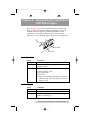
510140.qxd 9/9/02 1:43 PM Page iii INDEX Table of Contents Section 1: Getting Started ...............................................................................1 A. Overview of Operation .....................................................................2 B. Choosing a Good Location ................................................................6 C. Unpacking and Inspection.................................................................6 D. Identifying the Parts ...........................................................................7 E System Requirements .......................................................................10 Section 2: Hardware and Software Set-Up and Testing .........................11 A. Connecting Interface Cables............................................................11 B. Hardware Test and Printer Alignment ..........................................16 C. Fine Tuning the Printer Stand Alignment .....................................19 D. Software Installation.........................................................................20 E. Selecting Your Recorder Drive........................................................21 F. Software Test......................................................................................22 Section 3: Running Your First Job ...............................................................27 A. Operating Screens .............................................................................27 B. Overview of Recording....................................................................28 C. Copying an Audio CD......................................................................30 D. Creating Print Files ...........................................................................32 Section 4: Interpreting the Duplicator’s LED Status Lights..................33 A. Power LED .........................................................................................33 B. Pause LED ..........................................................................................33 Section 5: Maintenance and Troubleshooting ..........................................34 A. Cleaning the Case .............................................................................34 B. Resetting the Duplicator ..................................................................34 C. SCSI Power-Down Procedure .........................................................34 D. Recording Errors ...............................................................................35 E. Technical Support..............................................................................37 Section 6: Technical Specifications ............................................................38 Index ................................................................................................................40 iii