1
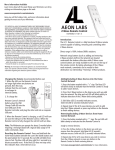
Troubleshooting: If the Aeon Labs D/W Sensor was not
included into any Z-Wave network, pressing the security switch
will illuminate the LED on the front of the Aeon Labs D/W
Sensor solid red for 5 seconds. If the Aeon Labs D/W Sensor
was successfully included to a Z-Wave network, the LED will
blink instead of staying solid.
3. Wake the Aeon Labs D/W Sensor for 10
Minutes
The Aeon Labs D/W Sensor can be made to stay awake for 10
minutes by any of the following methods below. Once the
Aeon Labs D/W Sensor has been woken, the LED will blink
every few seconds indicating that it is now awake and ready to
receive Z-Wave network information and instructions.
3.1 Firmly tap the security switch on the back of the Aeon Labs
D/W Sensor 3 times in quick succession.
3.2 Successfully include the Aeon Labs D/W Sensor into any
Z-Wave network.
8