1
Switchlists
A switchlist is a set of instructions for moving cars. Each instruction refers to a single car, tells where it is to go and what load to carry if any. The full set
of instructions might be called your "day's work" -- once you've delivered all the cars as instructed, you can toss the switchlist and go home. You'll get a new
one tomorrow.
The core function of TrainPlayer Ops is to generate random switchlists for you to execute. This brings together all the various ops components -- industries,
car loads, yards, interchanges, waybills -- and stirs them together to come up with a purposeful day's work.
Switchlist Windows
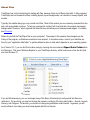
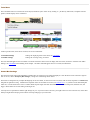
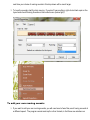
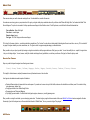
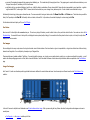
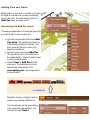
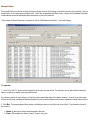
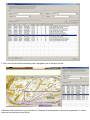
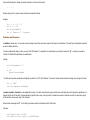
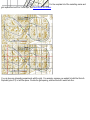
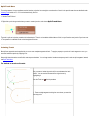
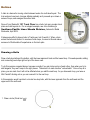
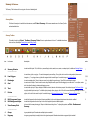
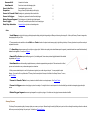
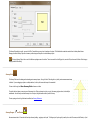
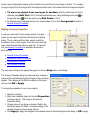
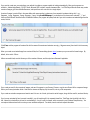
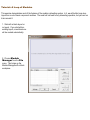
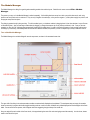
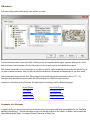
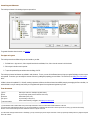
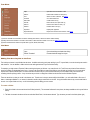
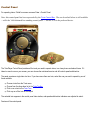
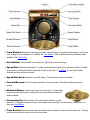
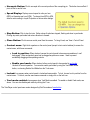
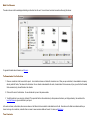
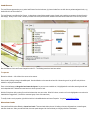
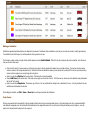
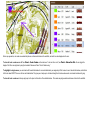
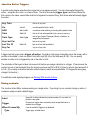
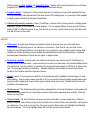
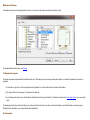
A switchlist is presented to you in two ways: as a grid of data in the Switchlist Window, and as a paragraph of text in the Schedule Window. This example
shows both:
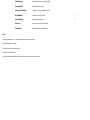
Each row in the grid corresponds to a line in the text, and represents one car movement instruction. The grid contains all the same data as the text, so the
two are redundant, and you may want to dispense with the Schedule Window after you get up to speed.
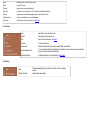
The text line is in this format:
<Action> <Class> <Car> (<Load>) from <Location> to/at <To/At>
If you rearranged the columns of the grid in this order, then a grid row would read just like the text instruction.
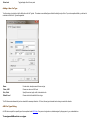
For details about these windows, see Switchlist Window and Schedule Window.
How to Work a Switchlist
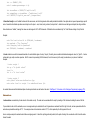
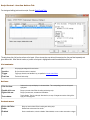
Each instruction in the switchlist -- sentence in the Schedule Window, or row in the Switchlist Window -- tells you to move a given car from its current location
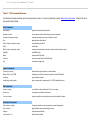
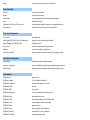
to a given destination. Instructions contain different verbs depending on the type of move (see notes under Switchlist Window Contents for a list) but they all
mean the same, and you could just read them all as "move."