1
GradePoint 2020 Installation and User Guide
The right mouse button has no other function within most of GradePoint 2020.
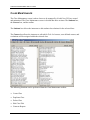
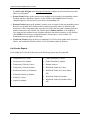
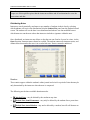
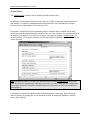
The following functions can be performed from the Scheduler toolbar:
•
Manually Create and Edit Rotations
•
Automatically Create Rotations
•
Set Rotation Options
•
Generate Reports
•
Create Course/Student Exclusions
•
Create Grade-Based Course Exclusions
The Scheduler is also a vital tool for automatic GradeBook updating, as student lab grades are
gathered based on the rotation that they were assigned them. Instructors may bypass the
Scheduler and manually enter grades themselves, of course.
Tech-Lab Rotations
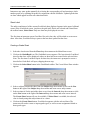
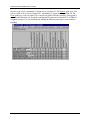
GradePoint 2020’s Scheduler creates rotations, which allow instructors to schedule students for
different Courses. Generally speaking, instructors usually allow at least one week for each lab
course, however, rotations are of no set length of time, allowing instructors the freedom to go to
the next rotation when the time is appropriate.
Rotations may be generated automatically or they may be created manually.
Most instructors prefer to lock in two or three rotations at a time. This allows students who miss
scheduled modules due to extended absences to be rescheduled before the marking period is
over. This also allows students who may have done poorly in their first attempt to retake a lab
course at the instructor’s discretion. The instructor manually edits the next rotation so that the
student(s) may complete the necessary module.
Instructors may also add exclusions to preclude a student from being scheduled to a module.
22