1
3.2.2
Example Configurations
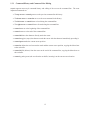
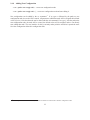
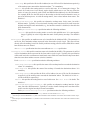
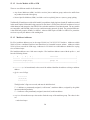
We recommend that you select the interfaces that you want to use on your system and configure them as
below. Interfaces that you do not wish XORP to use for forwarding should be omitted from the configuration.
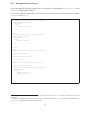
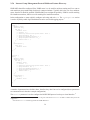
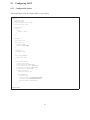
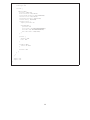
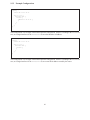
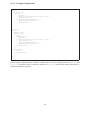
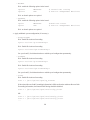
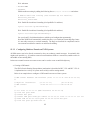
Configuring Interface Addresses
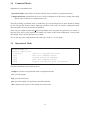
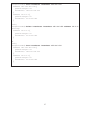
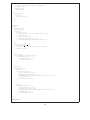
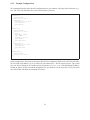
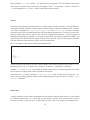
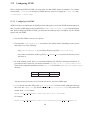
interfaces {
interface dc0 {
description: "Ethernet interface"
disable: false
vif dc0 {
disable: false
address 10.10.10.10 {
prefix-length: 24
broadcast: 10.10.10.255
disable: false
}
address 2001:DB8:10:10:10:10:10:10 {
prefix-length: 64
disable: false
}
}
}
}
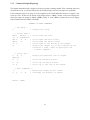
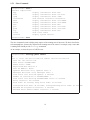
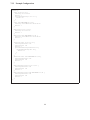
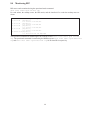
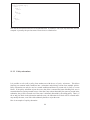
In the example above, the router has only one interface configured. This interface is called dc0, and the vif
is also called dc0. In this case, this is because this interface is an Ethernet inferface, and VLANs are not
being used, so the vif is simply the default vif for this interface.
The vif has both an IPv4 and an IPv6 address configured. The IPv4 address is 10.10.10.10, and connects
to the subnet 10.10.10.0/24 as determined by the prefix-length. Consistent with this, the subnet broadcast
address is 10.10.10.255.
The IPv6 address has a prefix-length of 64 bits, and does not need (or allow) the broadcast address to be
explicitly specified.
In this case, the interface is not a point-to-point interface, so no destination address is specified.
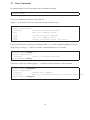
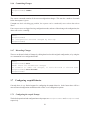
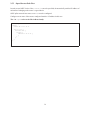
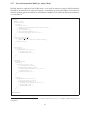
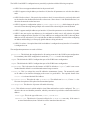
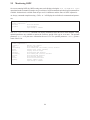
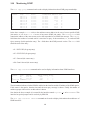
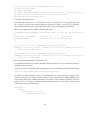
Using Pre-Configured Interface Addresses
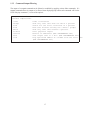
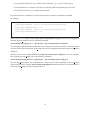
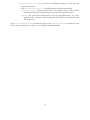
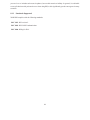
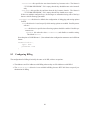
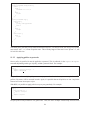
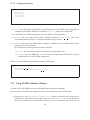
If the default-system-config statement is used, as shown in the example belore, it instructs the
FEA that the interface should be configured by using the existing interface information from the underlying
system. In that case, the vif and address sections must not be configured.
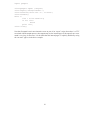
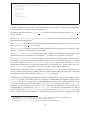
interfaces {
interface dc0 {
description: "data interface"
disable: false
default-system-config
}
}
51