1
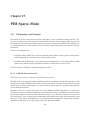
15.4 Monitoring PIM-SM
All operational commands for monitoring PIM-SM for IPv4 begin with show pim. This section describes
those commands in details. All operational commands for monitoring PIM-SM for IPv6 are similar except
that they begin with show pim6.
15.4.1
Monitoring PIM-SM Bootstrap Information
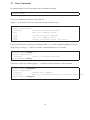
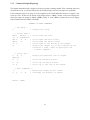
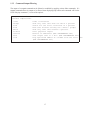
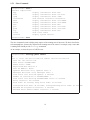
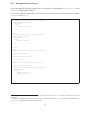
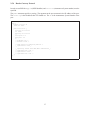
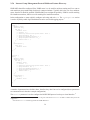
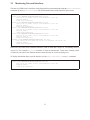
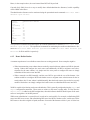
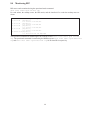
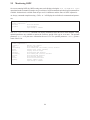
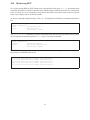
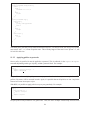
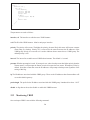
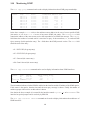
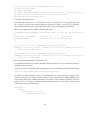
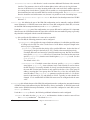
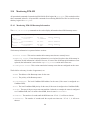
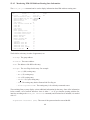
The show pim bootstrap command can be used to display information about PIM bootstrap routers:
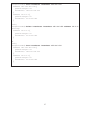
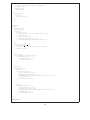
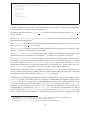
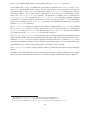
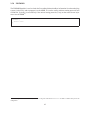
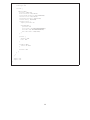
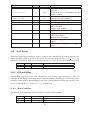
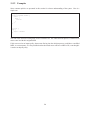
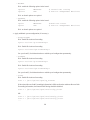
user@hostname> show pim bootstrap
Active zones:
BSR
Pri LocalAddress
10.4.0.1
1 10.2.0.2
Expiring zones:
BSR
Pri LocalAddress
Configured zones:
BSR
Pri LocalAddress
10.2.0.2
1 10.2.0.2
Pri State
1 Candidate
Timeout SZTimeout
75
-1
Pri State
Timeout SZTimeout
Pri State
1 Init
Timeout SZTimeout
-1
-1
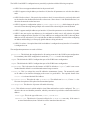
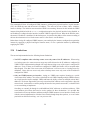
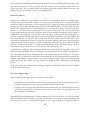
The bootstrap information is separated in three sections:
• Active zones: This section contains the bootstrap zones that are currently in use.
• Expiring zones: If new bootstrap information is received and it replaces the old bootstrap information, the old information is deleted. However, if some of the old bootstrap information was not
replaced, that information is moved to the Expiring zones section until it times out.
• Configured zones: This section contains the bootstrap zones that are configured on the router.
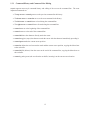
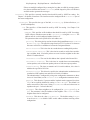
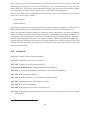
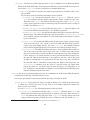
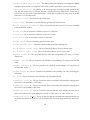
The fields for each entry (in order of appearance) are:
• BSR: The address of the Bootstrap router for the zone.
• Pri: The priority of the Bootstrap router.
• LocalAddress: The local Candidate-BSR address for the zone (if the router is configured as a
Candidate-BSR).
• Pri: The local Candidate-BSR priority for the zone (if the router is configured as a Candidate-BSR).
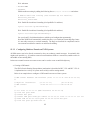
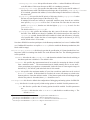
• State: The state of the per-scope-zone state machine. In the above example, the router is configured
as a Candidate-BSR, but it is not the elected BSR, hence its state is Candidate.
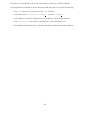
• Timeout: The number of seconds until the BSR times-out. If it is -1, it will never timeout.
• SZTimeout: The number of seconds until the scoped zone times-out. If it is -1, it will never
timeout.
166