1
access course content using the same tools. Students do not have a Control Panel or an Edit
option.
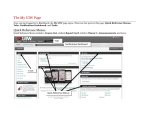
Edit Mode Toggle
Banner
Course Menu
Course Modules
Control Panel
Edit Mode
The Edit Mode allows the instructor to change their view of the content on screen.
ON shows the Edit View.
Instructors may edit the
course.
OFF shows the Student
View of the course.
Control Panel
Course Management is administered through the Control Panel, located below the menu bar:
Files
Course Tools
Course Links
Evaluation
Users and
Groups
5
Blackboard File Storage. This feature allows
instructors to upload, download store and
manage folders or documents into one central
location in their course.
Announcements, Email, and Discussion Boards
that can be added to a course.
Links to course tools and content within a
course.
Tools for creating tests, recording grades, and
tracking performance.
Options to create and administer (enroll, edit or
remove) course users and groups.
UIW Department of Instructional Technology