1
Chapter 3
PreciseView Basics
Effecting editing with PreciseView involves performing editing actions in combination with
changing the display options so you can focus on various parts of the design layout. This
Chapter describes the basics of executing the PreciseView features and changing the
PreciseView display options.
Invoking PreciseView . . . . . . . . . . . . . . . . . . . . . . . . . . . . . . . . . . . . . . . . . . . . . . . . . . . . . . 3-2
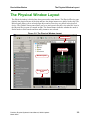
The Physical Window Layout . . . . . . . . . . . . . . . . . . . . . . . . . . . . . . . . . . . . . . . . . . . . . . . . 3-3
Understanding the Left Mouse Button Actions . . . . . . . . . . . . . . . . . . . . . . . . . . . . . . . . . . . 3-4
Changing the View with Strokes . . . . . . . . . . . . . . . . . . . . . . . . . . . . . . . . . . . . . . . . . . . . . .
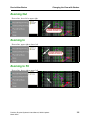
Zooming to Area . . . . . . . . . . . . . . . . . . . . . . . . . . . . . . . . . . . . . . . . . . . . . . . . . . . . . . . .
Zooming Out . . . . . . . . . . . . . . . . . . . . . . . . . . . . . . . . . . . . . . . . . . . . . . . . . . . . . . . . . . .
Zooming In . . . . . . . . . . . . . . . . . . . . . . . . . . . . . . . . . . . . . . . . . . . . . . . . . . . . . . . . . . . .
Zooming to Fit . . . . . . . . . . . . . . . . . . . . . . . . . . . . . . . . . . . . . . . . . . . . . . . . . . . . . . . . . .
3-4
3-4
3-5
3-5
3-5
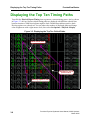
Displaying the Top Ten Timing Paths . . . . . . . . . . . . . . . . . . . . . . . . . . . . . . . . . . . . . . . . . . 3-6
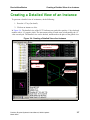
Creating a Detailed View of an Instance . . . . . . . . . . . . . . . . . . . . . . . . . . . . . . . . . . . . . . . . 3-7
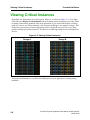
Viewing Critical Instances . . . . . . . . . . . . . . . . . . . . . . . . . . . . . . . . . . . . . . . . . . . . . . . . . . . 3-8
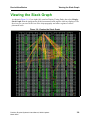
Viewing the Slack Graph . . . . . . . . . . . . . . . . . . . . . . . . . . . . . . . . . . . . . . . . . . . . . . . . . . . . 3-9
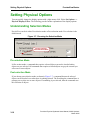
Setting Physical Options . . . . . . . . . . . . . . . . . . . . . . . . . . . . . . . . . . . . . . . . . . . . . . . . . . .
Understanding Selection Modes . . . . . . . . . . . . . . . . . . . . . . . . . . . . . . . . . . . . . . . . . . .
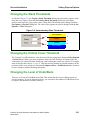
Changing the Slack Thresholds . . . . . . . . . . . . . . . . . . . . . . . . . . . . . . . . . . . . . . . . . . . .
Changing the Critical Cover Threshold . . . . . . . . . . . . . . . . . . . . . . . . . . . . . . . . . . . . . .
Changing the Level of Undo/Redo . . . . . . . . . . . . . . . . . . . . . . . . . . . . . . . . . . . . . . . . .
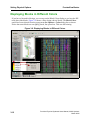
Displaying Blocks in Different Colors . . . . . . . . . . . . . . . . . . . . . . . . . . . . . . . . . . . . . .
Precision Physical Synthesis Users Manual, 2003c Update1
March 2004
3-10
3-10
3-11
3-11
3-11
3-12
3-1