1
Table of Contents
Table of Contents
About This Manual
For the Latest Information ...................................................................................................... 1-vii
Chapter 1
Introduction................................................................................................................................ 1-1
Introduction to Physical Synthesis............................................................................................ 1-1
Setting Up the Environment ..................................................................................................... 1-2
Installation ............................................................................................................................. 1-2
Setting Xilinx Environment Variables................................................................................... 1-2
Invoking the Tool...................................................................................................................... 1-3
Invoking the Precision Physical Synthesis GUI .................................................................... 1-3
Invoking Precision Physical Synthesis from a Shell ............................................................. 1-4
Chapter 2
The Integrated Physical Synthesis Flow .................................................................................. 2-1
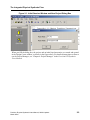
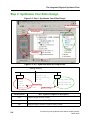
Step 1: Setting Up a Project ................................................................................................... 2-2
Step 2: Synthesize Your Xilinx Design ................................................................................. 2-4
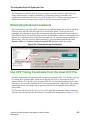
Eliminating Relaxed Constraints ........................................................................................... 2-5
Use UCF Timing Constraints from the Input UCF File ........................................................ 2-5
RTL Synthesis Output Files................................................................................................... 2-6
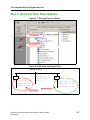
Step 3: Run First Pass Place & Route.................................................................................... 2-7
Step 4: Run the Automated Physical Synthesis Flow.......................................................... 2-10
Step 5: Re-run Place & Route and Check Timing ............................................................... 2-11
Chapter 3
PreciseView Basics ..................................................................................................................... 3-1
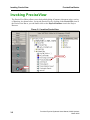
Invoking PreciseView............................................................................................................... 3-2
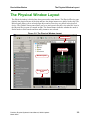
The Physical Window Layout................................................................................................... 3-3
Understanding the Left Mouse Button Actions ........................................................................ 3-4
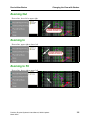
Changing the View with Strokes .............................................................................................. 3-4
Zooming to Area .................................................................................................................... 3-4
Zooming Out.......................................................................................................................... 3-5
Zooming In ............................................................................................................................ 3-5
Zooming to Fit ....................................................................................................................... 3-5
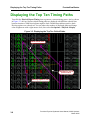
Displaying the Top Ten Timing Paths ...................................................................................... 3-6
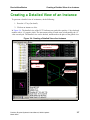
Creating a Detailed View of an Instance .................................................................................. 3-7
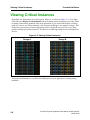
Viewing Critical Instances........................................................................................................ 3-8
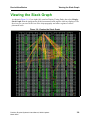
Viewing the Slack Graph .......................................................................................................... 3-9
Setting Physical Options ......................................................................................................... 3-10
Understanding Selection Modes .......................................................................................... 3-10
Precision Physical Synthesis Users Manual, 2003c Update1
March 2004
iii