1
Operating Instructions
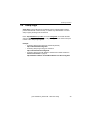
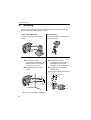
3.3.2 Using Pan/Tilt Operation
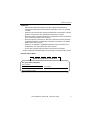
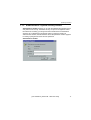
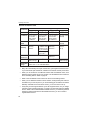
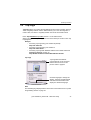
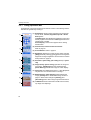
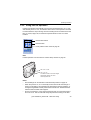
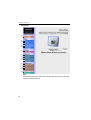
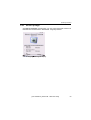
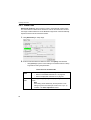
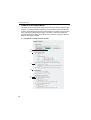
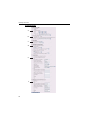
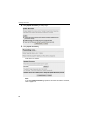
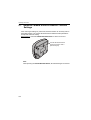
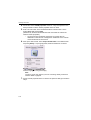
Pan/Tilt scan buttons automatically move the lens horizontally from -60° to +60°
and vertically from 0° to -45°, and the lens returns to the current position. Use Click
to Center feature to stop scanning. Each surrounding arrow of Pan/Tilt moves the
lens Up, Down, Right, Left, and the home position button moves it to Home
Position.
Pan/Tilt Scan button
Pan/Tilt button
Home position button. Refer to page 44.
Note
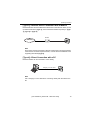
Pan/Tilt operation can be locked on Camera Setup window on page 78.
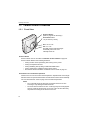
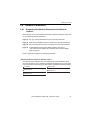
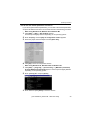
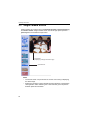
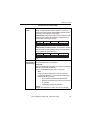
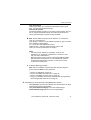
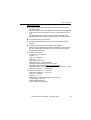
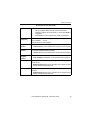
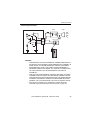
Pan: -60˚ to +60˚
Tilt: 0˚ to -45˚
The field of view in Pan/Tilt ranges
horizontally about 165˚ and
vertically about 78˚.
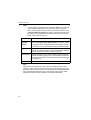
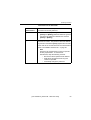
Notes
•
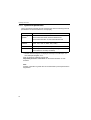
Pan/Tilt Range can be selected on Camera Setup window on page 78.
•
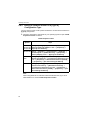
When the power is on, do not manually revolve the Pan/Tilt. Revolving it or
moving it manually by some mistake may damage the Pan/Tilt operation, or
change the registered Pan/Tilt positions from actual ones. Restart Network
Camera when the latter case happens.
•
Do not touch the lens. It may leave a fingerprint and can cause the image to
be out of focus. This can also take away the protective coating on the lens.
[For assistance, please call: 1-800-272-7033]
43