1
Operating Instructions
Notes
•
Mounting and cabling instructions described in this Operating
Instructions follow generally accepted guidelines suitable for residential
installations. In some areas, commercial and industrial installations are
regulated by local or state ordinances. For such installations, contact
your local building department or building inspector for more details.
•
Network Camera is intended for indoor use only. Prolonged exposure
to direct sunlight or halogen light may damage the CMOS sensor.
•
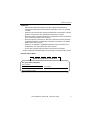
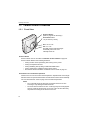
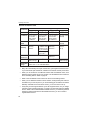
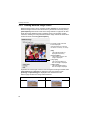
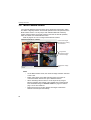
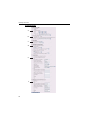
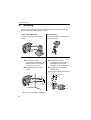
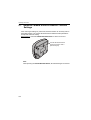
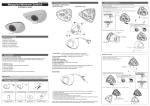
Make sure the Power Indicator is always in the upper right corner when
you mount. The upside down mounting may cause Network Camera to
slip off the Camera Stand and fall down.
Camera Stand Mounting
top Power Indicator
top
bottom
bottom
Ceiling Mounting
Wall Mounting
top
top
bottom
bottom
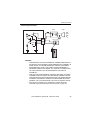
CAUTION
Drive mounting screws into the wall. Be careful to avoid touching any
metalwork (metal/wire laths etc.), conduits or electrical cables buried in the
wall.
[For assistance, please call: 1-800-272-7033]
93