1
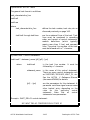
Syntax Rules - Master Ports
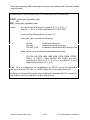
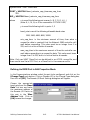
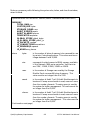
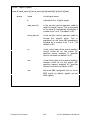
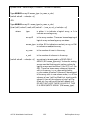
PORT_x MASTER baud_rate high_slave_addr time_out
- OR BIP_y MASTER baud_rate high_slave_addr time_out
where
x is one of the following port names:
A, B, C, D, G, H, I, J
(Note: K, L, M, N, and O are
reserved for FUTURE USE)
y is one of the following built-in ports:
1, 2
baud_rate is one of the following allowable baud rates:
150, 300, 600, 1200, 2400, 4800, 9600, 19200, 38400. 187500,
1MEG, or RASCL. Note: 187500 and 1MEG are only
supported on Ports A, B, C, D, G or I, and RASCL is only
supported on Ports A, B, C, or D.
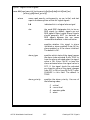
high_slave_addr is the highest local address from among all the
slave nodes reporting to this master port. This must be an integer
from 1 to 127. Note: The range of local addresses for slave nodes of
a given Master/Expanded Master Port must be higher than those
on the port preceding it; e.g. if both Port A and C are Master Ports,
and Port A’s slaves have local addresses from 1 to 25, resulting in a
high slave address of 25, Port C’s lowest slave address cannot be
less than 26.
time_out is the length of time (in tenths of seconds) that this master
node will wait for the beginning of a response message to be sent.
This value must be an integer from 1 to 250.
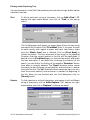
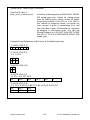
Defining An Expanded Addressing Master Port in Edit Properties Mode
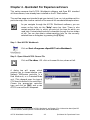
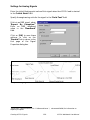
In the Communications window, select the port to be configured, and click on the
[Change Type] push button. Click on ’Expanded Master’ in the Change Type
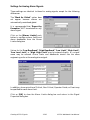
dialog box, then click on [OK]. The Expanded Master Settings dialog box will
appear.
ACCOL Workbench User Manual
8-5
Defining Communication Ports