1
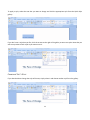
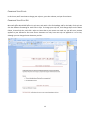
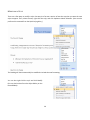
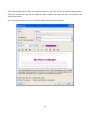
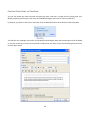
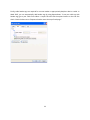
Once you are in touchup mode, draw a box around a figure and select “Figure” from the TouchUp
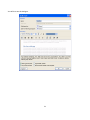
Reading Order window. To add or edit alternate text, right click on the number and select “Edit
Alternate Text…”
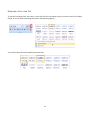
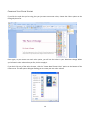
To tag the rest of your document, draw a box around document sections according to its structure
(normal text, heading 1, etc.) and click the appropriate box on the TouchUp Reading Order.
Once you have structured the document’s reading order, the best way to test accessibility is to use the
tools that your readers will use. However, even if you don’t have a screen reader or braille printer, you
can still use any of several methods provided by Acrobat for checking the accessibility of a PDF file.
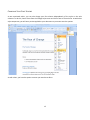
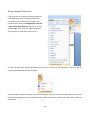
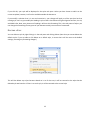
Adobe Acrobat 9 has a built in read out loud tool. You can test how your document reads by going to
View > Read Out Loud > Read to End of Document.
39