1
ENCOM STRATOS plus
USER MANUAL
Network Setup
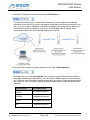
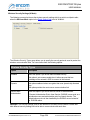
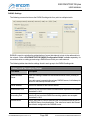
ENCOM STRATOS makes use of certain network services to carry out its configuration and
management tasks. Because of this, you must configure your network's firewalls and routers to
allow access to these services.
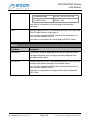
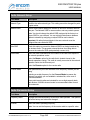
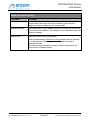
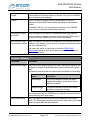
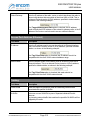
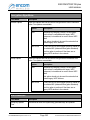
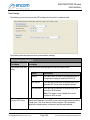
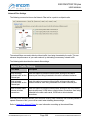
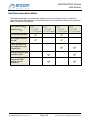
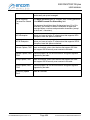
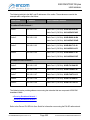
In particular, the following ports must be opened between the radios and the computer on which
ENCOM STRATOS is running:
Service
Protocol
Port
ICMP (Ping)
Not Applicable
Not Applicable
FTP
TCP
20, 21
SSH
TCP
22
ENCOM Mesh Interface
UDP
1966
ENCOM Mesh Interface
TCP
1968
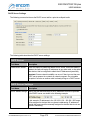
ENCOM Radio Heartbeat
UDP
5678
ENCOM Radio Interface
TCP
8291
ENCOM Radio Interface
TCP
8728
ENCOM Radio Interface
UDP
20561
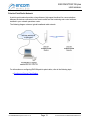
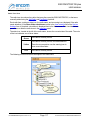
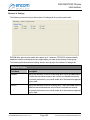
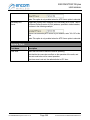
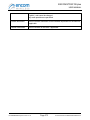
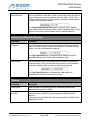
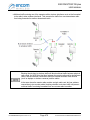
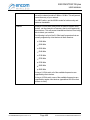
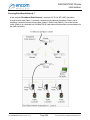
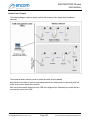
ENCOM Radio Heartbeat packets are broadcast packets. Because of
this, they are not able to pass through routers or firewalls.
This means that the STRATOS automatic radio discovery feature may
not work if a router or firewall is present between the computer running
STRATOS and the radios. In this case, you need to use the Add or Find
radio functions to manually add the radios to the radio list.
For ENCOM STRATOS plus Version 2.1.71
Page 21
© 2010-2015 Encom Wireless Data Solutions Inc.