1
misunderstanding in the Internet astronomy community, especially, about what Deepsky
does and how well it does it. Mostly, though, because this is a complex and deep
program. A two page review or summary just won’t give you a good idea of both what
the program is capable of and how easy it is to make it do these things.
Deepsky does take some explaining. It’s a big, sprawling program that can be a little
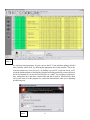
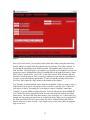
intimidating. Open it for the first time, and you are greeted by tons of menus, submenus,
buttons and windows. The program is actually pretty logically laid out, and very easy to
learn to use, but it sure doesn’t look that way at first glance. Unfortunately, at least a
couple of folks I know have given up on the program after an attempt or two. They think
it’s just too complicated. Luckily, that’s not the case, as just a little digging will sho w,
and dig we shall. I’m going to take you through Deepsky from installation, to use in
planning an observing session, to operation with a goto telescope, and, finally, to logging
your observations.
Don’t get that look on your face. I know, I know; you’re interested in astronomy, not
computer programming. Don’t worry; I’m going to do the above in the simplest possible
terms. I’m not going to talk about every button and function. I’m not going to tell you
every single way to do a task with Deepsky. My goal is to show you a way, a simple and
easy to understand way, to use the program. Something to get you started, and something
you can build on later by exploring the program’s myriad functions on your own, reading
the manual a few times, and talking to other Deepsky users online. Please don’t be
offended by the title of this piece, “Deepsky for Dummies,” either; when it comes to
software I am the CHIEF and original dummy.
Keep in mind, as you read this little guide, that what I am telling you herein may not
always be the best way or only way or the really CORRECT WAY to do things with the
program. If you do things my way, however, I assure you that you will be able to begin
using Deepsky productively. “Better” can come later.
Before we can get started you’ll need a copy of the software, of course. That’s pretty
easily accomplished, no matter how shallow your pockets are at the moment. If you need
to lowball it, Deepsky is available as a download from the author’s website
(http://www.deepsky2000.net) for a mere $29.99. The limitations of this format are fewer
stars on the built- in charts (it tops out at magnitude 11 rather than the 15.5 of the more
expensive editions), and fewer images, 109 versus 400,000 (that’s right, 400,000) for the
DVD version. A step up from digital download is the CD edition, which goes for the still
surprisingly modest price of $49.95. It is identical to the program’s top of the line DVD
version in most respects, but has a reduced image set of “only” (!) 11,000 pictures. If
your computer has a DVD drive, or you’re willing to upgrade to one (these devices are
insanely cheap now), the top-of-the- line DVD is really the way to go. For only $69.99,
you get everything, including the aforementioned 400,000 pictures of deep sky objects.
All three versions—including the el cheapo download--include all the “core” Deepsky
features, including 60 astronomical catalogs full of 708,000 objects.
2