1
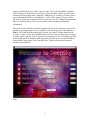
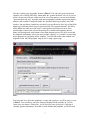
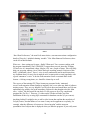
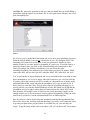
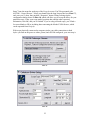
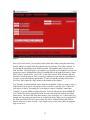
Next up is setting your geographic location (Plate 4). You can select your site from an
extensive list of world-wide cities, found under the “general locations” tab. Or if you’re a
stickler for precision like me, and/or travel to a lot of star parties, you can enter multiple
“personal observing sites” by name (with their geographic positions expressed in degrees,
minutes, and seconds of longitude) under the “personal observing location” tab of this
window. One peculiarity I noted here was that I was not allowed to leave any of the fields
blank to go back and correct errors in previous fields. The program insisted I first fill in
all the blanks for either lat or lon before I could go back and correct an error. Once
position data is entered, the selected observing site’s latitude and longitude (but not
name) will be displayed at the bottom of the main program screen. Oh, do be aware that
the longitude and latitude values you enter in either “general” or “personal” are used only
by the program for calculating object visibility. You will still need to enter latitude and
longitude in the ASCOM program setup if you’re using a goto scope.
Plate 4
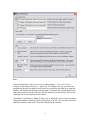
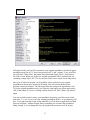
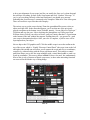
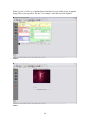
Your next task is to select the equipment—scopes and eyepieces--you’ll be using, as seen
in Plate 5. You can choose your gear from lists displayed in this window or you can
create your own entries. Chances are, you’ll find your scope in Deepsky’s long list of
currently popular instruments. Note that, as with latitude and longitude, you’ll still need
7