1
KLN 89/KLN 89B Pilot’s Guide
Basic GPS Operation
3.8.1.2 Continuous Display of Nearest Airport
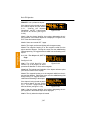
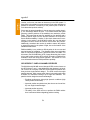
When the nearest airport page is initially displayed, “1” is displayed in
the upper right hand corner of the page to designate this airport as
the nearest airport. However, if you continue to fly along your flight
plan with this page selected, the same airport will be displayed and
its position in the nearest airport list will change from 1 to 2, 3, 4 ... 9
until finally it won’t be in the nearest airport list at all. The reason for
this is that in the event of an actual emergency once you have
determined which airport you are heading for, you don’t want the
nearest airport list to update while you are maneuvering or looking up
data on the other airport pages for that airport.
There may be times, however, when you’re flying over “unfriendly”
terrain when you wish to always have the nearest airport displayed
on the screen.
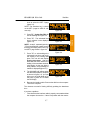
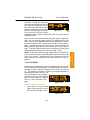
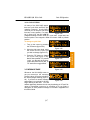
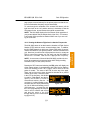
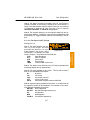
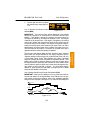
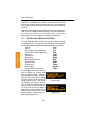
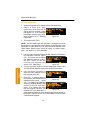
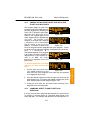
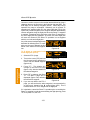
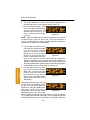
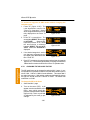
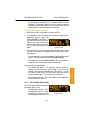
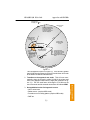
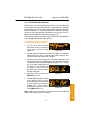
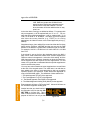
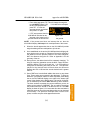
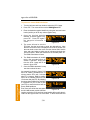
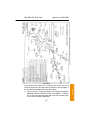
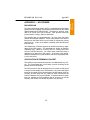
To display the nearest airport continuously:
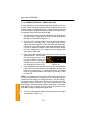
2. Turn on the cursor (B).
åå.ånm| KPAO
1
10ft
åååååå|PALO ALTO-S CL
3. Rotate the right outer knob
Leg| 2500ft
HRD L
clockwise to position the cursor *CRSR*|>127°To 3.2nm
APT VOR NDB INT USR ACT NAV FPL CAL SET OTH
over “1” (figure 3-92). As long as
Figure 3-92
the cursor is left in this position,
this page will update so that the
nearest airport is always shown as the flight progresses.
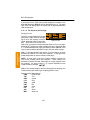
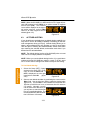
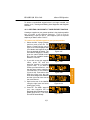
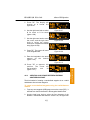
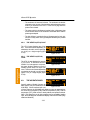
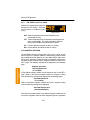
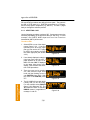
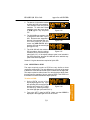
3.8.2. VIEWING THE NEAREST SPECIAL USE AIRSPACES
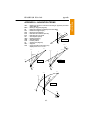
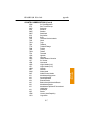
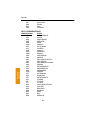
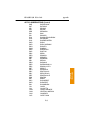
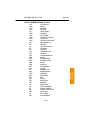
The KLN 89(B) data base stores the locations of areas of special use
airspace (SUA). The types of SUA areas stored in the data base and
the abbreviations used to denote these areas are the following:
Class B
CL B
Class C
CL C
Control Area (used outside USA)
CTA
Terminal Area (used outside USA)
TMA
Alert Area
ALRT
Caution Area
CAUT
Danger Area
DNGR
Military Operations Area
MOA
Prohibited Area
PROH
Restricted Area
REST
3-29
Basic GPS Operation
Chapter 3
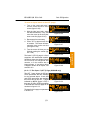
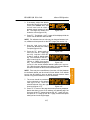
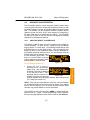
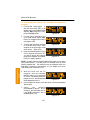
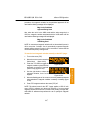
1. Display the nearest airport page by pressing G followed by
pressing F.