1
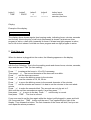
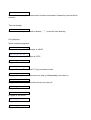
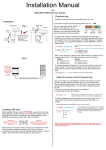
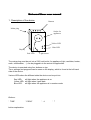
button1
‘TIME’
button2
‘PROG’
button3
‘->’
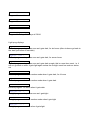
Manual
button4
‘^’
Snooze
button layout
main functions
secondary functions
Display
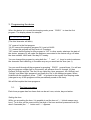
Example of the display:
12:34:05 We
The display above shows regular time keeping mode, indicating hours, minutes, seconds
and the day. Next to the day, a half circle (downward) is shown if at least one timer
program is active, a half circle (upwards) is shown if at least one light program is active,
and a full circle is shown if at least one timer program and one light program is active.
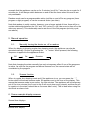
2. First time use
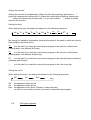
When the device is plugged into the mains, the following appears on the display:
00:00:00 Mo Tset
with the first 0 blinking. This is the time setting mode and shows hours, minutes, seconds,
days and the word “Tset’ (for time setting).
Press ‘^’ to advance the hours to 10 or 20 if necessary.
Then press ‘->’. The second character of the hours will now blink.
Press ‘^’ until the hours are correct.
Press ‘->’ to move the blinking cursor to the minutes.
Press ‘^’ to set the minutes to 10, 20, 30 etc.
Press ‘->’ to move the blinking cursor to the second character of the minutes.
Press ‘^’ until the minutes are correct. It is best to set the minutes to the next whole
minute.
Press ‘->’ to make the seconds blink. The seconds can only be set to 0.
Wait until the real time seconds are exactly 0 and then press ‘^’.
Now press ‘->’ to move to the day. Press ‘^’ until the day is correct.
Now press ‘TIME’. The time is now set.
If you ever need to set the time again while the device is still plugged in, press and hold
(for 2 seconds) the ‘TIME’ button until the word “Tset” appears at the right of the
display. Then release the button. The first character of the hours will blink, and you can
now repeat the above procedure.