1
3. Programming the device
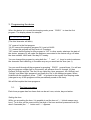
When the device is in normal time keeping mode, press ‘PROG’ to view the first
program. The display shows for example:
01 14:56 Tu Off
(The third character will blink).
“01” means it is the first program
“14:56” means this program (program 01) is set at 14h56
“Tu” means this program will only work on Tuesdays.
“Off” means that the action for this program is “Off”. In other words, whatever the state of
the device, program 01 will make the appliance connected to the device will go off when
the time reaches 14h56 and if the day is Tuesday.
You can change this program by using both the ‘^’ and ‘->’ keys in order to advance
the character that is blinking, in the same way as you would set the time (see 1).
You can scroll through all the programs by pressing ‘PROG’ several times. You will see
that the program number (left on the screen) will advance from 01 through 14, then
OnDark, OnLight and Set. The first 14 are called the ‘timer programs’, the ‘OnDark’ and
‘OnLight’ are called ‘light programs’ and finally the ‘Set’ is the settings program. When
finished with the programs, press ‘TIME’ to go back to the regular time keeping mode
(changes to any of the programs will be permanently saved at this time).
We will first explain the timer programs.
3.1.
The timer programs
Each timer program has four items that can be set: hour, minute, day and action.
Setting the hour
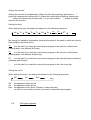
While you are setting the hour, it is possible to set the hour at “—“ (which means every
hour). To do this, set the cursor at the first digit of the hour and then press and hold (for
about 2 seconds) the ‘^’ button until “—“ appears.