1
Model: 4300-PG
User Manual
Rev: 1.2
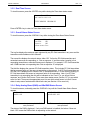
5.3.1 Fan Cycle
This feature operates the fans during peak time periods.
Press <1> for Fan Cycle setup.
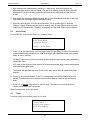
There are two Fan Cycle features (morning and afternoon). Both fan cycles features can be
enabled or disabled. The first and third line shows the present status.
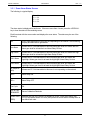
AM Fan Cycle OFF
1- AM Cycle ON
2- PM Fan Cy cle OFF
3- PM Cy cle ON
Press <1> to Enable OR Disable AM Fan cycle and Press <3> to Enable OR Disable PM Fan
cycle. If the function is enabled then the following will be displayed:
2-Cyc Set for AM
4-Cyc Set for PM.
Press either function in order to set the desired ON and OFF time between 1 to 12 o’clock. Note
when entering AM times it is set in international or military time (e.g. 14 = 2 o’clock).
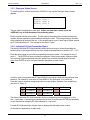
5.3.2 Force 20mA Output
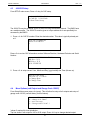
Press <2> to force the 4-20 mA. This function is used to force a 20mA output in order to verify
external devices.
Press <2> again to release this feature and get back to main display.
5.3.3 Force Zone Alarms
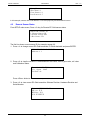
Press <3> to force zone alarms. This function is to test each zone alarm condition in order to
verify proper relay mapping and fan operation.
Press the desired zone that you want to test. Each alarm level will show for that particular zone.
Press appropriate alarm level for selected zone. After testing has been preformed, Press <0> to
release this function.
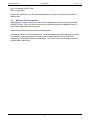
5.3.4 Fan Data Logging
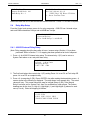
This feature is used to record total fan run time from start date. This data can be used for
energy saving rebates. These values will update at 1AM & 1PM.
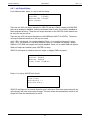
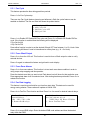
Press <4> to Fan Run Time function and then Press 1 to 4 to record for desired internal relays.
Fan Run Time Setup
Internal Relay s:
1-R1 2-R2 3-R3 4-R4
5- Remote RAB relays
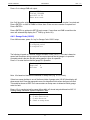
Int. R1 Start Record
On: 2013/08 (m) /01 (d)
XXXX Day s XX Hours XX Mins
1 – Reset Fan Run Time
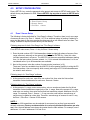
Record the date from line 2 and the total fan run time from line 3. Press <1> to reset if required.
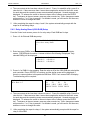
Press <5> to record RAB relays. Enter the desired RAB node address and then the desired
relay within that RAB.
21