1
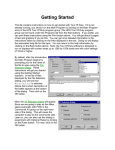
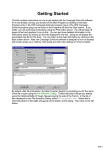
Next, the A/I Selection Dialog will appear. Since we are going to play as the German forces you
should select “Automatic with FOW” in the Allied A/I on the left-hand side of the dialog. This will
cause the computer to play as the American Player. If we want to give the computer an advantage
we could move the Advantage slider towards the Allied, but leave it in the middle for now. This
dialog screen can also be used to select the Optional Rules by clicking the “Rules” button at the
bottom. Do so now to bring up the Optional Rules Dialog.
By default, several Optional Rules are selected and you can experiment with these later.
However, we strongly recommend that you use the DEFAULT FIRE Rules – that is, not to use the
Alternative and Optional Fire Rules as the results will be out of sync with the Scenario victory
results. Most veteran players use Recon Spotting. Once you check any box to select a rule, that
rule will remain in effect for all games until you enter this dialog again and unselect the rule. Also
note, the Explicit Supply rule is only of use with certain scenarios. Click OK to exit the Dialog
when you are ready and then OK on the A/I Selection Dialog.
Page 2