1
No plan is perfect, nor is it likely to be executed exactly as it is envisioned. The essence of a good
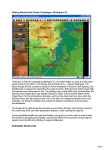
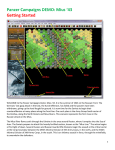
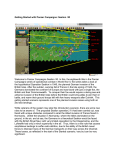
sound battle plan is flexibility. Examine the Map for a moment. To the East of the Schnee Eifel are
your forces, the 18th Volksgrenadier Division. The Schnee Eifel is a forested hill with 100 meter
relief that dominates this sector of the front. There is little passage through the center. The more
obvious routes to channel your advance are along the major roads that follow the valleys toward
the towns with Objective Point markers. If you are not sure of the locations just press the Shift key
and the map labels will be displayed. North is always UP on a Panzer Campaign Map, but a
compass rose is also provided with the labels. When you release the key the labels and compass
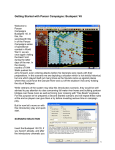
will disappear. Note, the map image to the right shows the Alternative Map Label style which you
can turn on from the “Settings | Alt Label Style” menu.
Further to the Northwest you can see two more Objective Hexes, the larger value of which is the
main focus of your attack. We can also safely assume that there are more Allied units present but
not visible to us, yet! Before we can get that far we need to concentrate on getting to the other
side of the Schnee Eifel.
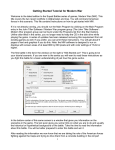
Now let’s begin to move starting with the unit in hex (21,5). Looking at the Unit Window, we can
see that the unit in this hex is a 642 Men strength foot unit and we will be moving the unit forward,
up and left to hex (20,4) adjacent to the village of Roth (the occupied 25-point Objective Hex).
Most actions in the game, whether movement or combat require that units be selected. Clicking
on the map with the left mouse button causes that hex to become the current Hot Spot, and the
units are displayed in the Unit Window. Double-clicking on the map selects all units in that hex. If
there is more than one unit in the hex and you only wish to select one of them, left click on the
pictures in the Unit Window. Notice that by clicking on the unit picture, you can Select (highlight)
or Deselect (normal color) the unit.
Page 7