1
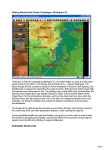
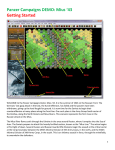
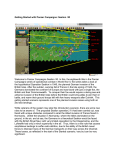
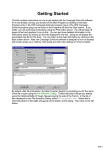
The battlefield map will be drawn and the Command Dialog will appear on the screen. This dialog
will appear at the beginning of each turn and tell you important information that has happened. As
the game progresses, this Command Report provides useful information. It is well worth your
time to look at it carefully at the start of each turn. Click on the OK button to close this dialog so
you can examine the map and game interface. You can change the map scale and play the game
in any of the four different Map Views by pressing the Zoom-In and Zoom-Out buttons: the “+”
and “–“ buttons on the tool bar. You can also use the scroll bars on the outside of the map to
scroll the map view.
The battle begins with you in command of the 18th Volksgrenadier Division to be specific. Your
forces are on the East side of the map. You must advance westward past the Schnee Eifel and
make contact with the Allied units. Your mission is to capture as many objectives as possible
while destroying the other sides units. The German units are blue (with some SS units in Black)
while the Allied units are all green in this scenario. The weather at the start of this battle was not
good, so you can’t see exactly where the opposition is just yet. In fact you can only see a couple
of the Allied units. The area depicted with a grey mask is unplayable ground for this scenario.
Page 3