1
MedServices User Manual Version 5
Logging In
P age |4
Before you can login to
MedServices, you must have a User
Name and Password. Only users
with Administrative rights can set
up new users and reset passwords.
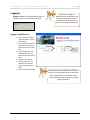
Updates: MedServices automatically checks for
updates each time the software is opened.
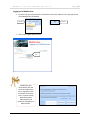
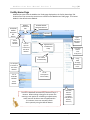
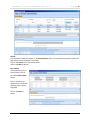
Logging into MedServices:
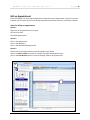
1. Click on the drop down
arrow to display a list of
clinic names.
2. Click on the desired clinic
name to enter the clinic
name into the Clinic text
box.
3. Hit the TAB key on the
keyboard to move the
cursor to the User Name
Field
4. Type in a User Name
5. Hit the TAB key on the
keyboard to move the
cursor to the Password
Field
6. Click on the Log In button
Drop Down
Arrow
Log In
Button
User Names and Passwords are case sensitive.
Each user is assigned permission to Add, View,
Edit, or Delete data in each module. Only
users with Administrative rights can change
these permissions.
©DataNet Solutions, Inc. 2009 ● 254 Broad Street SW ● Cleveland, TN 37311 ● www.DataNetSolutions.org ● 423-479-6729