Download User`s Guide
Transcript
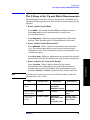
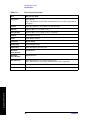
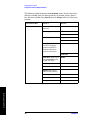
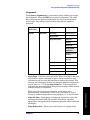
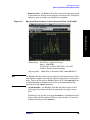
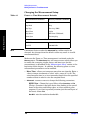
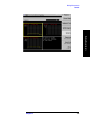
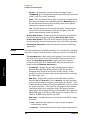
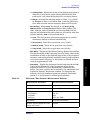
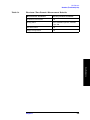
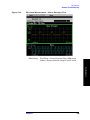
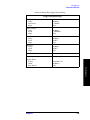
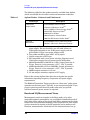
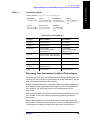
Making Measurements Making the Power vs. Time Measurement Changing the Measurement Setup Making Measurements Table 4-1 Power vs. Time Measurement Defaults Measurement Parameter Factory Default Condition Avg Bursts 10 Off Avg Mode Exp Avg Type Pwr Avg (RMS) Meas Time 1 Slot Trig Source RF Burst (Wideband) Burst Sync Training Seq Advanced NOTE RBW Filter Gaussian Res BW 500.000 kHz Parameters that are under the Advanced key seldom need to be changed. Any changes from the default values may result in invalid measurement data. Make sure the Power vs. Time measurement is selected under the Measure menu. The Meas Setup key will access a menu which allows you to modify the averaging, trigger source, and burst sync for this measurement (as described in the “Measurement Setup” section at the beginning of this chapter). In addition, the following power vs. time measurement parameters can be modified: • Meas Time - allows you to measure more than one timeslot. Enter a value in integer increments of “slots” with a range of 1 to 50. The actual measure time in µs is set somewhat longer than the specified number of slots in order to view the complete burst. • Advanced - accesses a menu to change the following parameters: RBW Filter - Choose the type of filter, either Gaussian or Flat (Flatop). Gaussian is the best choice when looking at the overall burst or the rising and falling edges, as it has excellent pulse response. If you want to precisely examine just the useful part of the burst, choose Flat. Res BW - sets the resolution bandwidth. 144 Chapter 4