1
OLE Payment Request Data Elements
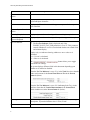
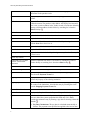
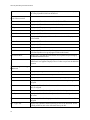
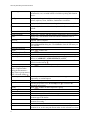
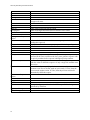
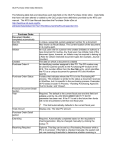
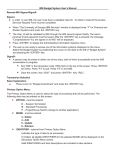
The following table lists and describes each data field on the OLE Payment Request eDoc. Data fields
that have not been altered or added by the OLE project have definitions provided by the KFS user
manual. The KFS User Manual describes the Payment Request eDoc at http://testdrive.kfs.kuali.org/kfsptd/static/help/default.htm?turl=WordDocuments%2Fpaymentrequest.htm.
Payment Request
Document Header –
completed automatically
Doc Nbr
Status
Initiator
Created
Payment Request #
Payment Request Status
Payment Request Initiation
tab
Purchase Order Number*
A unique, sequential, system-assigned number for a document
Also known as Route Status. The current location of the document in its
routing path.
An OLE user role for a person who creates (initiates or authors) a new
document for routing. Any Kuali user may initiate most of the document
types, however, an Initiator may be required to belong to a Role for certain
restricted document types (for example, Journal Voucher).
The date on which a document is created
An identifying number assigned to this Payment Request. The Payment
Request number may be used for queries specific to the Purchasing/AP
module of the KFS. This number differs from the Doc Nbr entry, which
identifies the Payment Request as a unique document for general KFS and
Workflow queries.
A status that indicates where the Payment Request document is in the
Purchasing/AP process. This indicator is similar to the status a document
receives in Workflow, but it is specific to the purchasing process. Examples
of status include 'In Process,' 'Awaiting Purchasing Approval,' 'Out for
Quote,' and 'Closed'.
Required. Enter the PO number to which the invoice applies.
Invoice Date*
Required. Enter the invoice date from the vendor invoice or select the date
from the calendar .
Invoice Number*
Required. Enter the identifying invoice number from the vendor invoice.
Vendor Invoice Amount*
Required if the Vendor is not foreign. Enter the net dollar amount of the
invoice to be processed.
Foreign Vendor Invoice
Amount
Required if the Vendor is foreign. Enter the net amount of the invoice to be
processed.
Special Handling Instructions Optional. Enter text into any of the special handling fields to indicate a
special check delivery requirement for the payment.
Document Overview tab
Description
Defaults to the purchase order number and vendor's name
Org. Doc. #
The organization document number. If the organization does not use an
internal referencing system, this field is left blank.
Explanation
Allows you to include additional information about the document that does
1
OLE Payment Request Data Elements
not fit into the Description field (which is limited to 40 characters).
Financial Document Detail
section
Year
Display-only. The fiscal year of the purchase order referenced by the
Payment Request document.
Total Amount
Display-only. The total amount of the payment request after the request has
been submitted.
Payment Request Detail
section
Receiving Required
Display-only. An indicator showing whether receiving is required.
Payment Request Positive
Approval Required
Display-only. An indicator showing whether positive approval is required.
Use Tax Indicator
The Use Tax Indicator field is displayed only if the
ENABLE_SALES_TAX_IND parameter is set to 'Y'. This parameter
controls whether tax service is invoked and whether tax-related fields
and columns display.
Display-only. An indicator showing whether use tax or sales tax is
calculated.
Yes = Use tax is calculated.
No = Sales tax is calculated.
The
/
between the two settings.
button allows you to toggle
The system displays different fields in this document depending upon
whether tax is enabled or disabled.
When the Use Tax Indicator is set to 'Yes, in the Total lines show that the
vendor remit amount is the Grand Total Prior to Tax in the Process
Items tab (below).
When the Use Tax Indicator is set to 'No' (indicating Sales Tax), in the
total lines show that the Vendor Remit Amount is the Grand Total
(which includes tax) in the Process Items tab (below).
Order Type
Vendor Tab
2
Identifies the type of order, possible values could be one-time, standing,
subscription. System default data value is "Firm, Fixed".
OLE Payment Request Data Elements
Vendor
Display-only. The name of the vendor is automatically populated based on
information in the purchase order.
Vendor Number
Display-only. The vendor number followed by a hyphen and the division
number.
Address 1
Required. The default remit-to address is ordinarily populated from the
Vendor document. The purchase order address will display here instead if
there is not a remit-to address in the Vendor record. Override the default by
entering a different address in this field or by searching for it from the
Address lookup .
Address 2
Optional. Override the default or leave it as is.
Attention
Optional. Override the default or leave it as is.
City
Required. Override the default or leave it as is.
State
Required for U.S. addresses. Override the default by selecting the state
from the State list or leave it as is.
Province
Optional. Override the default or leave it as is.
Postal Code
Required for U.S. addresses. Override the default or leave it as is.
Country
Required. Override the default by selecting a country from the Country list
or leave it as is.
Vendor Info section
Acquisition Unit’s Vendor
account / Vendor Infor
Customer #
Optional. Populated from the PO. Override it by entering the customer
number directly or searching for it from the vendor lookup .
Check Stub Notes
Optional. Enter text to be printed on the check stub.
Special Handling Instructions Optional. Enter the handling instructions to be printed on the check.
Payment Terms
Optional. Populated from the PO. Override it by selecting the payment
terms from the Payment Terms list.
Shipping Title
Display-only. This entry indicates when the items associated with a PO
become the property of the ordering institution.
Shipping Payment Terms
Optional. Populated from the PO; identifies the entity that pays for shipping
(the vendor or the institution). Override the entry by selecting the terms
from the Shipping Payment Terms list.
Invoice Info tab/section
Invoice Number*
Display-only. Populated from the Payment Request Initiation tab.
Pay Date
Defaults to the date automatically calculated by the system. If payment
terms are edited, the system repopulates this field only if it is blank.
Override the automatic entry by entering a pay date or selecting it from the
calendar .
Pay Date Calculations: The pay date is calculated automatically as
follows. The payment terms specified are applied to the invoice date
3
OLE Payment Request Data Elements
to generate a pay date. The payment terms parameters are in the
Payment Terms Type table. Additionally, ten days (or another
institutionally defined default number of days) are added to the
current date to generate a pay date. KFS selects the later of these two
dates and uses it as the default pay date for this Payment Request
document.
The pay date may be entered manually, but it must not be a past date. If the
date is more than 60 days from the current date, the system displays a
warning message.
(Immediate Pay)
Optional. Select the Immediate Pay check box if a check is needed on the
same day. This indicator allows for an approved payment request to be
extracted for payment during the day.
Invoice Date*
Display-only. Populated from the Payment Request Initiation tab.
PO End Date
Display-only. The purchase order end date, if any, is automatically
populated from the PO.
Payment Attachment
Indicator
Optional. Select the check box if an attachment (such as a copy of the
invoice) must be returned to the Vendor with this payment.
Extract Date
Display-only. The date the Payment record is extracted to the PreDisbursement Processor.
Invoice Type
Optional. Select the type of invoice. Sample data values are
Proforma/prepay, Regular.
Bank Code
Required. The bank code will be displayed only if the
Bank_Code_Document_Types includes 'PREQ' and
Enable_Bank_Specification_Ind='Y'. The default bank is determined by the
Default_Bank_By_Document_Type parameter. You may override this
value by entering another bank code or selecting it from the Bank lookup
.
Purchase Order Number
Display-only. The PO number associated with this invoice. This is the PO
number used on the initiation screen.
PO Notes
Display-only. If notes have been added to the PO, this field contains the
value 'Yes'.
Payment Request Cost
Source
Display-only. Automatically populated from the PO if it exists.
Payment Classification
Display-only. Not currently used. In KFS 4.0 the field will always be null.
In a future enhancement, when wire transfer and foreign drafts are
processed on Payment Request documents, this field will be populated.
Vendor Invoice Amount
Display-only. The vendor total invoice amount as entered on the Payment
Request Initiation tab. This field is displayed only on an 'In Process'
PREQ document. When the document is submitted, the system no longer
carries the field and the value forward.
Foreign Vendor Invoice
Amount
Display-only. The foreign vendor total invoice amount as entered on the
Payment Request Initiation tab. This field is displayed only on an 'In
Process' PREQ document. When the document is submitted, the system no
4
OLE Payment Request Data Elements
longer carries the field and the value forward.
AP Processed Date
Display-only. The date the PREQ was submitted by an Accounts Payable
processor.
Invoice SubType
Optional. Select the subtype of invoice. Sample data values are Regular,
Supplemental.
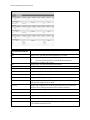
Process Items tab
Encumbrance excluding
freight & s/h
Display-only. The total dollar amount encumbered for this PO excluding
freight, shipping and handling.
Total Encumbrance Amount Display-only. The total dollar amount of the encumbrance that has thus far
Relieved
been relieved from this PO, excluding any additional charges processing.
Total Paid Amount
Display-only. The dollar amount total for line item payments excluding
freight, shipping and handling, discount and miscellaneous payments made
thus far against this purchase order. The difference in amounts between
Total Encumbered Amount Relieved and Total Paid Amount is the
difference between the PO unit cost and the payment request unit cost.
Process Titles section
Add Item/Current Items
section
Item Line #
Open Qty
UOM
PO Unit/Ext Price
Format
Vendor Item Identifier
Qty Invoiced
No. of Parts
List Price*
Discount
Discount Type
Prorated Surcharge
Unit Cost*
Extended Cost
5
Display-only. The actual Item line number from this PO.
Display-only. The quantity of items that have yet to be invoiced for this line
item.
Display-only. The unit of measure copied from the PO for this line item.
Display-only. The cost per unit from the PO for this line item.
Display-only. Identifies the Format for this line item.
Display –only. Identifies a vendor item identifier if one has been provided
by a vendor.
Required. Enter the number of items being invoiced for this line. This entry
reduces the open quantity for this line item on the PO.
Required. Enter the parts of items being invoiced for this line. This entry
reduces the open number of parts for this line item on the PO.
Basic price of an item before any discounts are taken.
Discount provided by the vendor/customer number/organization
combination. Automatically populated from the Vendor customer number
table based on the selected vendor and customer number. Can be modified
for a specific title. If the vendor record has a Vendor currency noted other
than the default system currency (aka US dollar), then the Vendor discount
will populate the Foreign Discount field.
Choose # (for Amount) or % (for Percentage).
Additional charge applied to the line item based on the proportional
distribution.
Optional The unit price for this line item as it appears on the invoice. This
field is automatically populated using the price from the PO, but it may be
changed if the invoice reflects a different price.
If this field is blank and if the quantity invoiced is populated, the system
calculates the extended cost for this line item when you click the calculate
OLE Payment Request Data Elements
button.
Tax Amount
Total Amount
Assigned To Trade In
Description
This column is displayed only if the Enable_Sales_Tax_Ind='Y'.
Display-only. The calculated sum of the extended cost and the tax amount.
Display-only. This 'Yes/No' indicator is based on the PO.
Concatenated data values from the related bibliographic description.
Currency Type.
Display only. Identifies the associated vendor's currency as identified on
the vendor record that is identified in the Link to Vendor/Supplier
Foreign List Price
Basic foreign price of an item before any discounts are taken.
Foreign Discount
Foreign discount provided by the vendor/customer number/organization
combination when the vendor record has a Currency Type different from
the system default currency. Should be automatically populated from the
Vendor customer number table based on the selected vendor and
customer number (PUR_VNDR_CUST_NBR_T: VNDR_CUST_NBR).
This data can be changed for the specific title. Must identify the type of
discount (amount or %.) If the vendor record does not have a Currency
Type noted other than the default system currency (aka US dollar), then
the discount should populate the Discount field.
Foreign Discount Type
Choose # (for Amount) or % (for Percentage).
Foreign Discount Amt
Foreign Discount Amount is a calculated value in the foreign currency.
Foreign Unit Cost
Calculated foreign cost per unit for the item or service on this line.
Calculation is the Foreign List Price less Foreign Discount amount.
Exchange Rate
Currency conversion rate populates from the Currency rate column in the
Currency Type maintenance table (which is populated each night into
system as Batch from bank files). The rate will populate when user clicks
action button "Calculate" on conversion tab. Optionally: when currency
tab opens, currency rate may auto-populate. This may be updated up
until the Requisition is approved. After that point, it may no longer be
modified.
USD Unit Cost
Cost converted to the system's default currency type exchange rate.
Bib Info
Invoice Notes section
Note
Accounting Lines section
Chart
6
If the field already contains a value, you must delete the value in
order to populate a new value by clicking calculate. Override the amount
as needed.
Calculated automatically when tax service is called. This field may be
edited by the AP Processor.
If new item is invoiced, must be entered via the Bib Editor and a PO
Amendment.
Optional. Free text note to include additional information about the
invoiced item.
Required. Select the chart code from the Chart list.
OLE Payment Request Data Elements
Account Number
Sub-Account
Object
Sub-Object
Project
Org Ref Id
Dollar $*
Percent*
Required. Enter the account number or search for it from the Account
lookup .
Optional. Enter the sub-account number or search for it from the SubAccount lookup .
Required. Enter the object code or search for it from the Object Code
lookup .
Optional. Enter the sub-object code or search for it from the Sub-Object
lookup .
Optional. Enter the project code or search for it from the Project lookup
.
Optional. Enter the appropriate data for the transactions.
Display only. Calculated total dollar amount that will be applied to the
Line Account.
Indicates the Percentage that will be applied to the Line Account. System
default data value 100%.
Add or delete lines as appropriate.
Display-only. The calculated sum of the Total Amount fields of all the line
items.
Actions
Invoice Total Prior to
Additional Charges
Additional Charges section:
This section can be repeated
for the following additional
charges:
● Freight
● Shipping Handling
● Full Order Discount
● Trade In
Item Type
Display-only. Describes the type of miscellaneous item (freight or shipping
and handling) being defined in this line.
Original Amount from PO Display-only. The total extended amount of the additional charges for the
item type on this PO.
Outstanding Encumbered
Display-only. The outstanding encumbrance amount of the additional
Amount
charges for the item type on this PO.
Foreign Currency
Extended Cost
Currency Type
Display only. Identifies the associated vendor's currency as identified on
the vendor record that is identified in the Link to Vendor/Supplier
Exchange Rate
Currency conversion rate populates from the Currency rate column in the
Currency Type maintenance table (which is populated each night into
system as Batch from bank files). The rate will populate when user clicks
action button "Calculate" on conversion tab. Optionally: when currency
tab opens, currency rate may auto-populate. This may be updated up
until the Requisition is approved. After that point, it may no longer be
modified.
Extended Cost
Tax Amount
7
Optional. Enter the extended amount charged on this invoice for this
additional charge item.
Calculated automatically when tax service is called. This field may be
OLE Payment Request Data Elements
edited by the AP Processor.
Total Amount
Description*
This column is displayed only if the Enable_Sales_Tax_Ind='Y'.
The calculated sum of the additional item extended cost plus the item tax
amount, if applicable.
Required for miscellaneous charges. A description is optional for freight
charges, shipping and handling, and minimum order charges.
The ITEM_TYPES_REQUIRING_USER_ENTERED_
DESCRIPTION parameter controls whether the description is required or
optional.
Accounting Lines section for
each type of Additional
Charge
Chart
Required. Select the chart code from the Chart list.
Account Number
Required. Enter the account number or search for it from the Account
lookup .
Sub-Account
Optional. Enter the sub-account number or search for it from the SubAccount lookup .
Object
Required. Enter the object code or search for it from the Object Code
lookup .
Sub-Object
Optional. Enter the sub-object code or search for it from the Sub-Object
lookup .
Project
Optional. Enter the project code or search for it from the Project lookup
.
Org Ref Id
Optional. Enter the appropriate data for the transactions.
Dollar $
Display only. Calculated total dollar amount that will be applied to the
Line Account.
Percent
Indicates the Percentage that will be applied to the Line Account. System
default data value 100%.
Actions
Add or delete lines as appropriate.
Prorate by Quantity
Prorate by Dollar
Manual Prorate
Totals section
Grand Total Prior to Tax
Grand Total Tax
[Vendor Remit Amount]
Grand Total
Display-only. Displays a total of all current item lines and additional
charges lines.
Display-only. Displays a total tax.
Display-only. Displays the sum of the two totals above.
Account Summary Tab
Click
to reload the page and view all the fiscal years, accounting lines and dollar
amounts for this requisition.
8
OLE Payment Request Data Elements
View Related Documents
Tab
Date
User
Display-only. The date the related document was created.
Display-only. The user who created the related document.
The entry 'Kuali System User' means the document was
automatically created by the system.
Display-only. The note describing the document.
Note
View Payment History – tab
PREQ#
Display-only. The payment request number.
Invoice #
Display-only. The invoice number.
PO#
Display-only. The purchase order number.
PREQ Status
Display-only. The payment request status.
Hold
Display-only. Displays 'yes' if the payment request in on hold. Displays 'no'
if the payment request is not on hold.
Req Canc
Display-only. Displays 'true' if the payment request has been canceled.
Displays 'false' if the payment request has not been canceled.
Vendor Name
Display-only. The vendor name.
Customer #
Display-only. The customer number.
Amount
Display-only. The payment request amount.
Pay Date
Display-only. The date to make payment on this payment request.
PDP Extract Date
Display-only. The date the payment request was requested for processing
by Pre-Disbursement Processor.
9
OLE Payment Request Data Elements
Paid?
Display-only. Displays 'yes' if the payment has been disbursed. Displays
'no' if the payment has not been disbursed.
View Payment History –
Credit Memos section
CM#
Display-only. The credit memo number defined in KFS.
Vendor CM#
Display-only. The credit memo number defined by vendor.
PREQ#
Display-only. The payment request number.
PO#
Display-only. The purchase order number.
Credit Memo Status
Display-only. The credit memo status.
Hold
Display-only. Displays 'yes' if the credit memo is on hold. Displays 'no' if it
is not on hold.
Vendor Name
Display-only. The vendor name.
Customer #
Display-only. The customer number.
Amount
Display-only. The credit memo amount.
APAD Date
Display-only. The Accounts Payable approved date (that is, the date the
Accounts Payable review group approved the credit memo).
PDP Extract Date
Display-only. The date the credit memo was requested for processing by
Pre-Disbursement Processor.
Paid?
Display-only. Displays 'true' if a payment has been disbursed to which this
credit memo was applied. Displays 'false' if it has not yet been included in a
payment.
General Ledger Pending
Entries tab
Seq #
Display-only. Assigns a number to the entry in sequential order.
Fiscal Year
Display-only. Identifies the fiscal year of the debit or credit.
Chart
Display-only. Identifies the chart to which the pending entry is assigned.
Account
Display-only. Identifies the account number to which the pending entry is
assigned.
Sub-Account
Display-only. Identifies the sub-account, if one exists, to which the pending
entry is assigned.
Object
Display-only. Identifies the object code of the item being ordered.
Sub-Object
Display-only. Identifies the sub-object code of the item being ordered, if
one exists.
Project
Display-only. Identifies the project code, if one exists, to which the PO is
assigned.
Doc. Type Code
Display-only. Identifies the document type code of the document. When
working with POs, this value will almost always be PO.
10
OLE Payment Request Data Elements
Balance Type
Display-only. Identifies the different balances (actuals, budget,
encumbrances, etc.) recorded in KFS to facilitate reporting and financial
queries.
Obj. Type
Display-only. Categorizes object codes into general categories identifying
income, expenses, assets, liabilities, fund balance or transfers.
Amount
Display-only. Indicates the amount charged to each account on the PO.
D/C
Display-only. Indicates whether the entry is a debit (D) or credit (C) to the
account.
Notes and Attachments Tab
Posted Timestamp
Author
Note Text
Attached File
Notification Recipient
Actions
Ad Hoc Recipients Tab
Person Requests section
Action Requested
Person
Display-only. The time and date when the attachment or note was posted.
Display-only. The full name of the user who has added the notes or
attachments.
Required. Enter comments.
Optional. Select the file to attach by clicking Browse and using the
standard Choose File dialog box. Click Cancel to clear the file name you
have selected.
Click
to add a note.
Required. Select the desired action from the Action Requested list. The
choices are APPROVE, ACKNOWLEDGE, and FYI.
Required when routing the document to an individual. Enter a user ID or
select it from the lookup .
Click
to add an ad hoc request to a person.
Actions
Ad Hoc Group Requests
section - Required when
routing the document to a
group. Enter a group name or
select it from the lookup .
Action Requested
The action one needs to take on a document; also the type of action that is
requested by an Action Request.
Namespace Code
Code for the group selected in Name.
Name
Enter the group name or use the Lookup icon
to search for the
appropriate group name.
Actions
Click
to add a an ad hoc request to a group.
Route Log Tab
ID
Title
A short summary of the notification message.
Type
The document type. The full name of the transaction used to identify this
document type in Workflow.
Initiator
An OLE user role for a person who creates (initiates or authors) a new
document for routing.
Route Status
The workflow status of a document in the course of its routing.
Node(s)
The current route node of the document—that is, the current step that the
document is on, on its route path. Route nodes are also referred to as 'route
11
OLE Payment Request Data Elements
Created
Last Modified
Last Approved
Finalized
Actions Taken section
Action
Taken by
For Delegator
Time/Date
Annotation
Pending Action Requests
section
Action
Requested of
Time/Date
Annotation
Detail section
Node
Priority
Approval Policy
Forced Action
Future Action Requests
section
Action
Requested of
Time/Date
Annotation
Log Action Message section
Action Message
12
levels’.
The time and date that the document was created.
The time and date that the document was modified last.
The time and date that the last action was taken on this document.
The time and date that the document reached' Final,' 'Canceled,' or
'Disapproved' status.
System action.
Name of the person who took the action.
Name of a delegate that took action on someone else's behalf.
Time and date the action was taken.
Indicates whether the document is in a user or group's action list or is
pending their approval.
Displays the name of the user or group responsible for the pending action.
The route node at which this request was generated.
The priority assigned to this workflow request. If multiple requests are
generated at the same workflow node, the system generates requests with
low priority numbers before requests with higher priority numbers.
A value indicating whether members of a role receiving this request must
each take action to fulfill the request or if only a single role member must
take action.
A true/false indicator specifying whether a user must take action on this
document even if he or she has acted on it previously. If 'True,' then the
user must take another action. If 'False,' then the previous action will
automatically fulfill this request.
Message that is generated based on the KIM responsibilities being
referenced by Workflow