1
User Guide – Using the Firefighter Response System
eNotify Module
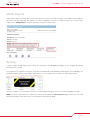
The eNotify module is a mass notification system that allows messages to be sent to members by simply typing a message and clicking
send. The eNotify module will send out voice messages to phones, as well as email and SMS text messages. The benefit to sending
out a voice message via a phone call is being able to poll your personnel. For example, if a message was sent out reminding firefighters
of a burn-to-learn coming up, you could ask the firefighters to press 1 if they will be able to attend the burn-to-learn, press 2 if they are
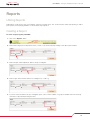
unsure, and press 3 if they will not be able to make it. You will then be able to view a report on that message and know who is attending
the burn-to-learn, who is unsure, and those who can’t make it.
Sending a Message
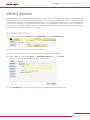
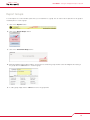
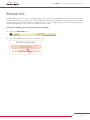
1. To send a message, click on “Modules”, then “eNotify Module”, and then “Create Message”
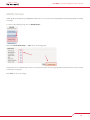
2. Type a name for the message; this is used for reporting purposes
3. Select message type; either Phone, Email, SMS Text, Phone & Email, or Email & SMS Text
4. Select recipients by selecting either “Group” or “Individual Firefighter(s)” next to the “Sent To”
and then select which group or firefighters should receive the message
5. Click “Send Message” to send the message. The message will be initiated and sent within seconds.
12