1
User Guide – Using the Firefighter Response System
Using Response Data
Using response data to make informed decisions
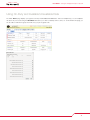
The Firefighter Response System (FFRS) helps you and your agency make informed decisions by providing response data in real-time.
This information can be used both at the station and/or in the field. For use at the station, personnel who are already at the station and
first arriving members should review their FFRS display screen so they know who is still responding. You should base your decisions on
responding member resources and the equipment requested by dispatch. For example, if an engine and a tender are requested, two
members are at the station, and the FFRS shows a third member on the way. In this scenario, the two volunteers who are at the station
would respond with the engine and leave the tender for the third member. In another example, if only an engine is requested, two members are at the station, and the FFRS shows a third member on the way, the two members could wait for the third so they can respond
with a three man engine crew.
Commanders who are either en route to or on scene can make operational strategies well in advanced of volunteers arriving at the
station. Your commanders can view available resources from a MDT (mobile data terminal) placed in emergency apparatus (command
vehicles, engines, etc) or from a smart phone using the mobile web application. The mobile web app can be accessed here:
www.advancedfrs.com/FFRS/Mobile
Supported Internet Browsers
•• Internet Explorer, version 7 or 8 – IE 8 recommended
•• Firefox 3.5 or above
Creating a FFRS desktop shortcut
Creating a FFRS shortcut on your desktop enables your users to easily launch the FFRS. To create a FFRS desktop shortcut, follow
these steps:
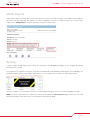
1. Log into your FFRS application
2. Click and hold the small icon in the upper left hand corner next to the URL address.
3. Drag this icon out to the desktop and then release it. This will create your desktop shortcut to the FFRS application.
5