1
ADD BLANKET ORDER SCREEN
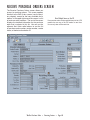
The Add Blanket Order screen is similar to the Add
Order screen. However, some steps in the process
of adding a blanket order are different from those in
adding a regular purchase order.
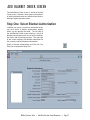
Step One: Select Blanket Authorization
In Before you select a vendor for the blanket order,
you must select a blanket authorization against
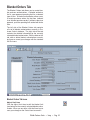
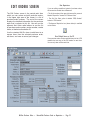
which you are placing the order. The left side of
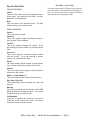
the Add Blanket Order screen displays a list of all
blanket authorizations that are set up on the Blanket Orders tab of the Setup screen. The right side
of the screen displays the detailed information for
the currently selected blanket authorization.
Select a blanket authorization and click the Use
Data icon to proceed to Step Two.
WinTen Purchase Order • Add New Purchase Order/Requisition • Page 47