1
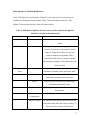
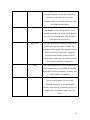
Using .PDF files for Method Selection:
In the methods folder inside the TestWorks program file every method has a .pdf file
describing the method inputs, results and material applicability. Each method has some
unique features that will be described in the .pdf file. The following exercise helps the
user investigate unfamiliar methods.
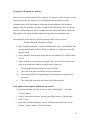
Accessing the methods folder (it is suggested that the user create a short cut to this
location):
Go to “My Computer” > “Program Files” > “MTS Systems” > “TestWorks” >
“Methods”
Exercise:
Investigate an unfamiliar method. We will use the method “XP Basic Hardness,
Modulus at a Depth.”
1. Using the method’s associated pdf file (located in the same directory as the method
itself, See Above), answer the following questions:
•
What is the basic purpose of the method?
•
What hardware is required?
•
Are there any types of materials for which this method is not appropriate?
Now, we will use information within the method itself to learn more. First, do the
following:
2. Launch TestWorks and login.
3. Open the method “XP Basic Hardness, Modulus at a Depth” and click OK.
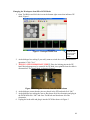
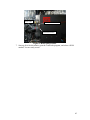
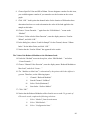
4. Click on “Method” in the main menu bar, select “Edit Method...,” and then select
“Configuration Items.” Note that there are formulas, inputs, and channels, then many
other selections. Click on input on the right-hand side of the screen. Then select one
of the Display Names. Use the tabs in the bottom window to explore the input. Click
on the “Description” tab to view a text description.
19