1
Chapter 1: Installation
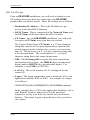
CQ-3770EE System Check
Before you begin with CQ-3770EE software installation, check
your system according to the requirements listed below:
•
System Requirements. Confirm that your system conforms
to the list of System Requirements listed at the end of the
Introduction section of this guide.
•
3770EE Settings. Your host site contact should provide you
with a Destination IP Address, DLUS Name, CP Name,
XID, and Logon. You will need this information in order to
configure CQ-3770EE after installation.
•
Other Third Party Programs. CQ recommends that you
not have Microsoft’s Host Integration Server (current
versions as well as previously released versions such as
Microsoft SNA Server, etc.) loaded and/or running on the
system you will be running CQ-3770EE from.
Also, CQ recommends that you not have any IBM
mainframe/host connectivity products (such as Host Access
Client) loaded and/or running on the system you will be
running CQ-3770EE from. If you have a question on
CQ-3770EE compatibility with other connectivity programs
on your system, please contact CQ at 770-844-0233.
Note:
If during the course of software installation you encounter an
error or similar event, contact the CQ Technical Support
department at 770-844-0233 for specific instructions on how to
uninstall and then re-install the software. Do not attempt to
uninstall the software as the uninstall program may delete some
files that you would otherwise want to save. A CQ
Representative can assist you in this procedure.
1-4