1
OMRON
Guide to Using CX-Server Lite in Microsoft .Net
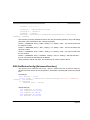
For “UPLOAD:RECEIVED” and “UPLOAD:COMPLETE” and “
UPLOAD:CANCELLED” this is the total bytes uploaded so far.
For “UPLOAD:ERROR” this is a CX-Server error code (e.g. 35339 which is 8A0B in
hexadecimal, indicates the PLC is in the wrong mode)
B.30 DownloadProgram [Advanced function]
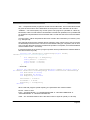
This function is for advanced users only. The DownloadProgram function can be used to write
a program to a PLC. The PLC must be in program mode before DownloadProgram is used.
Care should be taken with this function to ensure that the program written is valid for the
PLC to which it is downloaded. In addition, users should be aware that downloading the
program object code on its own clears the associated function block area. If a program
uses function blocks then the associated function block file must be downloaded to the
PLC before the PLC program is run, or a PLC error condition will occur. Any attempt to
download a function block to a PLC that does not support FBs will result in an error on
download.
This function should not be used at the same time as any other PLC communications. The
project and PLC will automatically be opened if required.
C# Example
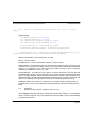
bool Success = cxsLiteCtrl1.DownloadProgram("device1",
“d:\\up1.prg", "", true, true);
VB.Net Example
Dim
Dim
Dim
Dim
Dim
Dim
strDownloadDestination As String
strDownloadDevice As String
strDownloadSource As String
bDownloadWait As Boolean
bDownloadReportProgress As Boolean
bDownloadSuccess As Boolean
strDownloadDevice = "PLC1_CJ1G_H"
strDownloadSource = " C:\Common\Test\PLC1\DownloadCJ.bin "
strDownloadDestination = "PRG"
bDownloadWait = True
bDownloadReportProgress = True
Page 43

















![libsbml[5pt] Developer`s Manual](http://vs1.manualzilla.com/store/data/005677524_1-a4aef53ff9933c16603010582721c07c-150x150.png)