1
SPECIFICATIONS
IMPORTANT INSTRUCTIONS
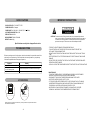
DISPL AY DE VICE: 9 ” CO LOUR TFT LED
POWE R SO URCE: AC a daptor
POWE R INP UT: AC100-240 V~ 50/6 0HZ DC 5V---1000 mA
AC PO WER CONS UMPT ION: ≤5W
RESO LUTIO N: 640X234
MEAS UREM ENT: 284X1 87X34 MM
WEIG HT: ab out 64 4g
C A U T I O N
RISK OF ELECTRI C SHOCK
DO NOT OPEN
CAUTIO N: To reduce the ri sk of fire or e lectric shock , do no t expose this produ ct to
wa ter, ra in or m oisture . To p revent the ris k of ele ctric s hock, do not remov e
the cove r or bac k of th is prod uct. In case of prod uct fa ilure, o nly qu alified
pe rsonne l can repair. There are no user-service able p arts in side.
Specifications are subject to c hange w ithout notice.
TROUBLESHOOTING
Befo re req uestin g service for this pl ayer, c heck t he cha rt belo w for a poss ible ca use o f the
prob lem yo u are experi encing . Som e simp le che cks or an adj ustme nt on y our pa rt may
eliminateth e prob lem a nd res tore proper o perati on.
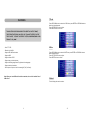
Symp tom
R emed y
N o power.
Insert the A C adaptor s ecurely into t he power ou tlet.
The player is a utomatically
se t to the stan dby mode.
D isconnect the power sou rce and connect them again.
No picture .
Ensure that the equipment is connected properly.
AC CESS ORIES
9 ”TFT LCD D igita l Photo Fra m e wit h
Spe a ke r a nd US B/S D/MM C Ca r d Slot
MODE L NO. :NF-90 1
-THE DIGITAL PHOTO FRAME IS FOR INDOO R USE ONLY!
-TO AVO ID THE RISK OF FIRE OR ELECTRIC SHOCK DO NOT EXPO SE THIS
APPLIANCE TO RAIN OR MOISTURE.
-DO NOT BLO CK THE VENTILATION HOLES ON THE BACK OF THE UNI UNIT AT ANY
TIME.
-KEEP THE PRODUCT OUT OF STRONG SUNLIGHT. DIRECT SUNLIGHT M AY CAUSE
DAMAGE.
-DO NOT OPEN THE COVER OF THE DIGITAL PHOTO FRAME. THERE ARE NO USER
SERVICEABLE PARTS INSIDE.
-UNPLUG AC ADAPTOR FROM POWER SOCKET IF NOT USE THE UNIT FO R LO NG TIME.
MAINTENANCE:
-TOUCH THE SCREEN GENTLY. THE SCREEN IN THE DIGITAL PHOTO FRAME IS
M ADE OF GLASS AND IS EASILY SCRATCHED O R BRO KEN.
- DISCO NNECT THE AC ADAPTO R BEFORE MAINTAINING THE PLAYER.
- WIPE THE PLAYER WITH A DRY, SOFT CLO TH.
- IF THE SURFACES ARE EXTREMELY DIRTY ,WIPE CLEAN WITH A CLOTH WHICH
HAS BEEN DI PPED IN A WEAK S OAP- AND-WATER SOLUTION AND WRUNG OUT
THORO UGHLY, AND THEN WIPE AGAIN WI TH A DRY CL OTH.
- NEVER USE ALCOH OL, BENZIN E, THINNER, CLEANING FLUID OR OTHER
CHEMICALS. AND DO NO T USE COM PRESSED AIR TO REMO VE DUST
Inst ruct ion Manual
- Tha nk you ve ry much for se lectin g our p rod uct.
- Ple ase enj oy the won der ful fea tur es of th e late st digit al tech nolog y.
- You will lea rn ho wt o use it with in a minu te with t his user manu al.
Ins truc tion ma nual
............... .......... ..1
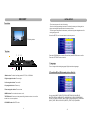
AC adap tor
....... ........ .1
A ll the pictures in the instr uction manu al is just for y our referenc e, specificat ion should
r efer to actua l accessories.
16
1