1
FINANCIAL ACCOUNTING SYSTEM
USER MANUAL
Overview/Scope:
Financial Accounting software developed for Pearls Group. To improve the functionality of all the financial
activities, it is required to upgrade this software from Clipper based platform to GUI (Graphical User Interface)
based platform in RDBMS database architecture. So Accounts department can facilitate with advantages of GUI
based platform like user friendly, Data Security, Data integrity, data integration, performance, reduce data
redundancy and user concurrency.
Introduction:
This software gives the organization to a powerful, flexible system to provide the up-to-date information, which
is required by the organization to smoothly run the day-to-day operations. The system also consolidates and
merges all the financial information from independent operations within the company and integrates the data
throughout multiple levels of business. They can also benefit from complete visibility over all your business
levels due to the system’s drill-down capabilities. It helps the organization to manage the finances proactively,
make better decisions, and take timely action.
Following are the commonly used buttons on all the screen. A brief description of the buttons is given
below. These buttons perform the same function on all the locations these are used.
BUTTON
ADD
DESCRIPTION & FUNCTION
To add a new record and to enter all the required fields
being prompted on screen accept few such as Code generation, which is
automatic.
EDIT
To modify the information of any selected record.
DELETE
To cancel a record if any wrong entry or any wrong particulars has been
entered.
SAVE
To save a record in Database on Completion of the Entry or Editing.
RESET
To reset the Entry Screen.
PRINT
To Print the Voucher.
EXIT
To Exit from the Current Data Entry screen.
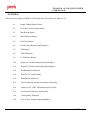
The software has the following modules:
PACL India Ltd.
Confidential
2/157