1
Establishing a session with
Netviewer
In brief
1.
2.
3.
4.
5.
6.
7.
Start the Consultant program.
Enter the login data.
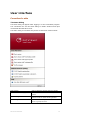
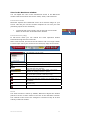
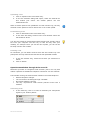
In the start dialog, click on Start session.
Provide the participant with the session number.
The participant starts the Participant program.
The participant enters the session number and acknowledges
his entry.
The Netviewer session has started.
Establishing a session – the details
To start a Netviewer session, the consultant and participant must have
access to the Netviewer one2one Consultant or Participant program,
respectively.
1.
2.
As the consultant, first start the Netviewer one2one Consultant
program (NV_o2o_Consultant_EN.exe).
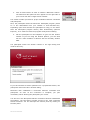
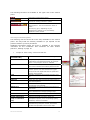
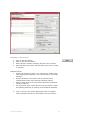
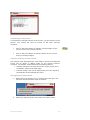
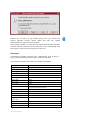
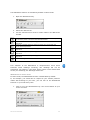
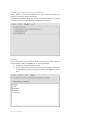
Enter your login data to authenticate yourself in the Login
dialog.
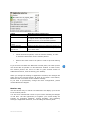
The method of authentication that you agreed on with Netviewer GmbH
will determine which login data Netviewer will require when you start a
session.
Authentication
method
What happens after the Consultant program starts?
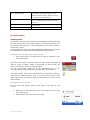
None
Start dialogue appears immediately.
Password
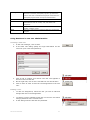
The login dialog appears, in which you enter your
password. Exactly one password is defined for your
Netviewer one2one.
User name and
password
The login dialog appears, in which you enter your user
name and password. The number of possible users is not
limited.
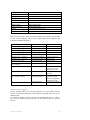
Refer to chapter titled "Functions for the administrator "
on page 44 for additional information about user
administration and logging in with user name and
password.
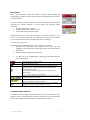
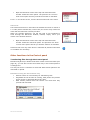
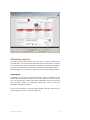
In the login dialog, select the option Save login data to save your user
name and password locally on your computer. The next time you start
Netviewer, your user name and password will be entered on the login
form and you must only confirm by clicking on OK.
If you use this option, you must be certain that no unauthorized
persons will have access to your computer and therefore to Netviewer.
NETVIEWER ONE2ONE
9