1
MASTERA
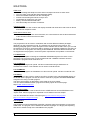
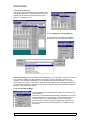
Command ICON’s Most commands can be activated directly by clicking on one of the
command ICON’s.
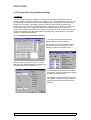
3.1.5: Editing a Data field:
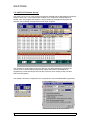
You can directly edit a location in
the Data or Code field.
Place the cursor at the start of the
data and click the right mouse
button. You can now choose to fill
the whole buffer or just edit the selected location ⇒
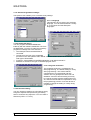
3.1.6: Special:
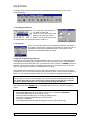
There is one special setting in the programming software. “Smartcard”,
This setting is intended for Trough PIC programming using a Phoenix or
SmartMouse card interface (Mode #0 and #1). This option is to be
switched of in MASTERA Mode #2 and #3.
Trough PIC Programming sequence.
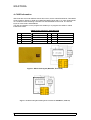
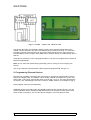
Programming ISO Cards with a buried EEPROM is done in tree steps. The EEPROM device
is not directly accessible by the programmer as shown in the figure above. The EEPROM is
accessible in Phoenix Mode (#0 or #1). The buried PIC has to contain a LOADER program to
enable the serial communication. The data is transferred by a serial protocol to or from the
PIC. The PIC relays the data to the EEPROM and vice versa.
Some Smartcard PIC software having this serial protocol build in. So as soon as the PIC is
programmed you can access the EEprom date in Phoenix mode. This kind of PIC software is
ideal; you can change the EEprom data over and over without re-programming the PIC.
Most PIC software however is not prepared for “trough Pic programming” or the are using a
different protocol. So to access the EEprom you have to place a loader program in the PIC
first. This means that you have to know the original code from the PIC to re-program
the PIC’s original code when you are finished programming the EEprom!
The loader program “LOADER.hex” is compatible with the IC-Prog software from Bonny
Gijzen.
PROCEDURE:
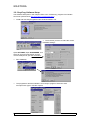
1. Select MASTERA Mode #2 and program the PIC on the card with LOADER.hex
2. Select MASTERA Mode #0 or #1 (see § 3.1.2.2)
3. Select the SMARTCARD option in the ICprog settings menu
4. Select the correct I2C EEPROM type (usualy 24C16)
5. Program the EEPROM
6. Select MASTERA Mode #2 again and program the PIC with the final code.
MASTERA User Manual Rev 1.1 :
13/06/01
7/12