1
COMbricks – User Manual
4.5
Network configuration
Head Stations: 1A, 1B, 1C
Firmware:
V1.252 and higher
Login:
Administrator
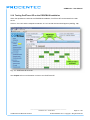
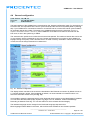
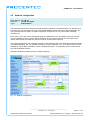
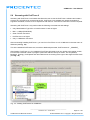
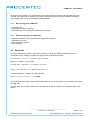
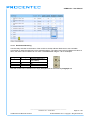
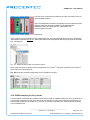
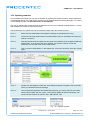
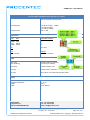
The network names and the assignment of the repeater modules are customized here. For optimal use of
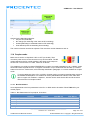
ProfiTrace OE, it is important that correct and understandable network names are defined (see Fig. 31).
The network names are used in multiple components: ProfiTrace Live List, event emails, message
recording, etc.
Each of the 4 Live Lists can be individually setup to a different time-out. The default value is 5 seconds.
The time indicates how long a slave will be displayed as green when it has lost communication to the
master. After the set time it will turn yellow if it has no communication anymore.
The network assignment of the repeater modules is also displayed and can be adjusted if software settings
are enabled (see Fig. 31). It is possible to assign a module to Network 1 to 4, or to disconnect it from the
backplanes. This makes it possible to create a multiplexed system, or temporarily remove certain slaves
from the PROFIBUS network.
Dipswitch settings are always primary to software settings.
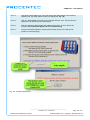
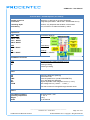
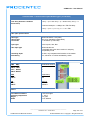
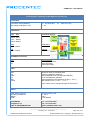
Fig. 31 - Network configuration
_______________________________________________
Version 5.4.0 – June 2014
COMbricks-User-Manual1-EN.docx
Page 47 / 184
© PROCENTEC 2014 - Copyright - all rights reserved