1
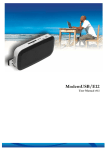
ModemUSB/H7.2
User Manual
If the ModemUSB/H7.2 modem connects to the Internet, red indicator denoted as
Disconnected on the left corner of MCT window turns green and will be denoted as Connected.
In order to disconnect from the Internet, click Disconnect in the main Modem Control
Tool window.
In application tab – you can select preferred language of MCT and check statistic of the
transferred data.
17