1
Linux Infrared HOWTO
The better way is to change your /etc/printcap to use /dev/irlpt0 in addition or instead of
/dev/lp1.
For easy printer setup you may use a printing software like APSFILTER, MagicFilter EZ−Magic (with
RedHat there should also be a GUI for this purpose). Make a copy of /etc/printcap before.
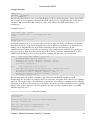
Example for APSFILTER with a HP 6P (non−postscript, HP 6MP is with postscript). The two relevant
questions are: "Do you have a (s)serial or a (p)arallel printer interface?" Answer "p" "What's the device name
for your parallel printer interface?" Answer "/dev/irlpt0"
Restart the print daemon with kill −HUP <PID of lpd>. If you use another print daemon choose the
according command.
3.3. LAN Connection − IrLAN
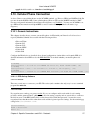
You might connect your Linux box using IrLAN to another network device such as a Linux box with IrLAN,
a HP NetBeamer or a Microsoft−Windows95 box with Infrared Network Device support. But this protocol is
no longer maintained by the Linux/IrDA core team.
3.4. HP NetBeamer Connection
As far as I know this device uses IrLAN. But currently this protocol is no longer maintained by the
Linux/IrDA core team.
3.5. Palm III Connection − IrCOMM
• PPP Rui Oliveira wrote: "This is just to let you know that with the latest IrCOMM patch (050998) of
Takahide Higuchi, I managed to HotSync and establish a PPP connection between my Palm III and
my Linux box. I'm using IRLink (from IsComplete) to redirect the serial port to ir. Communication
with pilot−xfer (available from the "pilot−link" package at kpilot ) works flawlessly. Although I was
able to establish a PPP connection, I'm still unable to fetch mail and do Web browsing. This is
probably due to connection time−outs. I am checking this out. Please see the PPP−HOWTO for
further information about PPP. I managed to establish an apparently robust connection between my
Linux box and a Palm III. The pppd invocation I use is as follows:
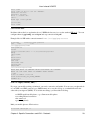
/usr/sbin/pppd /dev/ircomm0 57600 192.168.2.10:192.168.2.11
proxyarp passive silent persist noauth local nodetach
Over the PPP connection I used ping, ssh, and HTTP. Strange is however the fact that discovery must
be enabled (maybe obsolete) . Otherwise, even with an active IrCOMM connection, the link goes
down due to a IrLAP disconnect. The pilot−link tools (used for Linux/Palm synchronization) also ran
flawlessly over IrCOMM via /dev/ircomm0." There are also reports about kpilot, though not
working as flawlessly as pilot−xfer.
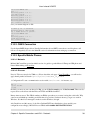
• IrCOMM Jon Howell wrote: "I thought I'd try IrCOMM, since the Palm III can be made to reroute
serial info to the IR port (using IrLink from IS/Complete, available at PalmCentral , and then you can
run a terminal program (like PalmTelnet in serial mode) over IrDA. I can only assume it's using the
IrCOMM protocol. I've tested this configuration between two Palm Pilots, but of course I can't know
what the protocol running over the IR is." (1) Start HotSync on your Palm. You need the IrDA
upgrade for the Palm to have IrCOMM support (2) Place the Palm in front of the dongle. (3) Start
pilot−xfer −p /dev/ircomm0 −s <sync−dir> . And if you are lucky it will start syncing. If you start
pilot−xfer before you start HotSync on the Pilot, you will _not_ be lucky! Maybe a terminal program
Chapter 3. Specific Connections and IrDA − Protocols
21