1
3.0 TRADING CENTER – Stocks
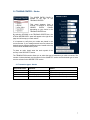
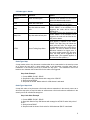
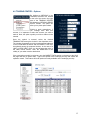
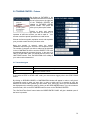
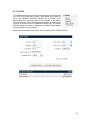
The ORDER ENTRY PANEL is
located to the right of the
TRADING CENTER.
This panel changes from a
STOCK, FUTURES or OPTION
ORDER
ENTRY
PANEL
depending on your choice in the
TRADING CENTER box.
By selecting STOCKS in the TRADING CENTER box, the
STOCK ORDER ENTRY panel will appear to the right of the
page and will accept your stock orders.
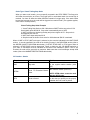
It is important to verify that your orders are placed in the
correct account. If you manage several accounts, select the
desired account from the drop-down menu located at the top
of the STOCK ORDER ENTRY panel.
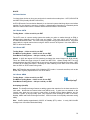
To place an order, simply enter the stock symbol of the
security in the SECURITY section.
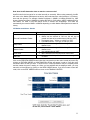
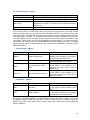
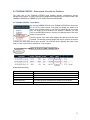
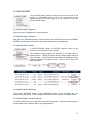
The TRANSACTION section allows you to select the type of transaction you wish to execute. The
number of shares desired must be entered in the QUANTITY section and the desired type of order
must be selected in the ORDER TYPE section.
3.1 Transaction types - Stocks
Drop-down menu
Buy
Sell
Short
Cover
Definition
Buy
Sell
Short Selling
Cover a Stock Position
Details
Buy stock
Sell stock that you posses
Sell stock that you do not posses
Buy back the stocks that you shorted
7