1
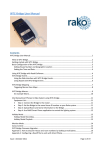
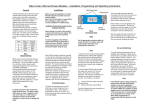
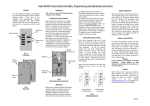
What is RTC-Bridge RTC-Bridge will add the following features to a RAKO wireless system: Ethernet interface, including remote control via Smart Phone. Timed Events. Automatic functions at fixed times or triggered by dawn & dusk times. Mapping. Commands from wall controllers can be redirected to perform other tasks. Macros. Complex series of commands that are triggered by a single command or event. Holiday Mode. Replays recorded scene activity, creating an occupied look to a property. Monitor. Diagnostic display of system activity. Getting started with RTC-Bridge Some initial setup of RTC-Bridge is needed. First, Plug the RTC Power Supply into the RTC-Bridge and apply power. The RTC-Bridge display will light up and there will be a short beep. Plug the Ethernet patch cable from the RTC-Bridge to a spare port on a wireless router. Use a normal web browser (eg Internet Explorer) to connect to the RTC-Bridge via the router. The default RTC-Bridge URL is http://rakobridge Or Use a laptop to connect to the RTC-Bridge http://rakobridge.local Use a Web Browser to view the RTC Bridge control panel. Issue 1 October 2011 Page 2 of 19