1
Authorizing with iLok.com
Required for demo, upgrade, and replacement authorizations only
iLok.com can be accessed from any Macintosh or PC with an Internet connection.
You can do this at home, a friend’s, or at the office as long as there is an internet
connection to access iLok.com--note that you don’t have to use your ProTools
system computer! You simply use this computer to connect to iLok.com and
transfer authorizations to your iLok Smart Key. The iLok Smart Key can then be
moved to your ProTools system to complete authorization of your plug-in.
You will need:
• A computer with an Internet connection. Either a Macintosh
running OS 9.2 to OS 10.3 or a PC running Windows 98, ME,
2000, or XP
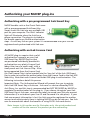
• An iLok USB Smart Key
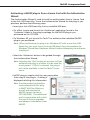
• A valid iLok.com account. Visit www.iLok.com and set up a free
account, if you have not already done so.
1) Download and install the required client software from iLok.com.
2) Download the desired McDSP plug-in Installer from:
http://www.mcdsp.com/support/updating.html
3) To receive an upgrade or replacement authorization, send email your iLok.
com account information to: [email protected]
To receive a demo authorization, email your iLok.com account information to:
[email protected]
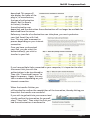
Insert your iLok Smart Key into an available USB port and ensure that the
indicator light is lit. Once your
demo, upgrade, or replacement
authorization is available for transfer,
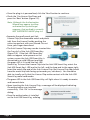
your iLok.com account will display
the notice saying “You have licenses”
on the upper left. Begin by selecting
that link.
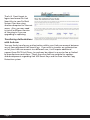
The next page will display the
pending licenses available for
Page 20