1
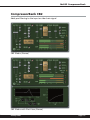
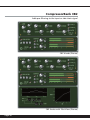
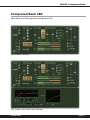
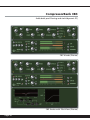
McDSP CompressorBank
Registering your McDSP plug-ins
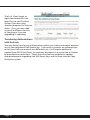
To register your McDSP plug-in, fill out and return the product registration
card enclosed with the boxed plug-in package by mail or fax 707-220-0994.
Registering your product entitles you to future upgrades and advance
information from McDSP. Each individual product must be registered (even if you
have multiple copies), and the product must be registered to an individual, not
an entity. If you represent a company it is your company’s responsibility to notify
McDSP in writing if the individual who registered the plug-in is no longer with
the company. The Company must also be able to supply matching registration
information to successfully transfer ownership of the plug-in.
Using your McDSP plug-ins
Starting a McDSP plug-in:
Follow the installation, authorization, and registration instructions above, Launch
Pro Tools™, and the McDSP plug-in and its presets are ready for use. Refer to
the Digidesign™ Pro Tools™ Reference Guide for details on general plug-in
operation such as automation.
Exiting a McDSP plug-in
A McDSP plug-in is exited by clicking on the desktop or other window in the DAE
application running the plug-in, closing the plug-in window, or de-instantiating
the plug-in. Pro Tools™ sessions will save instantiated plug-in configurations and
their settings. Refer to the Digidesign™ Pro Tools™ Reference Guide for details
on general plug-in operation.
Digidesign ™ and Pro Tools™ are registered trademarks of Digidesign, Inc.
mcdsp.com
Page 23