1
Corporate purchasing system
PurchAce
Corporate Purchasing System
Table of Contents
PurchAce _________________________________________________________________ 5
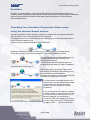
Checking Your PurchAce Connection Status when using the internet based version. ____ 5
Off Line Mode _________________________________________________________________ 6
Data transit status ______________________________________________________________ 6
Getting Started _____________________________________________________________ 7
PurchAce User Accounts ________________________________________________________ 8
Creating users and changing privileges _____________________________________________ 8
Creating a new User Account ____________________________________________________ 8
Setting a users as a ‘Manager User’________________________________________________ 8
Assigning Users Cost Centres Privileges ____________________________________________ 9
Allowing Users To Authorise Their Own Purchase Orders _____________________________ 9
Setting a User Account as Inactive ________________________________________________ 9
Deleting A User Account _______________________________________________________ 10
Editing a User Account ________________________________________________________ 10
Starting the Multi-Company Version Of PurchAce__________________________________ 11
Logging in to PurchAce ________________________________________________________ 12
Checking ‘Who’s Logged In’ and logging users out _________________________________ 12
Setting-up PurchAce _______________________________________________________ 13
Changing the Purchase Order Numbers that PurchAce gives to new purchase orders _____ 13
The Setup Screen __________________________________________________________ 13
Changing the Default VAT Value ________________________________________________ 13
The P.O. Settings Tab __________________________________________________________
Allowing users to print purchase orders before they are authorised ______________________
Allowing users to delete purchase orders __________________________________________
Hiding the Purchase Order Number until a purchase order is authorised __________________
Preventing Users from Back-Dating POs __________________________________________
14
14
14
14
14
The P. O. Defaults Tab _________________________________________________________ 14
Setting the PurchAce Currency __________________________________________________ 14
Altering the Free Field _________________________________________________________ 15
Setting the Default Depot ______________________________________________________ 15
Setting the printed purchase order ‘Company Reg No’ and ‘Vat Reg No’ in the Printed Purchase
Order tab ___________________________________________________________________ 15
Setting up Units to be used in Purchase Orders _____________________________________ 15
Creating and Deleting Unit Descriptions ___________________________________________ 16
Setting Up Cost Centres ________________________________________________________ 16
Page 2 of 36