1
DISCOVERY user manual
LIBRARY & FDL-PCI INSTALLATION
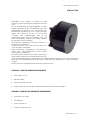
The installation of the library is always linked to the installation of the camera, of course. For this
purpose you just need to install the PCI interface as well.
Let’s analyse the sequence of operations to be carried out. It will be shown the example with
WINDOWS XP Operating System. The operations are similar for the other Operating Systems.
Once you turn the system on for the first time with the FDL-PCI interface on, you will be asked to
specify where the available drivers are. Follow the steps on the basis of your Operative System.
WINDOWS XP
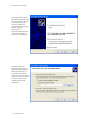
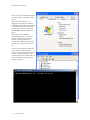
Insert the FDL-PCI card into
the slot of the motherboard
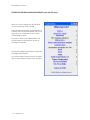
and turn the PC on. As soon
as the system gets started,
a window (like the one
shown below) will appear,
noticing you a new
hardware was found. You’ll
be requested to connect
for Windows update, let
select: “No, not at this
time”.
©2006 dta s.r.l. p. 7